
بطاقة بريدية للتسويق المباشر - "تم البيع للتو"
- صورة
- اختياراتك
- صورتك
اكتشف ما يمكن فعله
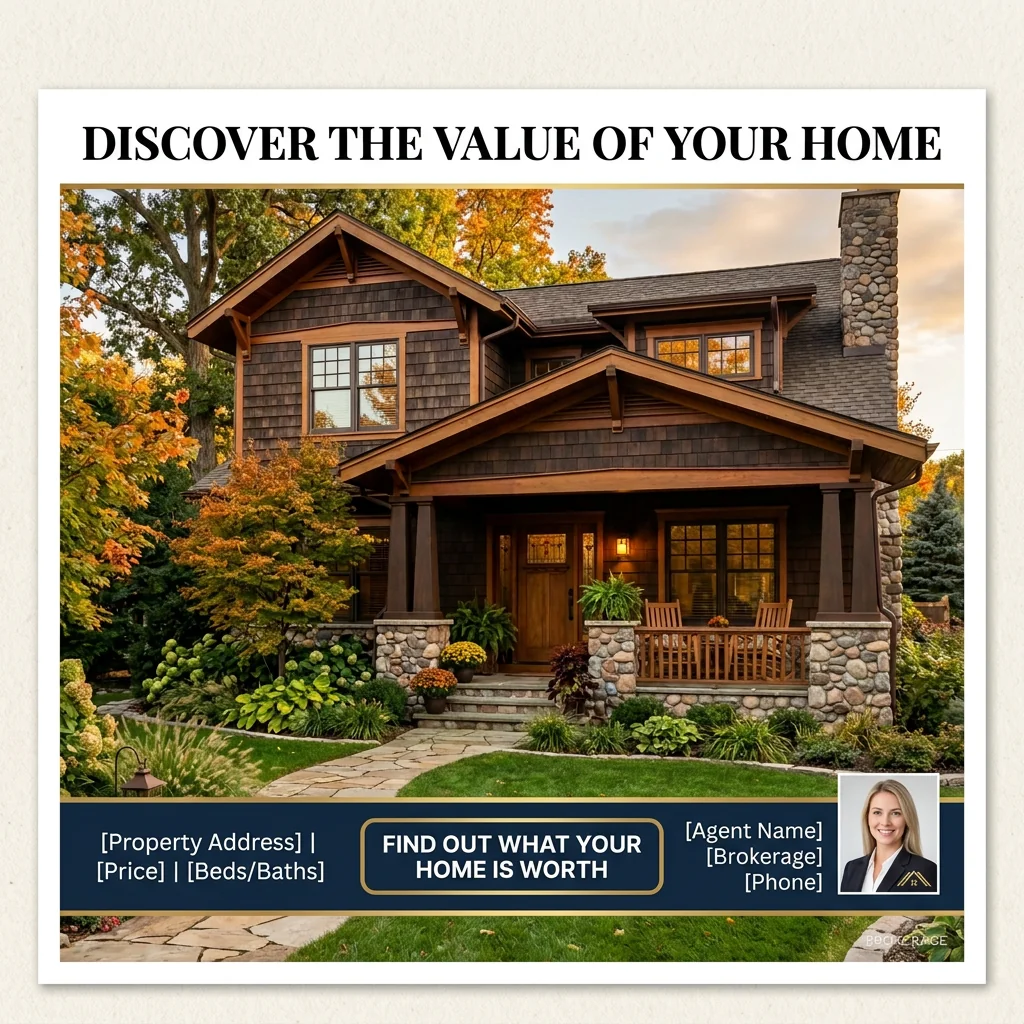
نتائج حقيقية من صور مثل صورتك.


كيف يعمل
- 1حمّل صورتك
- 2اختر إعداداتك
- 3صورتك
نصائح للحصول على نتيجة رائعة
صورة واضحة ومشرقة
يعطي ضوء النهار وزاوية واسعة أفضل نتيجة.
أظهر المساحة بالكامل
احتفظ بكل ما تريد تغييره ظاهرًا بالكامل في الصورة.
جرّب عدة نسخ
قارن بين الخيارات المختلفة قبل أن تقرر.
الأسئلة الشائعة
هل يمكنني استخدام الصور تجاريًا؟
نعم. يمكنك استخدام صورك لأي غرض، بما في ذلك الاستخدام التجاري.
هل تتغير صورتي الأصلية؟
لا. تبقى صورتك الأصلية دون تغيير ويمكنك تنزيلها في أي وقت.
ماذا لو لم تعجبني النتيجة؟
جرّب نمطًا أو إعدادًا آخر، أو حسّن النتيجة بتعليمات قصيرة.
واصل الاستكشاف
جميع الأدوات
رسمة "تعرف على الفريق" للوكيل
عرّف بنفسك على نحو احترافي. ارفع صورة رأس وأنشئ تصميمًا مذهلًا على وسائل التواصل الاجتماعي بعنوان "About the Agent" أو "Meet the Team" مع تخصصاتك، ومناطق خدمتك، ومعلومات الاتصال.
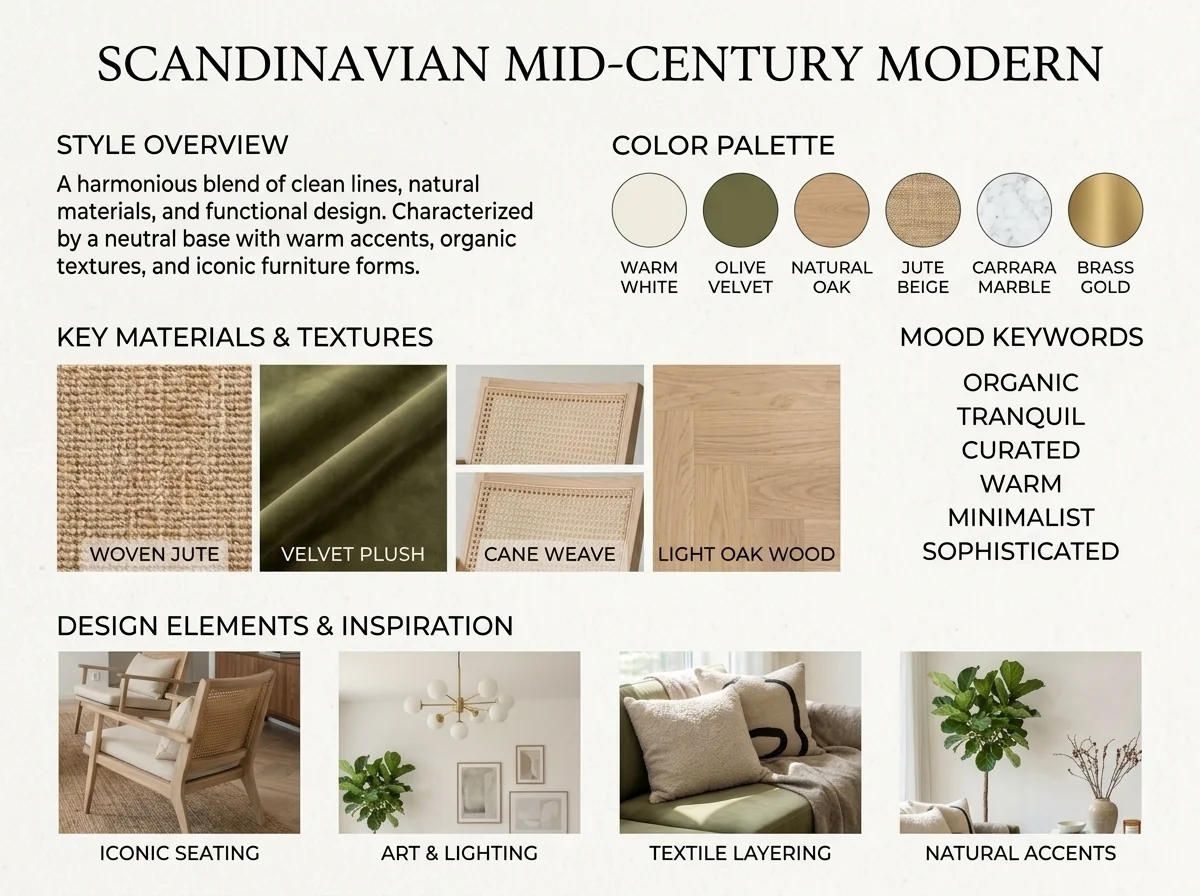
مكتشف أسلوب التصميم الداخلي ولوحة الإلهام بالذكاء الاصطناعي
ارفع أي صورة لغرفة ويحدّد الذكاء الاصطناعي أسلوب التصميم الداخلي ولوحة الألوان والمواد الأساسية، ويولّد لوحة مزاجية متناسقة معها. مثالي لفهم المساحات الحالية أو للتعبير عن تفضيلات الأسلوب.
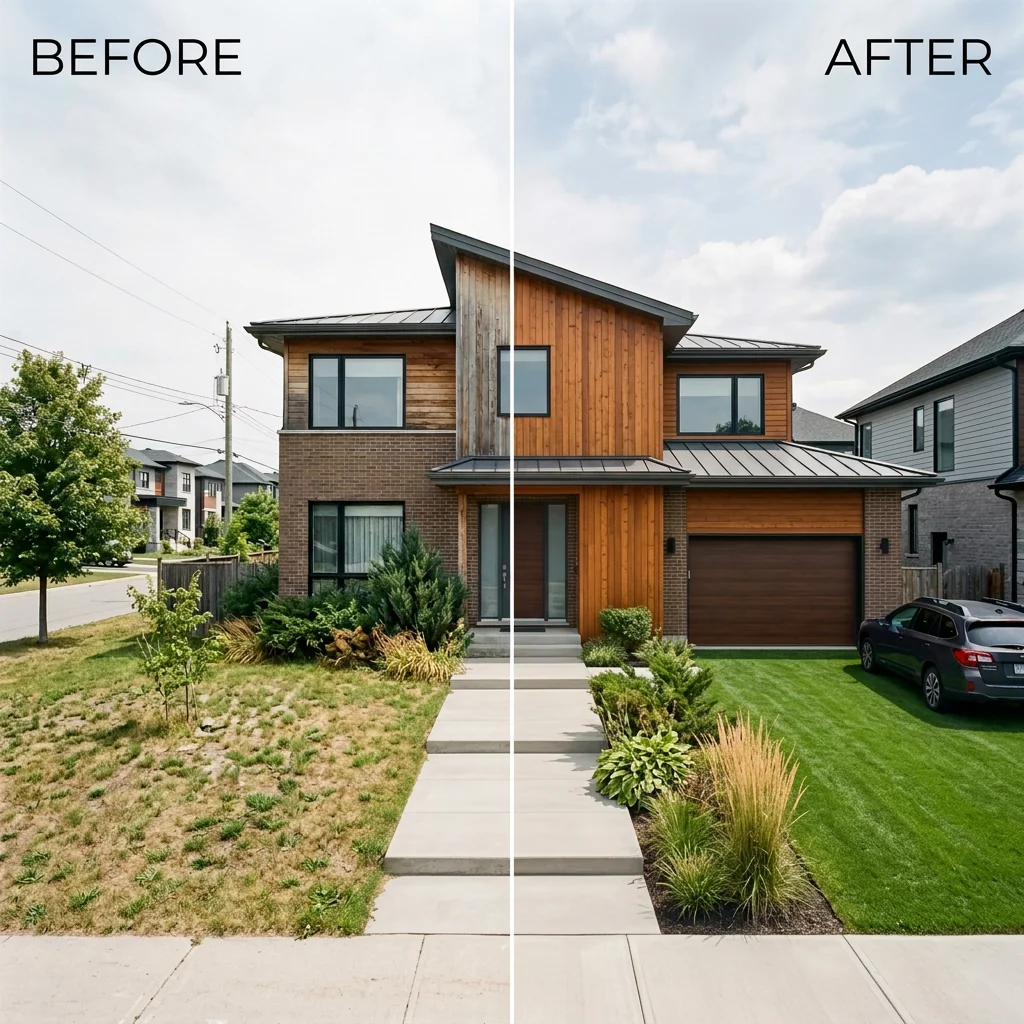
قائمة جنبًا إلى جنب قبل وبعد
أنشئ صور مقارنة احترافية قبل وبعد لقوائم العقارات. ارفع صورتين ويولّد الذكاء الاصطناعي مقارنة جانبية مصقولة مع تسميات، مثالية لـ MLS ووسائل التواصل الاجتماعي والمواد التسويقية.
اقرأ الدليل الكامل
How long does generation take for Just Sold Direct Mail Postcard?
Generation usually takes between 5 and 15 seconds.
Can I use the results commercially?
Yes, every generated image includes a full commercial usage license.
Tips for your photo
Make sure the photo is well lit and shot from a wide angle.
Remove clutter before shooting the photo for the best results.
Use re-staging mode for targeted style changes.
Frequently asked questions
What are the recommended input photo formats and resolutions for the Just Sold Direct Mail Postcard tool?
For optimal "Just Sold Direct Mail Postcard" quality, upload high-resolution JPEG or PNG real estate photos (300 DPI, minimum 2000px on the longest side). This ensures crisp print output for your property listing.
How long does it take to generate a Just Sold Direct Mail Postcard design?
The AI typically generates your "Just Sold Direct Mail Postcard" design within 15-30 seconds. Processing time may vary slightly based on image complexity and server load, but it's designed for rapid agent use.
What is the output quality and format of the generated Just Sold Direct Mail Postcard?
Your "Just Sold Direct Mail Postcard" is generated as a print-ready PDF, optimized for professional printing services. It features high-resolution graphics and text, ensuring a premium look for your direct mail campaign.
What are the best practices for achieving optimal results with the Just Sold Direct Mail Postcard tool?
Enhance your "Just Sold Direct Mail Postcard" by using professional real estate photos, accurate MLS data, and a clear call-to-action. Ensure your agent branding elements are high-resolution for a polished property listing.
Can I re-generate or modify a Just Sold Direct Mail Postcard after initial creation?
Yes, you can re-generate your "Just Sold Direct Mail Postcard" by adjusting input parameters or uploading new real estate photos. The tool allows for multiple iterations to perfect your agent's property listing design.
Technical FAQ: Just Sold Direct Mail Postcard
Quick answers for optimal results
Common mistakes
5 Costly Just Sold Direct Mail Postcard Mistakes (And How to Fix Them)
Avoid these pitfalls and maximize your Just Sold postcard campaign ROI.
Using Low-Quality Real Estate Photos
A blurry or poorly lit property listing photo will immediately turn off potential clients. First impressions matter, especially in direct mail.
Transform your image with PropStage.ai's Image Enhancer before uploading to the Just Sold Direct Mail Postcard tool. Ensure your hero photo is high-resolution and professionally staged, showcasing the property in its best light.
Generic or Missing Call-to-Action on Your Just Sold Postcard
Without a clear call-to-action, recipients won't know what you want them to do. A vague message leads to missed opportunities.
Use the Just Sold Direct Mail Postcard tool to craft a compelling call-to-action. Examples: 'Thinking of Selling? Call Today for a Free Market Analysis!' or 'Visit [Your Website] to See More Listings!' Highlight your expertise and availability.
Neglecting Key Property Listing Stats on Your Just Sold Postcard
Failing to highlight impressive stats like 'Sold Over Asking Price' or 'Sold in Under 7 Days' diminishes the postcard's impact and your credibility as an agent.
Leverage the Just Sold Direct Mail Postcard tool to prominently display key statistics. Input accurate and compelling data that showcases your success in the local market. Showcase your wins to attract more clients.
Inconsistent Branding Between Your Just Sold Postcard and Other Marketing Materials
A disjointed brand image creates confusion and weakens your overall marketing efforts. Consistency builds trust and recognition.
Ensure your Just Sold Direct Mail Postcard design aligns with your existing branding (logo, colors, fonts). The PropStage.ai tool allows for customization to maintain brand consistency across all your marketing channels, including your MLS and Zillow profiles.
Not Targeting Your Just Sold Postcard to the Right Neighborhood
Sending postcards to irrelevant areas wastes resources and reduces your chances of generating leads. Hyperlocal targeting is crucial for effective farming.
Use demographic data to identify neighborhoods where your Just Sold Direct Mail Postcard will resonate most. Focus on areas where similar properties exist and where homeowners are likely to be interested in selling. Target areas near the 'Just Sold' property for maximum impact.
What Your Just Sold Direct Mail Postcard Results Will Look Like
Transform your property listing with stunning Just Sold direct mail postcards – see the results!
Your workflow
4 Steps to Stunning Just Sold Direct Mail Postcards: Dominate Your Farm Area
How to Create High-Converting Just Sold Direct Mail Postcards Online: A Step-by-Step Guide
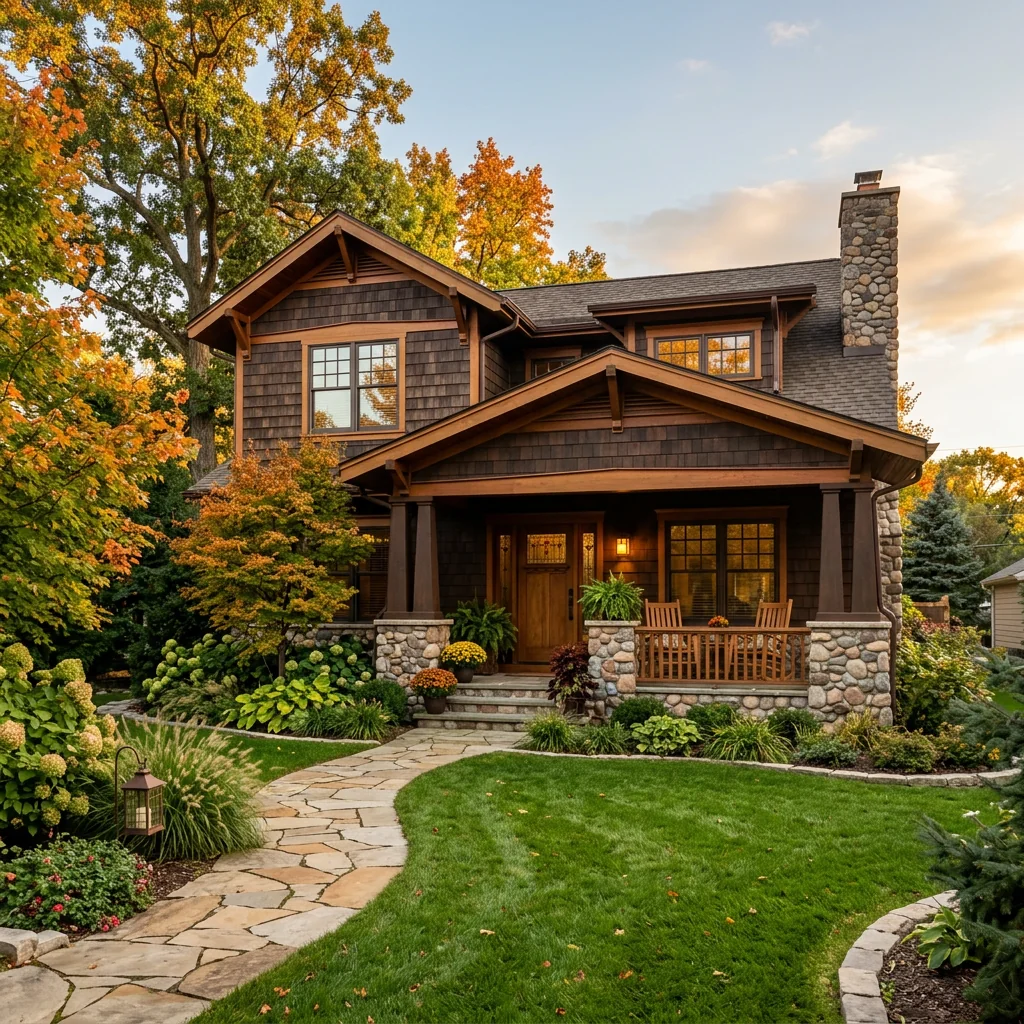
Upload Your Hero Real Estate Photo
Transform your best real estate photos into the hero image for your Just Sold Direct Mail Postcard. Ensure it's high-resolution for optimal print quality. Use photos of the property listing, not just the outside of the house.
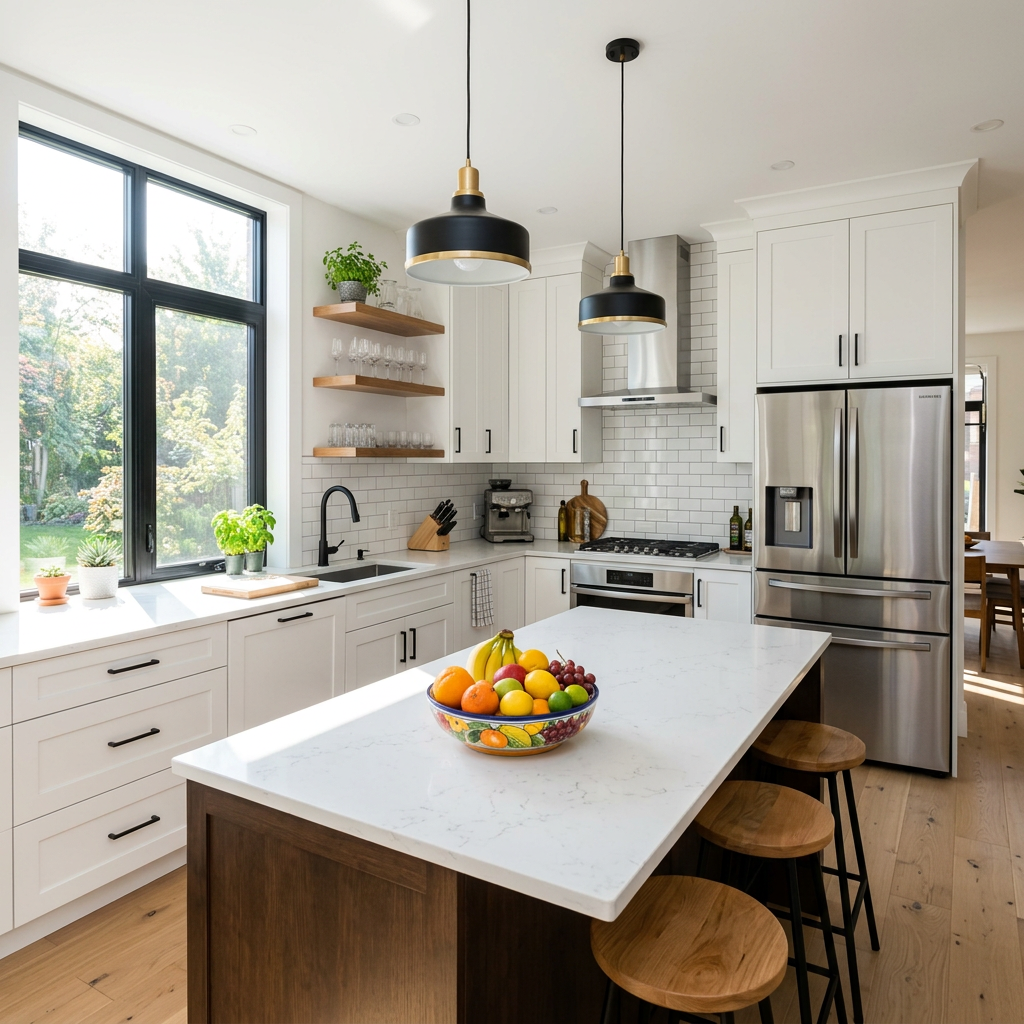
Choose a photo that highlights a key selling point of the property, such as a renovated kitchen or a beautiful backyard. This will grab the attention of potential clients.
Input Property Details & Just Sold Stats
Enter the key details of your Just Sold property, including the address, sale price, and days on market. This information will be prominently displayed on your Just Sold Direct Mail Postcard.
Highlight impressive stats like 'Sold Over Asking Price' or 'Multiple Offers' to showcase your expertise as a real estate agent.
Customize Your Just Sold Direct Mail Postcard Design
Select a pre-designed template or customize your Just Sold Direct Mail Postcard with your branding, colors, and contact information. Ensure your call-to-action is clear and compelling. Enhance the design with professional real estate photos.
Use a strong call-to-action such as 'Get a Free Home Valuation' or 'List Your Home with Me' to encourage potential clients to reach out.
Download Print-Ready Files for Your Just Sold Postcard
Convert your finalized design into print-ready files. Upload these files to your preferred printing service or use our integrated printing options to get your Just Sold Direct Mail Postcards delivered directly to your target neighborhood. Send it to your MLS area and Zillow leads.
Consider using Every Door Direct Mail (EDDM) to target specific neighborhoods and demographics with your Just Sold Direct Mail Postcards. Track the response rate to optimize future campaigns.
Use cases
Real Estate Listings for Just Sold Direct Mail Postcard
Social Media Marketing & Instagram Inserate
Architektur- & Umbau-Präsentationen
Just Sold Direct Mail Postcard — Technical Specifications
1. Upload your property photo.
2. Choose the interior style or room type you want.
3. Click Generate and get your result in seconds.
Expert guide
5 Tips: Dominate Your Farm with a Just Sold Direct Mail Postcard
How to Create a High-Converting Just Sold Direct Mail Postcard Online
Transform Your Real Estate Photos for Maximum Impact
Upload high-resolution real estate photos to your Just Sold Direct Mail Postcard. Ensure the property listing image is crisp and well-lit. Avoid blurry or pixelated images, as this impacts the perceived value and detracts from your message to potential sellers. A great hero photo is key!
Optimize Your Just Sold Postcard Settings for Hyper-Local Targeting
Configure your Just Sold Direct Mail Postcard settings to target specific streets near the recently sold property. Use precise demographic filters for optimal reach. A targeted campaign ensures you reach the most likely sellers who are impressed by your recent sale and ready to list with you.
Enhance Your Just Sold Postcard for the Best Conversion Rates
Focus on highlighting key statistics from the property listing on your Just Sold Direct Mail Postcard. Emphasize the quick sale, over-asking price offers, and any unique features. Include a compelling call-to-action, such as "Get a Free Home Valuation" or "Call Me Today!" to drive immediate responses.
Stage Your Just Sold Postcard for Professional Agent Branding
Ensure your Just Sold Direct Mail Postcard design aligns with your brand. Use consistent colors, fonts, and your agent headshot. Include your MLS affiliation, brokerage logo, and contact information prominently. A professional, branded postcard builds trust and reinforces your expertise in the local market.
How it works
3 Steps to Create a High-Converting Just Sold Direct Mail Postcard
How to design a just sold direct mail postcard for real estate farming online
Upload Your High-Resolution Property Listing Photo
Upload your best real estate photos from the MLS or Zillow to our AI engine. Ensure the hero shot highlights the property's best features for maximum just sold direct mail postcard impact.
Select Your Custom Just Sold Postcard Layout
Transform your property listing into a professional marketing piece by choosing specific styles. Add agent branding, broker details, and property stats to convert neighbors into new leads via direct mail.
Download Your Print-Ready High-Res Postcard
Convert your design into a high-resolution, print-ready file optimized for direct mail. Enhance your local geo-farming strategy with professional postcards that look like they were made by a designer.
What you can do
Advanced Just Sold Direct Mail Postcard Capabilities
High-Resolution Print-Ready Postcards
Generate stunning, professional-grade "Just Sold Direct Mail Postcard" designs, ensuring crisp text and vibrant real estate photos for maximum impact in print.
Instant Direct Mail Postcard Generation
Rapidly create your "Just Sold Direct Mail Postcard" in seconds, transforming uploaded property listing photos into a complete design without delays.
Multiple Print-Ready Formats
Download your "Just Sold Direct Mail Postcard" in various standard print-ready formats, compatible with professional printers for seamless agent use.
Personalized Postcard Branding
Tailor your "Just Sold Direct Mail Postcard" with agent branding, custom calls-to-action, and specific property listing details for unique outreach.
AI-Driven Design Accuracy
Leverage AI to intelligently place your "Just Sold Direct Mail Postcard" stats and real estate photos, optimizing layout for conversion and agent engagement.
Agent-Centric Marketing Tools
Equip real estate agents with a powerful "Just Sold Direct Mail Postcard" solution, streamlining neighborhood farming and property listing promotion.
Pro-level tools at your fingertips