
استبدال السماء في صور العقارات
- صورة
- اختياراتك
- صورتك
اكتشف ما يمكن فعله
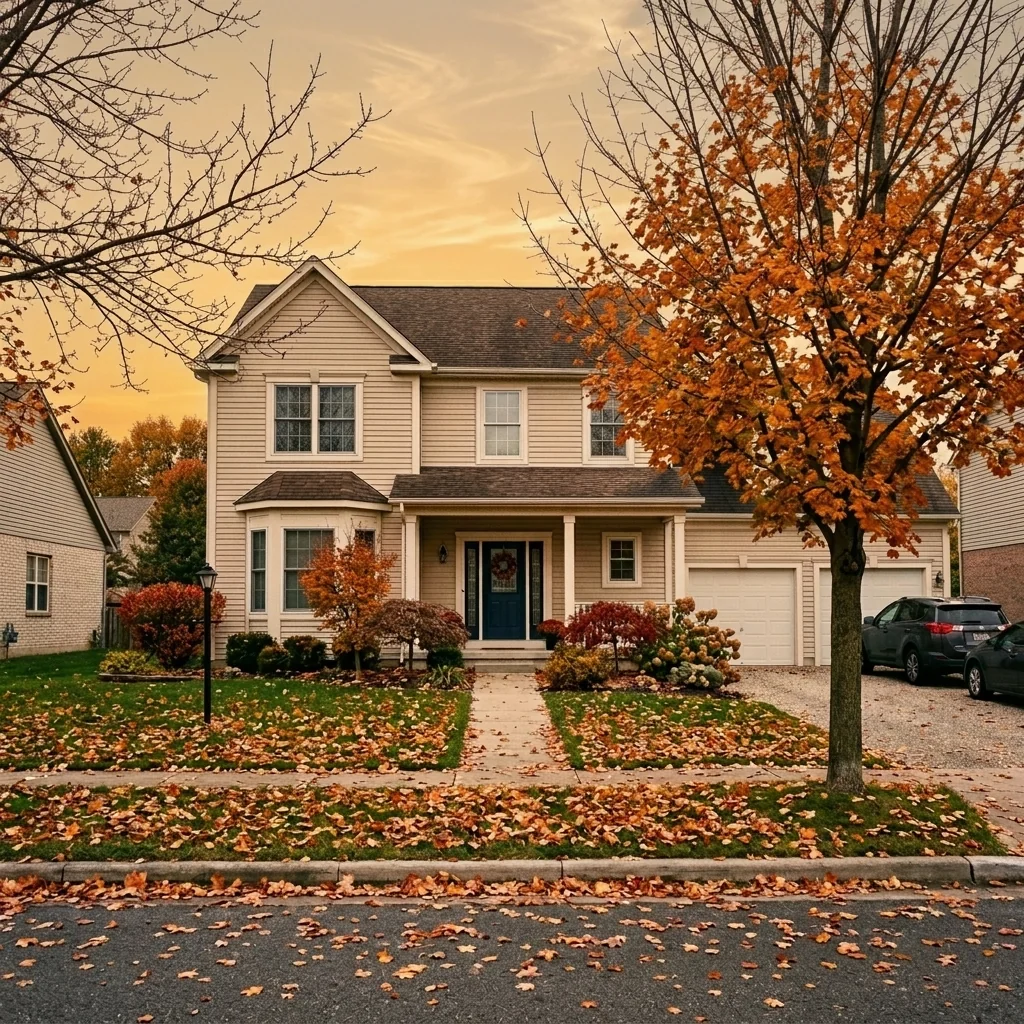
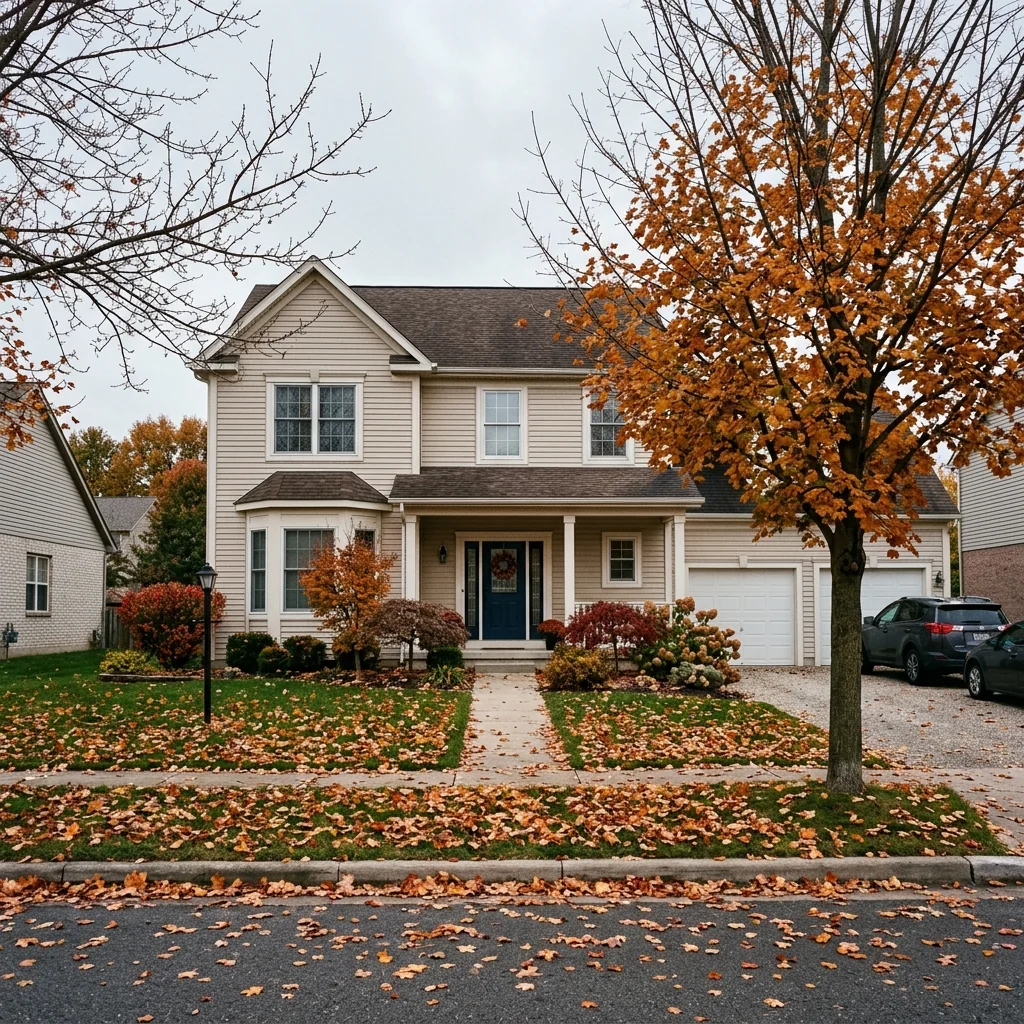
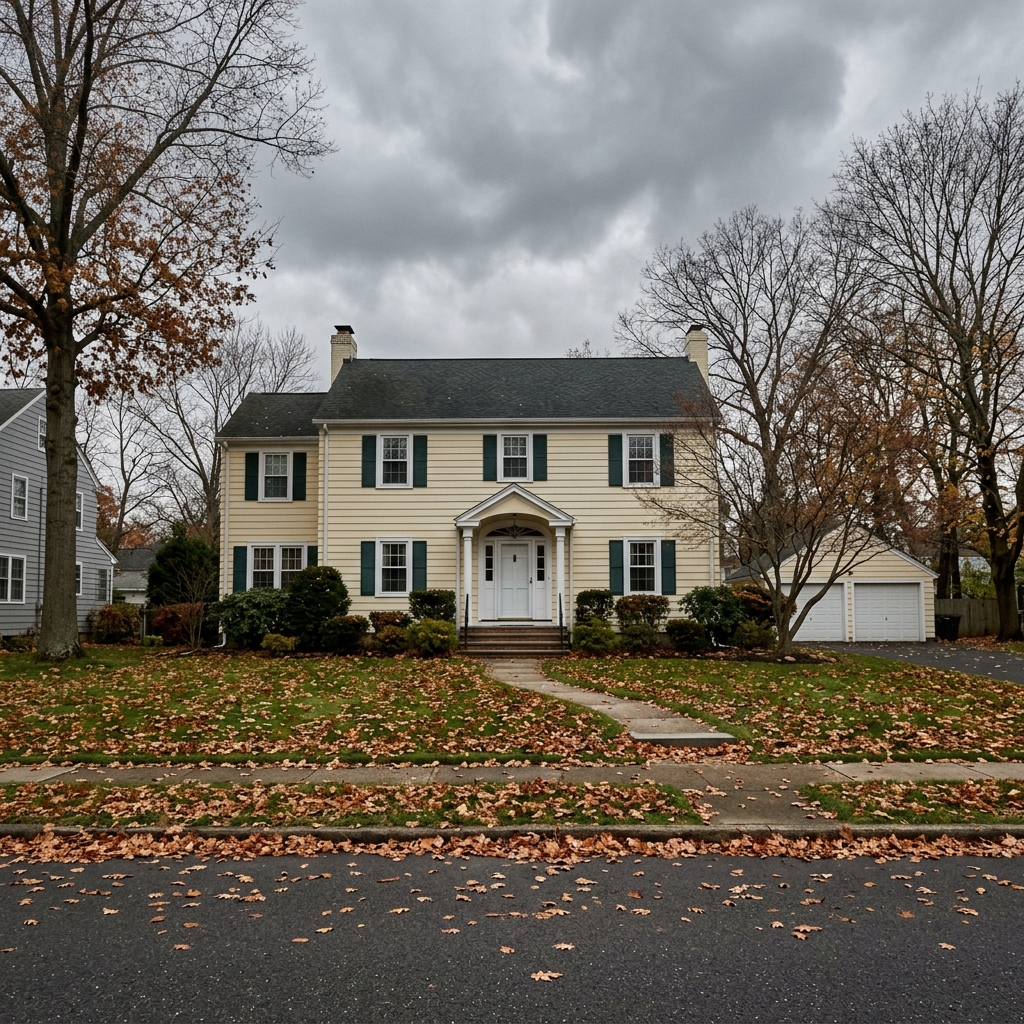
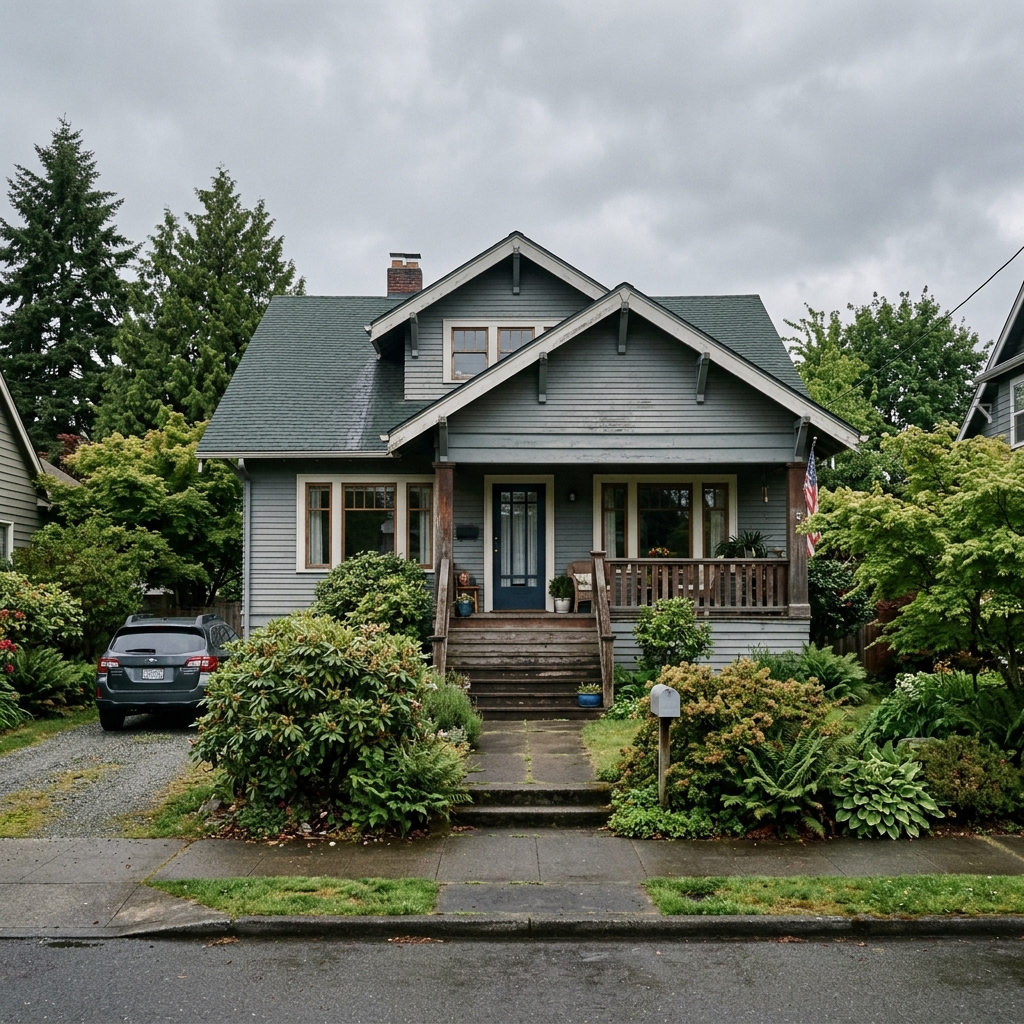
نتائج حقيقية من صور مثل صورتك.


كيف يعمل
- 1حمّل صورتك
- 2اختر إعداداتك
- 3صورتك
نصائح للحصول على نتيجة رائعة
صورة واضحة ومشرقة
يعطي ضوء النهار وزاوية واسعة أفضل نتيجة.
أظهر المساحة بالكامل
احتفظ بكل ما تريد تغييره ظاهرًا بالكامل في الصورة.
جرّب عدة نسخ
قارن بين الخيارات المختلفة قبل أن تقرر.
الأسئلة الشائعة
هل يمكنني استخدام الصور تجاريًا؟
نعم. يمكنك استخدام صورك لأي غرض، بما في ذلك الاستخدام التجاري.
هل تتغير صورتي الأصلية؟
لا. تبقى صورتك الأصلية دون تغيير ويمكنك تنزيلها في أي وقت.
ماذا لو لم تعجبني النتيجة؟
جرّب نمطًا أو إعدادًا آخر، أو حسّن النتيجة بتعليمات قصيرة.
واصل الاستكشاف
جميع الأدوات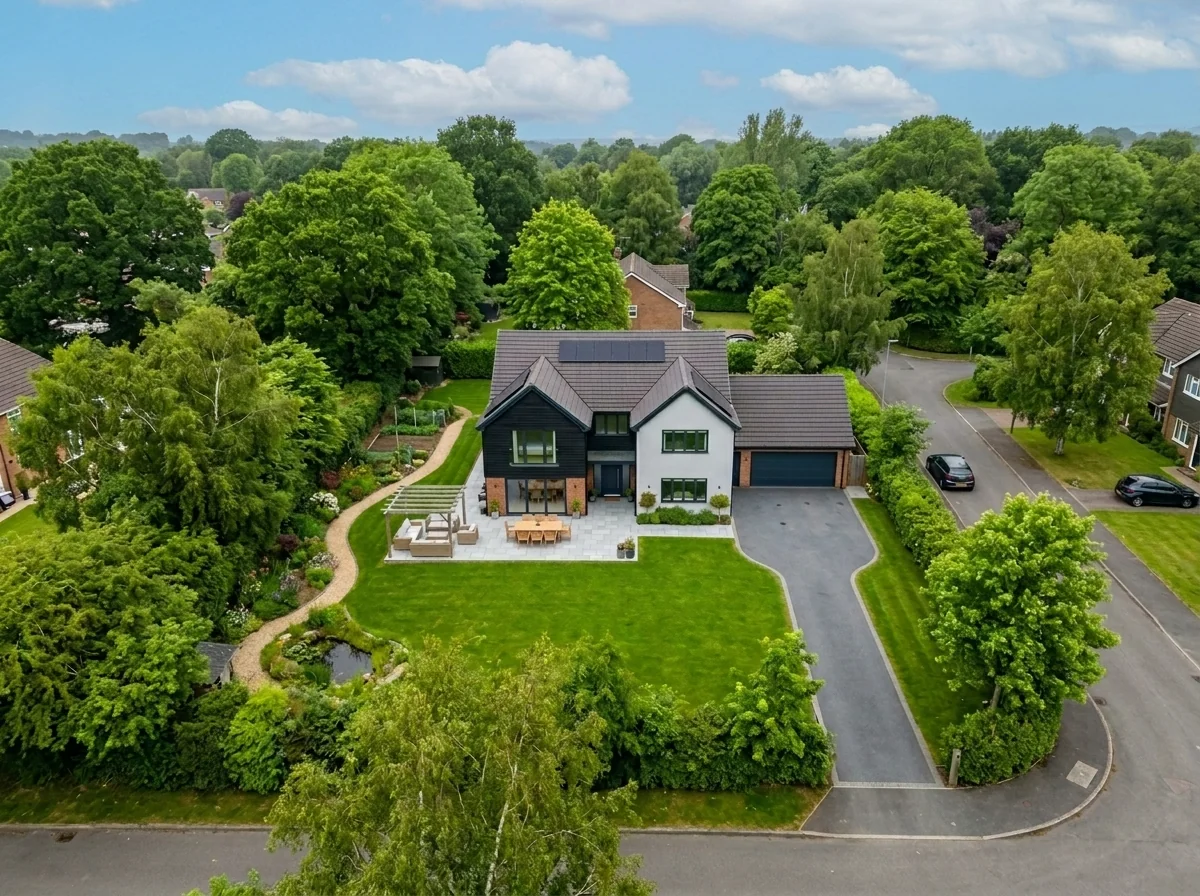
استبدال السماء في اللقطات الجوية
استبدل السماء الرمادية أو الملبدة أو المسطحة في صور العقارات الجوية والطائرات المسيّرة بسماء زرقاء رائعة أو ضوء الساعة الذهبية أو سحب درامية — في ثوانٍ. محسّن خصيصًا لمنظور العرض الواسع وخصائص الأفق في التصوير الجوي.

مزيل طمس الأعمال الفنية والصور الجدارية للشقق
اكتشف تلقائيًا وجرّد من الهوية صور الجدران، والصور المؤطرة، واللوحات، والأعمال الفنية في صور الشقق أو الغرف. اختر من بين عدة أنماط لإخفاء الهوية: تمويه غاوسي، تكسية بكسلية قوية، إزالة الجدار البسيط، استبدال بفن تجريدي، مطبوعات طبيعية، أو أنماط هندسية — مثالي للامتثال لـ GDPR، وقوائم العقارات، والتنسيق.
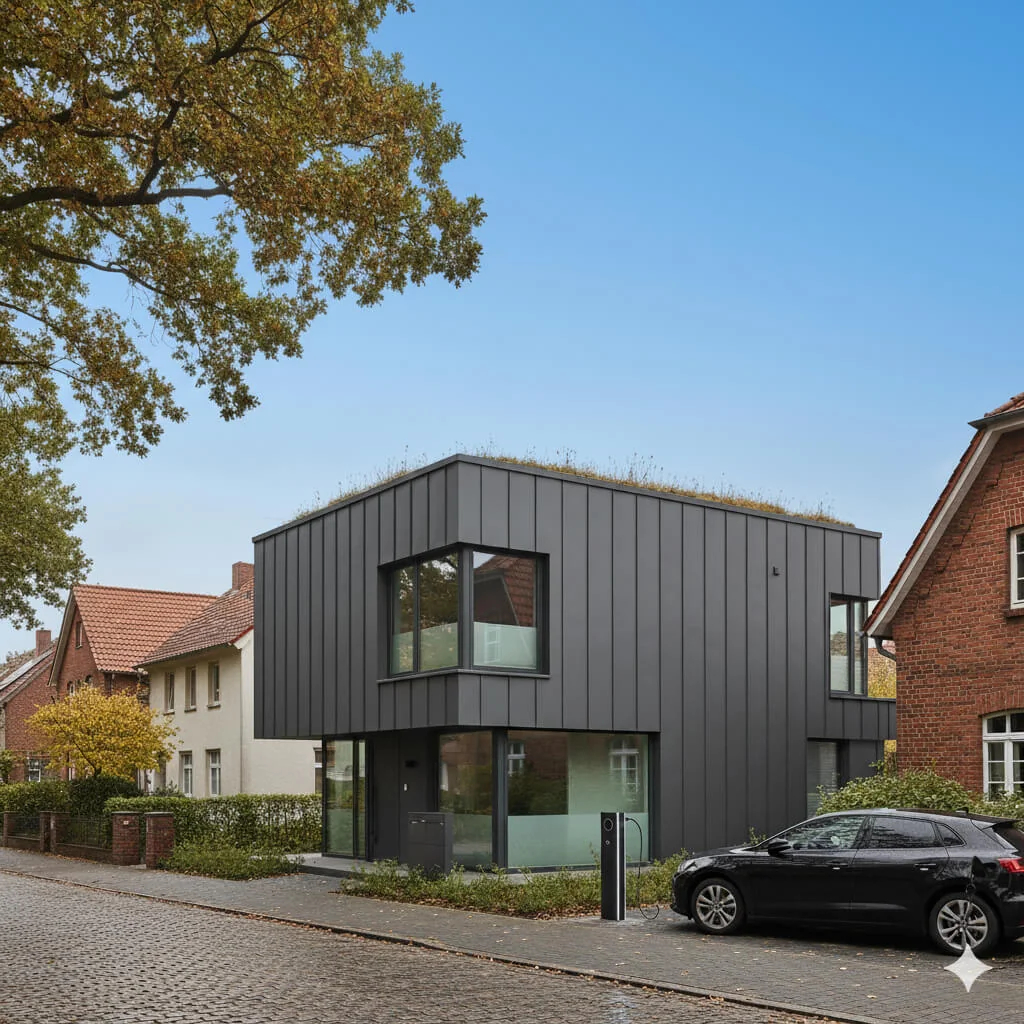
استبدال السماء الزرقاء
حوّل السماء الرمادية الملبدة بالغيوم إلى زرقة مشرقة مثالية—فورًا.
اقرأ الدليل الكامل
How long does generation take for Listing Photo Sky Replacement?
Generation usually takes between 5 and 15 seconds.
Can I use the results commercially?
Yes, every generated image includes a full commercial usage license.
Tips for your photo
Make sure the photo is well lit and shot from a wide angle.
Remove clutter before shooting the photo for the best results.
Use re-staging mode for targeted style changes.
Frequently asked questions
What image formats and resolutions does the Listing Photo Sky Replacement tool accept for optimal results?
Upload JPG or PNG files up to 20MB for best Listing Photo Sky Replacement. Ensure your real estate photos are high-resolution (300DPI recommended) to maintain crisp detail after sky replacement, crucial for MLS and Zillow listings.
How long does it typically take to process a Listing Photo Sky Replacement using the AI tool?
Convert your property listing in seconds. Our AI-powered Listing Photo Sky Replacement tool processes most images within 5-15 seconds. Enhance your agent's workflow by quickly staging multiple real estate photos for Zillow.
What output quality can I expect after using the Listing Photo Sky Replacement tool on my real estate photos?
Stage your real estate photos with stunning quality. The Listing Photo Sky Replacement tool delivers high-resolution, watermark-free images, perfectly integrated for MLS and Zillow. Expect professional-grade results that make your property listing pop.
What are the best practices for achieving seamless Listing Photo Sky Replacement results in real estate photos?
Enhance your Listing Photo Sky Replacement by uploading well-lit real estate photos with clear skylines. Avoid complex foreground elements overlapping the sky. This ensures the AI accurately stages and transforms your property listing for Zillow.
Can I re-generate or refine a Listing Photo Sky Replacement if I'm not satisfied with the initial outcome?
Transform your property listing with ease. Yes, you can re-upload and re-generate your Listing Photo Sky Replacement as many times as needed. Our tool allows agents to experiment with different sky options to perfectly stage real estate photos for MLS.
Technical FAQ: Listing Photo Sky Replacement
Quick answers for optimal results
Common mistakes
5 Listing Photo Sky Replacement Mistakes Killing Your Real Estate Photos
How to Avoid Common Errors in Your Property Listing Sky Replacement Online
Using Low-Resolution Images for Sky Replacement
Low-resolution images result in pixelated and unnatural-looking sky replacements, detracting from the overall appeal of your real estate photos on Zillow and the MLS.
Always use high-resolution real estate photos (at least 2000px wide) for sky replacement to ensure a seamless and professional finish. Upload high-quality images to our Listing Photo Sky Replacement tool.
Choosing Unrealistic Skies That Don't Match the Property
Selecting a sky that is too dramatic or doesn't match the property's location and architectural style can make your listing photo look fake and unappealing to potential buyers.
Opt for skies that complement the property and its surroundings. Consider the time of day and local weather patterns. Our Listing Photo Sky Replacement tool offers a variety of realistic sky options.
Poorly Blending the New Sky with the Existing Image
Visible lines or mismatched lighting between the original image and the replaced sky create an unnatural and amateurish appearance, hurting your chances of attracting buyers.
Carefully blend the new sky with the existing image, paying attention to color, lighting, and edges. Our Listing Photo Sky Replacement tool provides advanced blending options for a seamless integration.
Ignoring Reflections in Windows and Other Surfaces
Forgetting to adjust reflections to match the new sky can make the sky replacement look obviously fake, diminishing the credibility of your property listing for potential buyers and agents.
Pay attention to reflections in windows, pools, and other reflective surfaces. Adjust them to accurately reflect the new sky. While our Listing Photo Sky Replacement tool automatically handles some reflections, manual adjustments may be needed.
Overusing Sky Replacement on All Listing Photos
Relying solely on sky replacement for every real estate photo can make your listing look generic and less authentic, potentially deterring buyers who prefer a more realistic view of the property.
Use sky replacement selectively, focusing on photos where the original sky is particularly dull or distracting. Combine sky-replaced photos with images showcasing the property's natural beauty. Our Listing Photo Sky Replacement tool is best used to enhance, not replace, the original charm.
What Your Listing Photo Sky Replacement Results Will Look Like
Upload your real estate photos to get started and transform your property listing today!
Your workflow
4 Steps to Stunning Real Estate Photos: Listing Photo Sky Replacement
How to Instantly Enhance Your Property Listing with Online Sky Replacement
Upload Your Real Estate Photo
Upload the real estate photo you want to enhance. Ensure the image clearly shows the sky for optimal Listing Photo Sky Replacement results. Works with all MLS-compliant image formats.
Use high-resolution real estate photos for the best Listing Photo Sky Replacement quality. Avoid overly compressed images.
Select Your Dream Sky
Choose from a variety of pre-designed skies: bright blue, sunset, cloudy, or dramatic. Preview how each sky impacts your real estate photos with instant Listing Photo Sky Replacement previews.
Consider the property's location and style when selecting a sky. A vibrant sunset might be perfect for a beach house, while a clear blue sky suits a suburban home for Zillow and Realtor.com.
Adjust and Refine (Optional)
Fine-tune the sky's position, brightness, and color to perfectly match your real estate photos. Our advanced Listing Photo Sky Replacement tool ensures a seamless and realistic blend.
Pay attention to the horizon line and lighting. Minor adjustments can make a huge difference in the realism of your listing photo.
Download and Publish Your Enhanced Listing Photo
Download your transformed real estate photo, ready for immediate use on the MLS, Zillow, or your website. Enhance your property listing and attract more potential buyers with our Listing Photo Sky Replacement.
Use consistent sky replacement across all your listing photos for a cohesive and professional look. This helps build trust with potential buyers and impresses other agents.
Use cases
Real Estate Listings for Listing Photo Sky Replacement
Social Media Marketing & Instagram Inserate
Architektur- & Umbau-Präsentationen
Listing Photo Sky Replacement — Technical Specifications
1. Upload your property photo.
2. Choose the interior style or room type you want.
3. Click Generate and get your result in seconds.
Expert guide
5 Tips to Transform Your Real Estate Photos with Listing Photo Sky Replacement
How to achieve stunning results with listing photo sky replacement online for your property listing
Prepare High-Resolution Real Estate Photos for Optimal Listing Photo Sky Replacement
Upload high-resolution real estate photos for the best Listing Photo Sky Replacement results. Clear, sharp images allow our AI to accurately detect the sky and seamlessly blend in the new sky. Avoid blurry or low-quality images to ensure a professional finish for your MLS and Zillow listings. This helps attract more potential buyers for the agent.
Adjust Listing Photo Sky Replacement Settings for Realistic Property Listing Aesthetics
Experiment with different sky options and intensity levels in the Listing Photo Sky Replacement tool. Subtle adjustments can make a huge difference in achieving a natural look. Consider the time of day and overall mood you want to convey in your real estate photos to enhance the property listing.
Achieve Best Results with Consistent Lighting in Your Real Estate Photos for Listing Photo Sky Replacement
Ensure consistent lighting across your real estate photos before using Listing Photo Sky Replacement. Discrepancies in lighting can make the sky replacement look unnatural. Correct any color casts or exposure issues beforehand to achieve a seamless and professional result for your MLS listing and attract Zillow viewers.
Utilize Advanced Features for Professional-Grade Listing Photo Sky Replacement in Real Estate
Explore advanced features like horizon line adjustments and blending options in the Listing Photo Sky Replacement tool. These features allow for finer control over the final result, ensuring a polished and professional look that meets the high standards of real estate photography for agents and their property listings.
How it works
3 Simple Steps for Professional Listing Photo Sky Replacement
How to perform listing photo sky replacement for MLS listings in 2025
Upload Your Exterior Property Photos
Upload your overcast exterior real estate photos to our AI engine to begin the listing photo sky replacement process for your Zillow or MLS property listing immediately.
Select Your Preferred Sky Style
Choose between vibrant blue skies, golden hour sunsets, or dramatic cloudscapes to enhance your property listing and ensure your home staging stands out to potential buyers and brokers.
Download High-Resolution Enhanced Images
Convert your dull shots into professional-grade assets and download the high-resolution files ready for your next property listing or marketing campaign to maximize buyer engagement.
What you can do
Advanced Listing Photo Sky Replacement Capabilities
Stunning Sky Replacement Quality
Achieve breathtaking, realistic sky replacements that seamlessly blend with your real estate photos, enhancing curb appeal for every property listing.
Instant Sky Transformation Speed
Transform listing photos in seconds, not minutes. Quickly replace skies for multiple property listings, saving valuable time for busy agents.
Multiple Image Format Support
Upload and download your enhanced real estate photos in various popular formats, ensuring compatibility across all MLS and Zillow platforms.
Diverse Sky Customization Options
Choose from a vast library of skies—blue, sunset, dramatic—to perfectly match the mood and appeal of your specific property listing.
AI-Powered Sky Detection Precision
Our advanced AI accurately detects and isolates the sky, ensuring flawless, natural-looking replacements without manual masking in your property photos.
Professional Real Estate Enhancement
Elevate your property listings with skies that impress. This tool is designed for agents to achieve professional-grade real estate photos effortlessly.
Pro-level tools at your fingertips