
Badeværelsesrenovering Visualizer
- Foto
- Dine valg
- Dit billede
Se, hvad der er muligt
Rigtige resultater fra fotos som dine.
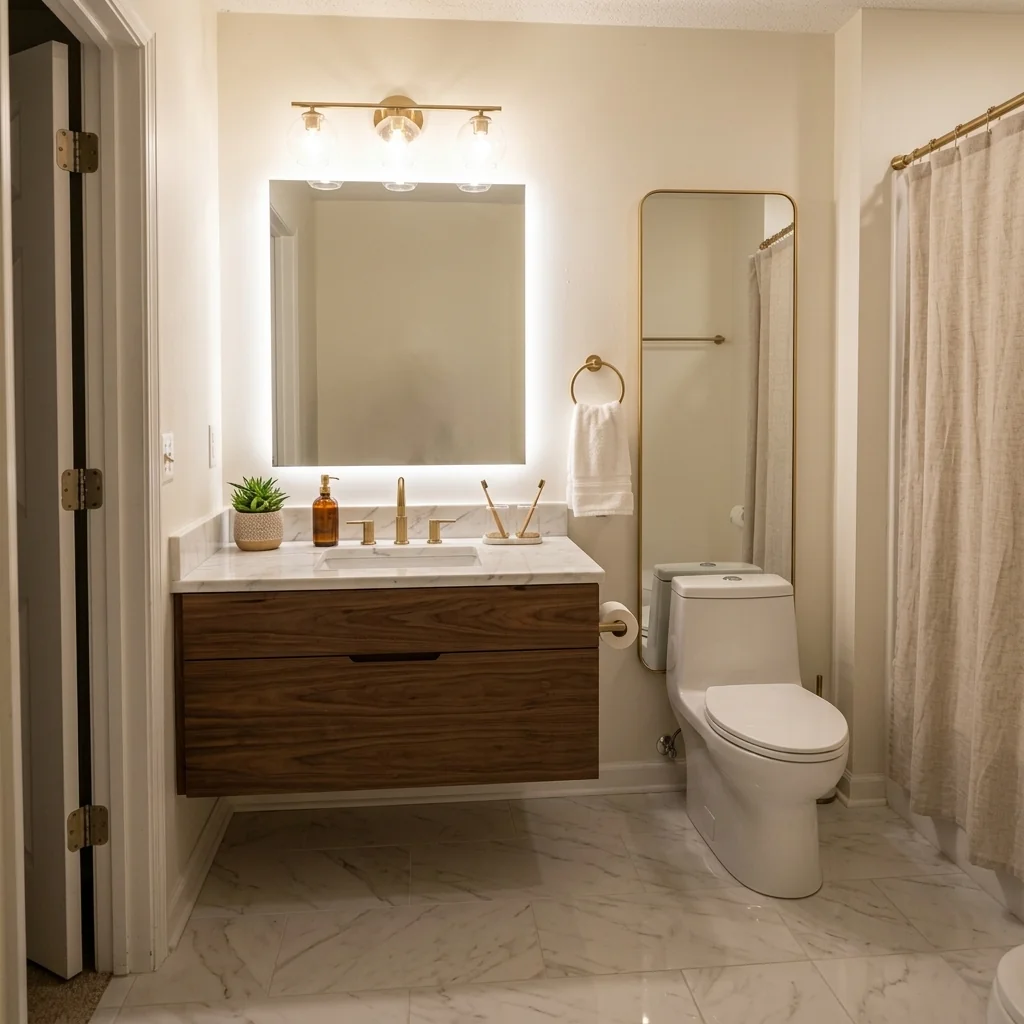
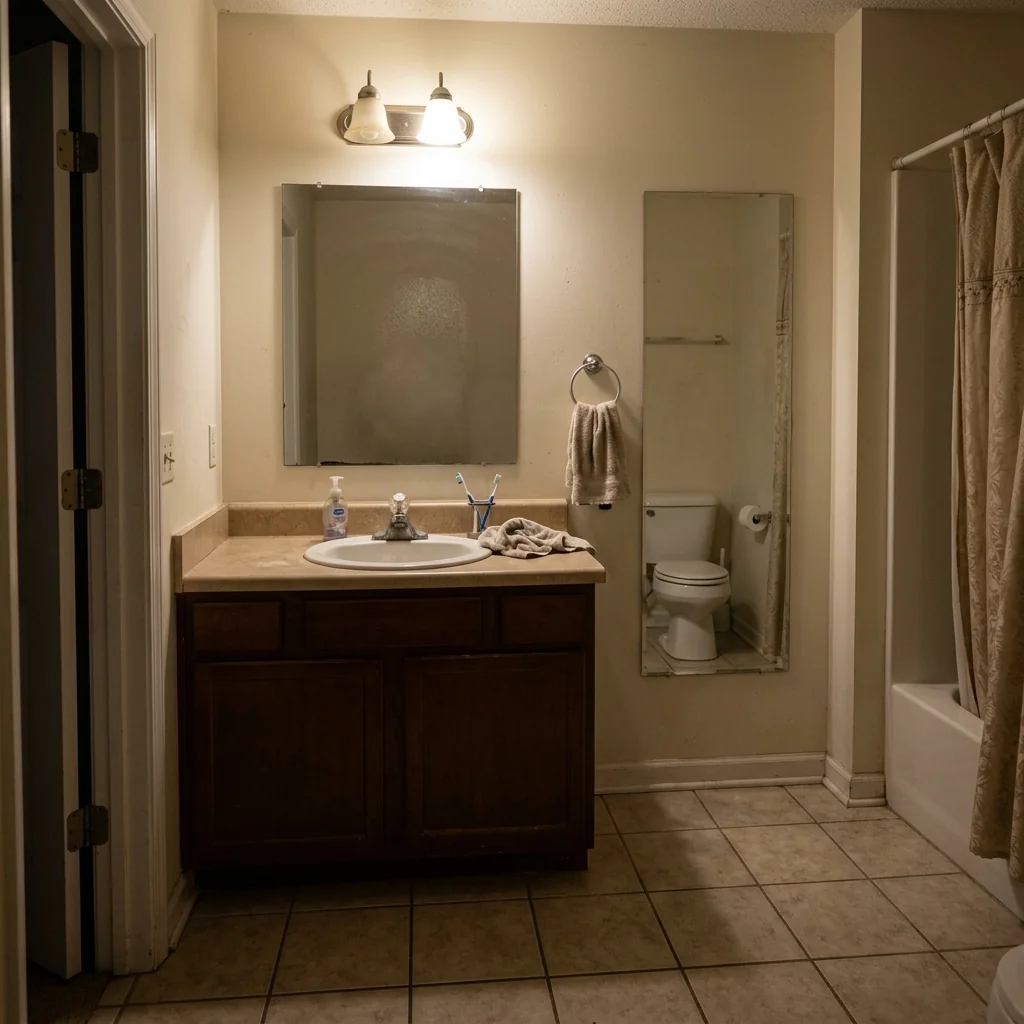

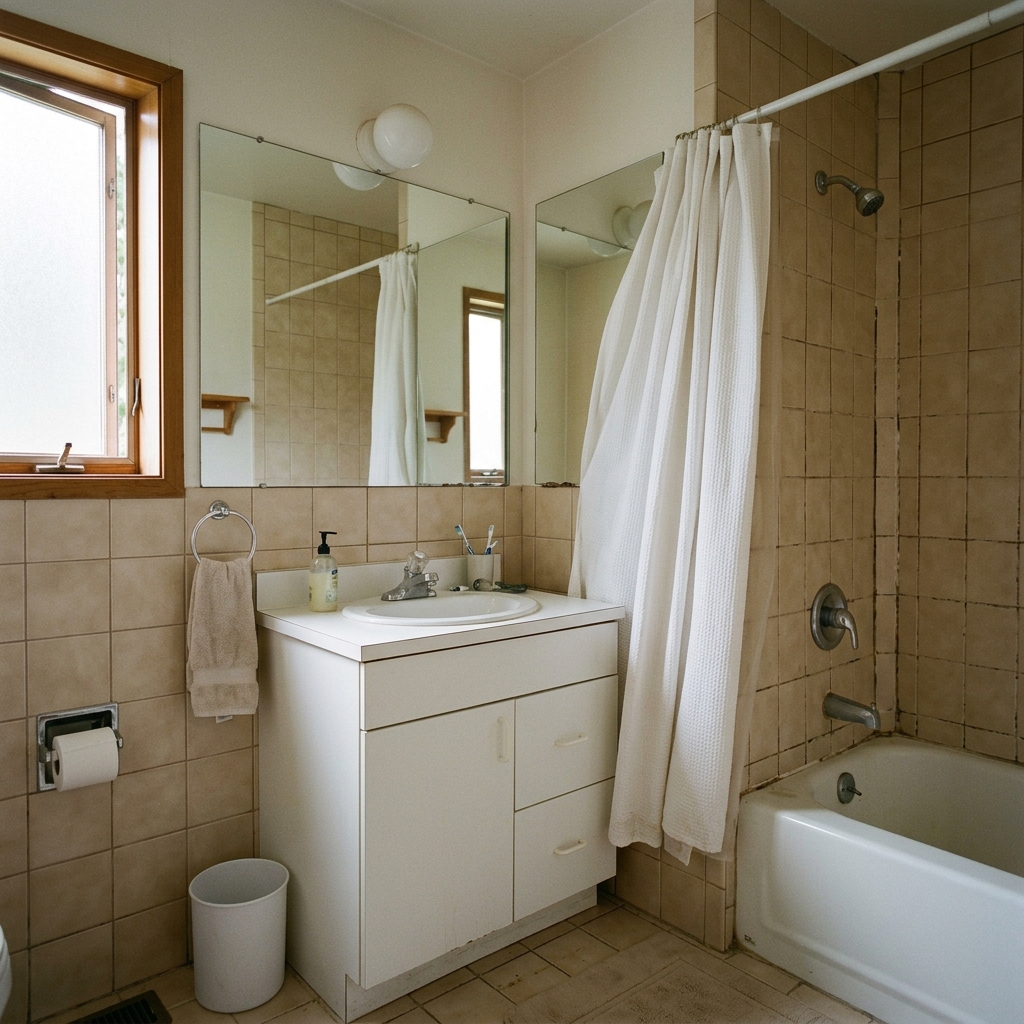

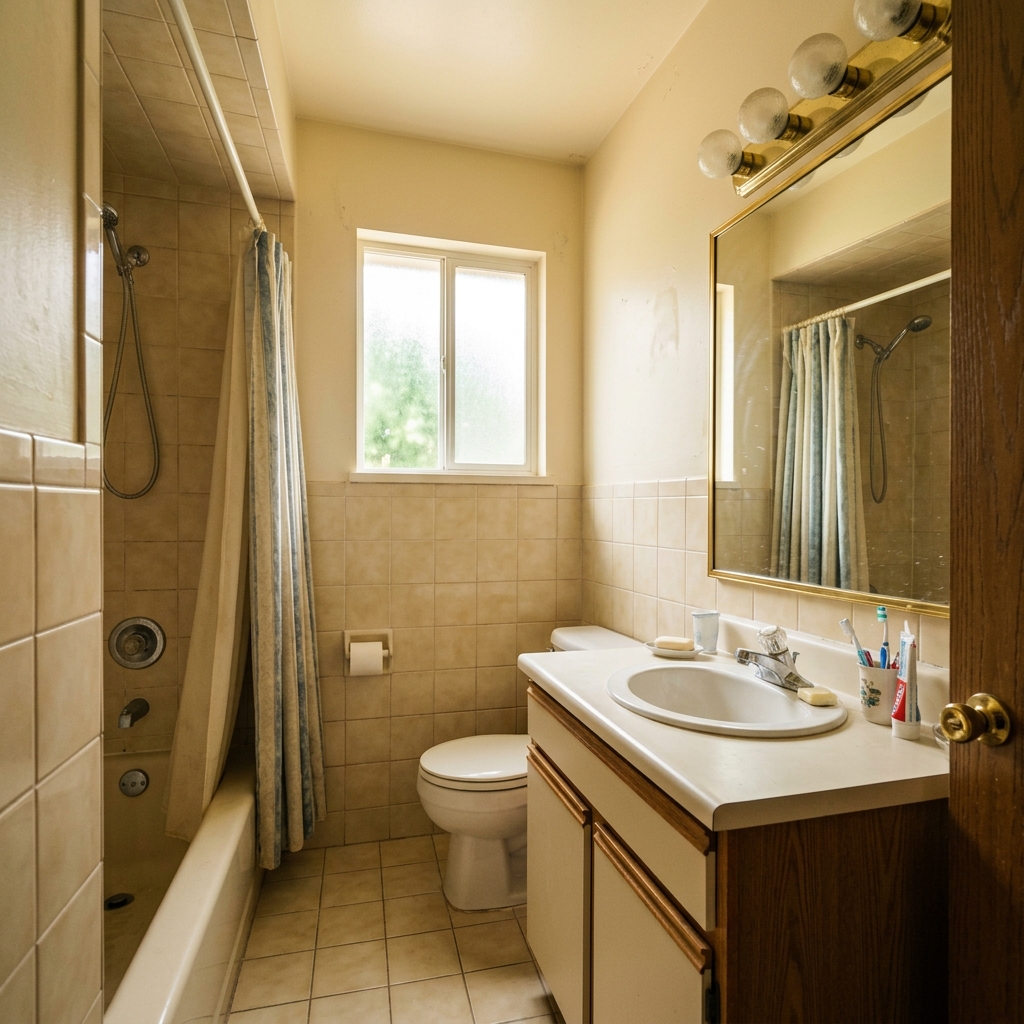
Sådan fungerer det
- 1Upload dit foto
- 2Vælg dine indstillinger
- 3Dit billede
Tips til et godt resultat
Lyst, klart foto
Dagslys og en bred vinkel giver det bedste resultat.
Vis hele området
Hold alt, du vil ændre, helt med i billedet.
Prøv flere variationer
Sammenlign forskellige muligheder, før du beslutter dig.
Ofte stillede spørgsmål
Må jeg bruge billederne kommercielt?
Ja. Du kan bruge dine billeder til ethvert formål, inklusive kommerciel brug.
Ændrer mit originale foto sig?
Nej. Dit originale billede forbliver uændret, og du kan downloade det når som helst.
Hvad hvis jeg ikke kan lide resultatet?
Prøv en anden stil eller indstilling, eller finjuster resultatet med en kort instruktion.
Fortsæt med at udforske
Alle værktøjer
Forbedring af luftfotoets landskabspleje
Forvandl forsømte, bare eller uinspirerende udearealer i drone- og luftfotos af ejendomme. Tilføj frodige græsplæner, pools, formelle haver, plantebede og pletfri indkørsler — alt sammen synligt fra oven. Vis købere det fulde potentiale i uderummet uden en eneste anlægsgartner.

AI-skift af pudekant
Forvandl straks kanterne, pynterne og kantbåndene på dekorative puder i dine ejendomsfotos. Dette AI-værktøj lader designere og stylister visualisere forskellige stilarter, farver og materialer og forbedrer den indendørs æstetik uden fysiske ændringer.

AI-skifter til pyntekant og frynser på puder
Visualisér ubesværet nye dekorative kvast- og kantstile på puder i dine indendørs fotos. Dette AI-værktøj gør det muligt for designere og stylister at udskifte eksisterende pudedetaljer og straks vise opdateret æstetik uden fysiske ændringer.
Læs den fulde guide
How long does generation take for Bathroom Renovation Visualizer?
Generation usually takes between 5 and 15 seconds.
Can I use the results commercially?
Yes, every generated image includes a full commercial usage license.
Tips for your photo
Make sure the photo is well lit and shot from a wide angle.
Remove clutter before shooting the photo for the best results.
Use re-staging mode for targeted style changes.
Frequently asked questions
How to ensure optimal input for the Bathroom Renovation Visualizer?
Upload high-resolution JPEG/PNG images of the existing bathroom. Focus on clear real estate photos (1920x1080 pixels recommended) for the Bathroom Renovation Visualizer to accurately detect and Transform elements like vanities and tiles.
What is the typical processing time for a Bathroom Renovation Visualizer project?
The Bathroom Renovation Visualizer processes images rapidly. Expect your transformed bathroom previews within 5-10 seconds. Convert your property listing photos quickly to enhance your MLS presence for any agent.
How does the Bathroom Renovation Visualizer ensure high-quality output?
The Bathroom Renovation Visualizer leverages advanced AI to Stage realistic renovations. It Enhances textures and lighting, ensuring your property listing showcases stunning, Zillow-ready bathroom transformations for agents and homeowners.
What are the best tips for achieving superior results with the Bathroom Renovation Visualizer?
For optimal results, Upload well-lit, frontal photos of your bathroom. Avoid cluttered spaces. The Bathroom Renovation Visualizer works best with clear views to accurately Transform and stage new fixtures and finishes.
Can I re-generate or modify a bathroom renovation after the initial visualizer output?
Yes, you can easily re-generate. Simply adjust your design preferences within the Bathroom Renovation Visualizer and click 'Transform' again. This allows agents to quickly iterate on property listing visuals.
Technical FAQ: Bathroom Renovation Visualizer
Quick answers for optimal results
Common mistakes
5 Critical Bathroom Renovation Visualizer Mistakes That Kill Your Property Listing
How to Use a Bathroom Renovation Visualizer Online for Maximum Impact on Zillow & MLS
Failing to Define Your Style Before Visualizing
Without a clear vision (modern, farmhouse, etc.), the Bathroom Renovation Visualizer can generate inconsistent and unappealing designs, hurting your real estate photos.
Before uploading photos, research bathroom styles and create a mood board. Use the Bathroom Renovation Visualizer to explore variations within that style for your property listing.
Using Low-Quality Real Estate Photos as Input
The Bathroom Renovation Visualizer relies on the quality of the initial image. Blurry or poorly lit photos will result in inaccurate and unprofessional-looking renovations, impacting your agent's brand.
Always use high-resolution, well-lit photos. Consider professional real estate photos for optimal results when using the Bathroom Renovation Visualizer.
Ignoring the Existing Bathroom's Layout and Dimensions
The Bathroom Renovation Visualizer can create visually stunning designs, but they must be realistic. Ignoring the existing layout can lead to impractical or impossible renovations, misleading potential buyers on the MLS.
Accurately measure the bathroom and consider existing plumbing and electrical layouts when using the Bathroom Renovation Visualizer. Focus on feasible changes.
Over-Renovating and Exceeding Market Value
While the Bathroom Renovation Visualizer allows for extensive changes, over-renovating can price the property out of the market. Potential buyers on Zillow may be turned off by excessive luxury.
Research comparable properties in the area. Use the Bathroom Renovation Visualizer to create renovations that align with the neighborhood's aesthetic and price range. Show, don't overwhelm.
Not Showcasing Multiple Renovation Options
Limiting yourself to one design limits buyer imagination. Using the Bathroom Renovation Visualizer to create several options allows potential buyers to envision their own style.
Generate 2-3 different renovation options using the Bathroom Renovation Visualizer, showcasing various styles and finishes. This provides potential buyers with a broader vision for the property.
Stunning Bathroom Renovation Visualizer Results: See the Transformation
Upload your bathroom photo to see your virtual renovation in seconds
Your workflow
Transform Your Listings: 5 Tips for Using a Bathroom Renovation Visualizer
How to use a Bathroom Renovation Visualizer online for real estate photos and property listings
Upload Your Bathroom Photo
Upload a clear photo of the existing bathroom you want to renovate. Ensure good lighting for optimal AI results in the Bathroom Renovation Visualizer. This will help the agent showcase potential.
Use high-resolution images for the best Bathroom Renovation Visualizer results and to attract more views on Zillow and MLS.
Select Your Renovation Styles
Choose from a variety of renovation styles, such as modern, classic, or minimalist, within the Bathroom Renovation Visualizer. Experiment with different vanities, tiles, and fixtures to appeal to a broad range of buyers.
Tailor the renovation style to the target demographic of the property to maximize its appeal on the property listing.
Visualize and Customize
Let the Bathroom Renovation Visualizer generate multiple design options. Fine-tune the details, like paint colors and accessories, to create the perfect look for your real estate photos.
Use the customization options to highlight unique features of the property and create a memorable impression on potential buyers.
Download and Share
Download the renovated bathroom images in high resolution. Use these enhanced real estate photos for your property listing on MLS, Zillow, and other platforms to attract more attention.
Include before-and-after photos in your property listing to showcase the transformative power of the Bathroom Renovation Visualizer.
Use cases
Property Listings for Bathroom Renovation Visualizer
Social Media Marketing & Instagram Inserate
Architektur- & Umbau-Präsentationen
Bathroom Renovation Visualizer — Technical Specifications
1. Upload your property photo.
2. Choose the interior style or room type you want.
3. Click Generate and get your result in seconds.
Expert guide
5 Tips: Maximize Your Bathroom Renovation Visualizer for Stunning Real Estate Photos
How to Get the Most Out of Your Bathroom Renovation Visualizer Online
Prepare High-Quality Images for Optimal Bathroom Renovation Visualizer Results
Upload clear, well-lit real estate photos of the existing bathroom. Sharp images ensure the AI Bathroom Renovation Visualizer accurately assesses dimensions and textures, leading to more realistic and appealing virtual staging results for your property listing on Zillow and the MLS. Focus on capturing the entire space.Fine-Tune Your Bathroom Renovation Visualizer Settings for Desired Aesthetics
Experiment with different style presets within the Bathroom Renovation Visualizer. Adjust parameters like tile patterns, vanity styles, and fixture finishes to align with your target buyer's preferences. This customization helps agents showcase a bathroom's potential in a way that resonates with potential homeowners. Iterate to find the perfect look.Achieve the Best Realism with the Bathroom Renovation Visualizer
Prioritize realistic material selections within the Bathroom Renovation Visualizer. Choose finishes and textures that mimic real-world options to create a believable and aspirational space. This attention to detail significantly enhances the perceived value of the property listing for potential buyers. Avoid overly trendy or unrealistic elements.Leverage the Bathroom Renovation Visualizer for Professional Property Listings
Use the Bathroom Renovation Visualizer to create multiple design options for a single property. Showcase different renovation possibilities to appeal to a wider range of buyers. This proactive approach positions agents as innovative and helps properties stand out on the MLS and Zillow. Offer a virtual 'before & after'.How it works
3 Simple Steps to Use Our Bathroom Renovation Visualizer
How to bathroom renovation visualizer online for free for your next property listing
Upload Your Current Bathroom Photo
Upload high-resolution real estate photos of your outdated bathroom. Ensure lighting is clear so our AI accurately maps the property listing for a realistic, high-quality virtual bathroom renovation visualizer preview.
Stage Your Modern Design Options
Stage your design by selecting specific fixtures, tiles, and vanities. Our AI technology instantly replaces old elements to meet MLS and Zillow standards for professional real estate agent property listings.
Convert and Download High-Res Renders
Convert your initial image into a professional-grade marketing asset. Enhance your broker portfolio by downloading the finished render, ready to impress potential buyers with a complete, stunning bathroom makeover visualization.
What you can do
Advanced Bathroom Renovation Visualizer Capabilities
High-Definition Renovation Previews
See your envisioned bathroom with crystal-clear detail using the Bathroom Renovation Visualizer, showcasing every tile, fixture, and finish for stunning visual accuracy.
Instant Bathroom Transformations
Generate multiple renovation options for your Bathroom Renovation Visualizer in mere seconds, drastically cutting down design time for quick client presentations or personal decisions.
Versatile Output Formats
Download your Bathroom Renovation Visualizer creations in various high-resolution image formats, ready for property listing uploads, MLS, Zillow, or agent presentations.
Tailored Design Options
Customize every element within the Bathroom Renovation Visualizer, from vanity styles and flooring patterns to fixture types, creating unique spaces for any property listing.
AI-Powered Renovation Accuracy
Leverage advanced AI in the Bathroom Renovation Visualizer to precisely apply new designs, ensuring realistic lighting, shadow, and material rendering for perfect real estate photos.
Agent & Designer Ready
Empower real estate agents, interior designers, and homeowners to enhance property listings with compelling Bathroom Renovation Visualizer mockups, attracting more buyers and boosting value.
Pro-level tools at your fingertips