
Erhvervslokale Indretter
- Foto
- Dine valg
- Dit billede
Se, hvad der er muligt
Rigtige resultater fra fotos som dine.
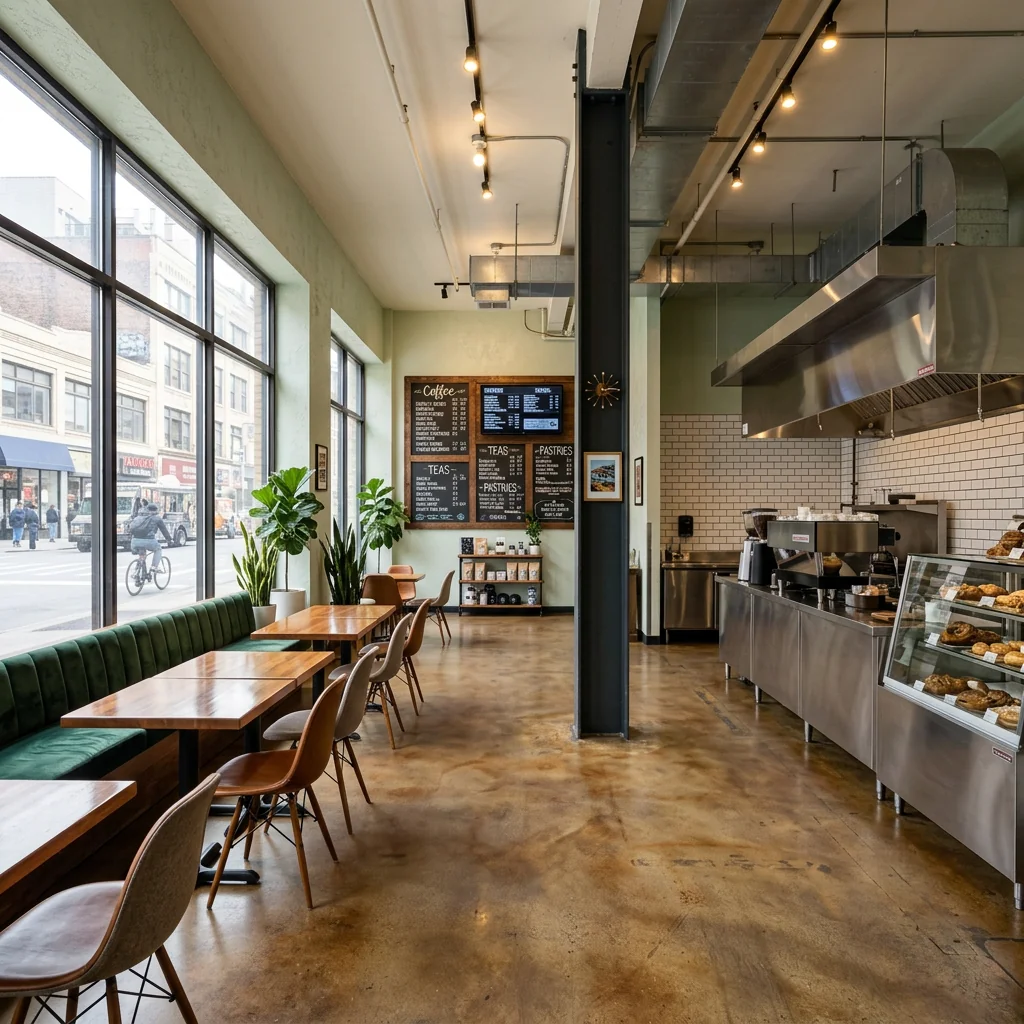
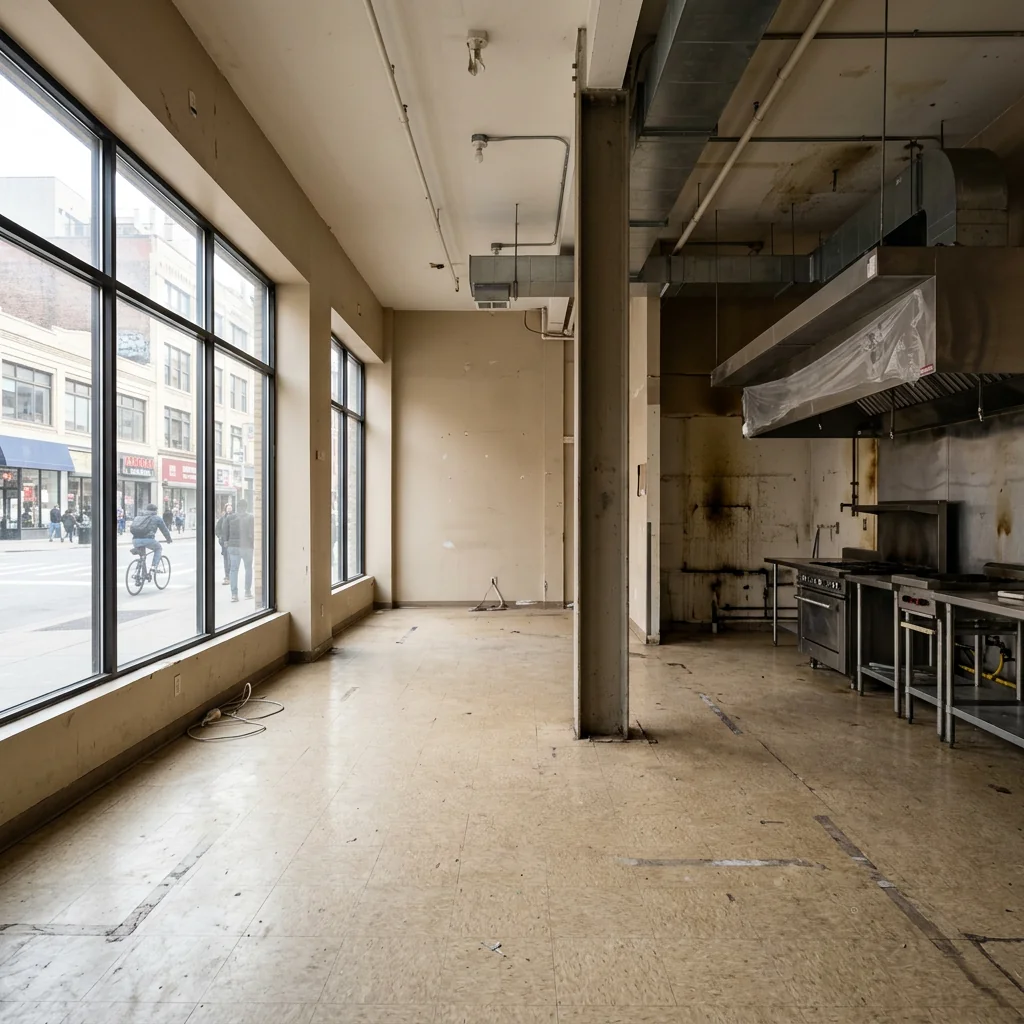

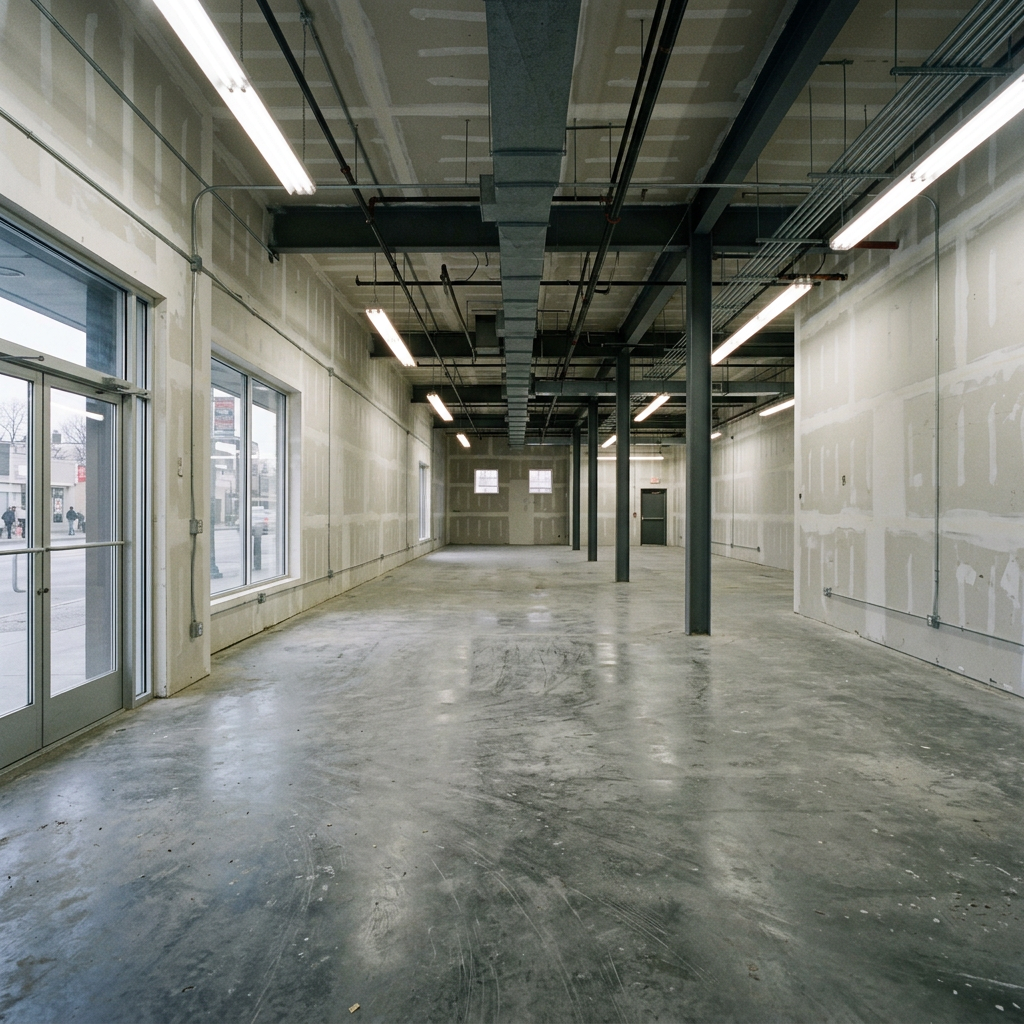

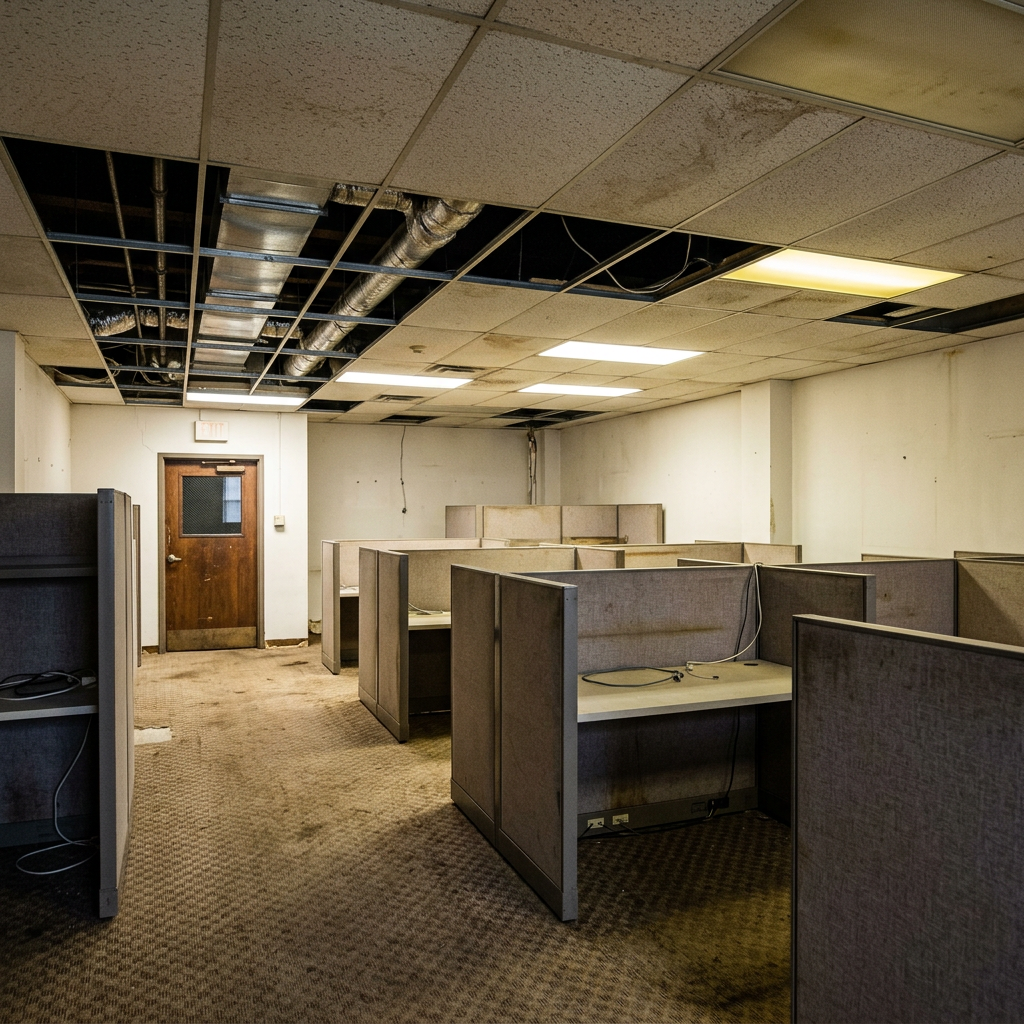
Sådan fungerer det
- 1Upload dit foto
- 2Vælg dine indstillinger
- 3Dit billede
Tips til et godt resultat
Lyst, klart foto
Dagslys og en bred vinkel giver det bedste resultat.
Vis hele området
Hold alt, du vil ændre, helt med i billedet.
Prøv flere variationer
Sammenlign forskellige muligheder, før du beslutter dig.
Ofte stillede spørgsmål
Må jeg bruge billederne kommercielt?
Ja. Du kan bruge dine billeder til ethvert formål, inklusive kommerciel brug.
Ændrer mit originale foto sig?
Nej. Dit originale billede forbliver uændret, og du kan downloade det når som helst.
Hvad hvis jeg ikke kan lide resultatet?
Prøv en anden stil eller indstilling, eller finjuster resultatet med en kort instruktion.
Fortsæt med at udforske
Alle værktøjer
AI-lænestolstopbetrækningsskifter
Visualisér straks nye ombetrækningsmuligheder til lænestole i dine fotos. Skift stoffer, farver og mønstre som velour, læder eller boucle, så de passer perfekt til enhver indretningsstil. Ideelt for ejendomsmæglere og indretningsdesignere, der vil vise potentialet i forvandlinger.

AI-møbelstopbetrækningsskifter
Forvandl dine møbelfotos med AI! Skift nemt betræksmaterialet for at vise forskellige stilarter og appellere til flere købere. Perfekt til virtuel indretning og mockups af indretning.

AI-visualiseringsværktøj til ombetrækning
Visualisér straks, hvordan ethvert møbel ser ud med forskellige møbelstof, farver og teksturer ved hjælp af AI. Upload et foto af din sofa, stol eller loveseat, og se imponerende ombetrækning-previews, før du beslutter dig for et køb eller et renoveringsprojekt.
Læs den fulde guide
How long does generation take for Commercial Space Stager?
Generation usually takes between 5 and 15 seconds.
Can I use the results commercially?
Yes, every generated image includes a full commercial usage license.
Tips for your photo
Make sure the photo is well lit and shot from a wide angle.
Remove clutter before shooting the photo for the best results.
Use re-staging mode for targeted style changes.
Frequently asked questions
What input formats and resolutions does Commercial Space Stager accept?
Upload JPG, PNG, or TIFF files for your commercial property. Ensure images are high-resolution (1920px on the longest side recommended) for optimal staging quality, enhancing your real estate photos for any property listing on MLS or Zillow.
How long does Commercial Space Stager take to process an image?
Transform your commercial space within seconds. Processing time for Commercial Space Stager is typically 10-30 seconds per image, depending on file size and server load. Expect quick results to update your agent's property listing promptly.
What is the resolution and quality of the staged commercial images?
Stage your commercial property with high-definition outputs. Commercial Space Stager delivers images up to 4K resolution, perfect for detailed real estate photos. Enhance your property listing with professional-grade visuals, attracting more potential buyers or tenants.
What are the best tips for achieving optimal staging results with Commercial Space Stager?
For optimal results, upload well-lit, empty commercial spaces with clear angles. Commercial Space Stager performs best on uncluttered rooms. Enhance your real estate photos by providing high-quality initial inputs for superior virtual staging.
Can I modify or re-generate a staged commercial space after the initial output?
Yes, you can re-stage your commercial property. Commercial Space Stager allows you to adjust styles or furniture choices and re-generate the image as needed. Upload new parameters to refine your real estate photos for the perfect property listing.
Technical FAQ: Commercial Space Stager
Quick answers for optimal results
Common mistakes
5 Commercial Space Stager Mistakes Killing Your Property Listing
How to Commercial Space Stager Online for Zillow and MLS Success
Using Generic Furniture in Your Commercial Space Stager Project
Generic furniture fails to highlight the unique potential of the commercial property, making it harder for prospective tenants or buyers to envision their business in the space. Real estate photos need to showcase the space's specific capabilities.
Transform your property listing by using the Commercial Space Stager to select furniture and fixtures that match the intended use of the space. Consider the target tenant (e.g., restaurant, retail, office) and stage accordingly.
Poor Lighting in Real Estate Photos After Commercial Space Stager
Even the best Commercial Space Stager results can be ruined by poorly lit real estate photos. Shadows and dark areas obscure details and make the space appear uninviting on Zillow and other platforms.
Enhance your property listing by ensuring well-lit real estate photos. Use the Commercial Space Stager to virtually add lighting fixtures or adjust existing lighting to create a bright and welcoming atmosphere.
Ignoring the Target Audience When You Commercial Space Stager
Staging a commercial space without considering the target audience (e.g., tech startups, law firms, boutiques) results in a generic and unappealing property listing that fails to attract the right tenants or buyers.
Before you Commercial Space Stager, define your target audience and use the tool to create a space that appeals to their specific needs and preferences. Consider layout, furniture style, and overall ambiance.
Over-Cluttering the Space After Commercial Space Stager
Over-cluttering a virtually staged commercial space makes it appear smaller and less functional, deterring potential tenants or buyers. It distracts from the space's inherent features and capabilities.
When you Commercial Space Stager, prioritize a clean and minimalist approach. Use the tool to add only essential furniture and fixtures that showcase the space's potential without overwhelming it. Emphasize open space and functionality.
Not Showcasing Key Features After Commercial Space Stager
Failing to highlight key features (e.g., high ceilings, large windows, unique architectural details) in your real estate photos after Commercial Space Stager diminishes the property's appeal and fails to capture the attention of potential tenants or buyers.
Use the Commercial Space Stager to draw attention to key features by strategically placing furniture and fixtures that complement and enhance them. Capture real estate photos from angles that showcase these features effectively.
Transform Your Property Listing: Commercial Space Stager Results
Upload your commercial property photo and see how easy it is to stage online
Your workflow
4 Steps to Transform Your Commercial Property Listing with a Commercial Space Stager
How to Commercial Space Stager Online and Enhance Real Estate Photos for Maximum Impact
Upload Your Empty Commercial Space Photo
Upload your high-quality real estate photos of the vacant commercial space to the Commercial Space Stager. Ensure the photos are well-lit and showcase the property's best features for optimal staging results.
Use wide-angle shots to capture the full scope of the space. The Commercial Space Stager works best with clear, unobstructed views.
Select Your Desired Staging Style
Choose from a variety of pre-designed staging styles within the Commercial Space Stager that best suit the property type (office, retail, restaurant, etc.) and target market. Consider modern, traditional, or minimalist options.
Align the staging style with the intended use of the commercial space to appeal to potential tenants or buyers. Experiment with different styles to see what generates the best real estate photos.
Commercial Space Stager Generates Staged Images
Let the Commercial Space Stager's AI algorithms work their magic! The tool will automatically add furniture, fixtures, and decor to create a visually appealing and inviting staged version of your commercial property.
Review the generated images carefully and make any necessary adjustments to furniture placement or styling within the Commercial Space Stager's editor for a perfect property listing.
Download and Publish Your Enhanced Property Listing
Download the professionally staged images from the Commercial Space Stager and upload them to your MLS listing, Zillow, or other real estate platforms. Attract more potential tenants or buyers with visually compelling staged photos.
Use the staged images in your marketing materials, social media posts, and website to showcase the potential of the commercial space and attract more agent interest.
Use cases
Property Listings for Commercial Space Stager
Social Media Marketing & Instagram Inserate
Architektur- & Umbau-Präsentationen
Commercial Space Stager — Technical Specifications
1. Upload your property photo.
2. Choose the interior style or room type you want.
3. Click Generate and get your result in seconds.
Expert guide
5 Tips: Transform Your Property Listing with a Commercial Space Stager
How to Commercial Space Stage Online for Zillow and MLS Success
Prepare High-Quality Real Estate Photos for Optimal Staging
Upload sharp, well-lit real estate photos to the Commercial Space Stager for the best results. Clear images allow the AI to accurately place furniture and enhance the property listing, leading to more agent inquiries and faster sales.Adjust Commercial Space Stager Settings for Targeted Styling
Customize the style settings in the Commercial Space Stager to match the target demographic. Experiment with different furniture styles to appeal to potential tenants or buyers and improve the visual appeal of your property listing.Achieve Best Results by Staging Key Commercial Areas
Focus on staging high-impact areas like reception, conference rooms, or retail floors using the Commercial Space Stager. Strategically staged spaces highlight the potential of the property and attract serious interest from potential clients.Utilize Commercial Space Stager for Professional Marketing Materials
Convert staged images from the Commercial Space Stager into professional marketing materials for your property listing. High-quality visuals will enhance your online presence and attract more potential tenants and buyers to your commercial space.How it works
3 Steps to Master the Commercial Space Stager Tool
How to use a commercial space stager for retail and office listings in 2025
Upload Your Commercial Property Photos
Upload high-resolution real estate photos of your vacant retail, office, or restaurant space to the Commercial Space Stager to begin the professional transformation for your next Zillow or MLS listing.
Select Your Specific Business Style
Select specific furniture sets and fixtures tailored for business environments, allowing the AI to stage your property listing with modern office desks or retail shelving that attracts premium tenants.
Download Your Staged Property Images
Convert your empty unit into a fully furnished masterpiece and download high-resolution files ready for your broker website, ensuring your commercial space stager results meet professional marketing standards.
What you can do
Advanced Commercial Space Stager Capabilities
High-Resolution Commercial Staging
Enhance your real estate photos with stunning, high-fidelity virtual staging. Transform empty commercial property listings into captivating visuals for MLS and Zillow, attracting more potential buyers and agents.
Rapid Commercial Space Transformation
Stage multiple commercial properties in minutes, not days. Upload your empty spaces and instantly convert them into fully furnished scenes, accelerating your property listing workflow for agents.
Versatile Output Formats
Download your staged commercial real estate photos in various high-quality formats. Ensure seamless integration with all property listing platforms, from MLS to Zillow, making sharing easy for any agent.
Tailored Commercial Interior Design
Customize every detail of your staged commercial space, from furniture styles to lighting. Stage unique retail stores or offices, ensuring each property listing perfectly matches your brand or client's vision for agents.
AI-Powered Staging Accuracy
Leverage advanced AI to precisely place furniture and fixtures, optimizing every commercial space. Enhance your real estate photos with intelligent object recognition, creating realistic and appealing property listings for agents.
Professional Commercial Staging Tools
Empower real estate professionals and agents with a robust solution for commercial property staging. Transform raw real estate photos into compelling visuals, boosting engagement and sales across MLS and Zillow listings.
Pro-level tools at your fingertips