
Bordpladeudskiftnings-visualizer
- Foto
- Dine valg
- Dit billede
Se, hvad der er muligt
Rigtige resultater fra fotos som dine.
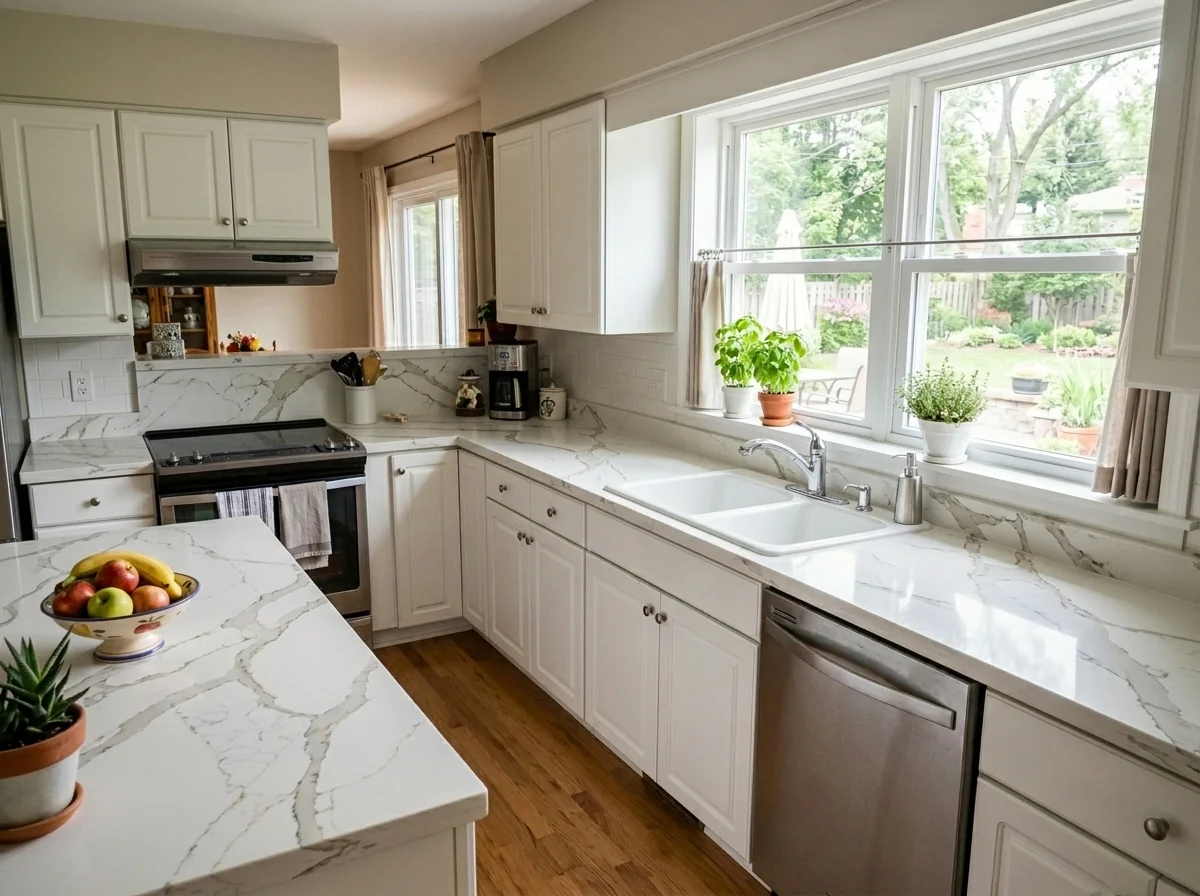
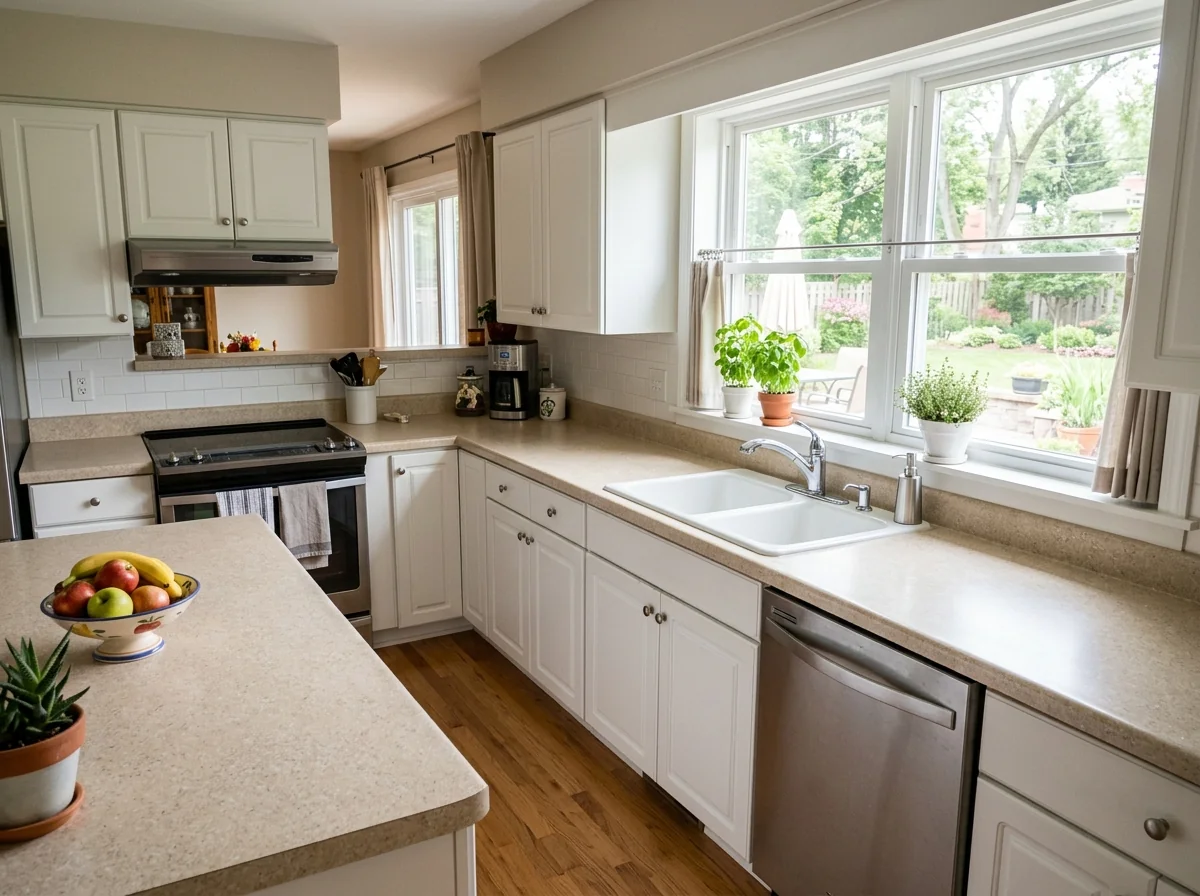

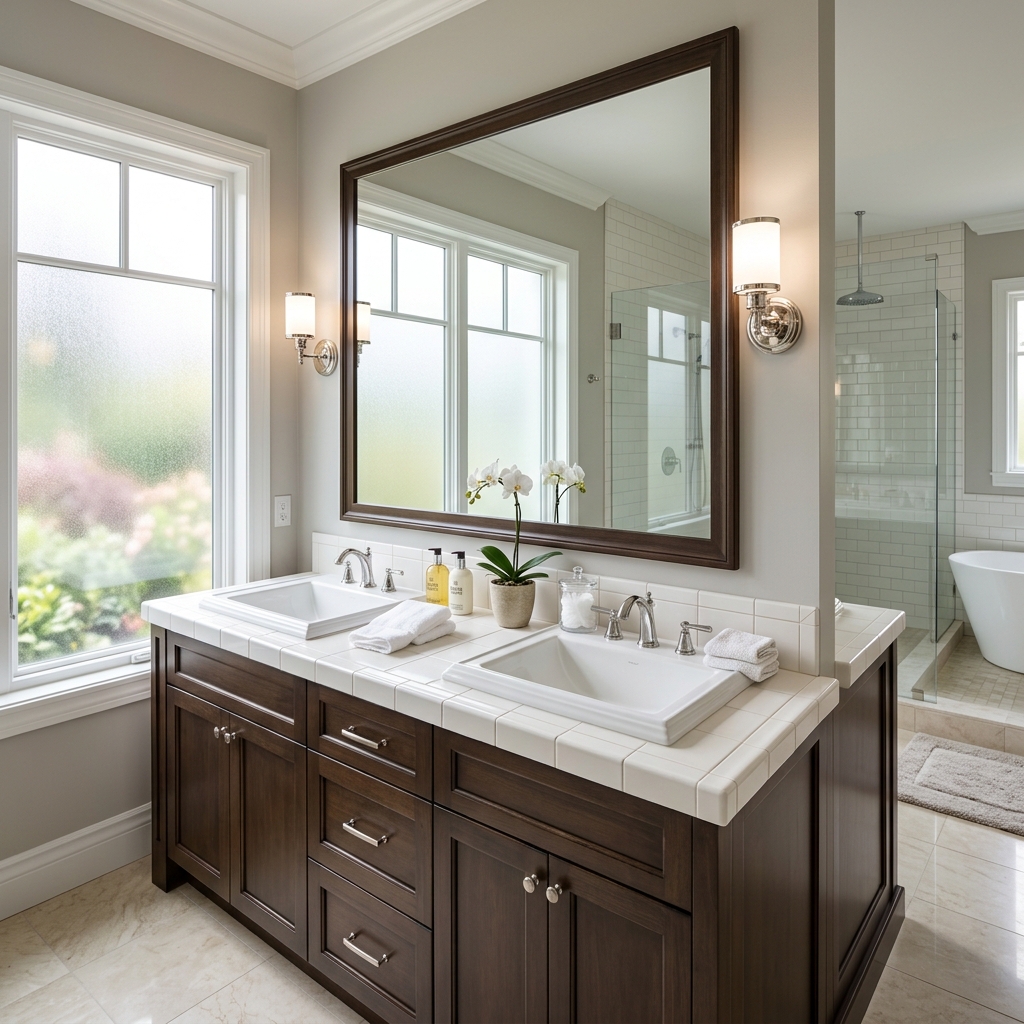

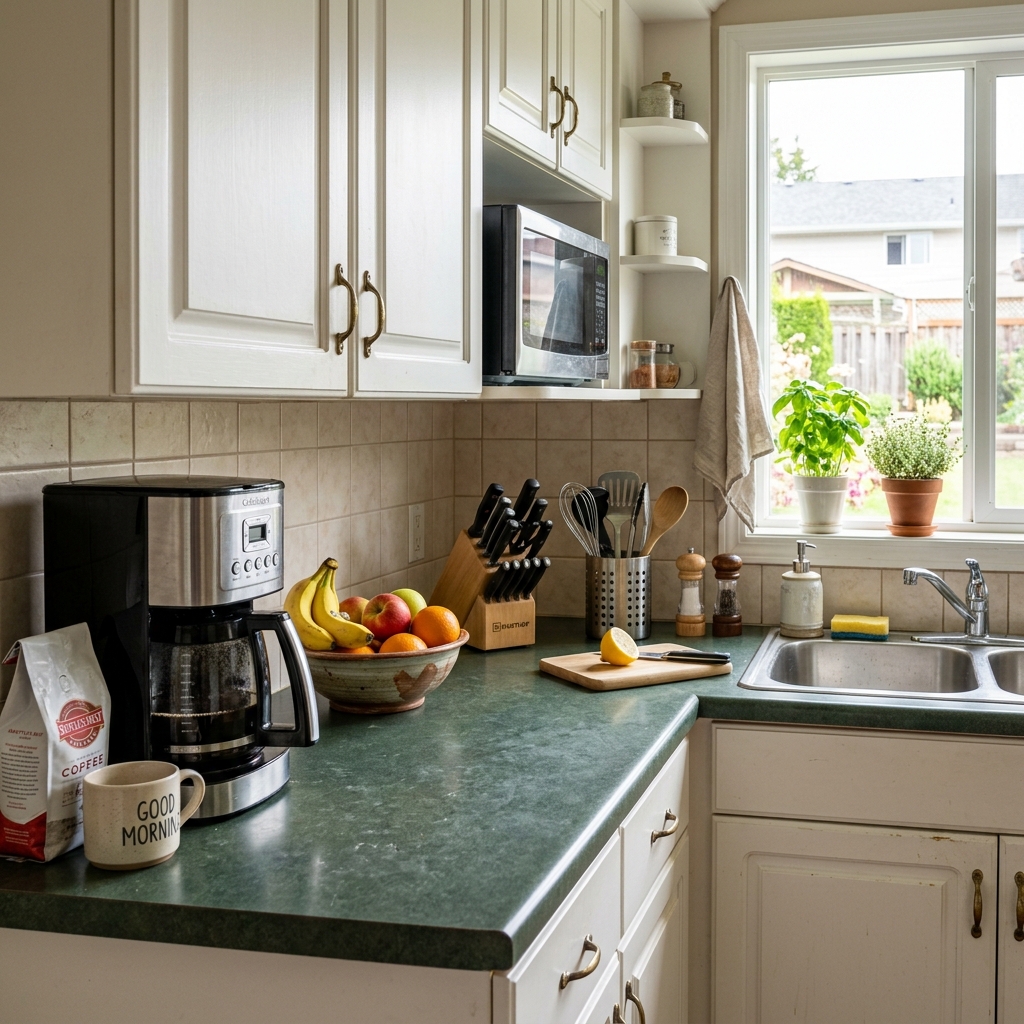
Sådan fungerer det
- 1Upload dit foto
- 2Vælg dine indstillinger
- 3Dit billede
Tips til et godt resultat
Lyst, klart foto
Dagslys og en bred vinkel giver det bedste resultat.
Vis hele området
Hold alt, du vil ændre, helt med i billedet.
Prøv flere variationer
Sammenlign forskellige muligheder, før du beslutter dig.
Ofte stillede spørgsmål
Må jeg bruge billederne kommercielt?
Ja. Du kan bruge dine billeder til ethvert formål, inklusive kommerciel brug.
Ændrer mit originale foto sig?
Nej. Dit originale billede forbliver uændret, og du kan downloade det når som helst.
Hvad hvis jeg ikke kan lide resultatet?
Prøv en anden stil eller indstilling, eller finjuster resultatet med en kort instruktion.
Fortsæt med at udforske
Alle værktøjer
Forbedring af luftfotoets landskabspleje
Forvandl forsømte, bare eller uinspirerende udearealer i drone- og luftfotos af ejendomme. Tilføj frodige græsplæner, pools, formelle haver, plantebede og pletfri indkørsler — alt sammen synligt fra oven. Vis købere det fulde potentiale i uderummet uden en eneste anlægsgartner.

AI-skift af pudekant
Forvandl straks kanterne, pynterne og kantbåndene på dekorative puder i dine ejendomsfotos. Dette AI-værktøj lader designere og stylister visualisere forskellige stilarter, farver og materialer og forbedrer den indendørs æstetik uden fysiske ændringer.

AI-skifter til pyntekant og frynser på puder
Visualisér ubesværet nye dekorative kvast- og kantstile på puder i dine indendørs fotos. Dette AI-værktøj gør det muligt for designere og stylister at udskifte eksisterende pudedetaljer og straks vise opdateret æstetik uden fysiske ændringer.
Læs den fulde guide
How long does generation take for Countertop Replacement Visualizer?
Generation usually takes between 5 and 15 seconds.
Can I use the results commercially?
Yes, every generated image includes a full commercial usage license.
Tips for your photo
Make sure the photo is well lit and shot from a wide angle.
Remove clutter before shooting the photo for the best results.
Use re-staging mode for targeted style changes.
Frequently asked questions
What are the optimal input image requirements for the Countertop Replacement Visualizer?
Upload high-resolution JPEG or PNG images (1920px minimum) with good lighting and clear countertop edges. This ensures the visualizer can accurately transform your real estate photos, providing sharp, detailed previews for your property listing.
How quickly does the Countertop Replacement Visualizer process uploaded images?
The Countertop Replacement Visualizer provides near-instant results, typically processing and converting your image within seconds. This rapid turnaround allows agents to efficiently stage multiple kitchen or bathroom scenarios for Zillow and MLS listings.
What is the expected output quality from the Countertop Replacement Visualizer?
Expect high-resolution, photorealistic visualizations that seamlessly enhance your existing real estate photos. The tool accurately stages various countertop materials, ensuring professional-grade images ready for any property listing or agent presentation.
What are 3 key tips for achieving the best results with the Countertop Replacement Visualizer?
First, upload well-lit, frontal photos with clear countertop boundaries. Second, ensure no objects obscure the countertop. Third, experiment with different materials to transform your property listing, making your Zillow and MLS photos stand out.
Can I easily modify and re-generate countertop visualizations after the initial processing?
Yes, the Countertop Replacement Visualizer allows unlimited modifications. You can instantly adjust material, color, and finish options to convert and re-generate new visuals, perfect for A/B testing different looks for your real estate photos or agent presentations.
Technical FAQ: Countertop Replacement Visualizer
Quick answers for optimal results
Common mistakes
5 Critical Countertop Replacement Visualizer Mistakes & How to Fix Them
How to Use a Countertop Replacement Visualizer Online for Stunning Real Estate Photos
Using Low-Resolution Images for Countertop Replacement Visualizer
Poor image quality makes it difficult to accurately visualize the countertop's texture and color in the space, impacting the realism of real estate photos for your property listing.
Upload high-resolution real estate photos to the Countertop Replacement Visualizer. Ensure the images are well-lit and in focus for accurate countertop visualization.
Ignoring Lighting Conditions When Using Countertop Replacement Visualizer
Different lighting can drastically alter the perceived color and appearance of countertops. This can lead to inaccurate representations in your real estate photos, potentially misleading potential buyers on Zillow or MLS.
Adjust the lighting settings within the Countertop Replacement Visualizer to match the actual lighting conditions of the kitchen or bathroom in your real estate photos. Consider staging the space with proper lighting.
Neglecting to Account for Existing Décor with Countertop Replacement Visualizer
The countertop should complement the existing cabinets, flooring, and wall colors. A mismatched countertop can detract from the overall appeal in real estate photos and negatively impact a property listing.
Use the Countertop Replacement Visualizer to experiment with different countertop materials and colors that harmonize with the existing décor in your real estate photos. Consider virtual staging to update other elements.
Overlooking Countertop Edge Profiles in the Countertop Replacement Visualizer
The edge profile significantly affects the countertop's aesthetic. Failing to consider this detail makes the visualization less realistic and less appealing to potential buyers viewing your real estate photos.
Utilize the Countertop Replacement Visualizer to explore different edge profile options (e.g., bullnose, ogee, beveled) and choose one that best suits the style of the kitchen or bathroom. Showcase this in your property listing.
Not Showcasing Multiple Countertop Options with the Countertop Replacement Visualizer
Limiting the visualization to a single countertop option reduces the potential buyer's ability to imagine the space with different styles, potentially decreasing interest in your real estate photos and property listing.
Use the Countertop Replacement Visualizer to create multiple versions of the kitchen or bathroom with different countertop materials and colors. Include these variations in your real estate photos to appeal to a wider range of tastes and enhance your MLS listing.
What Your Countertop Replacement Visualizer Results Will Look Like
Upload your photo to get started and visualize your dream kitchen!
Your workflow
5 Tips to Transform Your Property Listing with a Countertop Replacement Visualizer
How to Use a Countertop Replacement Visualizer Online for Stunning Real Estate Photos
Upload
Upload your existing kitchen or bathroom photo to the Countertop Replacement Visualizer. Ensure high-quality real estate photos for optimal results.
Use a wide-angle lens when capturing real estate photos to showcase the entire space for the Countertop Replacement Visualizer.
Select
Choose from a variety of countertop materials like granite, quartz, marble, and butcher block within the Countertop Replacement Visualizer. Experiment with different styles to find the perfect fit for your property listing.
Consider the existing color palette of the room when selecting countertop materials in the Countertop Replacement Visualizer to create a cohesive design.
Visualize
Visualize the new countertops in your space using the Countertop Replacement Visualizer. Adjust lighting and angles for a realistic preview to enhance your property listing.
Use the Countertop Replacement Visualizer's zoom feature to examine the details of the countertop materials and ensure they complement the existing fixtures.
Enhance
Enhance the visual appeal of your real estate photos by using the Countertop Replacement Visualizer to create multiple variations. Showcase different countertop options to attract potential buyers.
Experiment with different countertop edge profiles in the Countertop Replacement Visualizer to add a unique touch to your property listing.
Download & Share
Download the enhanced images from the Countertop Replacement Visualizer and use them in your property listing on MLS, Zillow, and other platforms. Attract more potential buyers with visually appealing upgrades.
Include a caption in your property listing mentioning the Countertop Replacement Visualizer to highlight the ease of visualizing upgrades.
Use cases
Property Listings for Countertop Replacement Visualizer
Social Media Marketing & Instagram Inserate
Architektur- & Umbau-Präsentationen
Countertop Replacement Visualizer — Technical Specifications
See how new countertops would look in your kitchen or bathroom before ordering. Try granite, quartz, marble, butcher block, and more on your actual space. Ideal for real estate agents looking to enhance property listings and stage homes virtually.
1. Upload your property photo.
2. Choose the interior style or room type you want.
3. Click Generate and get your result in seconds.
Expert guide
5 Tips: Transform Your Kitchen with a Countertop Replacement Visualizer
How to Get the Most Realistic Results with a Countertop Replacement Visualizer Online
Prepare High-Quality Real Estate Photos for Optimal Visualization
Upload clear, well-lit real estate photos to the Countertop Replacement Visualizer. This ensures accurate color representation and texture rendering for your granite, quartz, or marble countertop selections. Better input equals better output for your property listing on Zillow and the MLS.
Adjust Settings for Accurate Countertop Material Representation
Fine-tune the Countertop Replacement Visualizer settings to match the lighting conditions in your real estate photos. Calibrate brightness, contrast, and color saturation to accurately represent the chosen countertop material (butcher block, etc.) in your property listing.
Enhance Your Property Listing with Realistic Countertop Visualizations
Focus on capturing the unique characteristics of each countertop material. The Countertop Replacement Visualizer can help showcase the veining in marble or the grain in butcher block, making your property listing stand out to potential buyers and their agent.
Stage Properties Professionally with Multiple Countertop Options
Use the Countertop Replacement Visualizer to generate multiple options for potential buyers. Showcase different materials like granite, quartz, and marble to help them visualize their dream kitchen or bathroom. This tool helps agents sell properties faster.
How it works
3 Professional Steps for Countertop Replacement Visualizer Success
How to use a countertop replacement visualizer online for free to improve real estate photos
Upload Your Real Estate Photos
Upload your existing kitchen or bathroom real estate photos directly to our secure platform to initiate the countertop replacement visualizer for your upcoming Zillow or MLS property listing.
Select Premium Quartz or Marble
Choose from high-end materials like quartz, granite, or marble to virtually stage your space, allowing the countertop replacement visualizer to transform dated surfaces into modern, high-value assets for buyers.
Download Your Enhanced Property Listing
Download high-resolution results from the countertop replacement visualizer to empower every agent and broker to showcase modern kitchen upgrades and professional home staging without the high cost of physical renovations.
What you can do
Transform Your Property Listings: 6 Advanced Countertop Replacement Visualizer Capabilities
High-Definition Visualizations
Transform standard real estate photos into stunning, photorealistic property listings. Our Countertop Replacement Visualizer enhances every detail, ensuring your MLS and Zillow images captivate potential buyers.
Instant Visual Updates
Stage new countertops in seconds, not hours. Upload your property listing photos and see immediate results with our Countertop Replacement Visualizer, accelerating your agent workflow for quicker sales.
Multi-Format Export
Convert your enhanced countertop designs into various formats suitable for MLS, Zillow, and agent marketing materials. Our Countertop Replacement Visualizer ensures compatibility across all your property listing platforms.
Extensive Material Library
Enhance property photos by choosing from a vast array of granite, quartz, and marble options. Our Countertop Replacement Visualizer allows precise customization to match any design aesthetic for your real estate photos.
AI-Powered Edge Detection
Our Countertop Replacement Visualizer uses advanced AI to precisely detect countertop edges, ensuring seamless and realistic replacements. Stage perfect new surfaces without manual masking, elevating your real estate photos.
Agent & Broker Integration
Designed for agents and brokers, our Countertop Replacement Visualizer seamlessly integrates into your property listing workflow. Enhance client presentations and convert more leads by showcasing updated kitchens and bathrooms.
Discover how to use our Countertop Replacement Visualizer online to enhance your real estate photos instantly.