
Layoutplanlægger for butik
- Foto
- Dine valg
- Dit billede
Se, hvad der er muligt
Rigtige resultater fra fotos som dine.
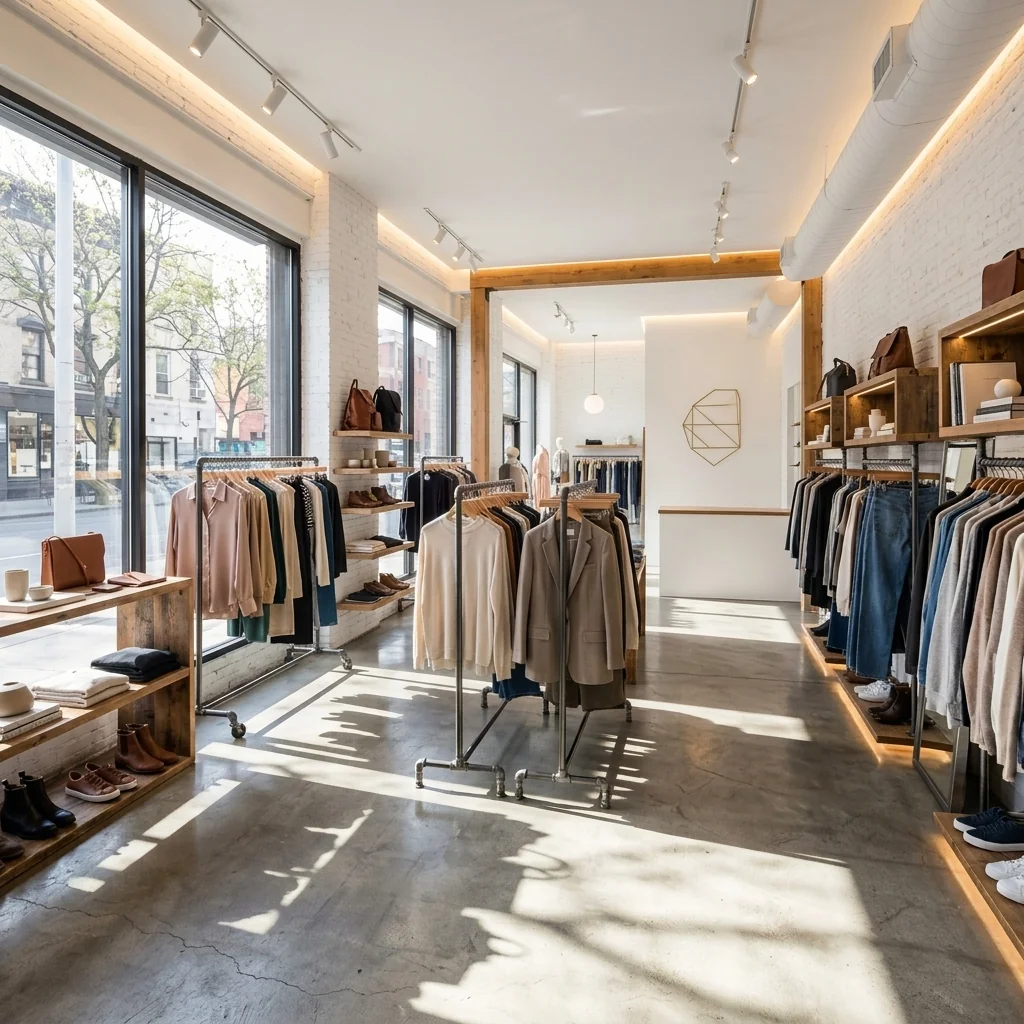
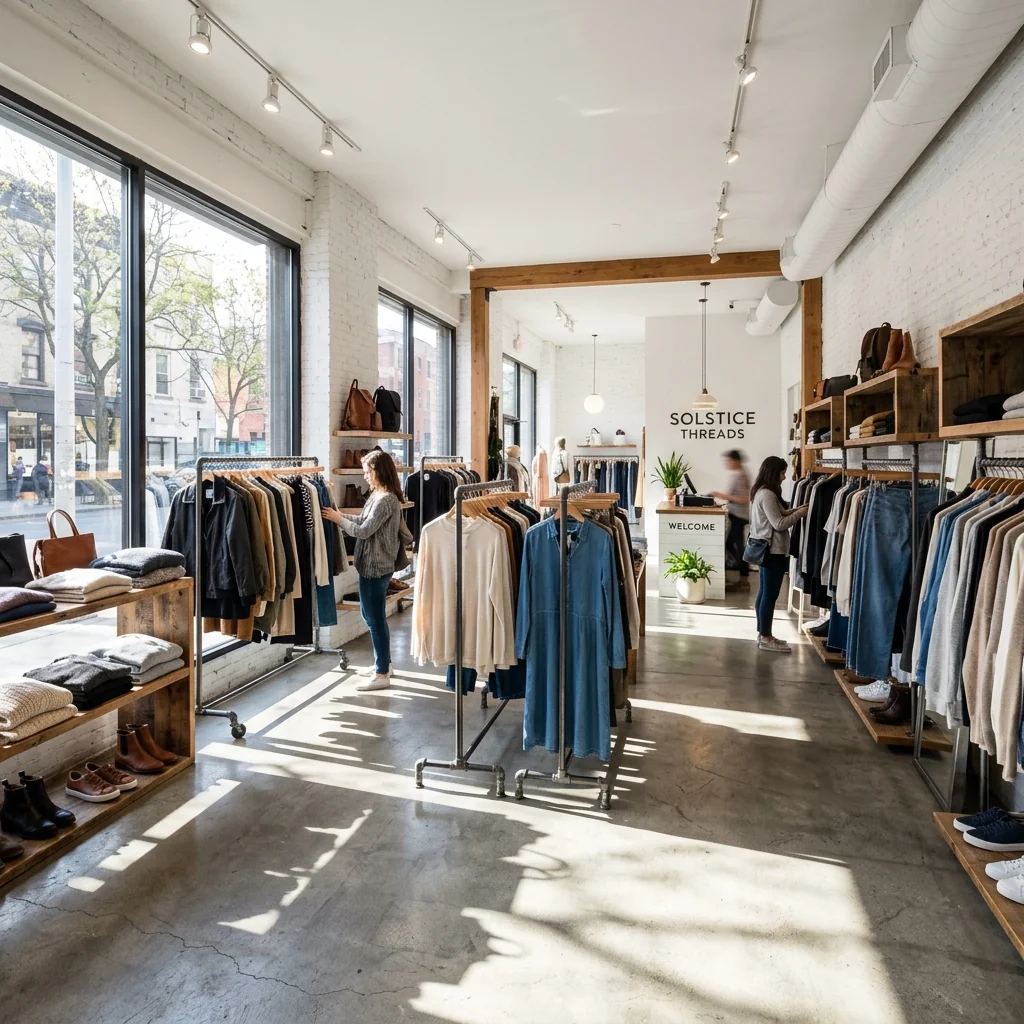

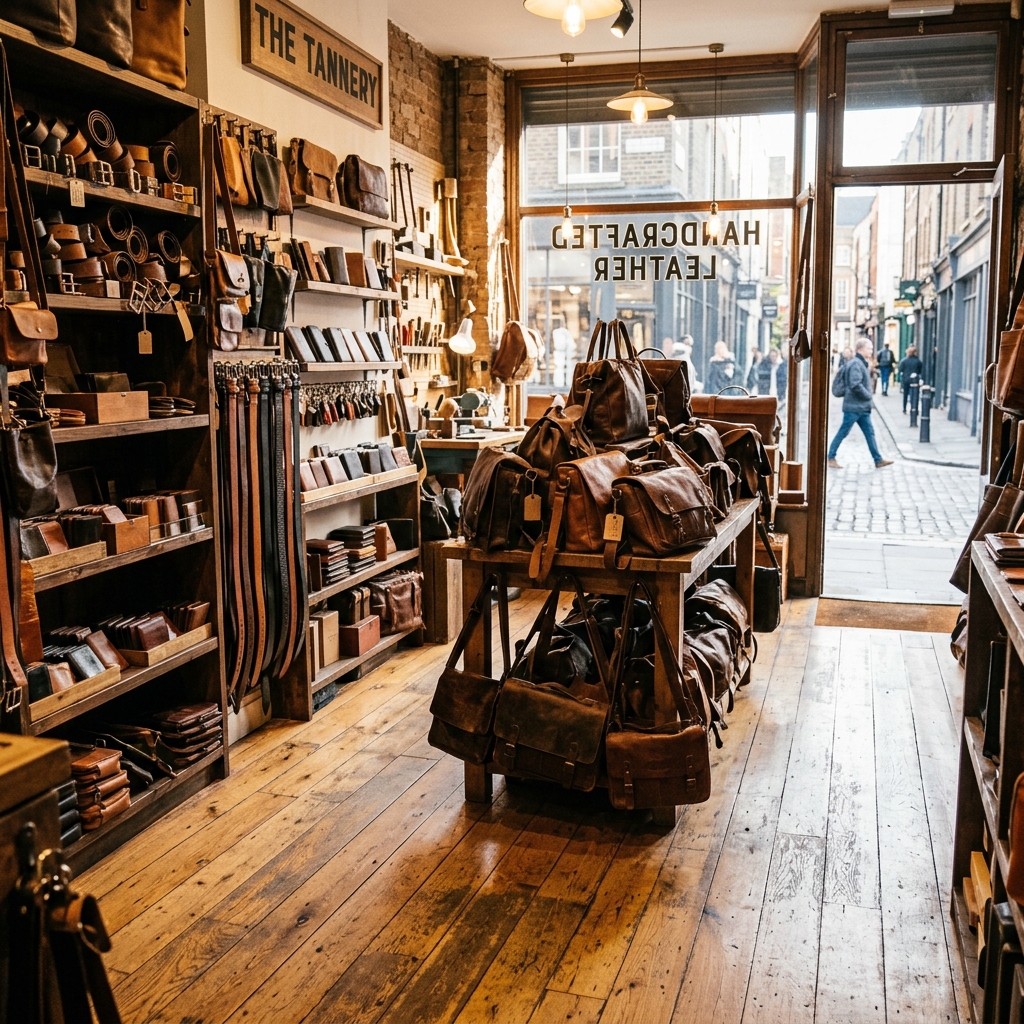

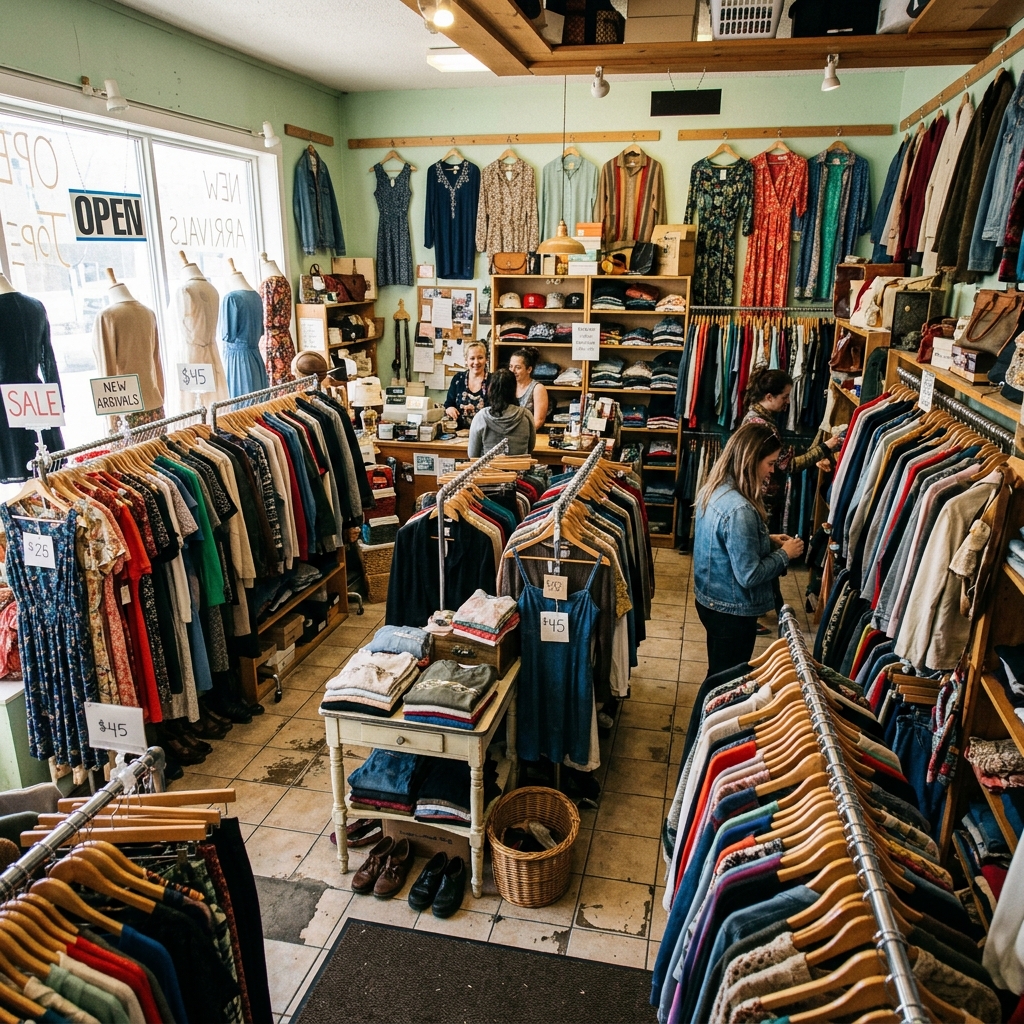
Sådan fungerer det
- 1Upload dit foto
- 2Vælg dine indstillinger
- 3Dit billede
Tips til et godt resultat
Lyst, klart foto
Dagslys og en bred vinkel giver det bedste resultat.
Vis hele området
Hold alt, du vil ændre, helt med i billedet.
Prøv flere variationer
Sammenlign forskellige muligheder, før du beslutter dig.
Ofte stillede spørgsmål
Må jeg bruge billederne kommercielt?
Ja. Du kan bruge dine billeder til ethvert formål, inklusive kommerciel brug.
Ændrer mit originale foto sig?
Nej. Dit originale billede forbliver uændret, og du kan downloade det når som helst.
Hvad hvis jeg ikke kan lide resultatet?
Prøv en anden stil eller indstilling, eller finjuster resultatet med en kort instruktion.
Fortsæt med at udforske
Alle værktøjer
Grafik til agentens "Mød teamet"
Præsenter dig selv ordentligt. Upload et headshot, og lav en flot "About the Agent"- eller "Meet the Team"-grafik til sociale medier med dine specialer, serviceområder og kontaktinfo.
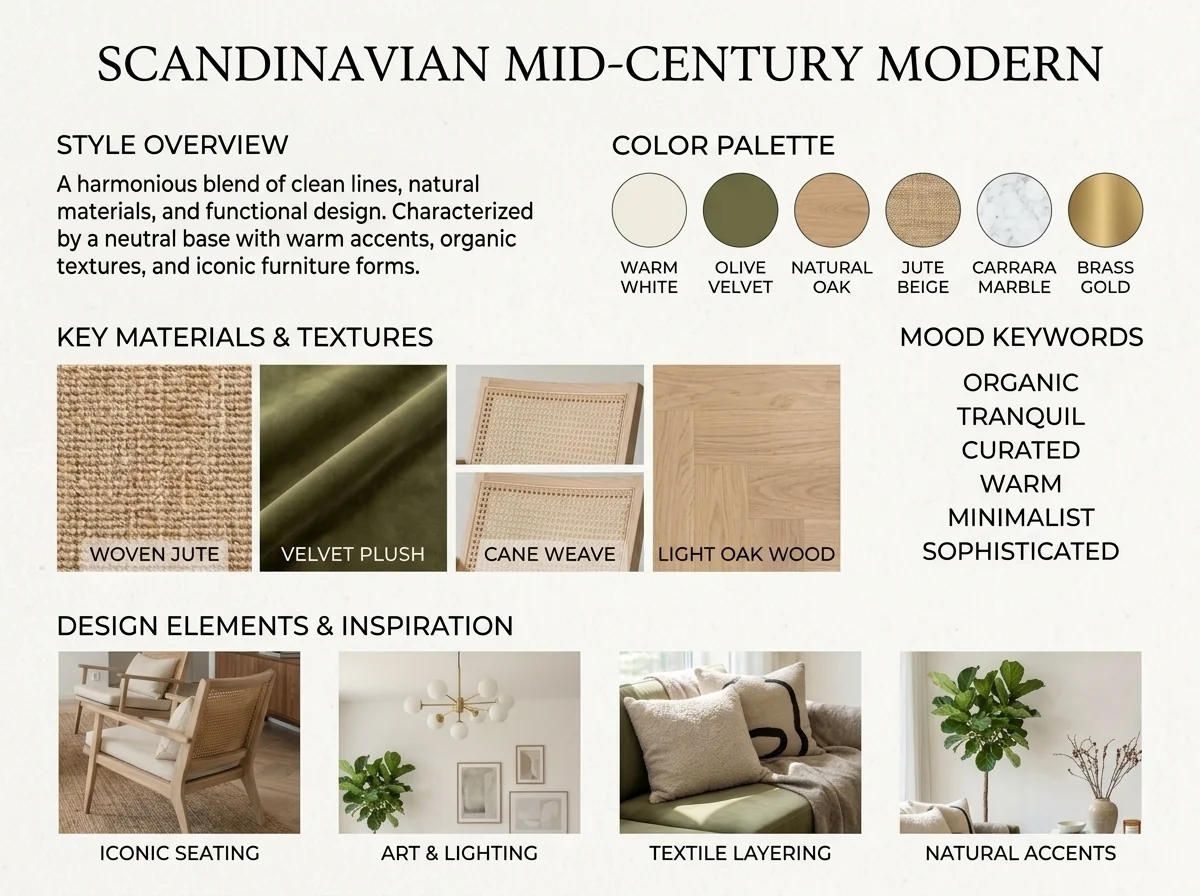
AI-indretningsstilgenkender og moodboard
Upload et foto af ethvert rum, og AI identificerer indretningsstilen, farvepaletten, de vigtigste materialer og genererer et matchende moodboard. Perfekt til at forstå eksisterende rum eller kommunikere stilpræferencer.
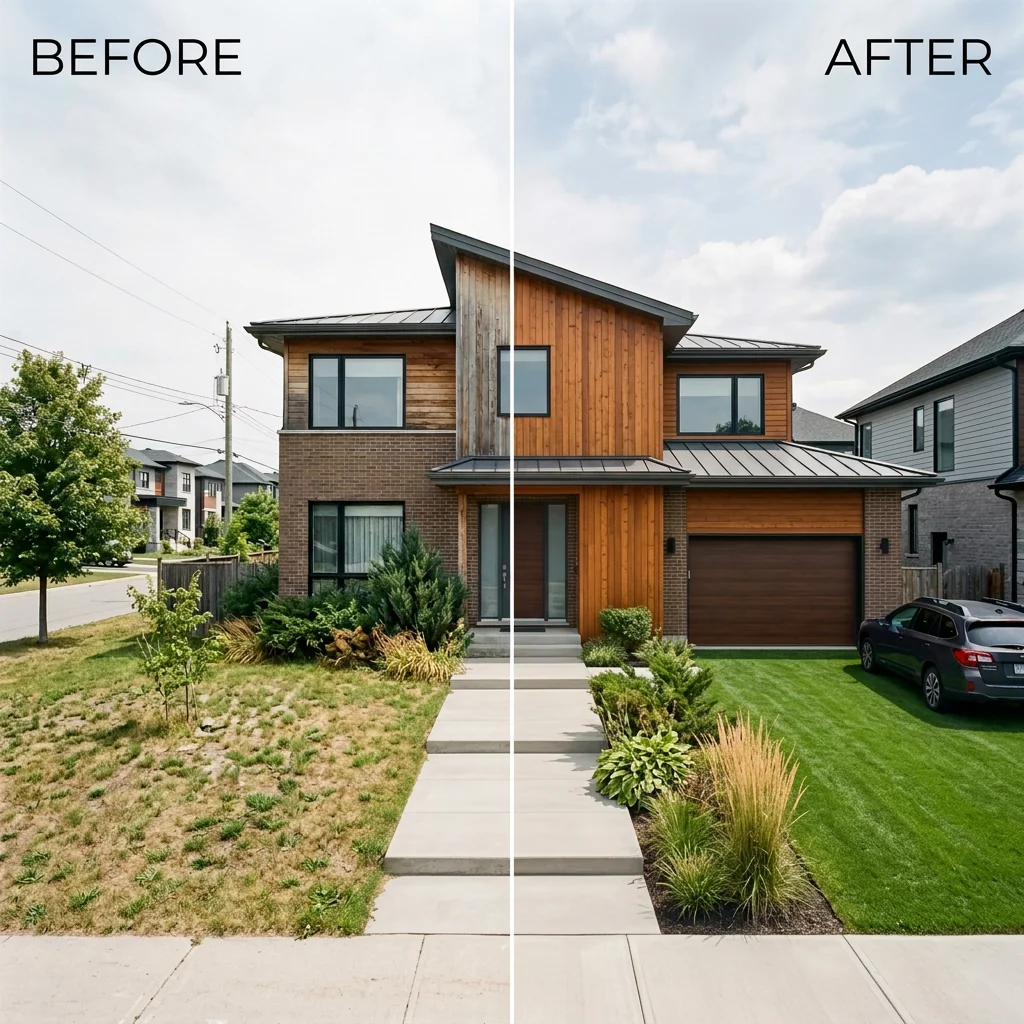
Før og efter side-om-side annonce
Skab professionelle før- og efter-sammenligningsbilleder til ejendomsannoncer. Upload to fotos, og AI genererer en poleret side-om-side-sammenligning med labels, perfekt til MLS, sociale medier og markedsføringsmateriale.
Læs den fulde guide
How long does generation take for Retail Store Layout Planner?
Generation usually takes between 5 and 15 seconds.
Can I use the results commercially?
Yes, every generated image includes a full commercial usage license.
Tips for your photo
Make sure the photo is well lit and shot from a wide angle.
Remove clutter before shooting the photo for the best results.
Use re-staging mode for targeted style changes.
Frequently asked questions
What are the recommended input formats and resolutions for the Retail Store Layout Planner?
Upload JPEG or PNG files, ideally 1920x1080 pixels or higher, for optimal analysis. Enhance the Retail Store Layout Planner's accuracy by providing clear, well-lit real estate photos of your current store.
How long does the Retail Store Layout Planner take to process a layout?
Transform your retail space within 30-60 seconds. The Retail Store Layout Planner rapidly analyzes your uploaded image, delivering redesigned layouts quickly, perfect for busy agents managing multiple property listings.
What level of detail and quality can I expect from the Retail Store Layout Planner's output?
Stage high-resolution, detailed layouts showcasing improved product displays, lighting, and customer flow. The Retail Store Layout Planner provides professional-grade visuals suitable for any property listing or Zillow presentation.
What are the best practices for achieving optimal results with the Retail Store Layout Planner?
Upload clear, wide-angle real estate photos of your entire store. Convert cluttered spaces into organized layouts by ensuring good lighting and minimal obstructions for the Retail Store Layout Planner's AI.
Can I regenerate a layout if I'm not satisfied with the initial design from the Retail Store Layout Planner?
Enhance your design by regenerating layouts as needed. The Retail Store Layout Planner allows multiple attempts, enabling you to fine-tune product placements and flow until perfect for your property listing.
Technical FAQ: Retail Store Layout Planner
Quick answers for optimal results
Common mistakes
5 Critical Retail Store Layout Planner Mistakes Killing Your Sales
How to Retail Store Layout Planner Online for Maximum Profit
Ignoring Customer Flow Analysis with Retail Store Layout Planner
Failing to analyze customer movement within your store layout planner leads to bottlenecks and missed product exposure, impacting sales and overall customer experience. The Retail Store Layout Planner helps you visualize this.
Use the Retail Store Layout Planner to simulate customer paths and identify high-traffic areas. Optimize product placement based on these insights to encourage browsing and impulse purchases, improving your property listing appeal.
Poor Product Placement in Retail Store Layout Planner Designs
Randomly placing products without considering their appeal or relationship to other items reduces visibility and purchase likelihood. This affects your real estate photos and Zillow appeal.
Leverage the Retail Store Layout Planner to strategically position high-margin items in prime locations. Group related products together to encourage cross-selling and increase average transaction value, attracting more agent interest.
Neglecting Lighting Optimization with Retail Store Layout Planner
Inadequate or poorly placed lighting can make products appear unappealing and create a negative atmosphere, deterring customers from making purchases. This affects your MLS listing.
Utilize the Retail Store Layout Planner to experiment with different lighting schemes and intensities. Highlight key product displays and create a welcoming ambiance to enhance the overall shopping experience, improving your real estate photos.
Overcrowding the Retail Space in Your Layout Planner Design
A cluttered and cramped store layout makes it difficult for customers to navigate and browse comfortably, leading to frustration and reduced sales. Your property listing will suffer.
Use the Retail Store Layout Planner to ensure ample space between aisles and displays. Prioritize a clean and organized layout that allows customers to move freely and easily access products, appealing to more agents.
Failing to Adapt to Seasonal Changes Using Retail Store Layout Planner
Maintaining the same store layout year-round ignores seasonal trends and customer preferences, missing opportunities to promote relevant products and boost sales. This impacts your Zillow ranking.
Transform your store layout seasonally with the Retail Store Layout Planner. Showcase seasonal items and create themed displays to capture customer attention and drive sales during peak periods, improving your real estate photos.
What Your Retail Store Layout Planner Results Will Look Like
Upload your photo to get started
Your workflow
4 Steps to a High-Converting Retail Store Layout Planner Design
How to Retail Store Layout Planner Online: Maximize Sales with AI
Upload Your Retail Space Photo
Transform your retail store's potential by uploading a clear photo to the Retail Store Layout Planner. The AI analyzes the existing space, including lighting, dimensions, and current product placement, preparing it for optimal redesign. This initial step is crucial for generating a realistic and effective layout plan for your property listing.
Ensure the photo captures the entire retail space and is well-lit for accurate AI analysis. Clear real estate photos lead to better design suggestions.
AI-Powered Layout Optimization
The Retail Store Layout Planner utilizes advanced AI to analyze customer flow, product placement, and visual merchandising. It automatically generates several optimized layout options designed to enhance the shopping experience and boost sales. This includes suggestions for aisle arrangement, promotional displays, and strategic lighting to highlight key products.
Experiment with different layout options generated by the AI. Consider the target demographic and product categories when evaluating the suggested changes to maximize impact on your property listing and attract potential tenants.
Customize and Refine Your Design
Fine-tune the AI-generated layout to match your specific brand and inventory. The Retail Store Layout Planner allows you to easily adjust product placements, add or remove fixtures, and modify the overall aesthetic to create a visually appealing and customer-centric environment. This ensures the final design aligns perfectly with your retail vision and enhances your property listing on Zillow and other platforms.
Use the customization tools to create a unique and branded retail space. Focus on creating a visually appealing and functional layout that highlights key products and encourages customer engagement. High-quality real estate photos of the staged layout are essential.
Download & Share Your Optimized Layout
Convert your refined retail store layout plan into high-resolution images and shareable formats. Use these visuals to showcase the optimized space in your property listing, attracting potential tenants and demonstrating the store's sales potential. Enhance your MLS listing with compelling images and descriptions highlighting the AI-powered design.
Use the generated images in your property listing, marketing materials, and presentations to showcase the optimized retail space. Highlight the benefits of the AI-powered layout, such as improved customer flow and increased sales potential, to attract qualified tenants. Share on social media for maximum agent reach.
Use cases
Property Listings for Retail Store Layout Planner
Social Media Marketing & Instagram Inserate
Architektur- & Umbau-Präsentationen
Retail Store Layout Planner — Technical Specifications
1. Upload your property photo.
2. Choose the interior style or room type you want.
3. Click Generate and get your result in seconds.
Expert guide
5 Expert Tips: Dominate Retail Sales with a Retail Store Layout Planner
How to Retail Store Layout Planner Online: A Step-by-Step Guide for Agents
Transform Your Real Estate Photos: Upload High-Quality Images
Upload clear, well-lit real estate photos of your retail space to the Retail Store Layout Planner. This ensures accurate dimensions and allows the AI to effectively analyze the existing layout for optimal redesign suggestions. Enhance your property listing with better visuals.
Optimize Retail Store Layout Planner Settings for Targeted Results
Adjust the settings within the Retail Store Layout Planner to match your specific retail goals. Define the type of products you sell, target customer demographics, and desired atmosphere to tailor the AI's recommendations for maximum impact on sales and customer engagement. Improve your Zillow presence.
Achieve Best Results: Iterate and Refine Your Retail Store Design
Experiment with different layouts generated by the Retail Store Layout Planner. Use the AI's suggestions as a starting point and iterate based on your own knowledge of your customer base and product placement strategies. A/B test different layouts to maximize your ROI.
Professional Use: Stage Properties for MLS Listings with the Retail Store Layout Planner
Use the Retail Store Layout Planner to virtually stage vacant retail properties for MLS listings. Showcase the potential of the space with optimized layouts that appeal to potential tenants. This can significantly improve your property listing's appeal and attract more interest from prospective buyers or renters. Connect with your agent.
How it works
3 Steps to Master the Retail Store Layout Planner
How to use a retail store layout planner online for free to boost property listing engagement
Upload Your Commercial Property Photos
Upload high-resolution images of your vacant commercial space into our Retail Store Layout Planner to start the AI-driven transformation for your Zillow or MLS property listing.
Customize Your Visual Merchandising Styles
Select from various product display configurations and lighting setups to help agents and brokers visualize the most profitable customer flow and interior design for the retail space.
Download High-Res Staged Images
Enhance your real estate photos instantly and download the final render to showcase a professional home staging quality retail environment that attracts high-value commercial property tenants.
What you can do
Advanced Retail Store Layout Planner Capabilities
Enhance Visual Retail Layouts
Enhance your Retail Store Layout Planner output with stunning visual fidelity, ideal for compelling real estate photos and property listing presentations.
Rapid Retail Design Generation
Transform uploaded store photos into optimized retail layouts in seconds, accelerating your property listing updates and agent presentations.
Versatile Layout Export Options
Convert your Retail Store Layout Planner designs into multiple formats, perfect for Zillow uploads, MLS listings, and agent sharing.
Tailored Retail Space Customization
Stage your Retail Store Layout Planner with precise control over product placement, lighting, and flow, customizing every detail for unique real estate photos.
AI-Powered Layout Optimization
Upload your store image for AI-driven Retail Store Layout Planner analysis, ensuring optimal customer flow and display precision for every property listing.
Professional Retail Design Tool
Enhance your professional portfolio with expertly designed retail store layouts, providing agents and buyers with captivating real estate photos and virtual tours.
Pro-level tools at your fingertips