
Din første inhouse styling!
- Foto
- Dine valg
- Dit billede
Se, hvad der er muligt
Rigtige resultater fra fotos som dine.
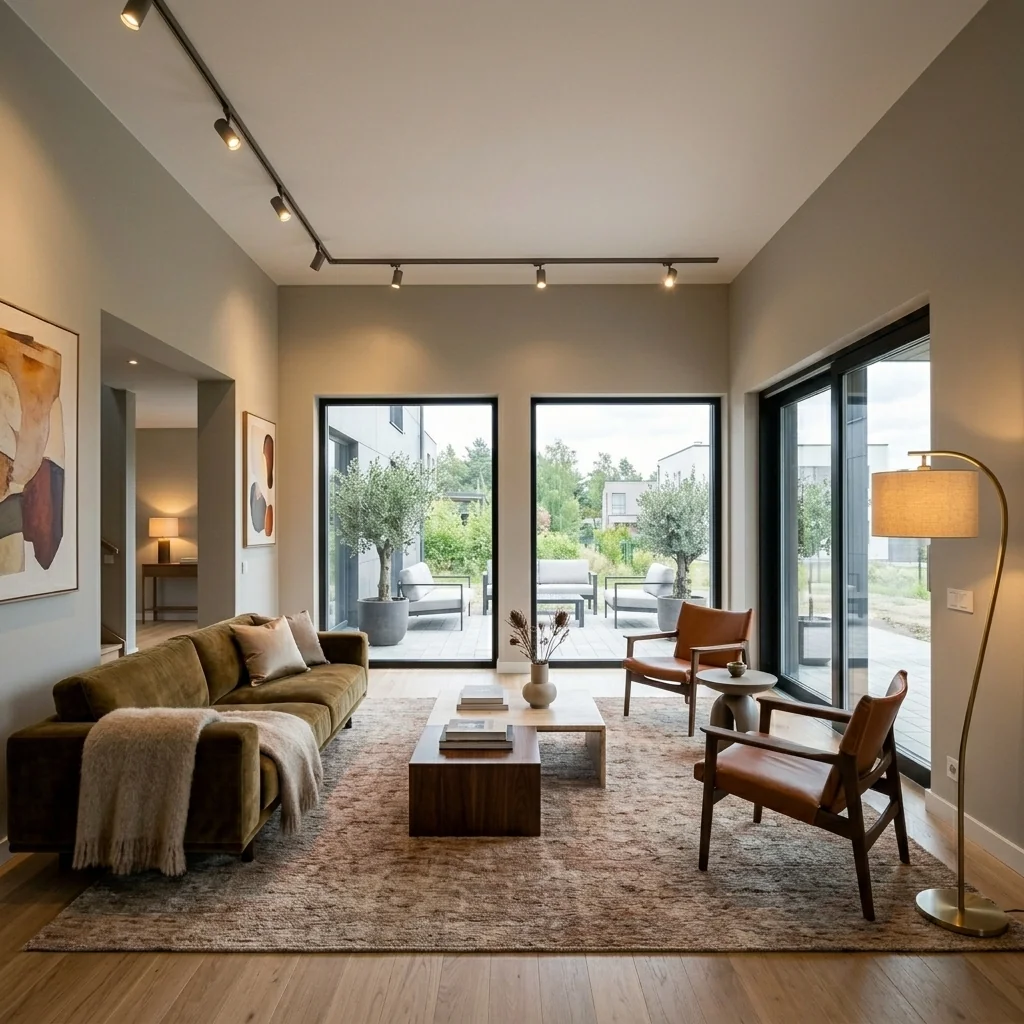
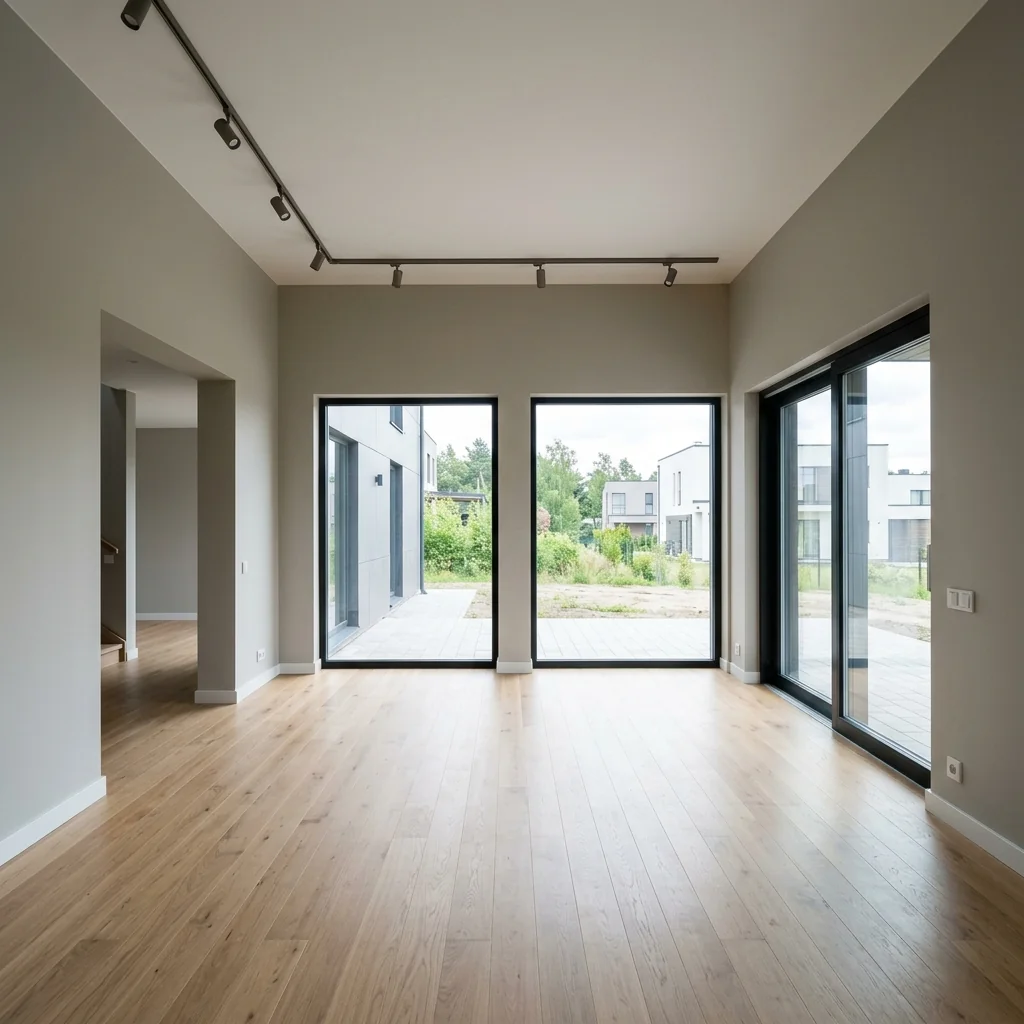

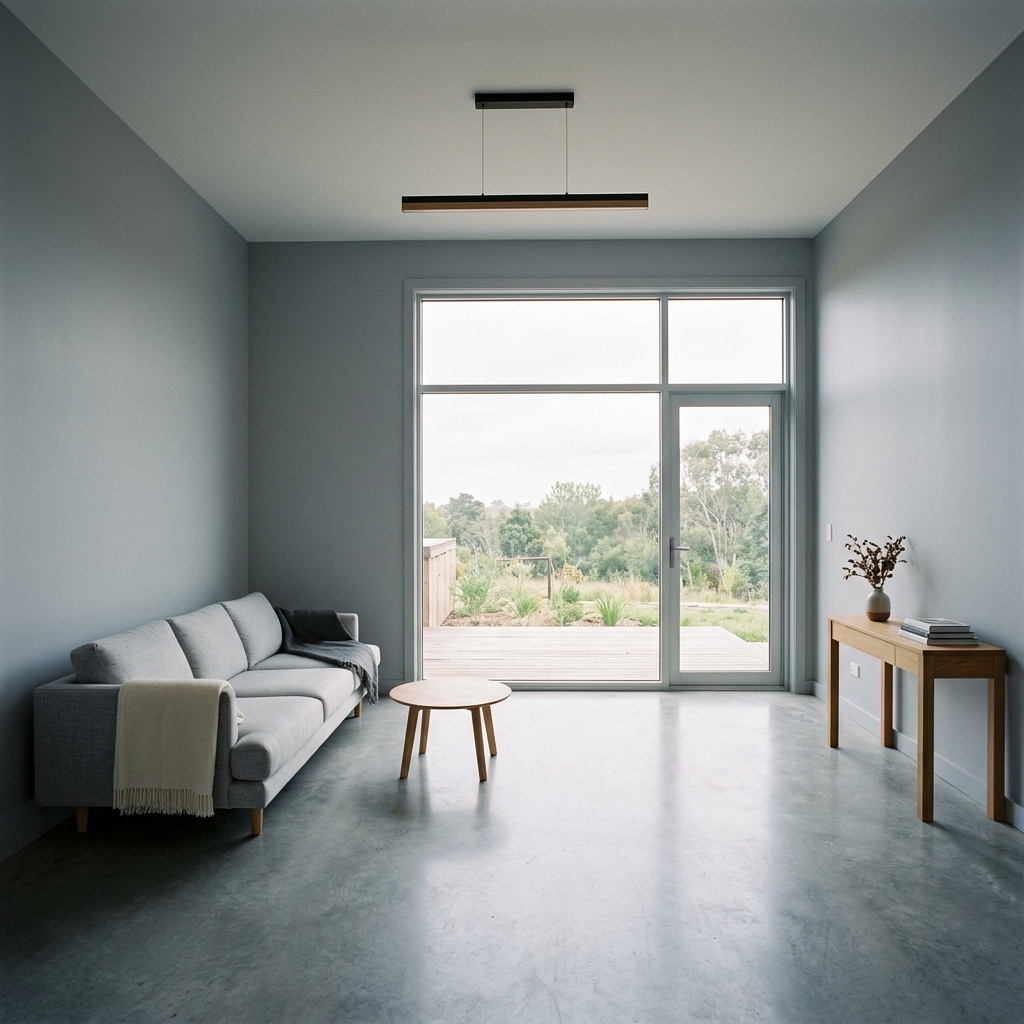

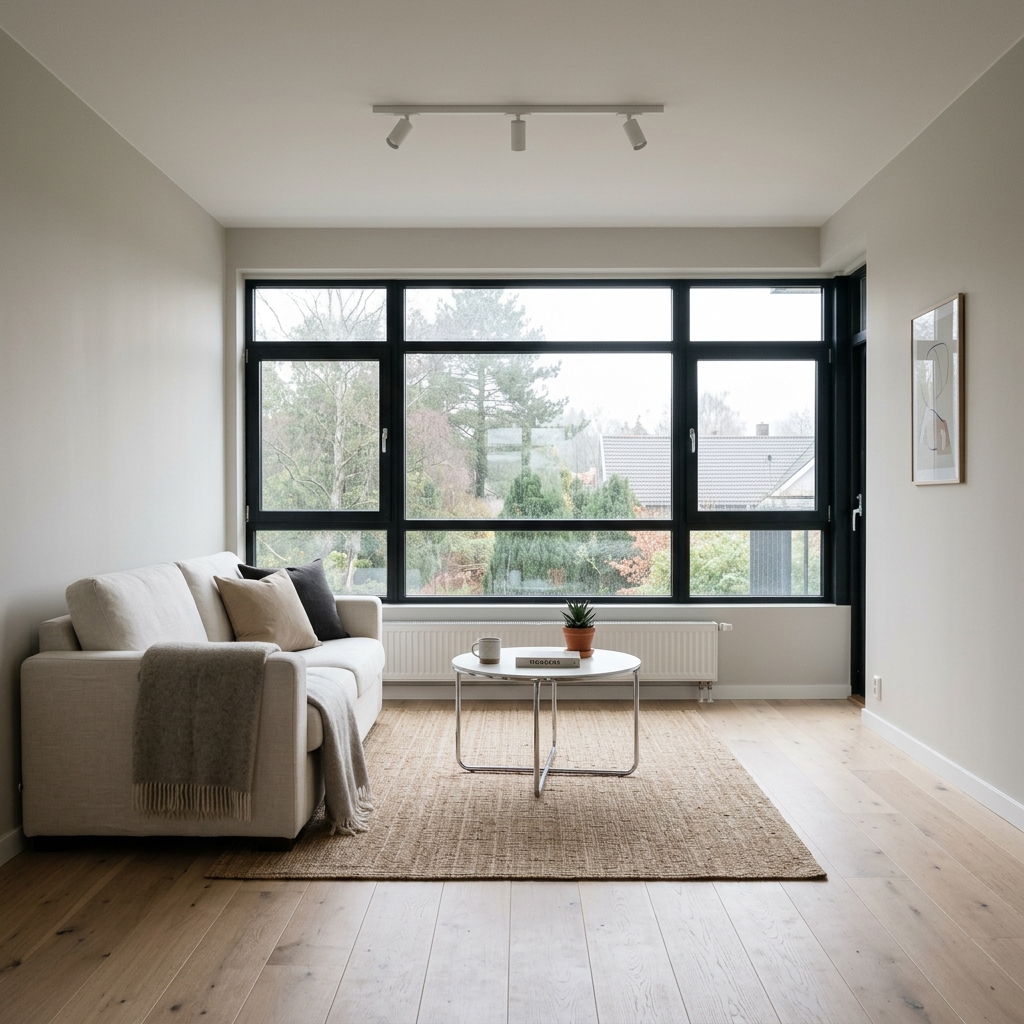
Sådan fungerer det
- 1Upload dit foto
- 2Vælg dine indstillinger
- 3Dit billede
Tips til et godt resultat
Lyst, klart foto
Dagslys og en bred vinkel giver det bedste resultat.
Vis hele området
Hold alt, du vil ændre, helt med i billedet.
Prøv flere variationer
Sammenlign forskellige muligheder, før du beslutter dig.
Ofte stillede spørgsmål
Må jeg bruge billederne kommercielt?
Ja. Du kan bruge dine billeder til ethvert formål, inklusive kommerciel brug.
Ændrer mit originale foto sig?
Nej. Dit originale billede forbliver uændret, og du kan downloade det når som helst.
Hvad hvis jeg ikke kan lide resultatet?
Prøv en anden stil eller indstilling, eller finjuster resultatet med en kort instruktion.
Fortsæt med at udforske
Alle værktøjer
AI-lænestolstopbetrækningsskifter
Visualisér straks nye ombetrækningsmuligheder til lænestole i dine fotos. Skift stoffer, farver og mønstre som velour, læder eller boucle, så de passer perfekt til enhver indretningsstil. Ideelt for ejendomsmæglere og indretningsdesignere, der vil vise potentialet i forvandlinger.

AI-møbelstopbetrækningsskifter
Forvandl dine møbelfotos med AI! Skift nemt betræksmaterialet for at vise forskellige stilarter og appellere til flere købere. Perfekt til virtuel indretning og mockups af indretning.

AI-visualiseringsværktøj til ombetrækning
Visualisér straks, hvordan ethvert møbel ser ud med forskellige møbelstof, farver og teksturer ved hjælp af AI. Upload et foto af din sofa, stol eller loveseat, og se imponerende ombetrækning-previews, før du beslutter dig for et køb eller et renoveringsprojekt.
Læs den fulde guide
How long does generation take for Style-First Virtual Staging?
Generation usually takes between 5 and 15 seconds.
Can I use the results commercially?
Yes, every generated image includes a full commercial usage license.
Tips for your photo
Make sure the photo is well lit and shot from a wide angle.
Remove clutter before shooting the photo for the best results.
Use re-staging mode for targeted style changes.
Frequently asked questions
What are the optimal input image formats and resolutions for Style-First Virtual Staging?
Upload high-resolution JPEG or PNG real estate photos, ideally 1920x1080 pixels or higher, for Style-First Virtual Staging. This ensures crisp details for your property listing, enhancing visual appeal for potential buyers on MLS or Zillow, and assisting agents.
How quickly does Style-First Virtual Staging process and deliver results?
Convert your empty rooms instantly. Style-First Virtual Staging typically processes images within 15-30 seconds, depending on image complexity and server load. Agents can quickly stage multiple properties, transforming them for urgent real estate photos and listings.
What is the output resolution and quality for images generated by Style-First Virtual Staging?
Enhance your property listing with high-definition output. Style-First Virtual Staging delivers staged real estate photos in resolutions up to 4K (3840x2160 pixels), ensuring professional-grade quality suitable for MLS, Zillow, and print media for any agent.
What are the best practices for achieving optimal Style-First Virtual Staging results?
Stage effectively by providing clear, well-lit, empty room real estate photos with good perspective. Choose a style that complements the property's architecture. This ensures Style-First Virtual Staging enhances your listing significantly, attracting more buyers on Zillow.
Can I re-generate or modify Style-First Virtual Staging results after initial processing?
Yes, you can re-generate. Simply select a different style or upload a new image to Style-First Virtual Staging. This allows agents to experiment and enhance real estate photos until the perfect look for your property listing is achieved for MLS.
Technical FAQ: 5 Steps to Style-First Virtual Staging Excellence
How to Optimize Your Style-First Virtual Staging for Real Estate Photos Online
Common mistakes
5 Style-First Virtual Staging Mistakes Killing Your Real Estate Photos
How to avoid common pitfalls when using Style-First Virtual Staging for your property listing on Zillow
Ignoring the Existing Room Style: Applying a modern style to a traditionally designed room.
Clashing styles confuse potential buyers and make the virtual staging look unnatural in real estate photos.
Carefully analyze the existing architectural style and choose a Style-First Virtual Staging option that complements it. Use PropStage.ai to test multiple styles.
Over-Staging: Adding too many items or overly elaborate decor.
A cluttered virtual staging distracts from the room's features and makes it appear smaller in the property listing. Potential buyers on Zillow want to see the space.
Use the Style-First Virtual Staging tool to create a minimalist and inviting space. Focus on key furniture pieces and avoid unnecessary clutter. Leverage PropStage.ai's style variations.
Poor Lighting Choices: Selecting styles with inappropriate lighting for the room's natural light.
Inconsistent lighting makes the virtual staging look unrealistic and unprofessional in real estate photos, hurting your MLS listing.
Choose Style-First Virtual Staging options that complement the room's existing lighting. PropStage.ai allows you to adjust brightness and contrast for optimal results.
Inconsistent Color Palettes: Using clashing colors in the selected style.
Conflicting colors create visual disharmony and detract from the overall appeal of the property listing for the agent.
Stick to a cohesive color palette within the Style-First Virtual Staging options. PropStage.ai offers pre-designed palettes to ensure a harmonious look.
Neglecting Scale and Proportion: Choosing furniture styles that are too large or small for the room.
Incorrect scale makes the room appear awkward and diminishes its perceived value in real estate photos.
Select Style-First Virtual Staging options with furniture that is appropriately sized for the room. Use PropStage.ai's preview feature to assess the scale before finalizing the staging.
Unlock Stunning Transformations: Style-First Virtual Staging Results You Need to See
Upload your real estate photos now and see how easy it is to style-first virtual staging online for Zillow and MLS listings.
Your workflow
4 Steps to Stunning Style-First Virtual Staging for Your Property Listing
How to Style-First Virtual Staging Online to Attract More Buyers on Zillow and MLS
Upload Your Real Estate Photo
Transform your vacant room into a captivating space by uploading your real estate photos to PropStage.ai's Style-First Virtual Staging tool. Ensure high-quality images for optimal results.
Use photos with good lighting and clear angles to showcase the room's best features. This impacts the final style-first virtual staging result.
Select Your Desired Style
Choose from a variety of pre-designed styles within the Style-First Virtual Staging interface. PropStage.ai offers diverse options to match your target audience and property aesthetic.
Consider the architectural style of the home and the preferences of potential buyers when selecting a style. A modern style may appeal to younger buyers, while a traditional style might suit a more established demographic.
AI-Powered Instant Staging
Let PropStage.ai's AI algorithms instantly stage your room based on your chosen style. The Style-First Virtual Staging tool automatically populates the space with furniture and decor.
Review the staged image carefully. If needed, use PropStage.ai's editing tools to make minor adjustments to furniture placement or decor items to achieve the perfect look for your property listing.
Download and Publish to MLS & Zillow
Download your professionally staged real estate photos and immediately enhance your property listing on MLS, Zillow, and other platforms. Attract more potential buyers with visually appealing images.
Use the staged photos prominently in your property listing and social media marketing. Track the impact of Style-First Virtual Staging on your listing's views and inquiries.
Use cases
Property Listings for Style-First Virtual Staging
Social Media Marketing & Instagram Inserate
Architektur- & Umbau-Präsentationen
5 Technical Specs for Style-First Virtual Staging to Enhance Real Estate Photos
1. Upload your property photo.
2. Choose the interior style or room type you want.
3. Click Generate and get your result in seconds.
Expert guide
5 Tips: Master Style-First Virtual Staging for Stunning Real Estate Photos
How to achieve professional-grade style-first virtual staging online for your property listing
Prepare Your Real Estate Photos for Style-First Virtual Staging
Upload high-resolution images to ensure optimal AI performance. Crop images squarely, maintain good lighting, and remove clutter for the best style-first virtual staging results. This enhances your property listing on Zillow and the MLS.Optimize Settings for Realistic Style-First Virtual Staging
Adjust the lighting and shadow settings within the Style-First Virtual Staging tool to match the existing conditions in your real estate photos. Fine-tune the intensity of the AI staging to achieve a natural and believable look for your property listing.Enhance Your Property Listing with Best Style-First Virtual Staging Practices
Select a style that complements the architectural design of the property. Experiment with different furniture arrangements and decor options to showcase the room's potential. Ensure the style aligns with the target demographic for maximum impact on potential buyers.Leverage Style-First Virtual Staging for Professional Agent Use
Use Style-First Virtual Staging to quickly create multiple variations of a staged room for different marketing materials. Offer clients various design options, increasing engagement and showcasing your ability to market their property effectively, improving your property listing.How it works
3 Professional Steps for Style-First Virtual Staging
How to style-first virtual staging online for free to optimize your MLS and Zillow property listings
Upload Your Empty Property Photos
Upload high-resolution real estate photos of your vacant listing. Our AI analyzes the room dimensions to ensure every Style-First Virtual Staging element fits perfectly for a realistic broker presentation.
Stage Your Preferred Design Style
Stage your room by selecting a specific aesthetic like modern or farmhouse. This Style-First Virtual Staging feature allows an agent to define the design theme before the AI generates furniture.
Convert Spaces into High-Res Renders
Convert your empty spaces into photorealistic homes and download the high-res files. Use these images to answer how to stage a home for sale quickly while enhancing your professional Zillow profile.
What you can do
Advanced Style-First Virtual Staging Capabilities
High-Fidelity Style-First Renders
Generate photorealistic Style-First Virtual Staging images, ensuring your property listing captivates buyers with unparalleled visual appeal and chosen aesthetic.
Instant Style-First Staging
Transform empty rooms into beautifully staged spaces in seconds, accelerating your property listing preparation and reducing time-to-market for agents.
Multi-Format Export Options
Download Style-First Virtual Staging images in diverse resolutions and aspect ratios, perfectly optimized for MLS, Zillow, and all major real estate platforms.
Extensive Style-First Customization
Select from a vast library of design styles, furniture, and decor elements to perfectly match the target buyer's aesthetic preferences.
AI-Powered Style-First Accuracy
Leverage advanced AI to intelligently place furniture and decor, ensuring Style-First Virtual Staging fits room dimensions and architectural nuances.
Agent-Centric Workflow Integration
Streamline real estate photo editing with Style-First Virtual Staging, designed for agents to enhance property listings and attract more buyers.
Pro-level tools at your fingertips