
Hinterhof / Garten Designer
- Foto
- Deine Auswahl
- Dein Bild
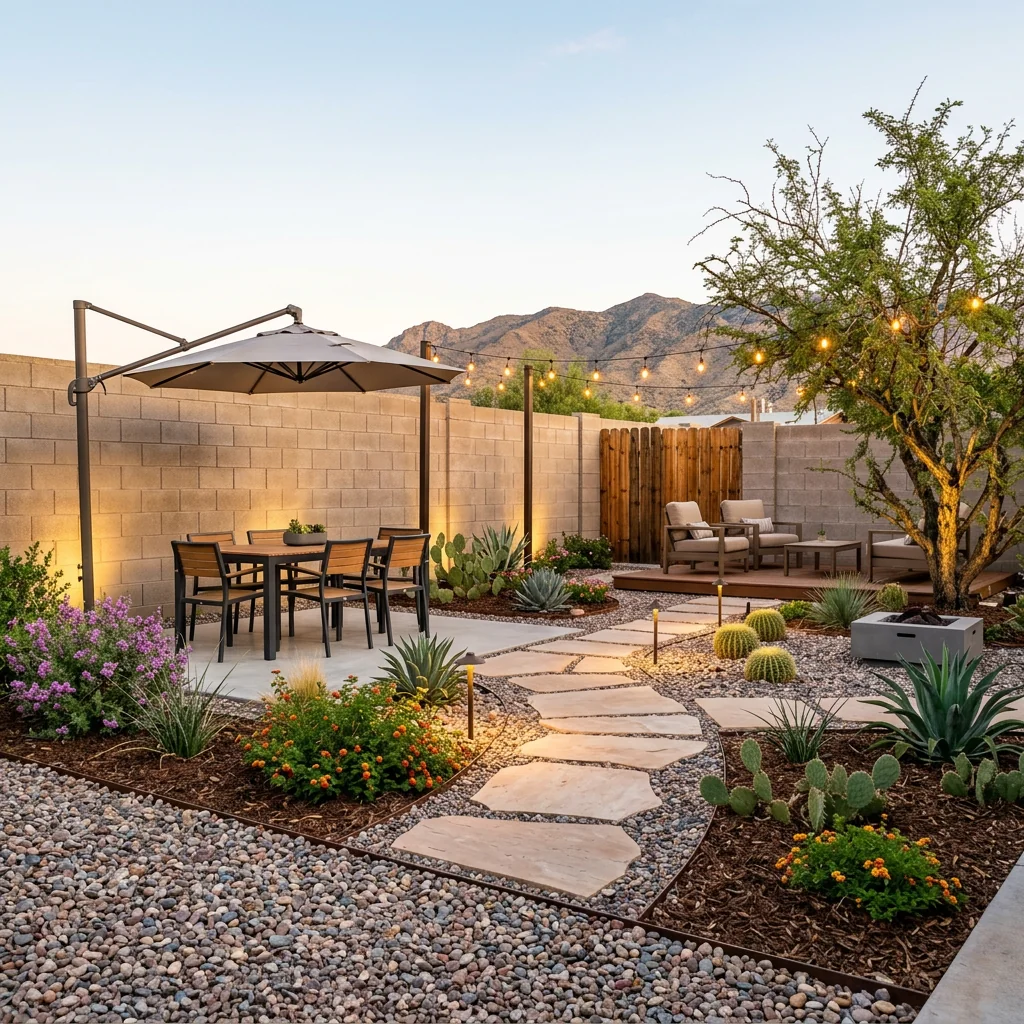
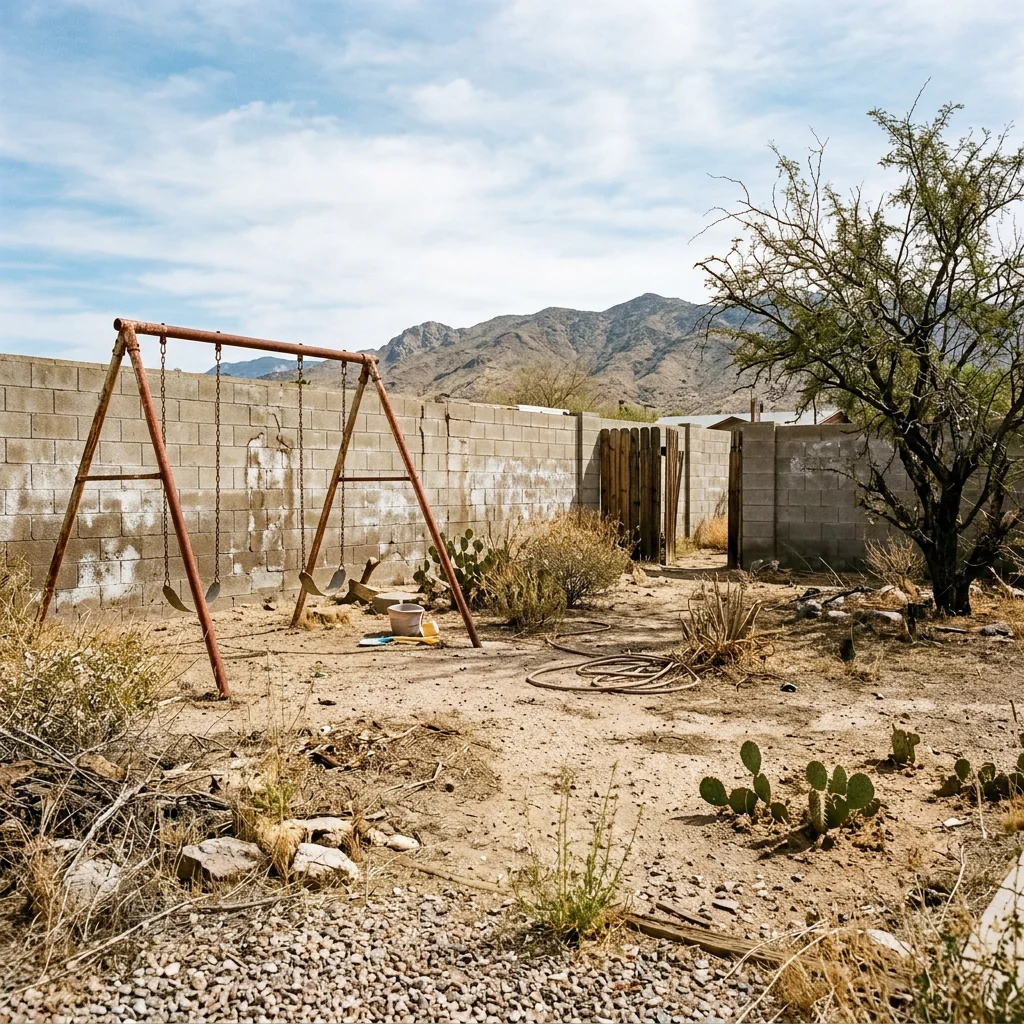
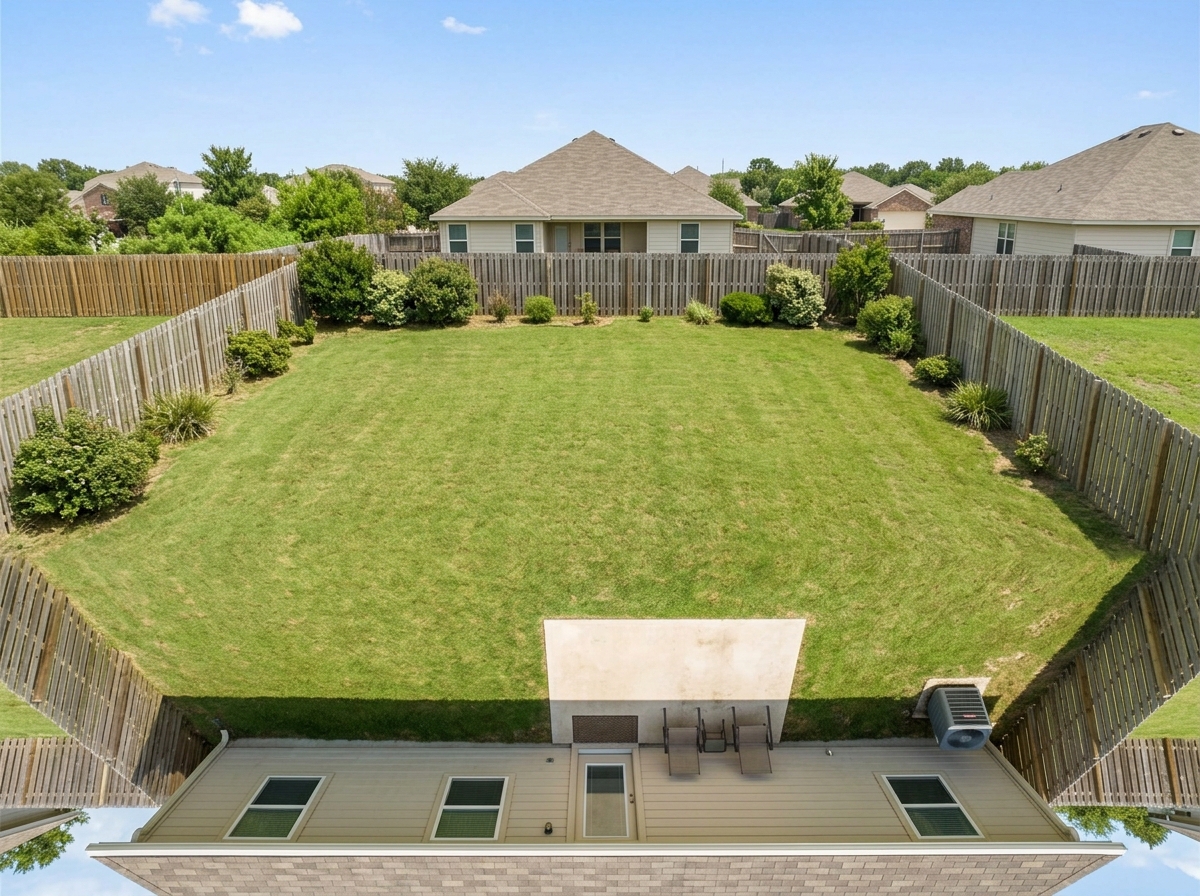
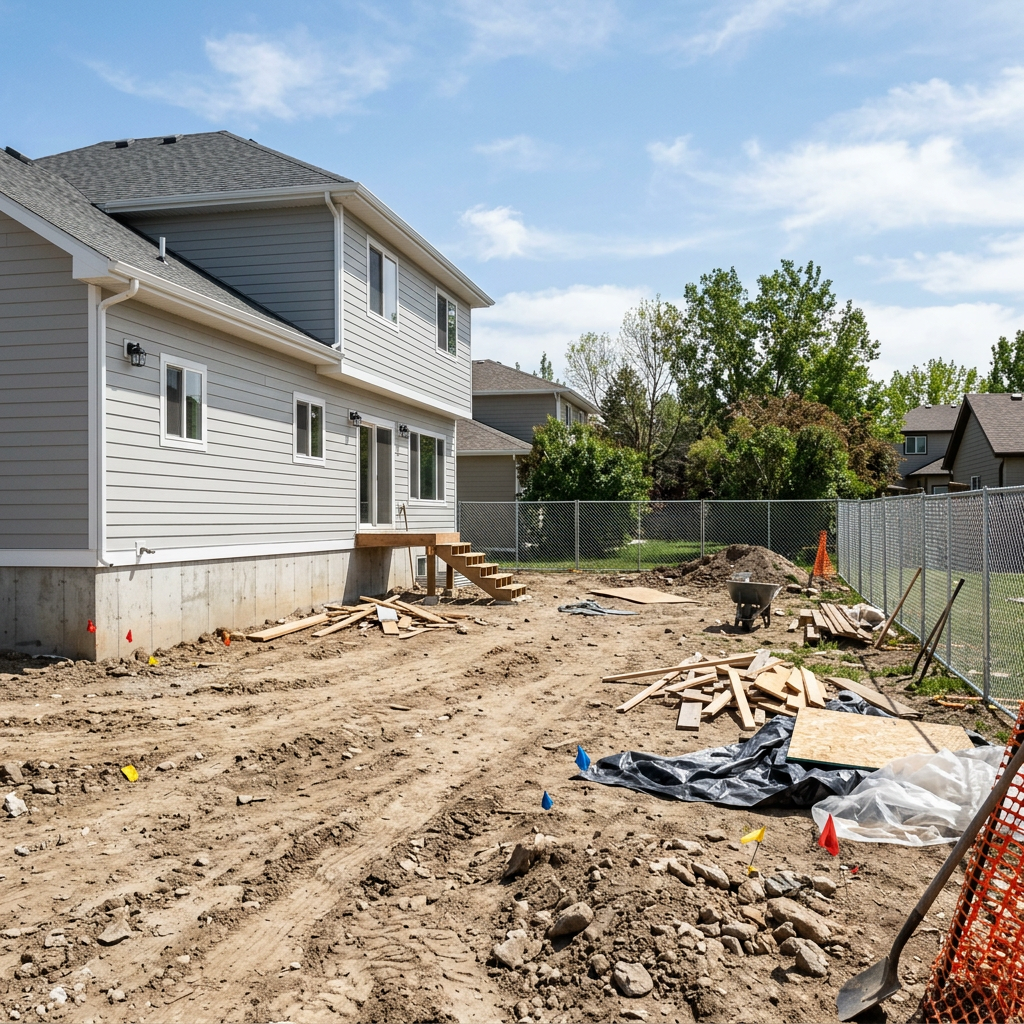
Sieh, was möglich ist
Echte Ergebnisse aus Fotos wie deinem.


So funktioniert es
- 1Lade dein Foto hoch
- 2Wähle deine Einstellungen
- 3Dein Bild
Tipps für ein gutes Ergebnis
Helles, klares Foto
Tageslicht und ein Weitwinkel liefern das beste Ergebnis.
Zeig den gesamten Bereich
Behalte alles im Bild, was du ändern möchtest.
Probiere mehrere Varianten
Vergleiche verschiedene Optionen, bevor du dich entscheidest.
Häufige Fragen
Darf ich die Bilder kommerziell nutzen?
Ja. Du kannst deine Bilder für jeden Zweck verwenden, einschließlich kommerzieller Nutzung.
Ändert sich mein Originalfoto?
Nein. Dein Original bleibt unverändert und du kannst es jederzeit herunterladen.
Was ist, wenn mir das Ergebnis nicht gefällt?
Probiere einen anderen Stil oder eine andere Einstellung aus oder verfeinere das Ergebnis mit einer kurzen Anweisung.
Weitere Tools entdecken
Alle Tools
KI Sessel-Polster Tauscher
Nutze ein Foto deines Sessels, um Stoff-, Farb- und Musterideen zu erkunden. Wähle die verfügbaren Materialeinstellungen und vergleiche ein zurückgegebenes Bild mit deinem Original.

Möbelpolster Verändern (KI)
Entdecke eine Polsteridee auf einem Möbelfoto. Wähle etwa Samt, Leder oder Leinen und beschreibe bei Bedarf eine Farbe; prüfe Stoffdetails im zurückgegebenen Bild.

KI Polster-Visualisierer
Entdecke eine Stoffidee auf einem Sofa- oder Sesselfoto. Wähle Stoff, Farbe, Struktur und Oberfläche und vergleiche den Bildentwurf vor der Materialwahl mit deinem Original.
Lies den vollständigen Leitfaden
Originaltext lesen
Diese frühere Anleitung enthält historische Preis-, Zeit- und Nutzungsaussagen. Prüfe vor einer Bestätigung die aktuellen Tarife, die Verfügbarkeit und die Creditkosten. Vergleiche KI-Änderungen vor dem Veröffentlichen mit deinem Original. Aktuelle Tarife
How long does generation take for Backyard Landscaping Designer?
Generation usually takes between 5 and 15 seconds.
Can I use the results commercially?
Yes, every generated image includes a full commercial usage license.
Tips for your photo
Make sure the photo is well lit and shot from a wide angle.
Remove clutter before shooting the photo for the best results.
Use re-staging mode for targeted style changes.
Frequently asked questions
What image formats and resolutions are best for the Backyard Landscaping Designer?
Upload clear, high-resolution (1920x1080 minimum) JPG or PNG real estate photos of your backyard. This allows the AI to accurately Stage your property listing with intricate landscaping details. Avoid blurry images for optimal transformation results.
How long does the Backyard Landscaping Designer take to process an image?
Transform your outdoor space within 30-60 seconds. Processing time varies based on image complexity. For swift property listing updates on Zillow or MLS, the Backyard Landscaping Designer delivers rapid results, enabling agents to quickly showcase enhancements.
What is the typical output quality from the Backyard Landscaping Designer?
Enhance your real estate photos with high-resolution (up to 4K) outputs. The Backyard Landscaping Designer generates photorealistic landscaping, outdoor kitchens, and fire pits, perfect for captivating property listing visuals on MLS or Zillow, impressing any agent.
What are the best tips for achieving optimal results with the Backyard Landscaping Designer?
Upload well-lit, unobstructed real estate photos of your backyard. The AI performs best with clear views, allowing it to seamlessly add lush plantings and pathways. This ensures the Backyard Landscaping Designer transforms your property listing effectively for Zillow.
Can I re-generate designs if I'm not satisfied with the initial Backyard Landscaping Designer output?
Yes, easily re-generate designs by adjusting preferences or re-uploading your image. The Backyard Landscaping Designer allows multiple iterations to ensure your property listing's outdoor space perfectly matches your vision for MLS. Enhance and refine until satisfied.
Technical FAQ: Backyard Landscaping Designer
Quick answers for optimal results
Common mistakes
5 Backyard Landscaping Designer Mistakes That Kill Your Property Listing
How to Avoid Common Errors When Using a Backyard Landscaping Designer Online
Using Low-Resolution Photos for Backyard Landscaping Designer
Blurry or pixelated images prevent the AI from accurately assessing the space and applying realistic landscaping elements. This impacts the final visual for your property listing on Zillow and MLS.
Upload high-resolution images to the Backyard Landscaping Designer for optimal results. Ensure the photo is well-lit and clearly shows the existing backyard features.
Ignoring Existing Property Features When Using Backyard Landscaping Designer
Overlooking existing structures, trees, or slopes can lead to unrealistic designs that don't integrate well with the property. This misrepresents the property to potential buyers viewing real estate photos.
Carefully consider existing features and how the Backyard Landscaping Designer's suggestions will complement them. Use the tool's editing features to adjust the AI's suggestions.
Over-Designing the Backyard with Backyard Landscaping Designer
Adding too many features (outdoor kitchen, fire pit, elaborate plantings) can make the backyard look cluttered and overwhelming in real estate photos, potentially deterring buyers.
Focus on a few key landscaping elements that enhance the space without making it feel crowded. Less is often more when staging a backyard for a property listing.
Not Considering Regional Climate When Using Backyard Landscaping Designer
Choosing plants or features that are not suitable for the local climate can result in unrealistic expectations for potential buyers. This negatively impacts the perceived value of the property listing.
Research plants and features that thrive in the area and use the Backyard Landscaping Designer to create a design that is both beautiful and sustainable. Consult with a local landscaping professional for advice.
Failing to Stage the Real Backyard Before Using Backyard Landscaping Designer
Cluttered or unkempt backyards in the initial photo will negatively impact the AI's ability to create an appealing design. This leads to poor real estate photos for your agent to use.
Clean up the backyard, remove debris, and mow the lawn before taking a photo for the Backyard Landscaping Designer. A tidy starting point yields better results.
What Your Backyard Landscaping Designer Results Will Look Like
Upload your photo to get started and see instant transformations
Your workflow
4 Steps to Transform Your Property Listing with a Backyard Landscaping Designer
How to Backyard Landscaping Designer Online for Stunning Real Estate Photos
Upload Photo
Upload a clear photo of the backyard you want to transform using the Backyard Landscaping Designer. Ensure the photo is well-lit for optimal AI results, enhancing your property listing.
Use a high-resolution image for the best results with the Backyard Landscaping Designer, improving your chances of attracting potential buyers on Zillow.
AI Landscaping
Let the AI add landscaping, outdoor kitchens, fire pits, pathways, and lush plantings to your backyard photo. This feature of the Backyard Landscaping Designer creates a visually appealing property listing.
Experiment with different landscaping styles offered by the Backyard Landscaping Designer to find the perfect look for your property, boosting its appeal to agents and buyers.
Enhance & Customize
Fine-tune the AI-generated landscaping to match your vision. Adjust the placement of elements, change plantings, and add custom features using the Backyard Landscaping Designer for a perfect property listing photo.
Pay attention to details like lighting and color balance in the Backyard Landscaping Designer to create a realistic and attractive image for your MLS listing.
Publish to MLS & Zillow
Download the enhanced backyard photo and upload it to your property listing on MLS, Zillow, and other platforms. Showcase the transformed outdoor space to attract more potential buyers and impress real estate agents.
Use compelling descriptions highlighting the features added by the Backyard Landscaping Designer to maximize the impact of your enhanced real estate photos.
Use cases
Property Listings for Backyard Landscaping Designer
Social Media Marketing & Instagram Inserate
Architektur- & Umbau-Präsentationen
Backyard Landscaping Designer — Technical Specifications
1. Upload your property photo.
2. Choose the interior style or room type you want.
3. Click Generate and get your result in seconds.
Expert guide
5 Pro Tips: Master Your Backyard Landscaping Designer for Stunning Results
How to Get the Most Realistic Backyard Landscaping Designer Online
Upload High-Resolution Real Estate Photos for Optimal Backyard Designs
Upload clear, well-lit real estate photos to the Backyard Landscaping Designer. High-quality images allow the AI to accurately assess the space and generate realistic landscaping features for your property listing on Zillow. Avoid blurry or low-resolution images for the best results.Adjust Settings for Precise Backyard Landscaping Designer Control
Experiment with the Backyard Landscaping Designer settings to fine-tune the AI's output. Adjust parameters like planting density, style, and feature placement to match your vision for the property. This ensures the design aligns with your target market and enhances your MLS listing.Enhance Curb Appeal: Achieve the Best Backyard Landscaping Designer Transformations
Focus on showcasing key features like outdoor kitchens, fire pits, and pathways. Use the Backyard Landscaping Designer to strategically place these elements, creating an inviting and visually appealing space that attracts potential buyers and boosts your agent profile.Stage Backyards Professionally: Leverage Backyard Landscaping Designer for Clients
Use the Backyard Landscaping Designer to create multiple design options for your clients. This allows them to visualize different possibilities for their outdoor space, aiding in decision-making and potentially increasing the property value, which is crucial for real estate photos.How it works
3 Easy Steps to Use the Backyard Landscaping Designer
How to backyard landscaping designer online for free in 2026 for MLS
Upload Your Real Estate Photos
Upload high-resolution images of your property's exterior to the AI engine to start the virtual renovation process for your Zillow or MLS property listing instantly.
Select Custom Landscaping Design Styles
Choose specific features like fire pits, outdoor kitchens, and lush plantings to enhance the yard, ensuring the virtual staging meets professional broker standards for home staging.
Download Your Enhanced Property Visuals
Transform your empty lot into a dream backyard and download the high-res results to attract more buyers to your real estate listing with professional-grade landscape design.
What you can do
Advanced Backyard Landscaping Designer Capabilities
High-Resolution Backyard Landscaping Designer Outputs
Enhance your real estate photos with stunning detail. Transform property listing images by adding lush landscaping, ensuring every Zillow viewer sees perfection.
Instant Backyard Landscaping Designer Renders
Convert raw outdoor photos into beautifully staged backyards in seconds. Stage multiple property listing images rapidly, empowering agents to update MLS listings efficiently.
Versatile Backyard Landscaping Designer Exports
Upload various image formats and download your enhanced backyard designs in popular resolutions. Transform your property listing visuals for seamless integration across all platforms.
Personalized Backyard Landscaping Designer Options
Stage unique outdoor spaces with custom landscaping elements, from fire pits to pathways. Transform any backyard to perfectly match buyer preferences, boosting property listing appeal.
Accurate AI Backyard Landscaping Designer
Enhance real estate photos with AI-driven accuracy, ensuring realistic landscaping integration. Transform your outdoor property listing scenes with intelligent placement of plants and features.
Professional Backyard Landscaping Designer Tools
Upload images to create compelling real estate photos for agents. Stage every backyard to maximize property listing value, making MLS and Zillow entries stand out.
Pro-level tools at your fingertips