
Creador de anuncios de Facebook para listados
- Foto
- Tus opciones
- Tu imagen
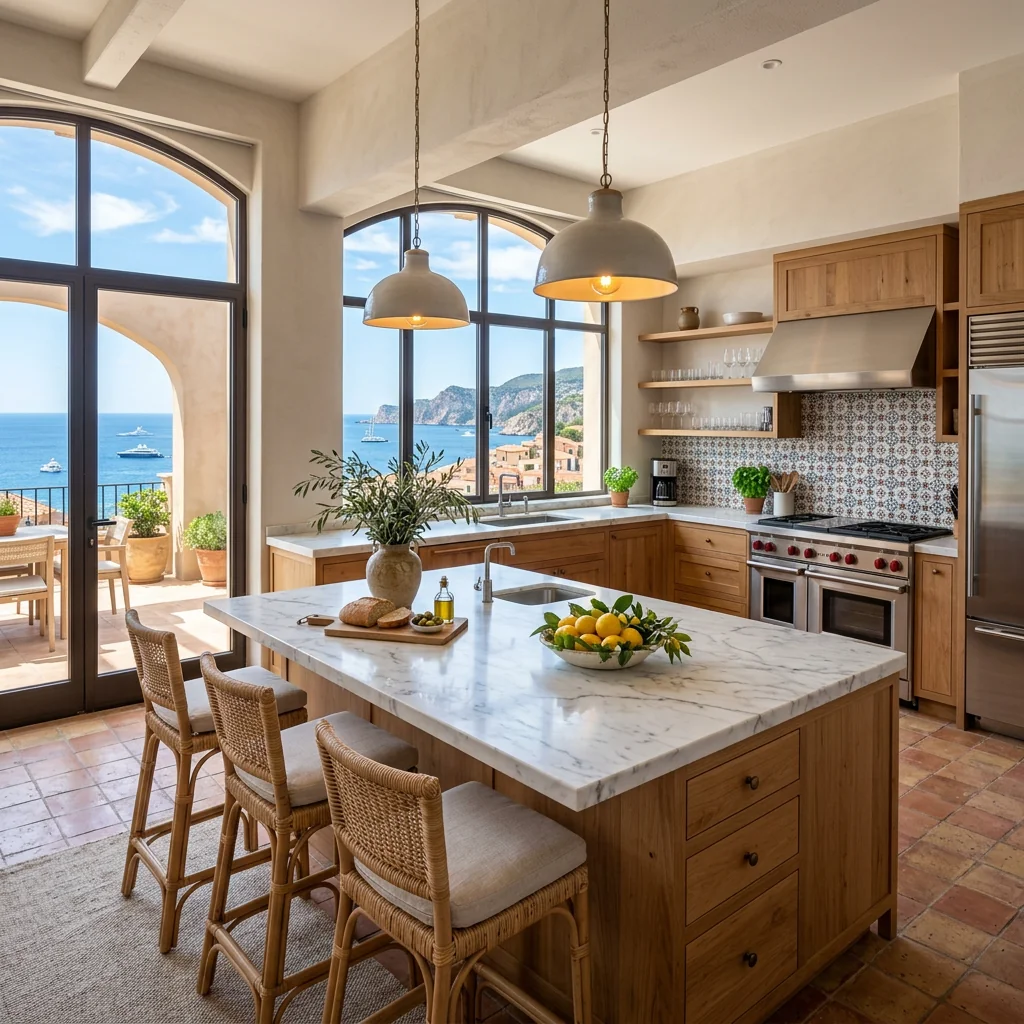
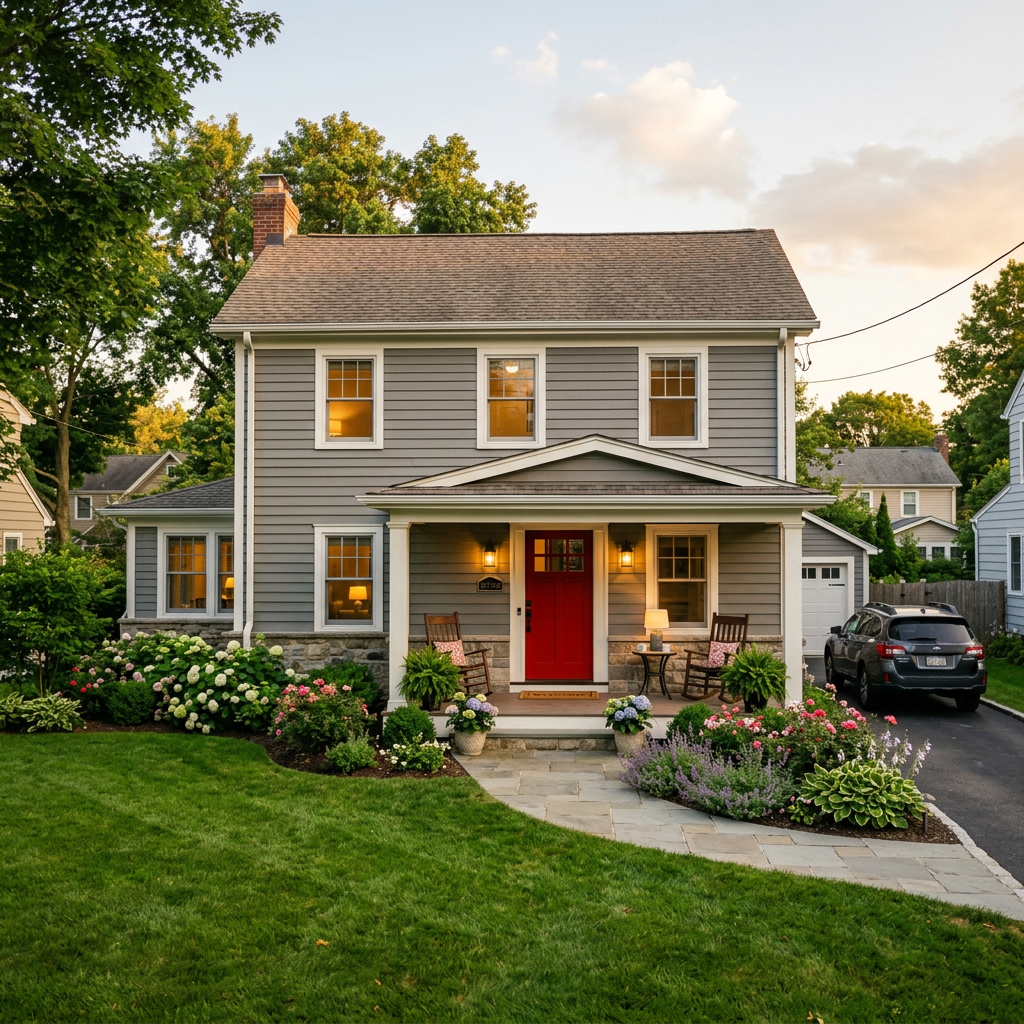
Mira lo que es posible
Resultados reales a partir de fotos como la tuya.




Cómo funciona
- 1Sube tu foto
- 2Elige tus ajustes
- 3Tu imagen
Consejos para un gran resultado
Foto nítida y clara
La luz natural y un gran angular dan el mejor resultado.
Muestra toda la zona
Mantén dentro de la imagen todo lo que quieras cambiar.
Prueba varias variaciones
Compara distintas opciones antes de decidirte.
Preguntas frecuentes
¿Puedo usar las imágenes con fines comerciales?
Sí. Puedes usar tus imágenes para cualquier fin, incluido el uso comercial.
¿Mi foto original cambia?
No. Tu original se mantiene sin cambios y puedes descargarlo en cualquier momento.
¿Y si no me gusta el resultado?
Prueba otro estilo o ajuste, o afina el resultado con una instrucción breve.
Seguir explorando
Todas las herramientas
Gráfico del agente «Conoce al equipo»
Preséntate bien. Sube una foto de perfil y crea un impresionante gráfico para redes sociales de "Sobre el agente" o "Conoce al equipo" con tus especialidades, zonas de servicio e información de contacto.
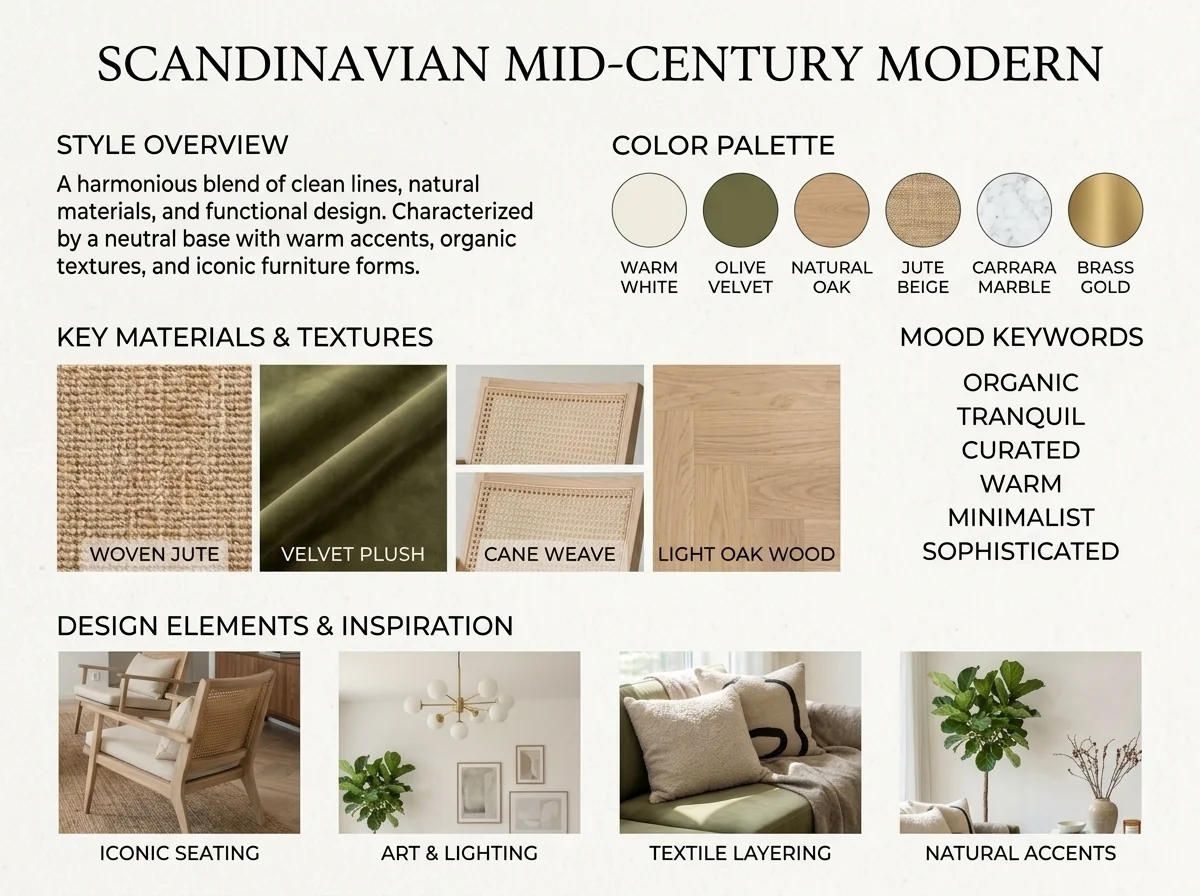
Detector de estilo interior y moodboard con IA
Sube cualquier foto de una estancia y la IA identifica el estilo de interiorismo, la paleta de colores, los materiales clave y genera un moodboard a juego. Perfecto para entender espacios existentes o comunicar preferencias de estilo.
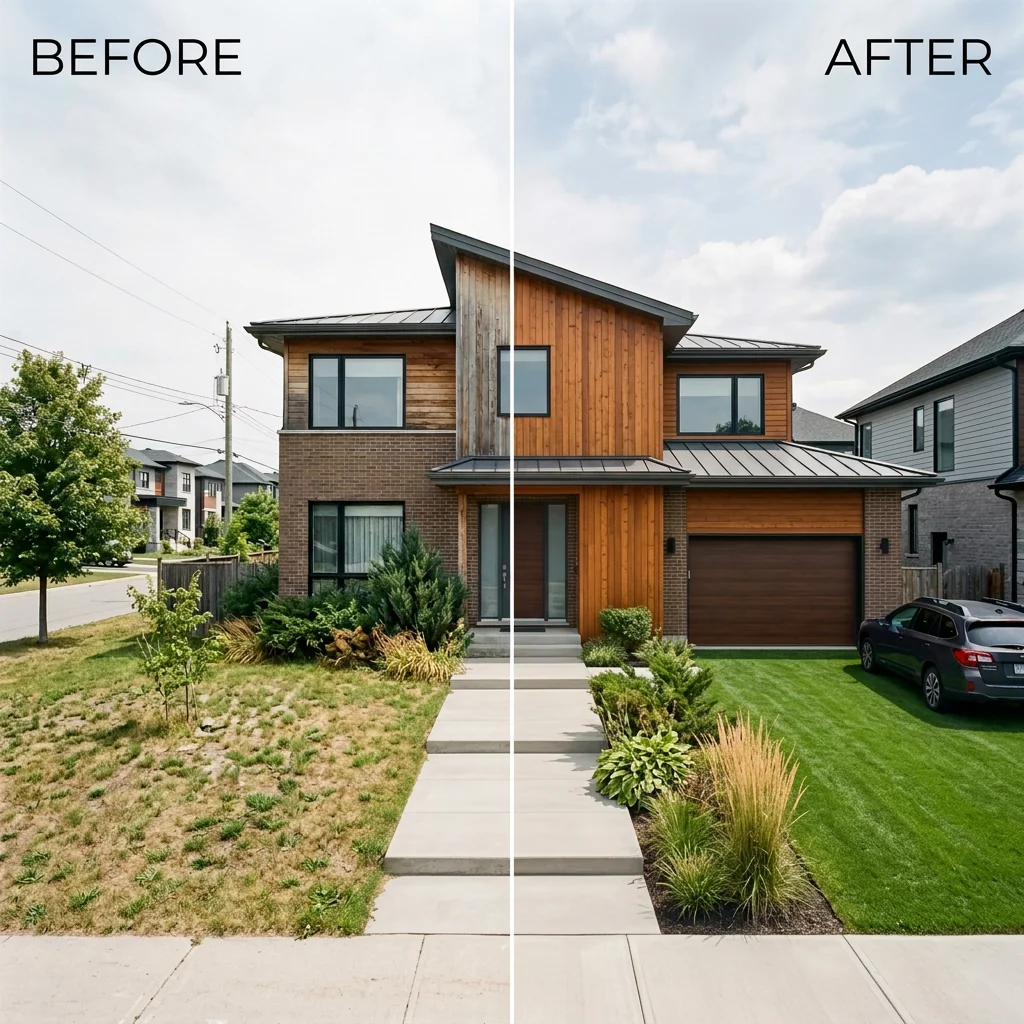
Lista lado a lado de antes y después
Crea imágenes profesionales de comparación antes y después para anuncios inmobiliarios. Sube dos fotos y la IA genera una comparación pulida lado a lado con etiquetas, perfecta para MLS, redes sociales y materiales de marketing.
Lee la guía completa
How long does generation take for Facebook Ad Creator for Listings?
Generation usually takes between 5 and 15 seconds.
Can I use the results commercially?
Yes, every generated image includes a full commercial usage license.
Tips for your photo
Make sure the photo is well lit and shot from a wide angle.
Remove clutter before shooting the photo for the best results.
Use re-staging mode for targeted style changes.
Frequently asked questions
What image formats and resolutions does the Facebook Ad Creator for Listings support for optimal ad generation?
Upload high-resolution JPG or PNG real estate photos (1080x1080px minimum) to the Facebook Ad Creator for Listings. This ensures your property listing images are crisp and professional for Meta ads, enhancing agent visibility and engagement.
How long does it typically take for the Facebook Ad Creator for Listings to generate an ad creative?
The Facebook Ad Creator for Listings typically processes and generates your ad creative within 10-15 seconds. Upload your property listing photo and receive a complete ad package swiftly, optimized for Meta and ready for your agent's campaign.
What is the output quality and resolution of the ad creatives generated by the Facebook Ad Creator for Listings?
The Facebook Ad Creator for Listings outputs high-definition ad creatives (1080x1080px or 1200x628px) optimized for Meta's platforms. Expect professional, scroll-stopping designs that showcase your real estate photos effectively for any property listing.
How can I achieve the best results when using the Facebook Ad Creator for Listings for my property ads?
To enhance results with the Facebook Ad Creator for Listings, use vibrant, well-lit real estate photos of your property listing. Ensure clear focal points and a compelling headline draft for the tool to integrate seamlessly, boosting agent engagement.
Can I re-generate an ad creative if I'm not satisfied with the initial output from the Facebook Ad Creator for Listings?
Yes, the Facebook Ad Creator for Listings allows re-generation. Simply adjust your input (e.g., try a different real estate photo or refine the headline) and click 'Generate' again to receive a fresh ad creative for your property listing.
Technical FAQ: Facebook Ad Creator for Listings
Quick answers for optimal results for your property listing ads
Common mistakes
5 Costly Facebook Ad Creator for Listings Mistakes to Avoid: Boost Your ROI
How to use a Facebook ad creator for listings online to generate more leads and sell properties faster
Using Low-Resolution Real Estate Photos
Blurry or pixelated real estate photos immediately turn off potential buyers. The Facebook Ad Creator for Listings relies on high-quality visuals to capture attention on the platform.
Upload only high-resolution real estate photos. Ensure your images are crisp, well-lit, and showcase the best features of the property listing. Use professional photos if possible.
Ignoring Mobile Optimization with the Facebook Ad Creator for Listings
Most Facebook users browse on mobile devices. Ads not optimized for mobile viewing will result in poor engagement and wasted ad spend. Your property listing ad must be mobile-friendly.
Always preview your ad on mobile devices within the Facebook Ad Creator for Listings. Ensure the text is legible, the images are properly sized, and the call-to-action is easily accessible on smaller screens.
Failing to A/B Test Different Ad Creatives in Facebook Ad Creator for Listings
Without A/B testing, you won't know which ad creatives resonate best with your target audience. The Facebook Ad Creator for Listings allows you to experiment with different headlines, images, and call-to-actions.
Create multiple ad variations within the Facebook Ad Creator for Listings, testing different headlines, images, and call-to-actions. Analyze the results to identify the highest-performing ad creatives and allocate your budget accordingly.
Not Targeting the Right Audience for Your Property Listing
Showing your ad to the wrong audience wastes your budget and generates irrelevant leads. The Facebook Ad Creator for Listings offers precise targeting options to reach potential buyers interested in your property listing.
Leverage Facebook's targeting options within the Facebook Ad Creator for Listings to define your ideal audience based on demographics, interests, location, and behaviors. Target potential buyers actively searching on Zillow or other MLS platforms.
Using a Generic Call-to-Action in Your Facebook Ad for Listings
A weak call-to-action (CTA) won't motivate users to take the desired action. The Facebook Ad Creator for Listings provides options to customize your CTA to drive specific results.
Use a compelling and specific call-to-action within the Facebook Ad Creator for Listings. Instead of 'Learn More,' try 'Schedule a Viewing' or 'Download the Property Brochure' to encourage immediate action. Make it easy for the agent to be contacted.
What Your Facebook Ad Creator for Listings Results Will Look Like
Upload your real estate photos to get started generating high-converting ads
Your workflow
4 Steps to a Killer Facebook Ad: Facebook Ad Creator for Listings
How to Facebook Ad Creator for Listings Online: A Quick Guide
Upload Real Estate Photos
Upload your best real estate photos directly to the Facebook Ad Creator for Listings. Ensure high-quality images to capture attention on Facebook and Instagram.
Use professionally staged real estate photos to significantly increase click-through rates on your Facebook ads.
Customize Ad Copy
Utilize the Facebook Ad Creator for Listings to generate compelling ad copy. Tailor headlines and descriptions to highlight key features of your property listing.
Include specific details like square footage, number of bedrooms/bathrooms, and nearby amenities to attract qualified leads from your property listing.
Select Target Audience
Define your ideal buyer within the Facebook Ad Creator for Listings. Target by location, interests, and demographics to reach potential buyers actively searching for properties on Facebook and Instagram.
Leverage Facebook's detailed targeting options to reach specific buyer profiles, such as first-time homebuyers or investors, for your property listing.
Publish and Monitor
Launch your optimized Facebook ad directly from the Facebook Ad Creator for Listings. Monitor performance metrics and adjust your strategy to maximize ROI for your property listing.
A/B test different ad creatives and targeting options within the Facebook Ad Creator for Listings to identify the most effective strategies for generating leads for your agent business.
Use cases
Real Estate Listings for Facebook Ad Creator for Listings
Social Media Marketing & Instagram Inserate
Architektur- & Umbau-Präsentationen
Facebook Ad Creator for Listings — Technical Specifications
1. Upload your property photo.
2. Choose the interior style or room type you want.
3. Click Generate and get your result in seconds.
Expert guide
5 Tips: Dominate Real Estate Leads with Facebook Ad Creator for Listings
How to Maximize Your Facebook Ad Creator for Listings Online and Attract More Buyers
Upload High-Quality Real Estate Photos to the Facebook Ad Creator
Transform your property listing ads by uploading crisp, high-resolution real estate photos. Our Facebook Ad Creator for Listings leverages image quality to generate scroll-stopping designs that capture attention on Facebook and Instagram. Ensure your photos showcase the best features of the property.
Fine-Tune Your Settings for Optimal Facebook Ad Creator Performance
Optimize your Facebook Ad Creator for Listings experience by adjusting settings for target audience, budget, and ad duration. Input precise location data and property details to ensure your ads reach the right potential buyers on Facebook and Instagram. A well-defined audience enhances your ROI.
Analyze and Refine for Best Facebook Ad Creator Results
Convert more leads by continuously analyzing the performance of your Facebook ads created with our tool. Track key metrics like click-through rates and lead generation to identify what resonates with your audience. Adjust your images and ad copy to improve your Facebook Ad Creator for Listings results.
Stage Professional-Grade Ads with Facebook Ad Creator for Agents
Enhance your brand as a real estate agent by staging professional-grade Facebook ads for your property listings. Our Facebook Ad Creator for Listings ensures your ads look polished and trustworthy, attracting serious buyers and setting you apart from the competition on Facebook and Instagram. Showcase your expertise!
How it works
3 Simple Steps to Use Our Facebook Ad Creator for Listings
How to use a facebook ad creator for listings to generate high-converting Meta leads in 2024
Upload Your Property Listing Photos
Upload high-resolution real estate photos of your property listing to the Facebook Ad Creator for Listings. Our AI analyzes your home staging and MLS details to prepare the perfect ad layout.
Customize Your Meta Ad Design
Select from professionally designed templates optimized for Zillow and Instagram. The Facebook Ad Creator for Listings automatically generates scroll-stopping headlines and clear call-to-action buttons that capture buyer interest instantly.
Export High-Resolution Real Estate Ads
Download your finalized creative in high-res format. This Facebook Ad Creator for Listings ensures your broker branding and property details meet Meta's strict advertising standards for maximum reach and engagement.
What you can do
Advanced Facebook Ad Creator for Listings Capabilities
High-Converting Ad Creative Quality
Generate stunning, scroll-stopping ad creatives designed to capture attention and drive engagement for your property listings on Facebook and Instagram.
Instant Ad Design Generation
Quickly transform your property photos into ready-to-publish Facebook and Instagram ads in seconds, significantly reducing your ad creation workflow for listings.
Optimized Meta Ad Formats
Produce perfectly sized and formatted ad creatives for various Meta placements, ensuring your property listing ads look professional on Facebook and Instagram.
Tailored Ad Element Customization
Customize headlines, CTA buttons, and ad copy to perfectly match your property listing's unique selling points for maximum impact on Facebook.
AI-Driven Ad Optimization
Leverage AI to automatically suggest compelling ad copy and design elements, ensuring your Facebook Ad Creator for Listings generates high-performing ads.
Professional Real Estate Ad Solution
Empower agents and brokers to create polished, professional Facebook ads that elevate their property listings, attract more leads, and enhance brand presence.
Pro-level tools at your fingertips