
Herramienta de Transformación de Cocinas
- Foto
- Tus opciones
- Tu imagen
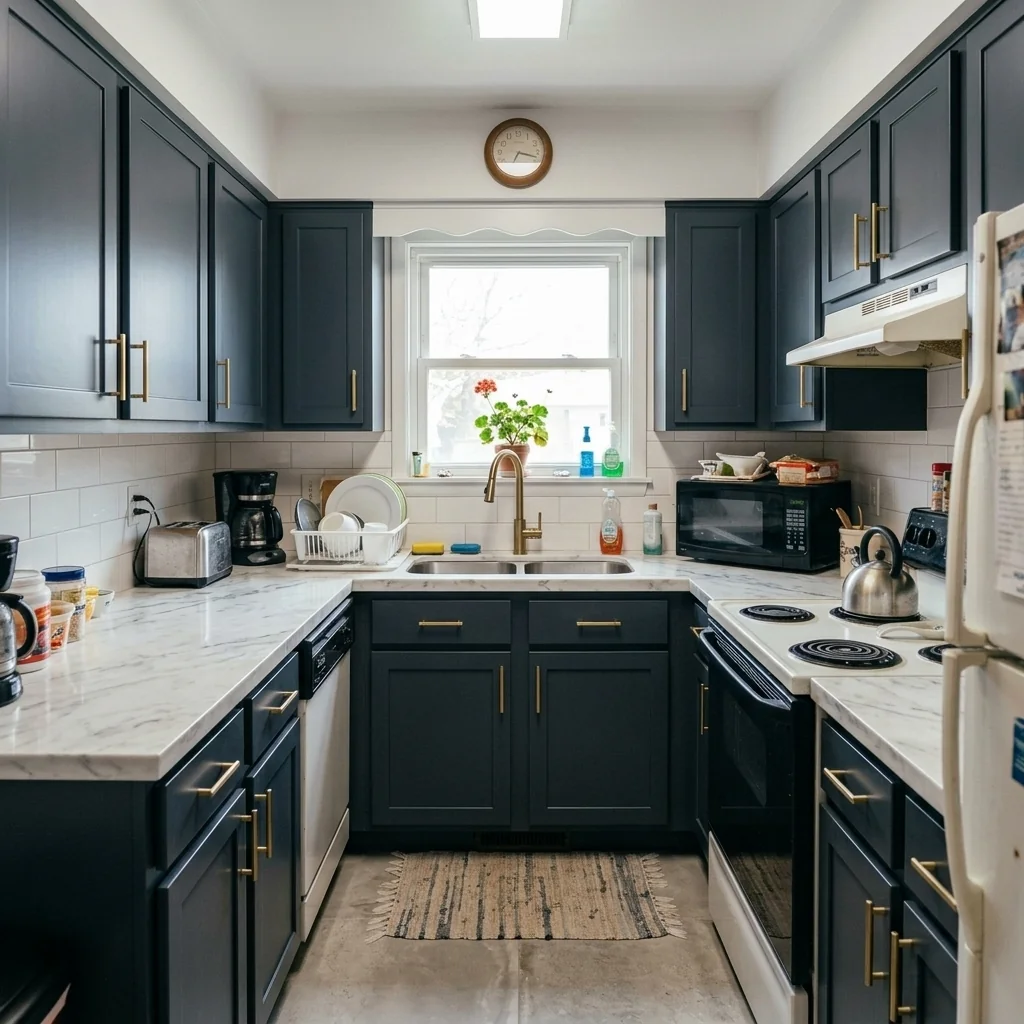
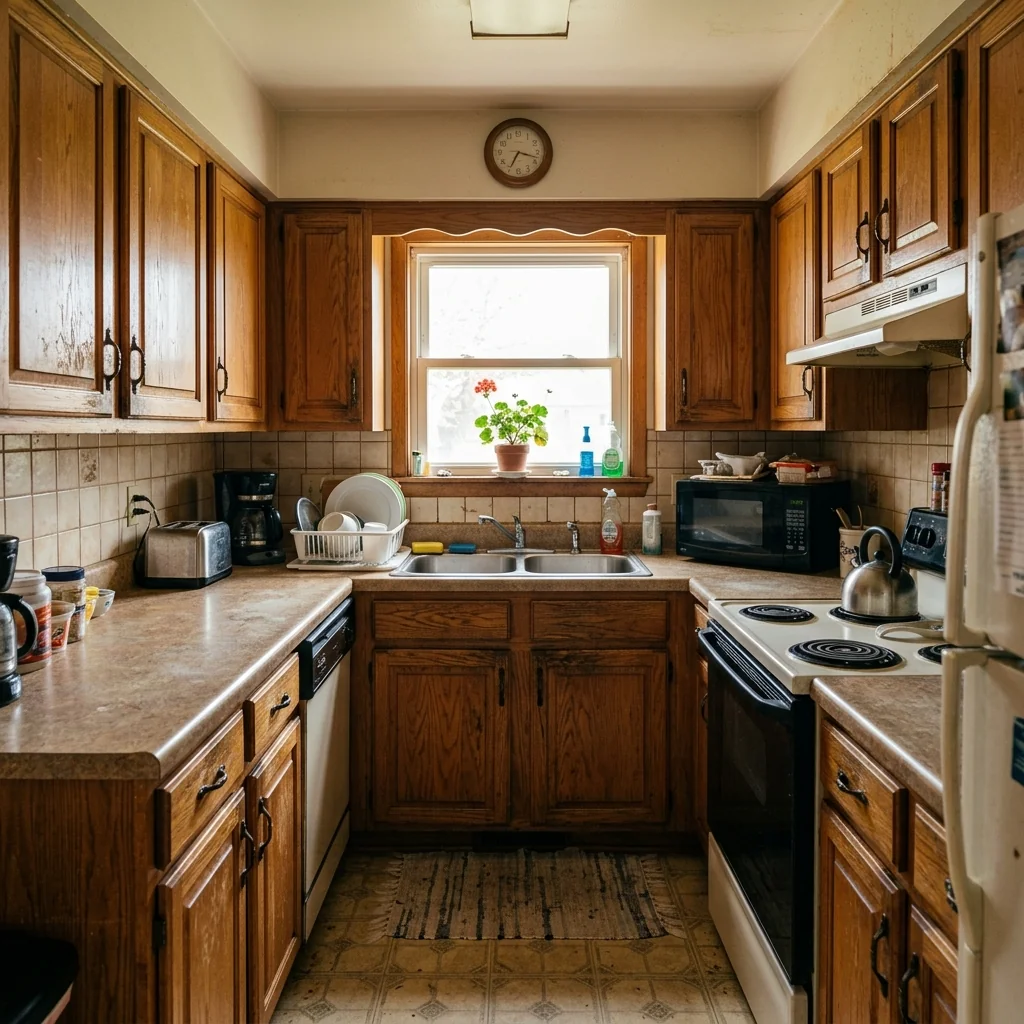
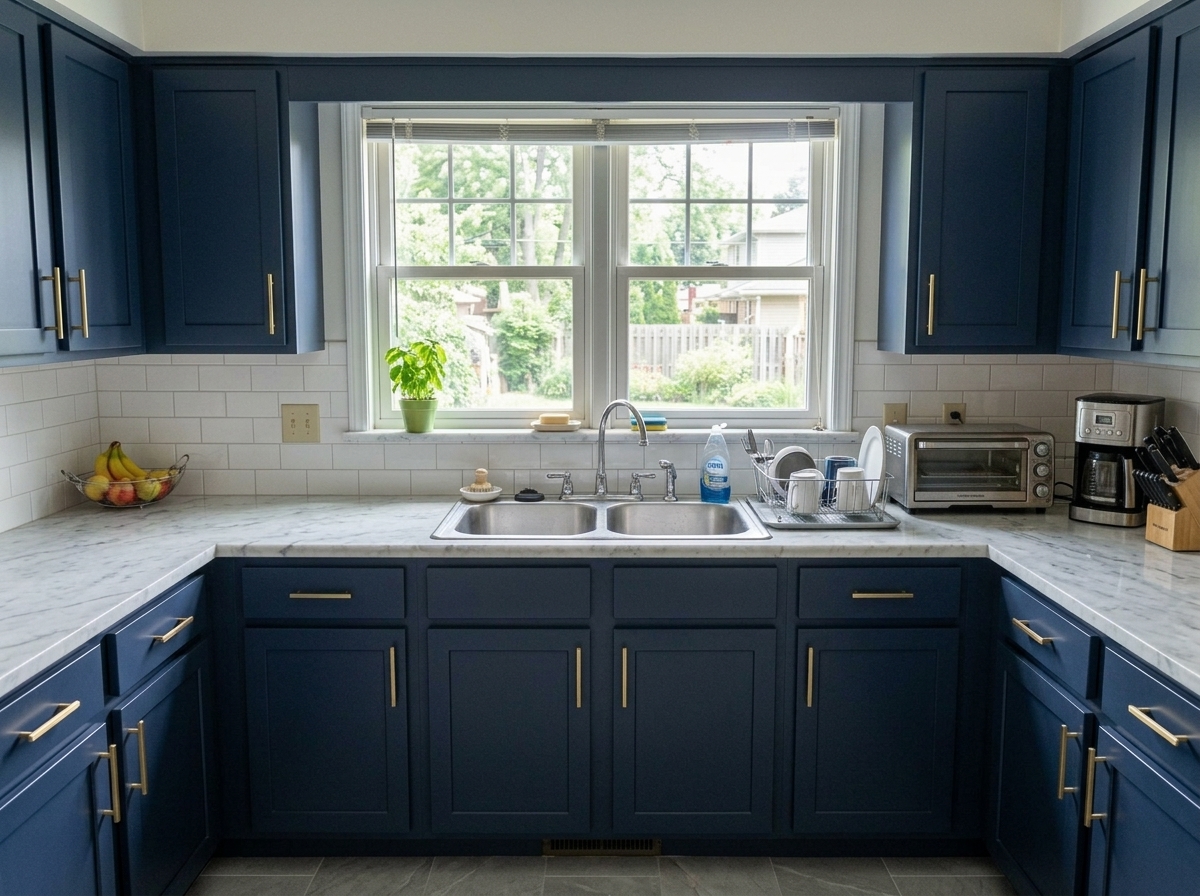
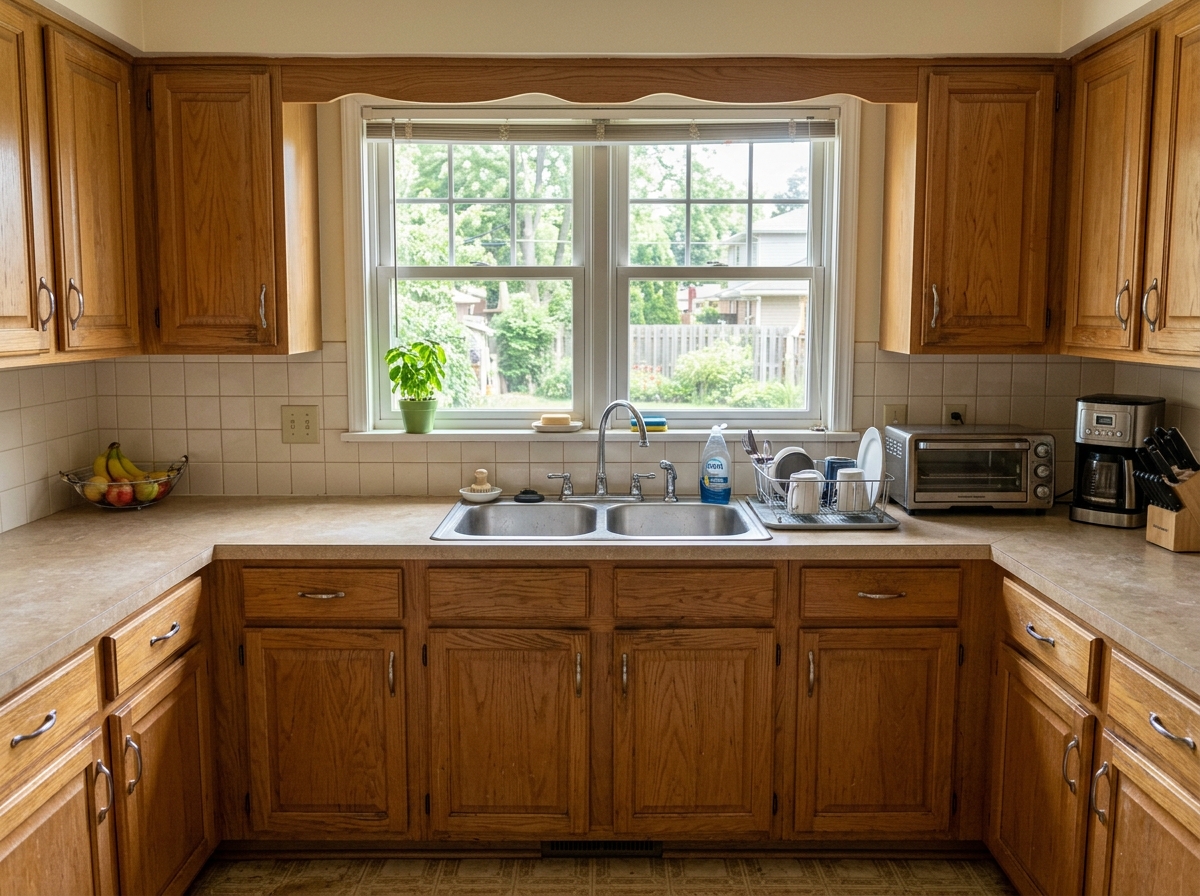
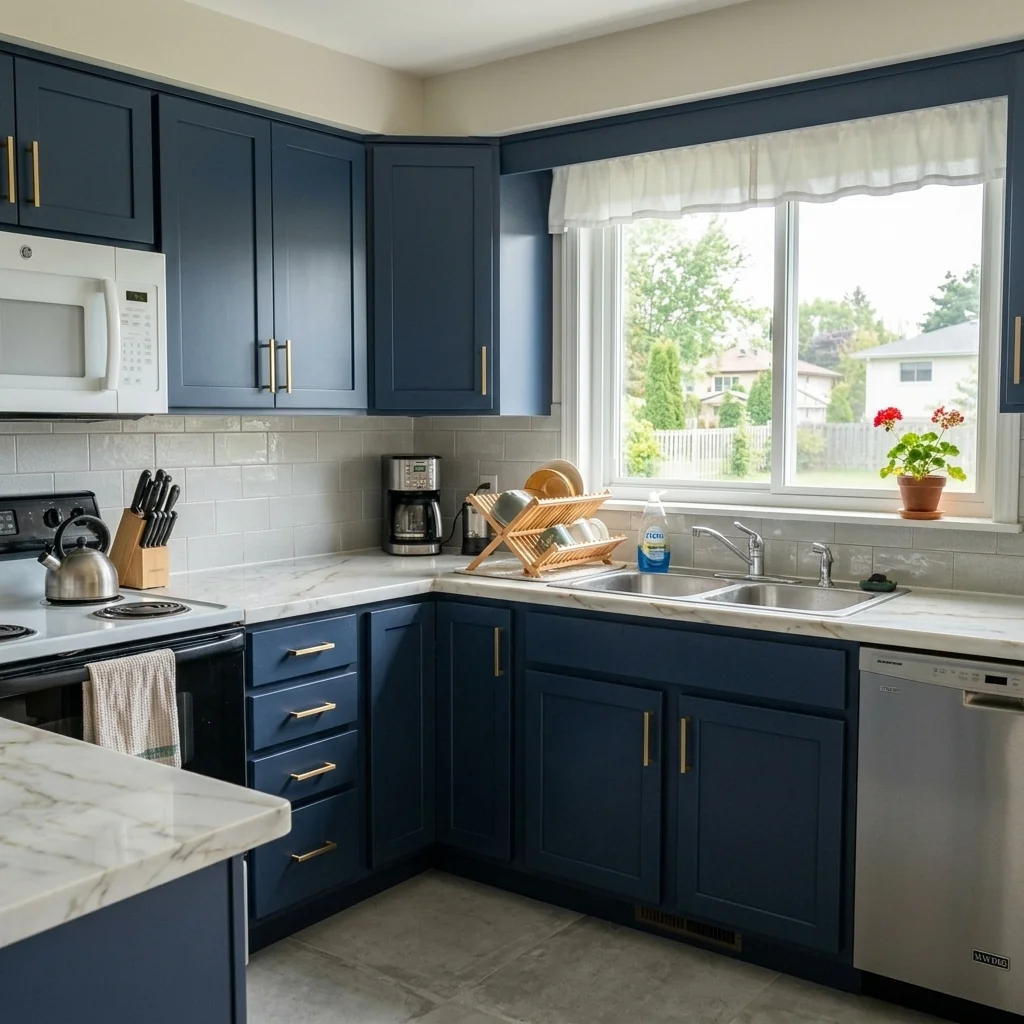
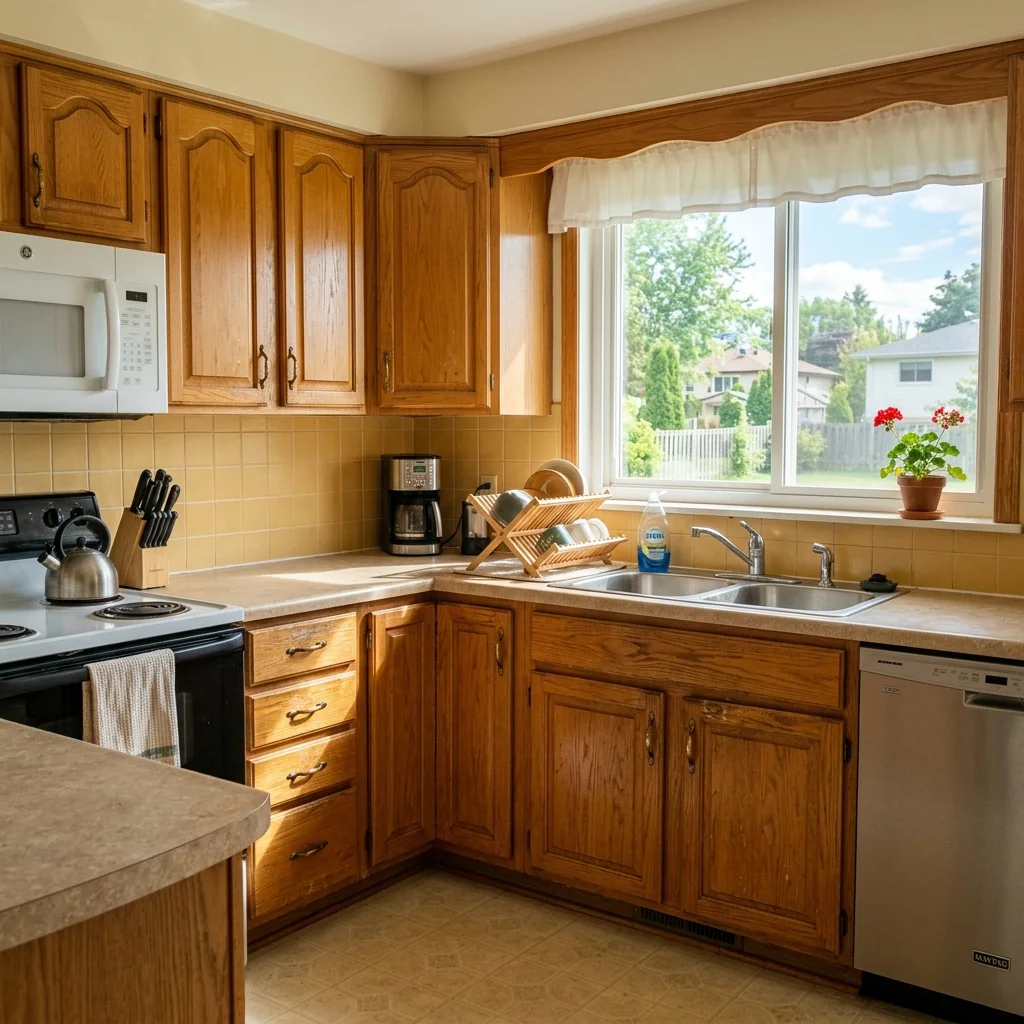
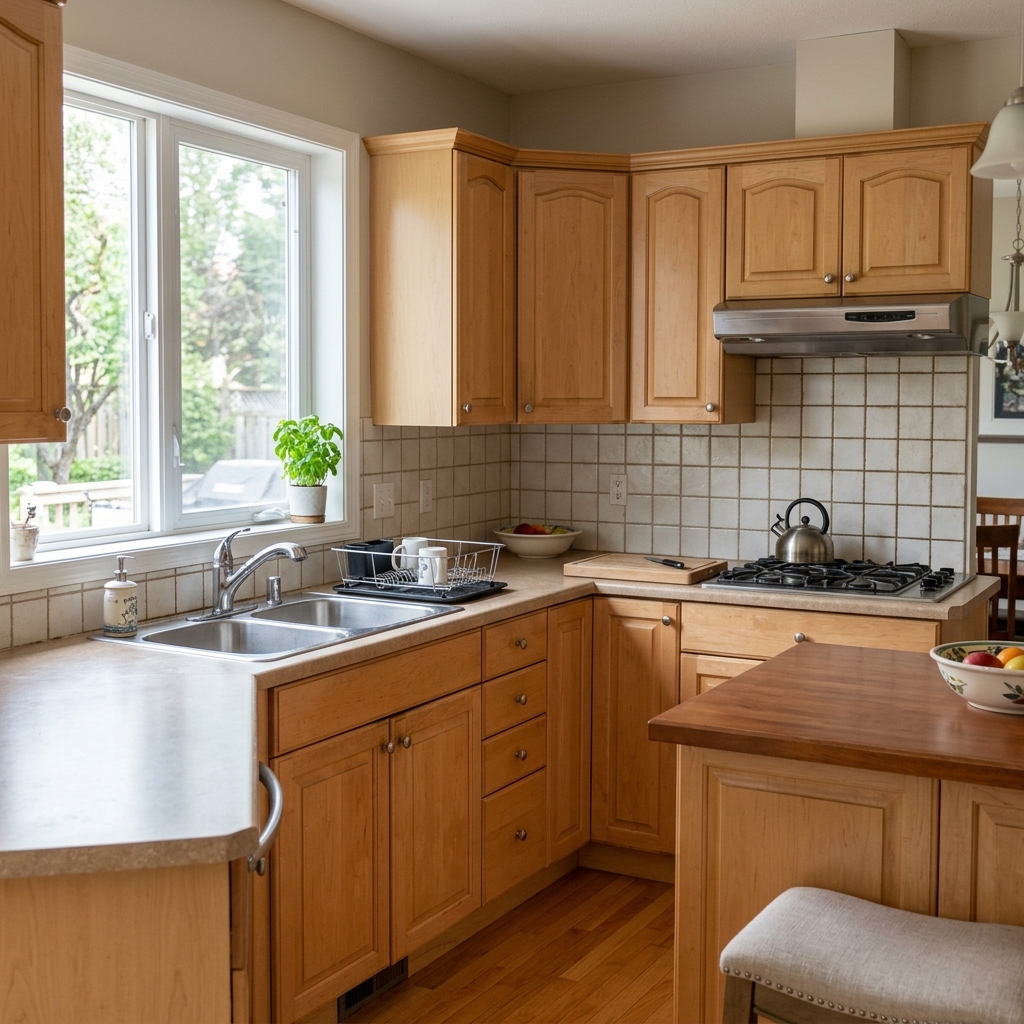
Mira lo que es posible
Resultados reales a partir de fotos como la tuya.

Cómo funciona
- 1Sube tu foto
- 2Elige tus ajustes
- 3Tu imagen
Consejos para un gran resultado
Foto nítida y clara
La luz natural y un gran angular dan el mejor resultado.
Muestra toda la zona
Mantén dentro de la imagen todo lo que quieras cambiar.
Prueba varias variaciones
Compara distintas opciones antes de decidirte.
Preguntas frecuentes
¿Puedo usar las imágenes con fines comerciales?
Sí. Puedes usar tus imágenes para cualquier fin, incluido el uso comercial.
¿Mi foto original cambia?
No. Tu original se mantiene sin cambios y puedes descargarlo en cualquier momento.
¿Y si no me gusta el resultado?
Prueba otro estilo o ajuste, o afina el resultado con una instrucción breve.
Seguir explorando
Todas las herramientas
Mejora del paisajismo aéreo
Transforma terrenos descuidados, vacíos o poco atractivos en fotos inmobiliarias aéreas y de dron. Añade césped frondoso, piscinas, jardines formales, zonas de plantación y entradas impecables, todo visible desde arriba. Muestra a los compradores todo el potencial del espacio exterior sin contratar a ningún paisajista.

Cambio de ribete de cojín con IA
Transforma al instante los bordes, ribetes y vivos de los cojines decorativos en tus fotos inmobiliarias. Esta herramienta de IA permite a diseñadores y stagers visualizar distintos estilos, colores y materiales, mejorando la estética interior sin cambios físicos.

Sustituidor de flecos y remates de cojines con IA
Visualiza sin esfuerzo nuevos estilos de flecos y ribetes decorativos para cojines en tus fotos de interior. Esta herramienta de IA permite a diseñadores y stagers sustituir los detalles existentes de los cojines, mostrando al instante una estética actualizada sin cambios físicos.
Lee la guía completa
How long does generation take for Kitchen Makeover Tool?
Generation usually takes between 5 and 15 seconds.
Can I use the results commercially?
Yes, every generated image includes a full commercial usage license.
Tips for your photo
Make sure the photo is well lit and shot from a wide angle.
Remove clutter before shooting the photo for the best results.
Use re-staging mode for targeted style changes.
Frequently asked questions
What image formats and resolutions does the Kitchen Makeover Tool accept for optimal kitchen transformations?
Upload standard JPG, PNG, or HEIC real estate photos. For best results, use images with a minimum resolution of 1920x1080 pixels. This allows the Kitchen Makeover Tool to accurately transform cabinets, countertops, and backsplashes, enhancing every detail for your property listing.
How long does the Kitchen Makeover Tool take to process an image and generate a new kitchen design?
The Kitchen Makeover Tool processes images rapidly, typically generating photorealistic kitchen makeovers in 5-15 seconds. Processing time may vary slightly based on image complexity and server load. Expect quick results to instantly enhance your property listing for MLS or Zillow.
What level of output quality can I expect from the Kitchen Makeover Tool's visualizations for real estate photos?
Expect high-definition, photorealistic output. The Kitchen Makeover Tool enhances textures and lighting, making transformed cabinets, countertops, and backsplashes appear authentic. These enhanced real estate photos are perfect for property listings, ensuring agents can showcase stunning virtual upgrades.
What are the best practices for using the Kitchen Makeover Tool to achieve superior kitchen makeovers for property listings?
Upload clear, well-lit real estate photos with minimal clutter. Ensure the kitchen area is prominently featured. Stage your initial photo effectively, allowing the Kitchen Makeover Tool to accurately transform and enhance surfaces, resulting in stunning visuals for any agent's property listing.
Can I re-generate or modify a kitchen makeover if the initial result from the Kitchen Makeover Tool isn't perfect?
Yes, you can easily re-generate. Simply adjust your design preferences or upload a slightly different angle. The Kitchen Makeover Tool allows multiple attempts to refine your virtual kitchen, ensuring the final output perfectly stages your property for MLS, Zillow, and prospective buyers.
Technical FAQ: Kitchen Makeover Tool
Quick answers for optimal results with your Kitchen Makeover Tool online
Common mistakes
5 Kitchen Makeover Tool Mistakes That Ruin Real Estate Photos
How to avoid common Kitchen Makeover Tool errors for better property listings
Uploading low-resolution real estate photos to the Kitchen Makeover Tool.
The AI needs clear images to accurately transform cabinets, countertops, and backsplashes.
Always use high-resolution real estate photos (at least 1200px wide) for optimal Kitchen Makeover Tool results. Check your MLS listing for original files.
Not defining the kitchen area correctly within the Kitchen Makeover Tool.
The AI needs precise boundaries to accurately apply transformations to the intended surfaces.
Carefully outline the cabinets, countertops, and backsplashes using the Kitchen Makeover Tool's selection tools for accurate rendering.
Selecting unrealistic or outdated styles in the Kitchen Makeover Tool.
Using outdated styles can negatively impact your property listing and deter potential buyers on Zillow.
Choose modern, popular styles within the Kitchen Makeover Tool that appeal to a broad audience and align with current real estate trends.
Over-editing or using excessive transformations with the Kitchen Makeover Tool.
Overly processed images can look artificial and detract from the property's appeal, hurting your chances on the MLS.
Use subtle enhancements and avoid drastic changes to maintain a natural and realistic look. Less is often more when using the Kitchen Makeover Tool.
Failing to showcase the 'before' and 'after' transformation created by the Kitchen Makeover Tool.
Potential buyers want to see the value and potential of the kitchen transformation.
Include both 'before' and 'after' images in your property listing to highlight the impact of the Kitchen Makeover Tool and attract more attention.
See What's Possible: Your Kitchen Makeover Tool Results Await
Upload Your Real Estate Photos and Instantly Preview Your Dream Kitchen
Your workflow
4 Steps to a Stunning Kitchen Makeover: Using Our AI Tool
How to Kitchen Makeover Tool Online for Real Estate Photos & Property Listing
Upload Your Kitchen Photo
Transform your real estate photos by uploading your existing kitchen image to the Kitchen Makeover Tool. Ensure the photo is clear and well-lit for optimal AI results. This is the first step to enhance your property listing.
Use high-resolution images for the best results. Clear photos help the Kitchen Makeover Tool accurately identify surfaces and features.
Select Your Desired Finishes
Choose from a wide range of cabinet colors, countertop materials, and backsplash designs within the Kitchen Makeover Tool. Experiment with different styles to visualize the potential of the space for your property listing on Zillow and the MLS.
Consider current design trends and the overall aesthetic of the property when selecting finishes. Choose options that appeal to a broad range of potential buyers.
Generate & Refine Your Virtual Kitchen Makeover
Let the AI Kitchen Makeover Tool generate a photorealistic rendering of your updated kitchen. Fine-tune the selections and adjust lighting as needed to achieve the perfect look for your real estate photos. This is crucial for attracting buyers.
Pay attention to details like lighting and shadows to ensure the rendering looks as realistic as possible. Adjust the intensity of the finishes to match the overall tone of the photo.
Download & Use for Your Property Listing
Download the enhanced kitchen image and use it in your property listing on the MLS, Zillow, and other real estate platforms. Attract more potential buyers with a visually appealing and modern kitchen design created by our Kitchen Makeover Tool. Share with your agent.
Use the enhanced image prominently in your property listing. Highlight the features and benefits of the updated kitchen to entice potential buyers. Track listing performance to measure the impact of the Kitchen Makeover Tool.
Use cases
Real Estate Listings for Kitchen Makeover Tool
Social Media Marketing & Instagram Inserate
Architektur- & Umbau-Präsentationen
Kitchen Makeover Tool — Technical Specifications
1. Upload your property photo.
2. Choose the interior style or room type you want.
3. Click Generate and get your result in seconds.
Expert guide
5 Pro Tips: Master Your Kitchen Makeover Tool for Stunning Real Estate Photos
How to get the most out of your kitchen makeover tool online for property listings
Prepare High-Quality Images for Optimal Kitchen Makeover Tool Results
Upload clear, well-lit real estate photos to the Kitchen Makeover Tool. Ensure images are high-resolution for the best AI rendering of cabinets, countertops, and backsplashes. Blurry or dark images will hinder the tool's ability to create photorealistic results for your MLS listing.Fine-Tune Kitchen Makeover Tool Settings for Precise Transformations
Adjust the Kitchen Makeover Tool settings carefully. Experiment with different material options and color palettes to find the perfect aesthetic for your property listing. Pay attention to detail when selecting features to enhance your kitchen's appeal to potential buyers on Zillow.Maximize Realism: Achieve the Best Kitchen Makeover Tool Output
To achieve the most realistic results, use the Kitchen Makeover Tool's advanced editing features. Refine edges and shadows to seamlessly integrate the AI-generated elements into your real estate photos. This will create a polished and professional look for your property listing.Leverage Kitchen Makeover Tool for Professional Agent Marketing
As a real estate agent, use the Kitchen Makeover Tool to showcase a property's potential. Transform outdated kitchens into modern masterpieces to attract more buyers and increase property value. Use before-and-after photos in your marketing materials to highlight the tool's capabilities.How it works
3 Steps to Perfect Kitchen Makeover Tool Results
How to use a kitchen makeover tool online for free to boost Zillow engagement
Upload Your Real Estate Photos
Upload high-resolution images of your property listing to the Kitchen Makeover Tool. Ensure clear lighting to help our AI accurately identify cabinets, countertops, and backsplashes for a seamless virtual home staging experience.
Select Modern Kitchen Finish Options
Transform dated interiors by selecting new cabinet colors and countertop materials. This Kitchen Makeover Tool allows agents to preview luxury upgrades that appeal to high-end buyers on MLS and Zillow listings.
Download Your High-Res AI Render
Convert your standard photos into stunning marketing assets instantly. Download the photorealistic results from the Kitchen Makeover Tool to enhance your property listing and attract more qualified leads and brokers.
What you can do
6 Advanced Kitchen Makeover Tool Capabilities
Photorealistic Kitchen Makeover Tool Renders
Enhance real estate photos instantly. Transform outdated kitchens into stunning, high-resolution visuals for any property listing, impressing potential buyers on Zillow.
Instant Kitchen Makeover Tool Results
Convert drab kitchens to dazzling in seconds. Upload your property photos and stage new designs with the Kitchen Makeover Tool, saving valuable agent time.
Versatile Kitchen Makeover Tool Outputs
Stage and download finished kitchen designs in multiple formats. Enhance property listing images for MLS, Zillow, or agent websites with ease using this Kitchen Makeover Tool.
Tailored Kitchen Makeover Tool Designs
Transform cabinets, countertops, and backsplashes with endless options. Customize every detail of your kitchen makeover tool project to match diverse property styles for agents.
AI-Powered Kitchen Makeover Tool Accuracy
Enhance existing real estate photos with unparalleled AI precision. Our Kitchen Makeover Tool intelligently applies new finishes, ensuring seamless, photorealistic property listing updates.
Professional Kitchen Makeover Tool for Agents
Stage properties effectively for agents and real estate photos. Upload and convert standard kitchen images into premium, market-ready visuals for any Zillow or MLS listing.
Discover How Our Kitchen Makeover Tool Elevates Your Property Listings Online