
Borrador de objetos específicos
- Foto
- Tus opciones
- Tu imagen
Mira lo que es posible
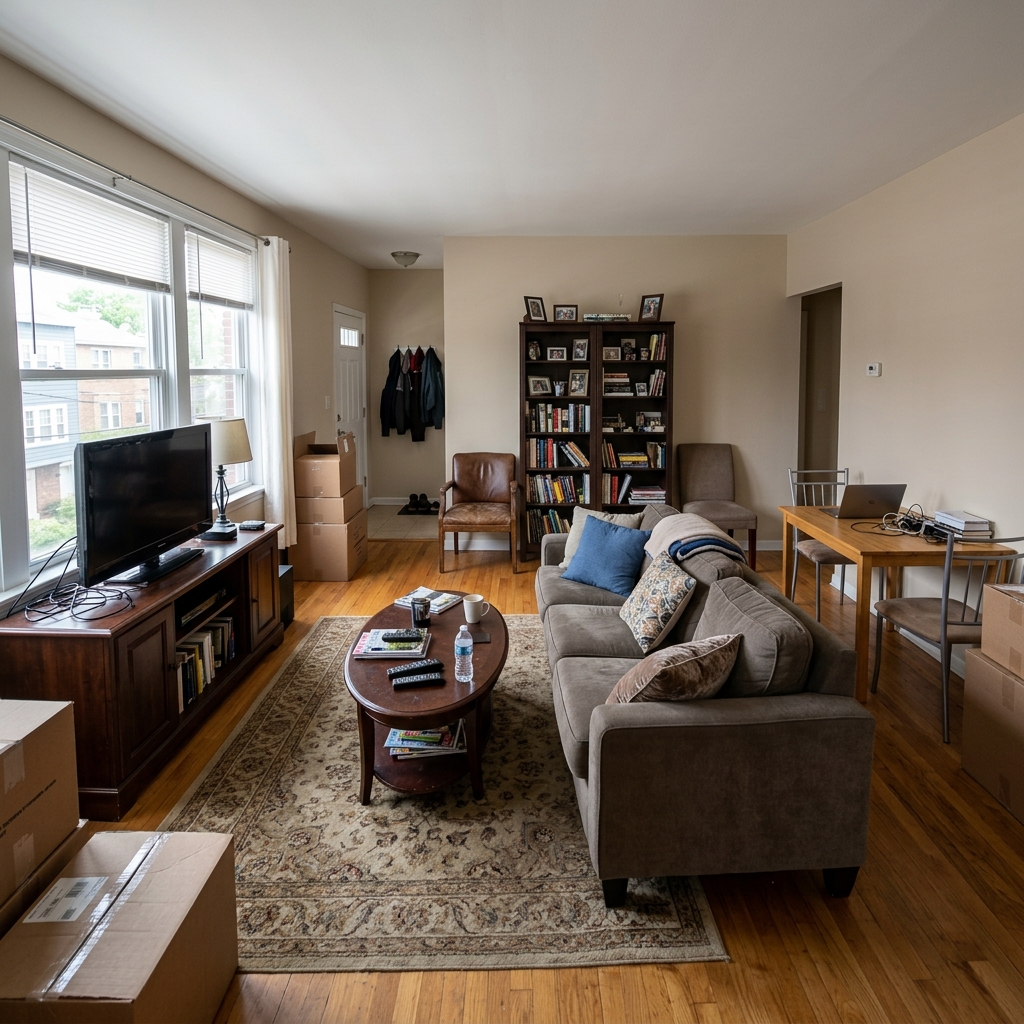
Resultados reales a partir de fotos como la tuya.





Cómo funciona
- 1Sube tu foto
- 2Elige tus ajustes
- 3Tu imagen
Consejos para un gran resultado
Foto nítida y clara
La luz natural y un gran angular dan el mejor resultado.
Muestra toda la zona
Mantén dentro de la imagen todo lo que quieras cambiar.
Prueba varias variaciones
Compara distintas opciones antes de decidirte.
Preguntas frecuentes
¿Puedo usar las imágenes con fines comerciales?
Sí. Puedes usar tus imágenes para cualquier fin, incluido el uso comercial.
¿Mi foto original cambia?
No. Tu original se mantiene sin cambios y puedes descargarlo en cualquier momento.
¿Y si no me gusta el resultado?
Prueba otro estilo o ajuste, o afina el resultado con una instrucción breve.
Seguir explorando
Todas las herramientas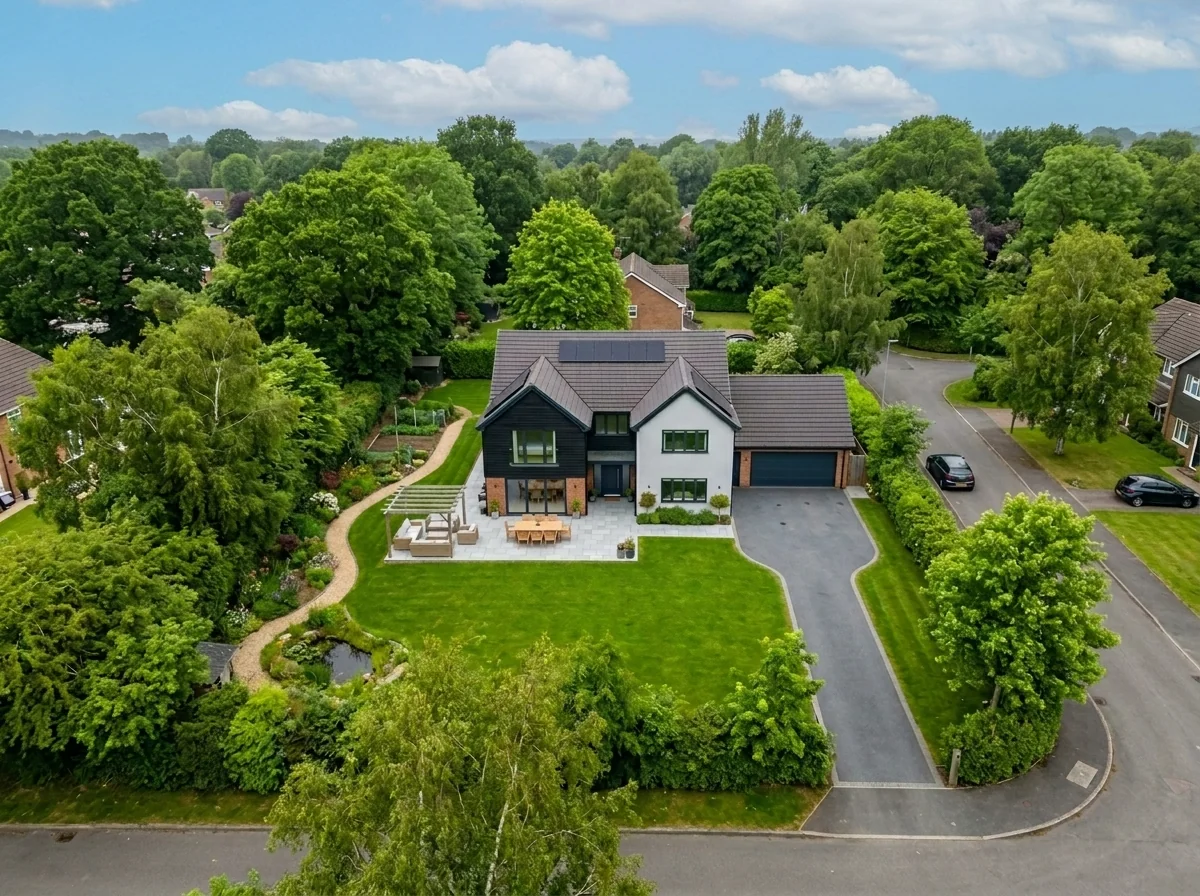
Sustitución del cielo en toma aérea
Sustituye los cielos grises, nublados o planos de fotos de propiedades con drones y aéreas por cielos azules impresionantes, luz de hora dorada o nubes dramáticas — en segundos. Optimizado específicamente para la perspectiva amplia y las características del horizonte de la fotografía aérea.

Anonimizador de arte de pared y fotos para apartamentos
Detecta y anonimiza automáticamente cuadros en la pared, fotos enmarcadas, pinturas y obras de arte en fotos de apartamentos o estancias. Elige entre varios estilos de anonimización: desenfoque gaussiano, pixelado fuerte, eliminación de pared lisa, sustitución por arte abstracto, láminas de naturaleza o patrones geométricos, ideal para cumplimiento de GDPR, anuncios inmobiliarios y staging.
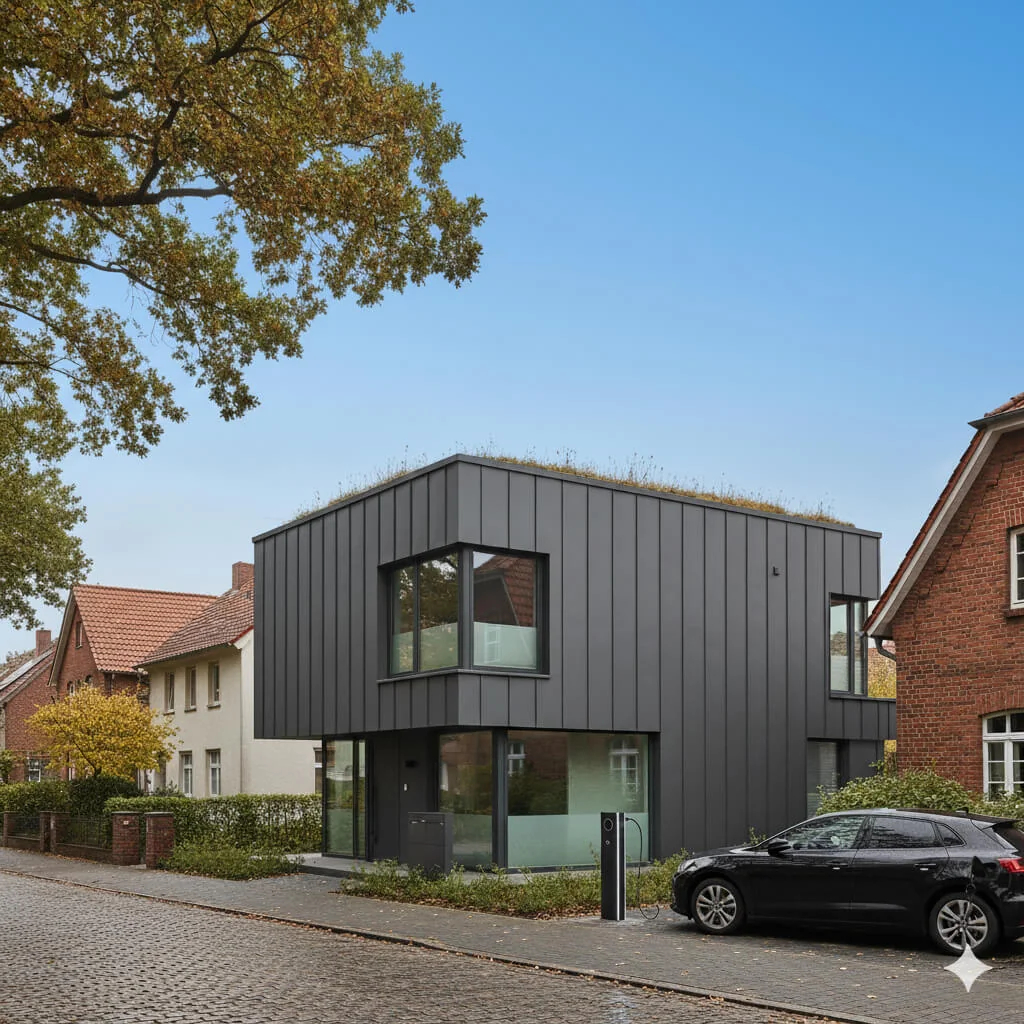
Sustitución de cielo azul
Transforma cielos grises y nublados en un azul perfecto y luminoso, al instante.
Lee la guía completa
How long does generation take for Specific Object Eraser?
Generation usually takes between 5 and 15 seconds.
Can I use the results commercially?
Yes, every generated image includes a full commercial usage license.
Tips for your photo
Make sure the photo is well lit and shot from a wide angle.
Remove clutter before shooting the photo for the best results.
Use re-staging mode for targeted style changes.
Frequently asked questions
What image formats and resolution limits does the Specific Object Eraser support for real estate photos?
The Specific Object Eraser supports JPG, PNG, and HEIC formats. Upload property listing photos up to 20MB or 8000x8000 pixels. Enhance your Zillow and MLS listings by ensuring high-quality input for optimal object removal.
How quickly does the Specific Object Eraser process and remove unwanted items from property listing photos?
The Specific Object Eraser processes most real estate photos in 5-10 seconds. Transform your property listings by swiftly removing clutter, allowing agents to update MLS listings faster.
What is the output quality of images processed by the Specific Object Eraser, especially for seamless object removal?
The Specific Object Eraser generates high-resolution output images matching your original input quality. Enhance your Zillow and MLS property photos with seamless, natural-looking backgrounds, ensuring professional results for every agent.
What are the best practices for agents to achieve optimal object removal using the Specific Object Eraser?
For best results, select the object precisely with the brush tool. Upload well-lit, high-contrast real estate photos. This helps the Specific Object Eraser accurately identify and remove items, enhancing your property listing's appeal.
Can I re-edit or re-process an image with the Specific Object Eraser if the initial object removal isn't perfect?
Yes, you can easily re-edit or re-process. Simply adjust your selection or try again with the Specific Object Eraser. This allows agents to refine property photos until they achieve perfect clutter-free results for their MLS and Zillow listings.
Technical FAQ: Specific Object Eraser
Quick answers for optimal results
Common mistakes
5 Specific Object Eraser Mistakes Real Estate Agents Make (and How to Fix Them)
Avoid these common errors when using a Specific Object Eraser online for stunning property listing photos.
Removing Essential Fixtures: Erasing built-in features like light fixtures or architectural details.
Over-zealous object removal can make the property appear incomplete or misrepresented on Zillow and MLS.
Carefully select objects for removal. Focus on clutter and temporary items, preserving permanent features in your real estate photos.
Inconsistent Shadowing: Removing an object without addressing the resulting shadow.
Unnatural shadows are a dead giveaway that an object was removed, damaging the credibility of your property listing.
Use the Specific Object Eraser's advanced settings to adjust shadows or add subtle fill light to blend the area seamlessly. Consider using PropStage.ai's virtual staging tools to add realistic shadows.
Over-Erasing Small Details: Smoothing out textures or removing minor imperfections that add character.
Excessive erasing can make real estate photos look artificial and less appealing to potential buyers. The goal is enhancement, not complete sanitization.
Use a light touch with the Specific Object Eraser. Focus on removing major distractions and leaving subtle details intact. Adjust the brush size for precise control.
Ignoring Reflections: Failing to remove objects reflected in mirrors or windows.
Reflections can reveal the presence of removed objects, undermining the effectiveness of the Specific Object Eraser and hurting your agent brand.
Pay close attention to reflections and use the Specific Object Eraser to remove the object from all visible surfaces. This ensures a clean and professional look for your property listing.
Using Low-Resolution Images: Applying the Specific Object Eraser to blurry or pixelated photos.
Low-quality images will only highlight the imperfections of object removal, making the edited area appear unnatural and detracting from the overall appeal of the property.
Always start with high-resolution images for optimal results. Use PropStage.ai's image enhancement tools to improve image quality before using the Specific Object Eraser. This will ensure a seamless and professional finish for your real estate photos.
What Your Specific Object Eraser Results Will Look Like: 3 Examples
Upload your real estate photos now to see the Specific Object Eraser in action and boost your property listing!
Your workflow
4 Steps to Flawless Real Estate Photos with a Specific Object Eraser
How to Specific Object Eraser Online: Optimize Your Property Listing
Upload Your Real Estate Photo
Upload the property photo you want to enhance to the Specific Object Eraser. Ensure the image is high-resolution for best results. This will improve your MLS listing and attract more potential buyers to your agent profile.
Use photos with good lighting for optimal object detection and removal using the Specific Object Eraser.
Identify and Mark Objects for Removal
Use the Specific Object Eraser's selection tool to precisely mark the unwanted objects in your real estate photos. This could include furniture, clutter, or even unwanted reflections. The tool allows for fine-tuning to ensure accurate removal for a perfect property listing.
Zoom in for precise selection of smaller objects, ensuring a seamless removal process with the Specific Object Eraser.
Erase and Refine with AI
Let the Specific Object Eraser's AI algorithms instantly remove the selected objects. Review the result and use the refine tools to correct any minor imperfections. This ensures your real estate photos are ready for Zillow or other platforms.
Experiment with different refinement settings in the Specific Object Eraser to achieve the most natural-looking results for your real estate photos.
Download and Publish to MLS
Download the enhanced real estate photo, now free of unwanted objects, and upload it to your property listing on MLS, Zillow, or your agent website. A clean, clutter-free photo will significantly improve your property's appeal.
Use consistent image sizes and resolutions across all your property listings for a professional look. The Specific Object Eraser helps ensure high-quality images ready for publication.
Use cases
Real Estate Listings for Specific Object Eraser
Social Media Marketing & Instagram Inserate
Architektur- & Umbau-Präsentationen
Specific Object Eraser — Technical Specifications
1. Upload your property photo.
2. Choose the interior style or room type you want.
3. Click Generate and get your result in seconds.
Expert guide
5 Tips: Master the Specific Object Eraser for Stunning Real Estate Photos
How to get the best specific object eraser online for your property listing
Transform Your Images: Prepare for Optimal Specific Object Eraser Results
Upload high-resolution real estate photos for the best specific object eraser outcome. Ensure your images are well-lit and in focus to help the AI accurately identify and remove unwanted objects. This is crucial for impactful MLS and Zillow listings, helping attract potential buyers and impress your agent.
Optimize Settings: Fine-Tune Your Specific Object Eraser for Perfect Removal
Experiment with the Specific Object Eraser's settings to achieve the desired level of removal. For larger objects, increase the selection area; for smaller details, use a more precise selection. Proper settings are key to seamless edits, making your property photos shine on Zillow and other platforms.
Achieve Best Results: Use Specific Object Eraser for a Clutter-Free Property Listing
Focus on removing distracting elements like clutter, personal items, or outdated furniture using the Specific Object Eraser. A clean and spacious appearance can significantly enhance the appeal of your property photos, leading to more inquiries and viewings. Help your agent sell faster!
Professional Use: Leverage Specific Object Eraser for Enhanced Real Estate Marketing
Use the Specific Object Eraser to create visually appealing property photos that highlight the best features of your listings. Remove unwanted objects from real estate photos to showcase the space and potential of each room, improving your marketing materials and attracting more clients. Perfect for MLS!
How it works
3 Simple Steps to Master the Specific Object Eraser
How to use a specific object eraser for real estate photos online to improve MLS listings
Upload Your High-Resolution Photos
Upload property photos containing unwanted clutter, trash bins, or outdated furniture that distract potential Zillow buyers from the home's true potential and architectural beauty.
Remove Distracting Property Items
Remove items from real estate photos by using the Specific Object Eraser tool to brush over elements like power lines or yard signs for a clean, professional look.
Enhance Your Professional MLS Images
Enhance your listing by downloading high-resolution images ready for the MLS or broker presentations, ensuring every property stands out with a polished aesthetic that attracts home sellers.
What you can do
Advanced Specific Object Eraser Capabilities
Enhance Property Photo Quality
The Specific Object Eraser meticulously removes unwanted elements, ensuring every real estate photo maintains pristine clarity and professional appeal for MLS listings.
Instant Object Removal Speed
Experience lightning-fast processing with the Specific Object Eraser, allowing agents to swiftly prepare property listings by removing clutter in seconds.
Broad Image Format Support
Upload and transform various image formats with the Specific Object Eraser, ensuring compatibility for all your real estate photos across Zillow and other platforms.
Precise Eraser Customization
Tailor your edits with the Specific Object Eraser's intuitive controls, allowing agents to precisely define and remove specific objects without affecting surrounding details.
AI-Powered Object Detection
The Specific Object Eraser leverages advanced AI to intelligently identify and accurately remove unwanted items, ensuring seamless integration and natural-looking real estate photos.
Professional Real Estate Enhancement
Elevate your property listing photos to professional standards using the Specific Object Eraser, making homes more appealing to potential buyers and boosting agent sales.
Pro-level tools at your fingertips