
Diseñador de Letreros de Open House y Flechas Direccionales
- Foto
- Tus opciones
- Tu imagen
Mira lo que es posible
Resultados reales a partir de fotos como la tuya.
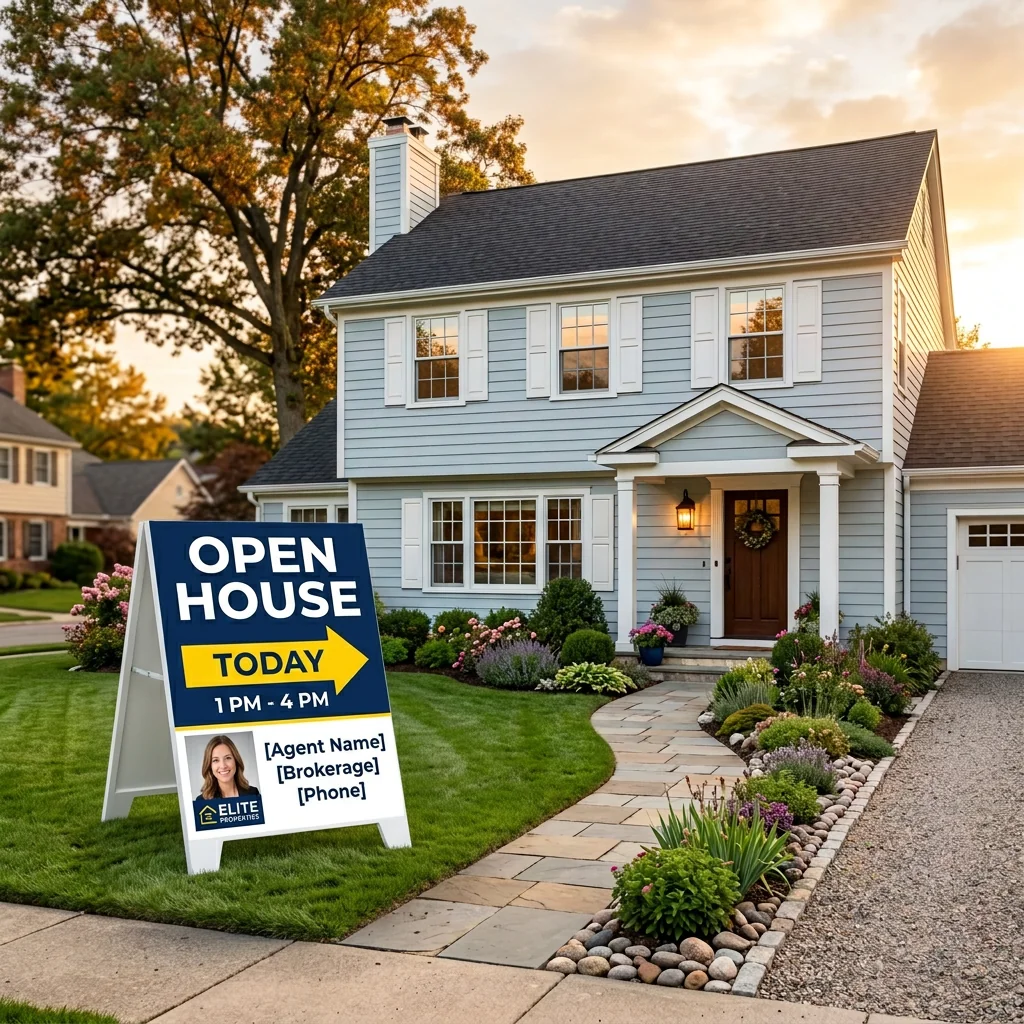
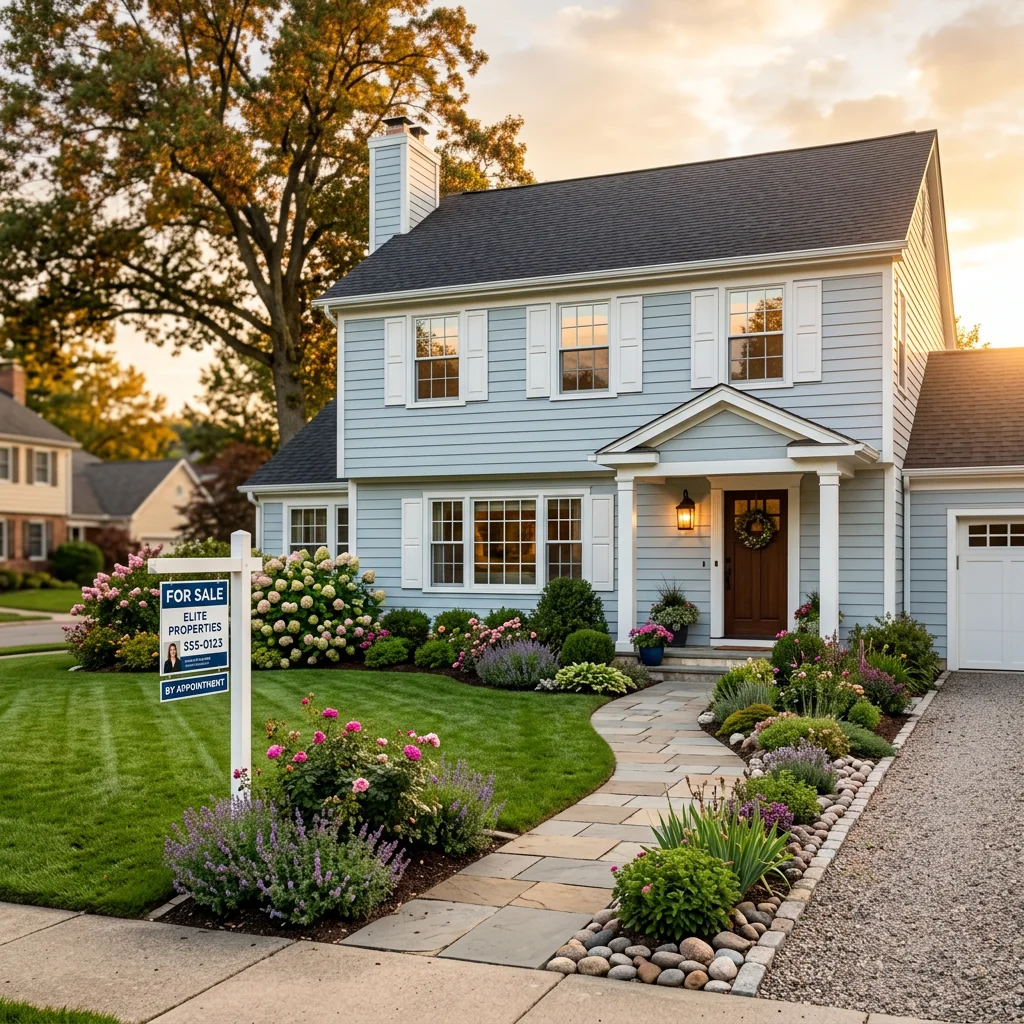

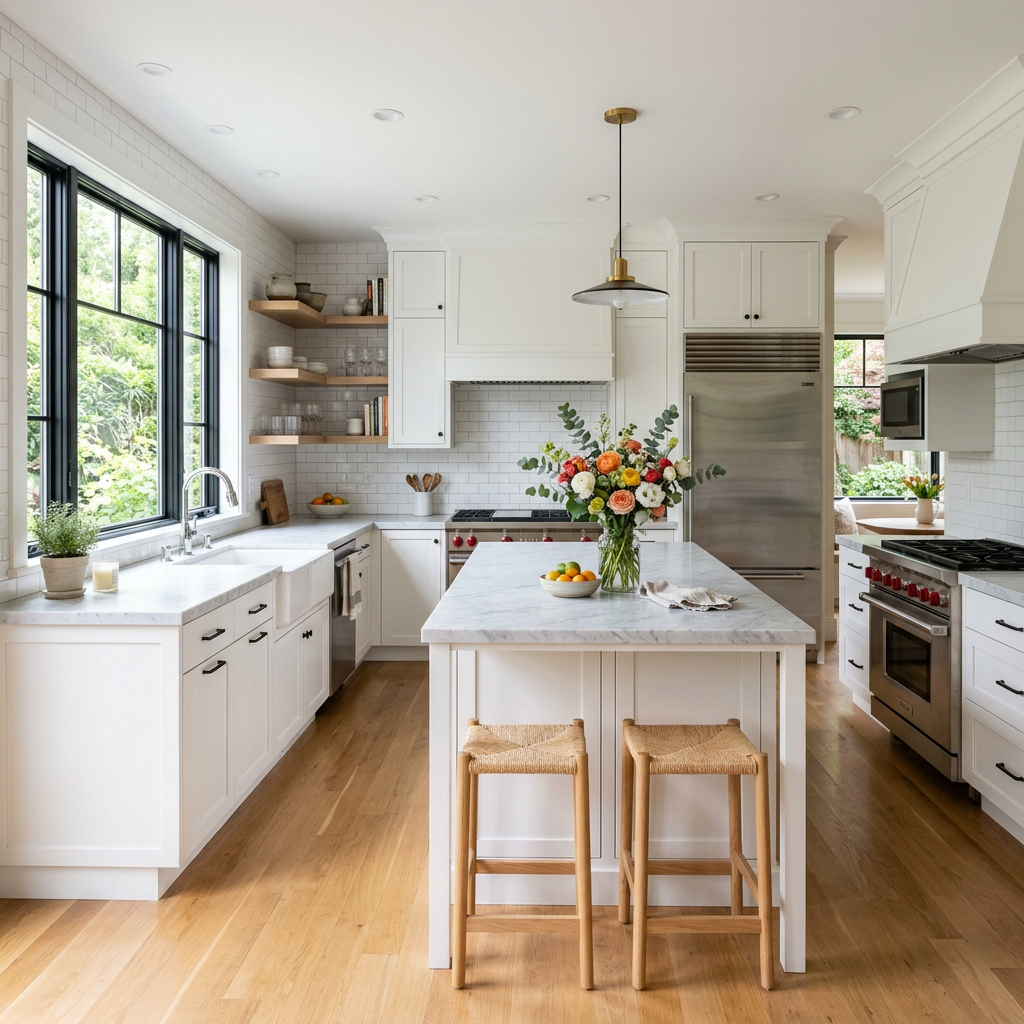

Cómo funciona
- 1Sube tu foto
- 2Elige tus ajustes
- 3Tu imagen
Consejos para un gran resultado
Foto nítida y clara
La luz natural y un gran angular dan el mejor resultado.
Muestra toda la zona
Mantén dentro de la imagen todo lo que quieras cambiar.
Prueba varias variaciones
Compara distintas opciones antes de decidirte.
Preguntas frecuentes
¿Puedo usar las imágenes con fines comerciales?
Sí. Puedes usar tus imágenes para cualquier fin, incluido el uso comercial.
¿Mi foto original cambia?
No. Tu original se mantiene sin cambios y puedes descargarlo en cualquier momento.
¿Y si no me gusta el resultado?
Prueba otro estilo o ajuste, o afina el resultado con una instrucción breve.
Seguir explorando
Todas las herramientas
Gráfico del agente «Conoce al equipo»
Preséntate bien. Sube una foto de perfil y crea un impresionante gráfico para redes sociales de "Sobre el agente" o "Conoce al equipo" con tus especialidades, zonas de servicio e información de contacto.
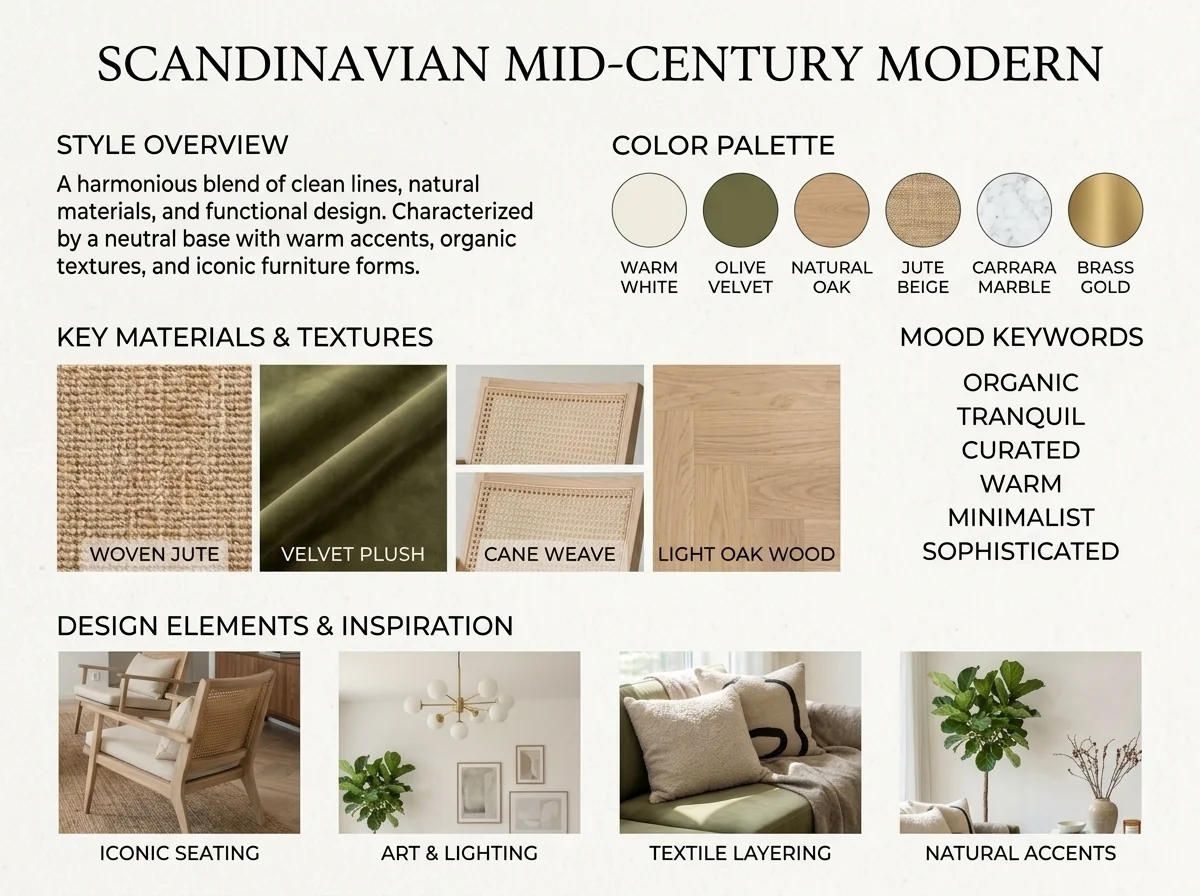
Detector de estilo interior y moodboard con IA
Sube cualquier foto de una estancia y la IA identifica el estilo de interiorismo, la paleta de colores, los materiales clave y genera un moodboard a juego. Perfecto para entender espacios existentes o comunicar preferencias de estilo.
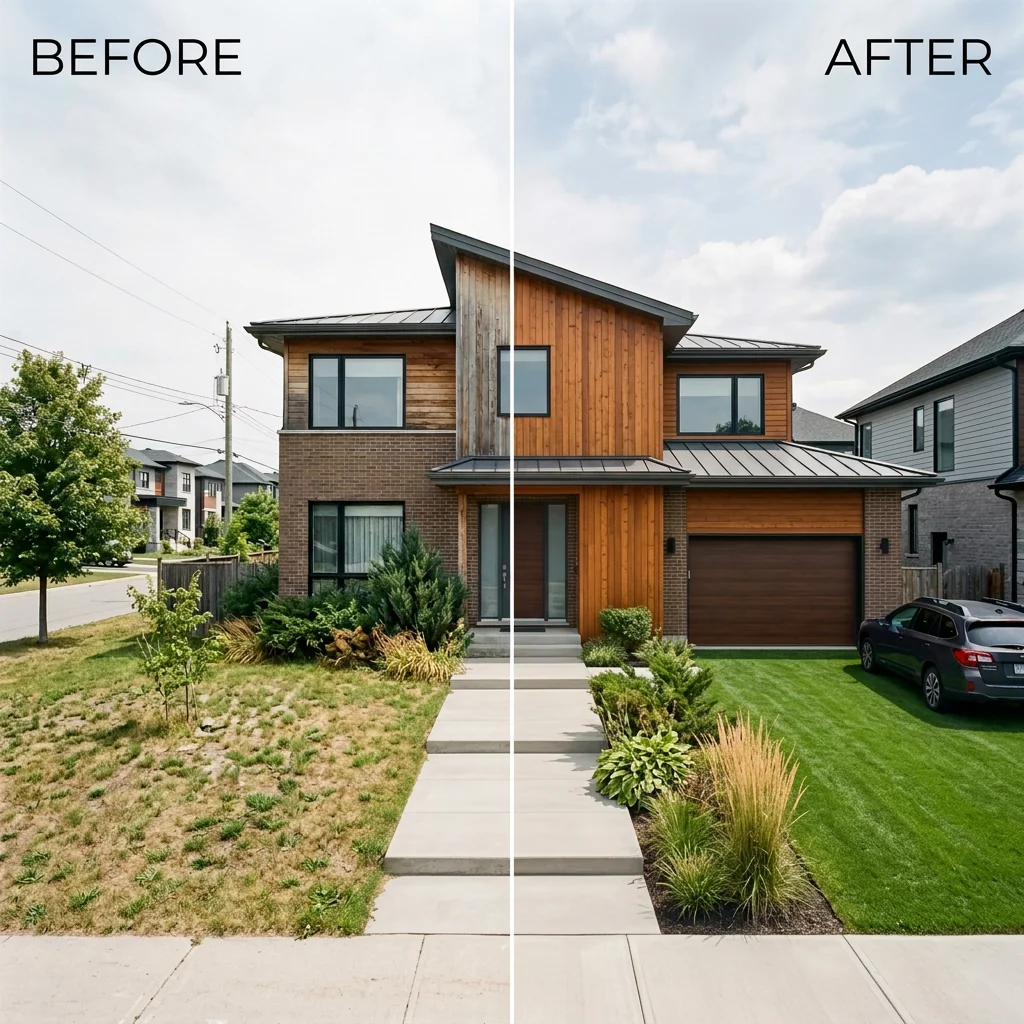
Lista lado a lado de antes y después
Crea imágenes profesionales de comparación antes y después para anuncios inmobiliarios. Sube dos fotos y la IA genera una comparación pulida lado a lado con etiquetas, perfecta para MLS, redes sociales y materiales de marketing.
Lee la guía completa
How long does generation take for Open House Sign & Directional Rider Designer?
Generation usually takes between 5 and 15 seconds.
Can I use the results commercially?
Yes, every generated image includes a full commercial usage license.
Tips for your photo
Make sure the photo is well lit and shot from a wide angle.
Remove clutter before shooting the photo for the best results.
Use re-staging mode for targeted style changes.
Frequently asked questions
What input formats and resolution are recommended for the Open House Sign & Directional Rider Designer?
Upload high-resolution property listing images (300 DPI+) and clear text for optimal sign clarity. The Open House Sign & Directional Rider Designer accepts common formats like JPG, PNG, and SVG, ensuring seamless integration into your design for effective drive-by capture.
How quickly does the Open House Sign & Directional Rider Designer generate sign graphics?
The Open House Sign & Directional Rider Designer processes your design inputs instantly. Within seconds, you'll see high-contrast, easy-to-read sign and directional rider graphics, allowing agents to quickly move from design to printing for their next open house.
What output quality can I expect from the Open House Sign & Directional Rider Designer?
Expect print-ready, high-resolution graphics from the Open House Sign & Directional Rider Designer, optimized for large-format physical signs. Designs feature vibrant colors and sharp text, ensuring your open house signs capture maximum drive-by traffic and clearly direct potential buyers.
What are the best practices for achieving optimal results with the Open House Sign & Directional Rider Designer?
For best results, use concise, high-contrast text and minimal, impactful real estate photos. Ensure your agent branding is clear. The Open House Sign & Directional Rider Designer thrives on simplicity and readability to create designs that effectively guide visitors to your property listing.
Can I modify or re-generate designs using the Open House Sign & Directional Rider Designer?
Absolutely. The Open House Sign & Directional Rider Designer allows for easy modifications. Simply adjust your text, images, or color schemes within the interface and re-generate. This ensures your directional riders and signs are perfect before printing for your Zillow or MLS listing.
Technical FAQ: Open House Sign & Directional Rider Designer
Quick answers for optimal results
Common mistakes
5 Costly Open House Sign & Directional Rider Designer Mistakes Real Estate Agents Make
Avoid these pitfalls to maximize traffic to your property listing and impress potential buyers.
Using Low-Resolution Real Estate Photos
Pixelated or blurry real estate photos on your open house signs will deter drive-by traffic. First impressions matter, especially when attracting potential buyers to your property listing.
Transform your real estate photos with PropStage.ai's image enhancer before uploading to the Open House Sign & Directional Rider Designer. Ensure all images are at least 300 DPI for crisp, clear signs.
Ignoring Brand Consistency on Your Directional Riders
Inconsistent branding across your open house signs and directional riders creates a disjointed image and dilutes your brand recognition. This impacts your ability to attract clients beyond the immediate open house.
Use the Open House Sign & Directional Rider Designer's template feature to save and reuse your brand colors, logos, and fonts. Maintain a consistent look across all your signage to reinforce your brand identity.
Overcrowding Your Open House Sign & Directional Rider with Too Much Text
Potential buyers driving by have limited time to read your signs. Overcrowding them with unnecessary information will cause them to miss the message entirely, reducing open house attendance.
Focus on essential information only: "Open House", date, time, and a compelling visual. Utilize the Open House Sign & Directional Rider Designer's layout tools to prioritize clarity and readability.
Neglecting Sign Placement for Optimal Visibility
Even the best-designed open house sign and directional rider will be ineffective if poorly placed. Obstructed views or confusing directions will frustrate potential buyers and lead them elsewhere.
Strategically place your directional riders at key intersections, ensuring clear lines of sight. Use the Open House Sign & Directional Rider Designer to create signs with bold colors and large fonts that are easily visible from a distance. Consider local regulations regarding sign placement.
Failing to Optimize Signs for Nighttime Visibility
Many open houses extend into the evening. Failing to consider nighttime visibility will limit your reach and prevent potential buyers from finding your property listing after dark.
Use high-contrast colors in the Open House Sign & Directional Rider Designer, such as white text on a dark background. Consider adding reflective elements or using illuminated signs to maximize visibility in low-light conditions. Ensure your real estate photos are well-lit even for evening showings.
What Your Open House Sign & Directional Rider Designer Results Will Look Like
Upload your real estate photos to get started designing high-impact open house signage.
Your workflow
5 Tips to Transform Your Real Estate Photos with Our Open House Sign & Directional Rider Designer
How to Open House Sign & Directional Rider Designer Online for Maximum Property Listing Exposure
Upload Your Real Estate Photos
Upload high-resolution real estate photos of the property listing to the Open House Sign & Directional Rider Designer. Ensure photos are clear and showcase key features to attract potential buyers.
Use professionally staged real estate photos for maximum impact. Photos optimized for Zillow and MLS listings tend to perform best.
Customize Your Open House Sign Design
Choose from a variety of pre-designed templates within the Open House Sign & Directional Rider Designer. Customize the text, colors, and fonts to match your branding and property details. Highlight key selling points like 'Open House Today' or 'Price Reduced'.
Use high-contrast colors and large, easy-to-read fonts to ensure visibility from a distance. Consider adding the agent's contact information for easy follow-up.
Design Directional Riders for Optimal Traffic
Utilize the Directional Rider Designer to create clear and concise directional signs. Specify the direction and distance to the open house. Use consistent branding with your main open house sign for a unified look.
Strategically place directional riders at key intersections to guide potential buyers to the property. Ensure riders comply with local regulations.
Download and Print Your Designs
Once you're satisfied with your Open House Sign and Directional Rider designs, download them in high-resolution format. Print the designs on durable, weather-resistant materials for outdoor use. Consider using a professional printing service for optimal quality.
Check your local regulations regarding sign placement and size restrictions before printing. Laminate the signs for added protection against the elements.
Use cases
Real Estate Listings for Open House Sign & Directional Rider Designer
Social Media Marketing & Instagram Inserate
Architektur- & Umbau-Präsentationen
Open House Sign & Directional Rider Designer — Technical Specifications
1. Upload your property photo.
2. Choose the interior style or room type you want.
3. Click Generate and get your result in seconds.
Expert guide
5 Tips: Dominate Your Market with Open House Sign & Directional Rider Designer
How to Design High-Impact Open House Signs & Directional Riders Online
Transform Your Real Estate Photos for Optimal Sign Visibility
Upload high-resolution real estate photos to the Open House Sign & Directional Rider Designer. Ensure images are crisp and clear, especially for property listing details. Avoid blurry or pixelated images to maximize impact on potential buyers driving by. This ensures your MLS listing shines, even in print.
Optimize Settings for Maximum Readability in Your Open House Sign & Directional Rider
Adjust the contrast and brightness settings within the Open House Sign & Directional Rider Designer. Use bold fonts and clear layouts to ensure easy readability from a distance. Consider the viewing conditions (sunlight, shade) when selecting colors and text sizes. This is critical for attracting drive-by traffic to your open house.
Achieve the Best Results: Focus on Key Information for Your Open House Sign
Prioritize essential information like the address, date, and time of the open house on your directional rider. Use the Open House Sign & Directional Rider Designer to create a concise and attention-grabbing message. A clear call to action, such as "Open House Today," will significantly improve engagement and drive attendance.
Enhance Your Professional Image with Consistent Branding on Your Open House Sign
Maintain consistent branding across all your open house signs and directional riders using the Open House Sign & Directional Rider Designer. Incorporate your logo, brand colors, and agent contact information. This reinforces your professional identity and builds trust with potential clients, helping you stand out from other Zillow listings.
How it works
3 Steps to Master the Open House Sign & Directional Rider Designer
How to use an open house sign & directional rider designer online for free in 2025
Upload Brand Assets and Details
Upload your professional brokerage logo and agent headshot into the Open House Sign & Directional Rider Designer to maintain brand authority across your Zillow and MLS property listing marketing materials.
Select High-Visibility Directional Templates
Choose high-contrast A-frame layouts and directional rider styles that capture drive-by traffic, ensuring every broker and agent can customize arrow placements for optimal property listing navigation.
Download Print-Ready Sign Files
Convert your custom graphics into high-resolution formats for immediate printing, matching the elite quality of your virtual home staging and professional real estate photos for maximum impact.
What you can do
Advanced Open House Sign & Directional Rider Designer Capabilities
High-Contrast Sign Graphics
Design the graphics for your physical A-Frame Open House street signs with unparalleled clarity. Ensure your directional riders are easy-to-read, capturing every drive-by visitor.
Rapid Design Generation
Quickly design the graphics for your Open House street signs and directional riders in minutes. Expedite your marketing efforts to get signs out faster for property listing events.
Versatile Export Formats
Export your Open House sign and directional rider designs in various print-ready formats. Ensure compatibility with professional printers for your physical A-Frame signs.
Unlimited Design Customization
Tailor every element of your Open House street signs and directional riders to match your brand. Adjust colors, fonts, and layouts for unique, eye-catching designs.
Optimized Visual Impact
Leverage intelligent design suggestions to create high-contrast Open House sign graphics. Automatically enhance readability and visual appeal for maximum drive-by traffic capture.
Agent-Focused Signage Solutions
Empower real estate agents to design professional Open House street signs effortlessly. Create effective directional riders that elevate your property listing presence and attract more buyers.
Pro-level tools at your fingertips