
AI-ulkotilojen ja terassien stailaaja
- Kuva
- Valintasi
- Kuvasi
Näe, mikä on mahdollista
Oikeita tuloksia kaltaisistasi kuvista.
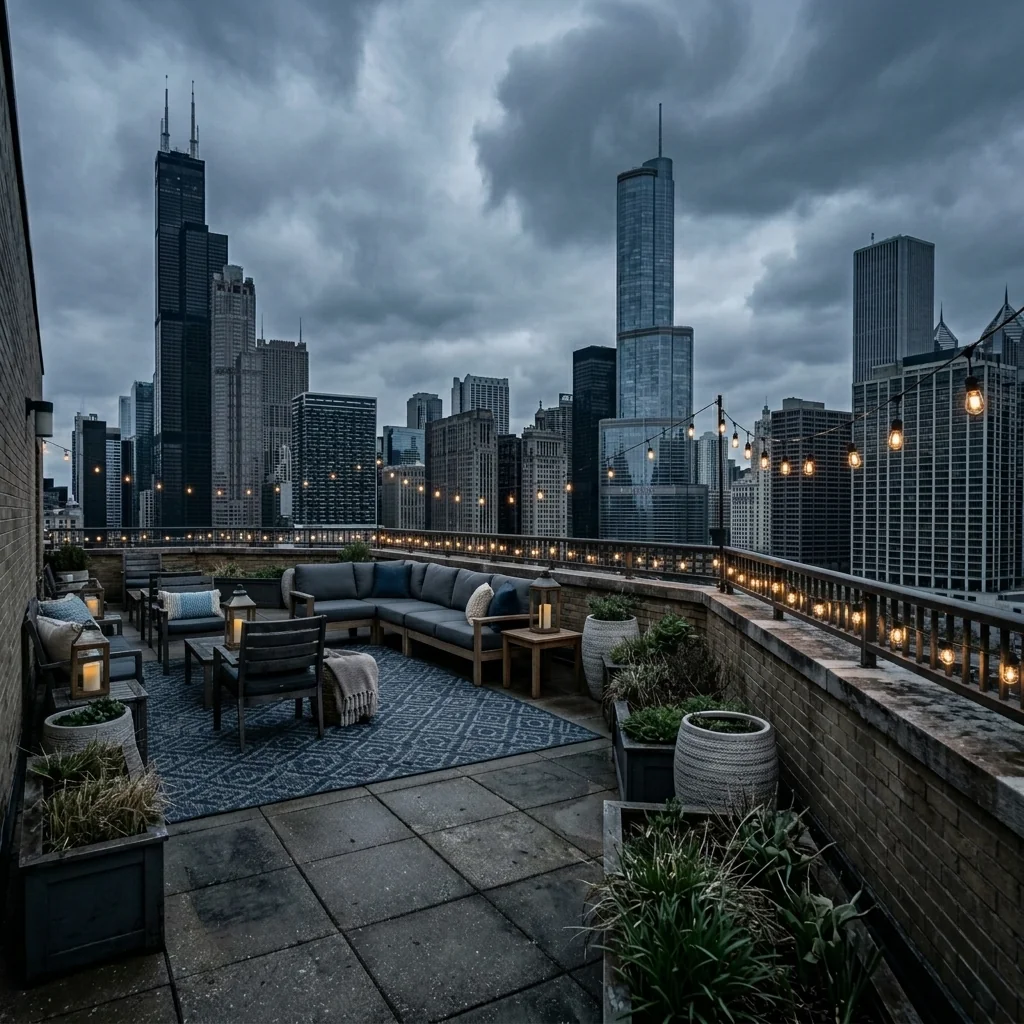
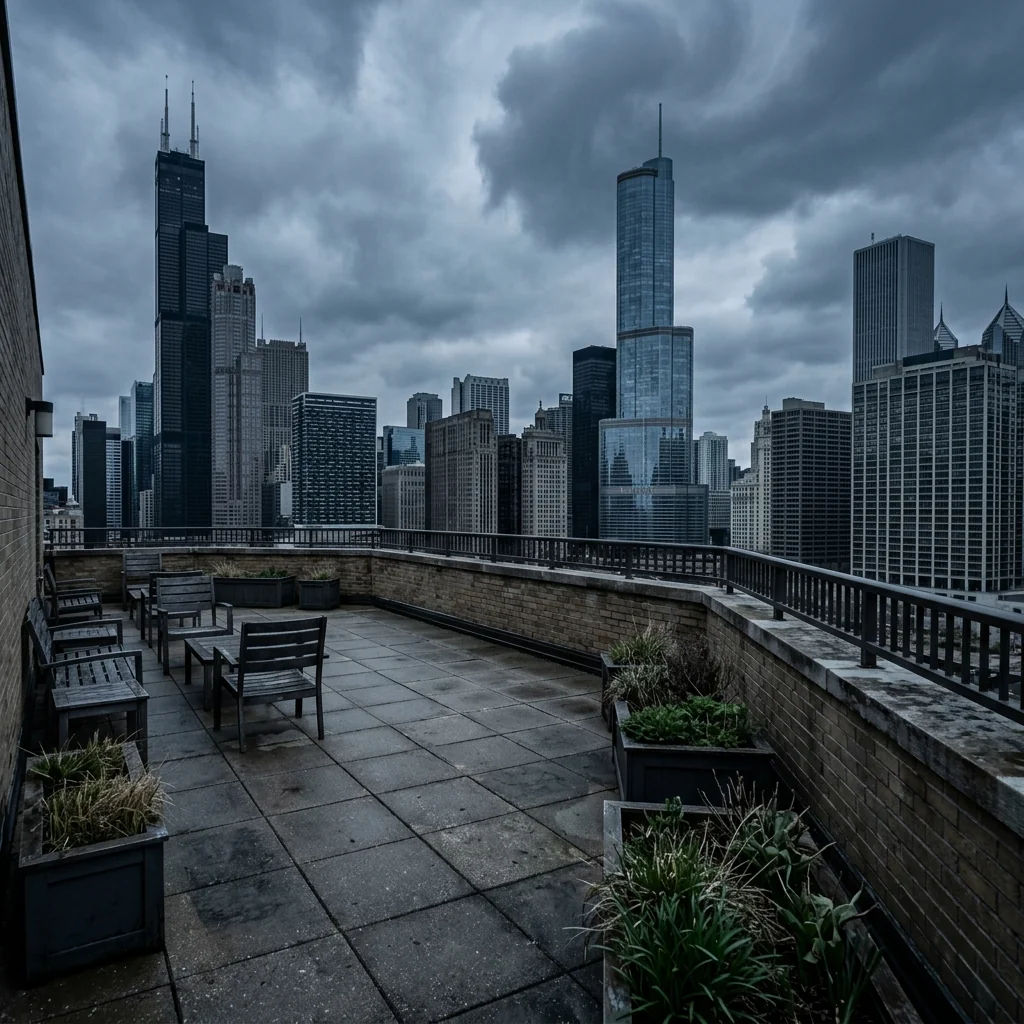

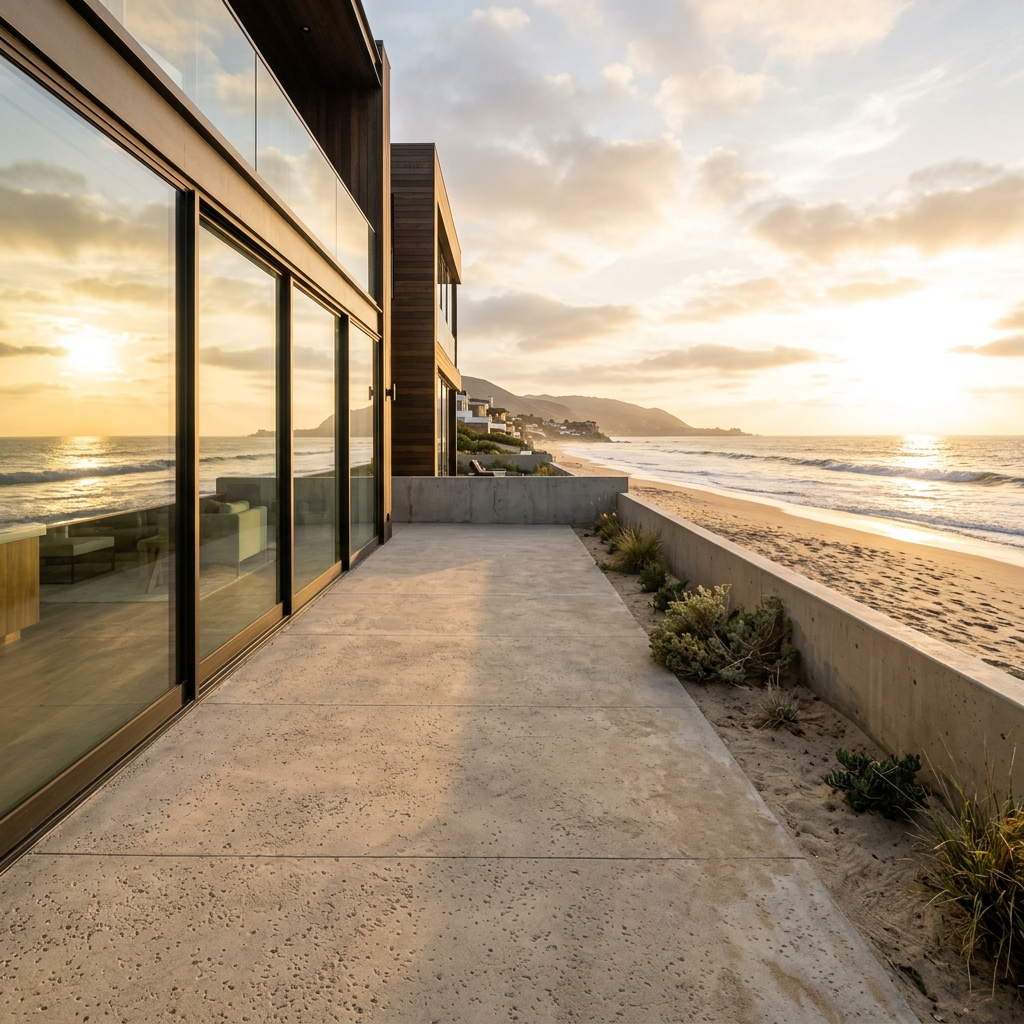

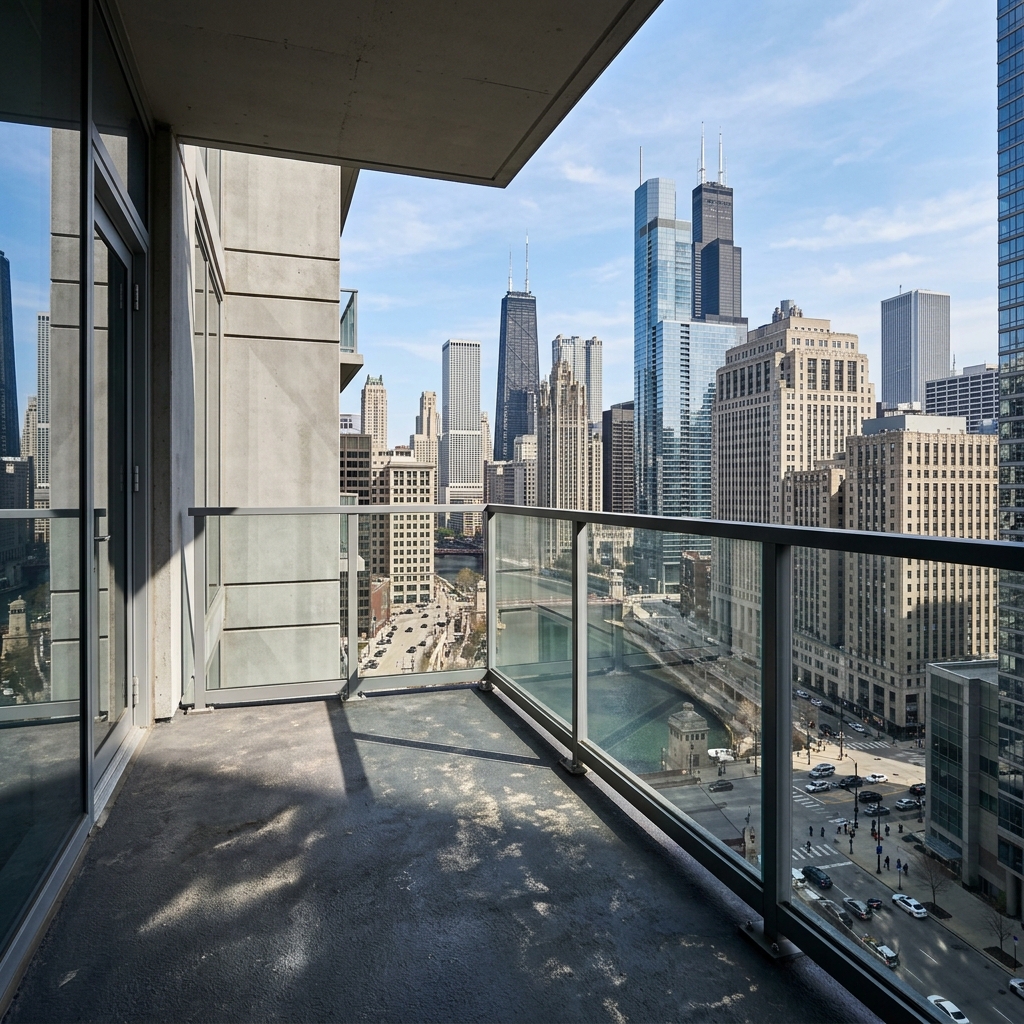
Miten se toimii
- 1Lataa kuvasi
- 2Valitse asetuksesi
- 3Kuvasi
Vinkkejä hyvään lopputulokseen
Kirkas, selkeä kuva
Päivänvalo ja laaja kuvakulma antavat parhaan tuloksen.
Näytä koko alue
Pidä kaikki, mitä haluat muuttaa, kokonaan kuvassa.
Kokeile useita versioita
Vertaile eri vaihtoehtoja ennen kuin päätät.
Usein kysytyt kysymykset
Saanko käyttää kuvia kaupallisesti?
Kyllä. Voit käyttää kuvia mihin tahansa tarkoitukseen, myös kaupalliseen käyttöön.
Muuttuuko alkuperäinen kuvani?
Ei. Alkuperäinen kuvasi pysyy muuttumattomana, ja voit ladata sen milloin tahansa.
Entä jos en pidä lopputuloksesta?
Kokeile toista tyyliä tai asetusta, tai hienosäädä tulosta lyhyellä ohjeella.
Jatka tutkimista
Kaikki työkalut
AI-nojatuolin verhoilun vaihto
Visualisoi hetkessä uudet verhoiluvaihtoehdot nojatuoleille kuvissasi. Vaihda kankaita, värejä ja kuvioita kuten samettia, nahkaa tai bouclea, jotta ne sopivat täydellisesti mihin tahansa sisustustyyliin. Ihanteellinen kiinteistöalan ammattilaisille ja sisustussuunnittelijoille näyttämään mahdolliset muutokset.

AI-kalusteiden verhoilun vaihto
Muunna huonekalukuvasi tekoälyllä! Vaihda helposti verhoilumateriaalia, jotta voit esitellä eri tyylejä ja vedota laajempaan ostajaryhmään. Täydellinen virtuaalistailaukseen ja sisustuksen mockupeihin.

AI-verhoilun visualisointi
Visualisoi hetkessä, miltä mikä tahansa huonekalu näyttää eri verhoilukankailla, väreillä ja tekstuureilla AI:n avulla. Lataa kuva sohvasta, tuolista tai divaanista ja näe upeita verhoiluesikatseluja ennen kuin sitoudut ostoon tai remonttiprojektiin.
Lue koko opas
How long does generation take for AI Outdoor Living & Patio Stager?
Generation usually takes between 5 and 15 seconds.
Can I use the results commercially?
Yes, every generated image includes a full commercial usage license.
Tips for your photo
Make sure the photo is well lit and shot from a wide angle.
Remove clutter before shooting the photo for the best results.
Use re-staging mode for targeted style changes.
Frequently asked questions
What are the optimal input image formats and resolutions for the AI Outdoor Living & Patio Stager?
Upload high-resolution JPG or PNG files (2000-4000 pixels on the longest side) for best results. This ensures the AI Outdoor Living & Patio Stager can accurately detect and stage your outdoor space, creating crisp real estate photos for your property listing.
How long does the AI Outdoor Living & Patio Stager typically take to process an image?
The AI Outdoor Living & Patio Stager typically processes an image in 15-30 seconds. Factors like image complexity can slightly vary this, but you'll quickly get enhanced outdoor living spaces perfect for your MLS or Zillow listings.
What output quality can I expect from the AI Outdoor Living & Patio Stager?
Expect high-resolution, photorealistic staged images. The AI Outdoor Living & Patio Stager generates outputs that seamlessly blend new furniture and decor, making your real estate photos look professionally staged and ready for any property listing.
What are the best practices for achieving optimal staging results with the AI Outdoor Living & Patio Stager?
Upload clear, well-lit photos of empty outdoor spaces. Ensure good lighting and angles. The AI Outdoor Living & Patio Stager excels when staging uncluttered areas, enhancing your property listing with inviting outdoor living spaces.
Can I re-generate or modify a staged image using the AI Outdoor Living & Patio Stager?
Yes, you can re-generate. If the initial staging isn't perfect, simply adjust your preferences (style, climate) and re-process. The AI Outdoor Living & Patio Stager allows multiple attempts to achieve the ideal outdoor living space for your real estate photos.
Technical FAQ: AI Outdoor Living & Patio Stager
Quick answers for optimal results
Common mistakes
5 Critical AI Outdoor Living & Patio Stager Mistakes That Kill Your Property Listing
How to Outdoor Living & Patio Stager Online for Maximum Zillow & MLS Impact
Uploading Low-Resolution Real Estate Photos
The AI Outdoor Living & Patio Stager relies on clear images to accurately place furniture and decor. Blurry or pixelated photos result in unrealistic and poorly staged outdoor spaces, negatively impacting your property listing.
Always upload high-resolution real estate photos (minimum 2000px wide) to the AI Outdoor Living & Patio Stager. Ensure proper lighting and focus for optimal results. Consider professional photography for your property listing.
Ignoring the Climate and Style of the Property
The AI Outdoor Living & Patio Stager can adapt to various climates and styles, but it needs guidance. Failing to specify the region or desired aesthetic leads to generic staging that doesn't resonate with potential buyers.
Utilize the AI Outdoor Living & Patio Stager's customization options to specify the climate (e.g., arid, tropical, temperate) and preferred style (e.g., modern, rustic, coastal). This ensures the staged outdoor living space complements the property's existing features and target market. For example, don't use snow in a Florida listing.
Over-Staging the Outdoor Living Space
While staging enhances appeal, too much furniture and decor can make the space feel cramped and cluttered. This detracts from the property's perceived value and makes it harder for potential buyers to envision their own belongings.
Use the AI Outdoor Living & Patio Stager to create a balanced and inviting outdoor living space. Focus on essential furniture pieces and strategically placed decor. Leave ample open space to showcase the area's size and potential. Less is often more when it comes to staging for your MLS listing.
Neglecting to Optimize Staged Photos for Zillow and MLS
Simply staging the photos isn't enough. Failing to optimize them for online platforms like Zillow and MLS reduces their visibility and impact, hindering your ability to attract potential buyers and agents.
Resize and compress the staged photos to meet the specific requirements of Zillow and MLS. Use relevant keywords in the file names and alt text to improve search engine optimization. Ensure the images load quickly to provide a seamless viewing experience.
Not Showcasing Key Selling Points of the Outdoor Space
Every outdoor space has unique features, such as a stunning view, a built-in grill, or mature landscaping. Ignoring these assets in your staging misses an opportunity to highlight the property's value and attract targeted buyers.
Use the AI Outdoor Living & Patio Stager to accentuate the key selling points of the outdoor space. For example, stage a dining area near the grill or create a cozy seating area to showcase the view. Use the staging to tell a story and create an emotional connection with potential buyers.
AI Outdoor Living & Patio Stager: See the Stunning Transformations!
Upload your real estate photos and discover how to outdoor living & patio stager online for Zillow and MLS.
Your workflow
5 Tips to Transform Real Estate Photos with AI Outdoor Living & Patio Stager
How to Outdoor Living & Patio Stager Online for Stunning Property Listings
Upload Your Photo
Upload a photo of the empty patio, deck, balcony, or terrace you want to stage using the AI Outdoor Living & Patio Stager. Ensure the photo is clear and well-lit for optimal results for your real estate photos.
Use high-resolution images to maximize the AI's ability to add realistic details. Consider the angle of the shot to highlight key features for potential buyers on Zillow or MLS.
Select Your Style & Climate
Choose the desired outdoor living style (e.g., modern, rustic, coastal) and the appropriate climate setting within the AI Outdoor Living & Patio Stager. This ensures furniture and decor are suitable for the property listing's region.
Consider the target demographic and the overall aesthetic of the property when selecting the style. Align the climate setting with the actual regional climate to enhance realism for potential buyers.
AI-Powered Staging
Let the AI Outdoor Living & Patio Stager automatically add realistic furniture, planters, lighting, and decor to the outdoor space. The AI adapts the scale, material choices, and styling to match the space perfectly for your property listing.
Review the initial AI-generated staging and make minor adjustments if needed. Experiment with different style combinations to find the most appealing look for your real estate photos.
Enhance & Refine
Use the AI Outdoor Living & Patio Stager's editing tools to fine-tune the staging. Adjust the placement of furniture, change colors, or add additional decor elements to create the perfect outdoor living space for your MLS or Zillow listing.
Pay attention to detail and ensure the staging complements the existing architecture and landscaping. Avoid overcrowding the space with too much furniture.
Download & Publish
Download the enhanced image and use it in your property listing on MLS, Zillow, Realtor.com, or Redfin. Attract more potential buyers with beautifully staged outdoor living spaces created by the AI Outdoor Living & Patio Stager.
Use consistent branding across all your real estate photos. Track the performance of your listings to see how staged outdoor spaces impact buyer interest and engagement. Share with your agent network.
Use cases
Real Estate Listings for AI Outdoor Living & Patio Stager
Social Media Marketing & Instagram Inserate
Architektur- & Umbau-Präsentationen
AI Outdoor Living & Patio Stager — Technical Specifications
1. Upload your property photo.
2. Choose the interior style or room type you want.
3. Click Generate and get your result in seconds.
Expert guide
5 Tips to Maximize Your AI Outdoor Living & Patio Stager Results
How to get the best AI outdoor living & patio stager online for your property listing
Prepare High-Quality Real Estate Photos for Optimal AI Staging
Upload clear, well-lit real estate photos to the AI Outdoor Living & Patio Stager. Ensure the patio or outdoor space is visible and free of obstructions. Higher resolution images yield better results, making your property listing stand out on Zillow and the MLS. This helps agents attract more potential buyers.
Fine-Tune Your AI Outdoor Living & Patio Stager Settings for Perfect Ambiance
Adjust the AI Outdoor Living & Patio Stager settings to match the desired style and climate. Specify furniture preferences, lighting options, and decor themes to create a realistic and appealing outdoor space. Experiment with different settings to find the perfect look for your property listing.
Achieve the Best AI Staging Results with Consistent Styling
Maintain consistent styling throughout your real estate photos. Use the AI Outdoor Living & Patio Stager to add furniture and decor that complements the existing architecture and landscaping. This creates a cohesive and attractive presentation for potential buyers viewing your property listing on the MLS.
Leverage AI Outdoor Living & Patio Stager for Professional Agent Marketing
Use the AI Outdoor Living & Patio Stager to enhance your agent marketing materials. Stage multiple outdoor spaces for different property listings and showcase the versatility of the tool. Impress potential clients with stunning visuals that highlight the potential of their outdoor living areas.
How it works
3 Steps to Master the AI Outdoor Living & Patio Stager
How to outdoor living & patio stager online for free in 2026
Upload Your Empty Outdoor Photos
Upload high-resolution images of empty patios, decks, or balconies to the AI Outdoor Living & Patio Stager to begin the virtual transformation process for your professional real estate property listing.
Select Your Ideal Furniture Style
Stage your space by choosing from curated styles like modern or rustic; the AI adds realistic furniture, lighting, and decor tailored to the specific climate and architecture of the home.
Download High-Res Staged Assets
Convert your raw files into stunning marketing images instantly; download the high-resolution results to enhance your Zillow and MLS listings, ensuring your property stands out to every potential agent and buyer.
What you can do
Advanced Outdoor Living & Patio Stager Capabilities
High-Fidelity Outdoor Staging
The AI Outdoor Living & Patio Stager delivers photorealistic outdoor living spaces, enhancing every property listing with vibrant, appealing real estate photos that capture buyer attention on Zillow and MLS.
Instant Patio Transformation
Transform empty outdoor areas in seconds with the AI Outdoor Living & Patio Stager, allowing agents to quickly enhance property listings and accelerate marketing efforts without delays.
Versatile Output Formats
The AI Outdoor Living & Patio Stager exports staged real estate photos in various high-resolution formats, ensuring seamless integration into any property listing, MLS, or Zillow platform.
Tailored Style & Climate
Customize every detail with the AI Outdoor Living & Patio Stager, staging outdoor spaces with furniture and decor perfectly matched to regional climate and specific property listing aesthetics for agents.
Smart Space Adaptation
The AI Outdoor Living & Patio Stager precisely stages outdoor living areas, intelligently adapting furniture scale and layout to maximize appeal in real estate photos for every unique property listing.
Agent-Ready Listings
Enhance property listings efficiently with the AI Outdoor Living & Patio Stager, empowering agents to create compelling real estate photos that stand out on Zillow and MLS, attracting more buyers.
Pro-level tools at your fingertips