
不動産写真補正 — オールインワン
- 写真
- 選択内容
- 画像
できることを見る
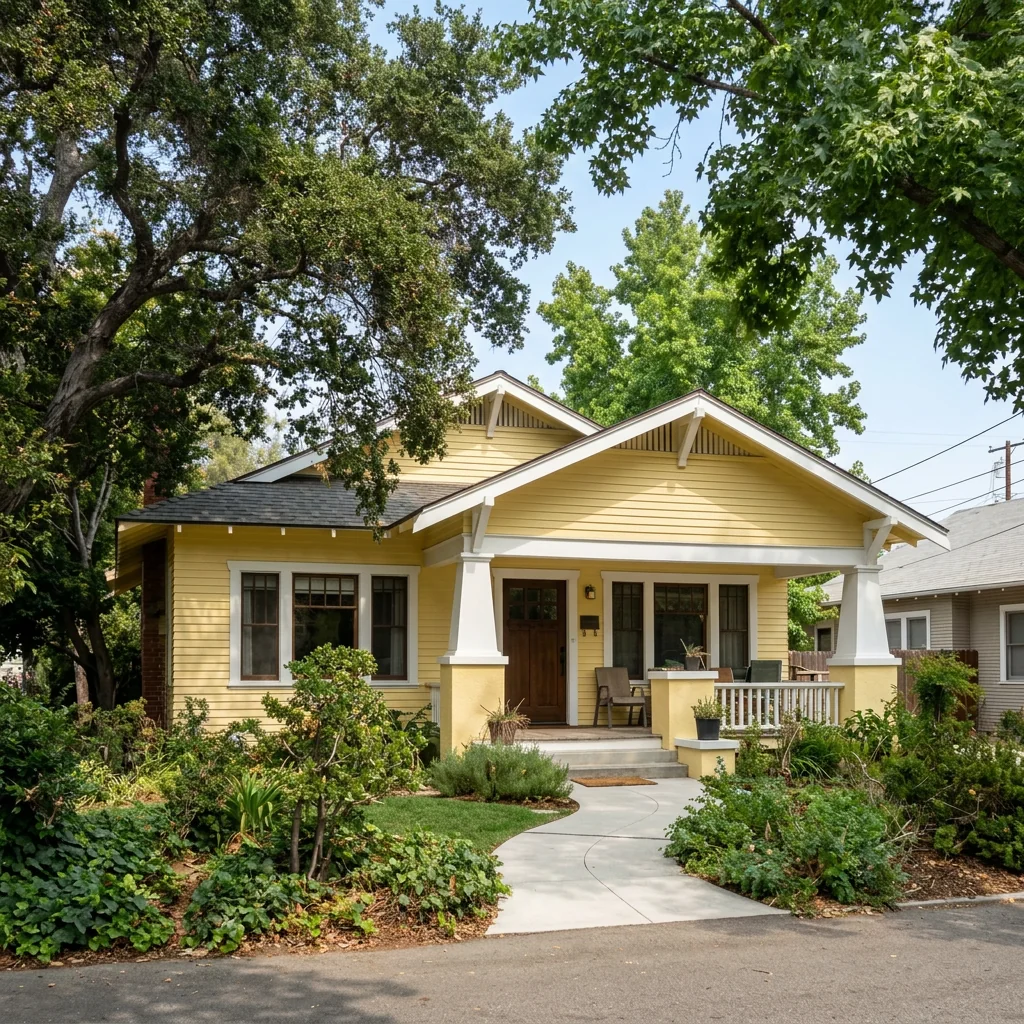
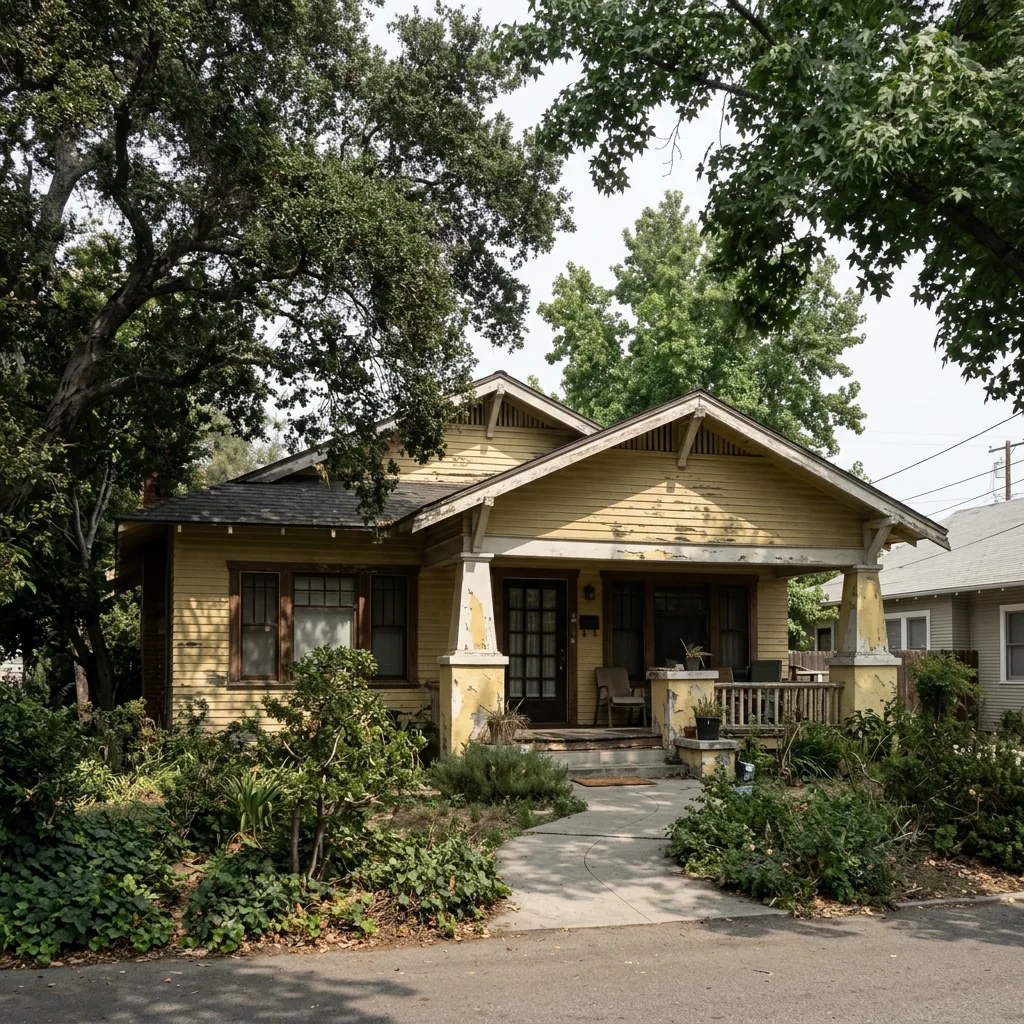
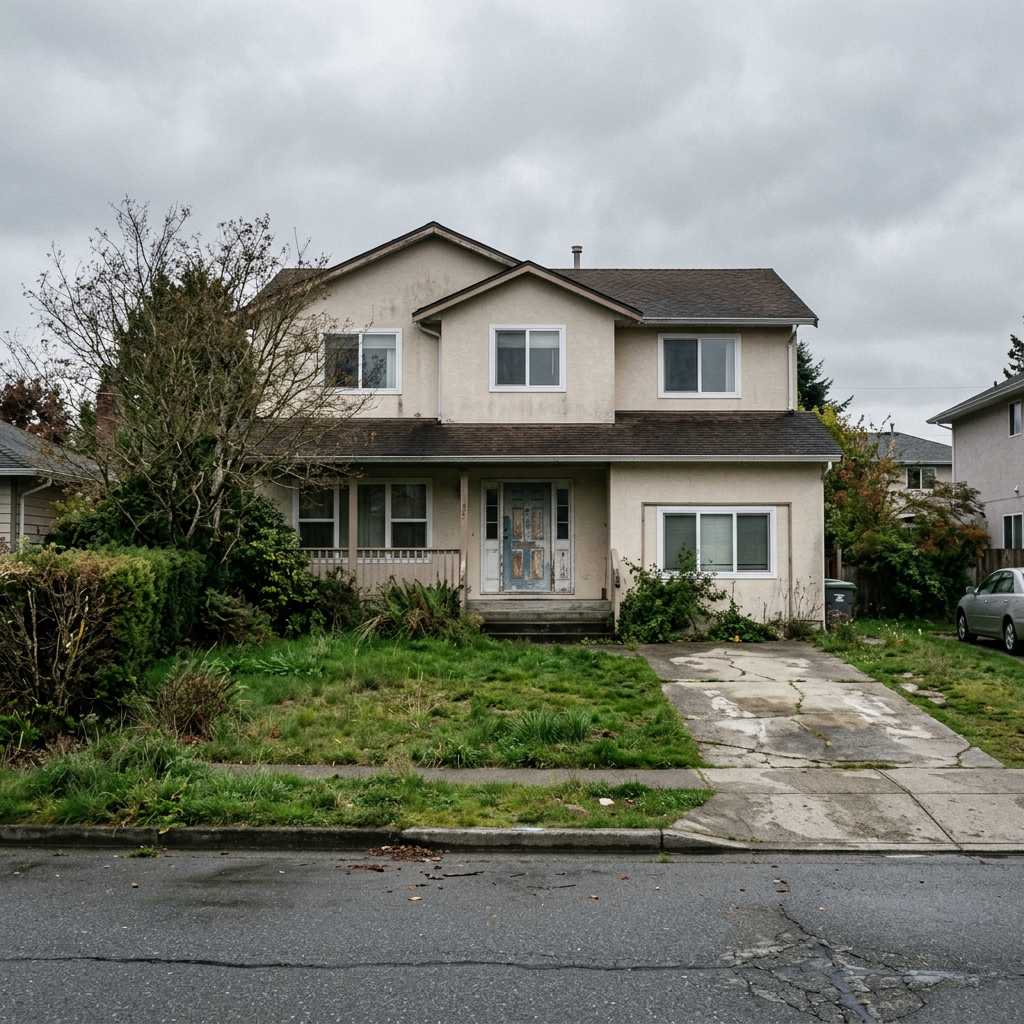
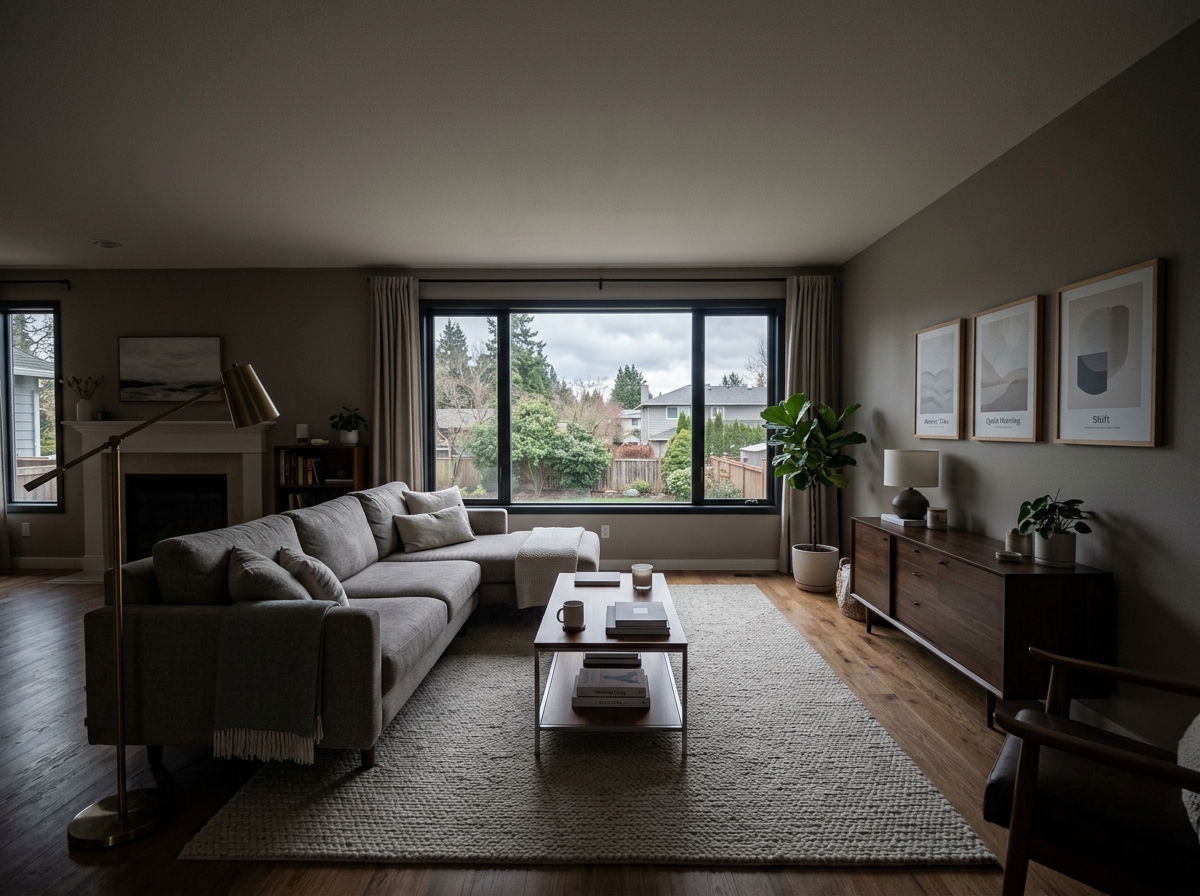
あなたのような写真から得られた実際の結果です。


使い方
- 1写真をアップロードしてください
- 2設定を選択してください
- 3画像
より良い結果のためのヒント
明るく、はっきりした写真
自然光と広角が最適な結果につながります。
全体が見えるようにしてください
変更したいものをすべて、しっかり画面内に入れてください。
いくつかのバリエーションを試す
決める前に、さまざまなオプションを比較できます。
よくある質問
画像を商用利用できますか?
はい。商用利用を含め、あらゆる目的で画像を使用できます。
元の写真は変わりますか?
いいえ。元の画像は変更されず、いつでもダウンロードできます。
結果が気に入らない場合は?
別のスタイルや設定を試すか、短い指示で結果を調整してください。
さらに見る
すべてのツール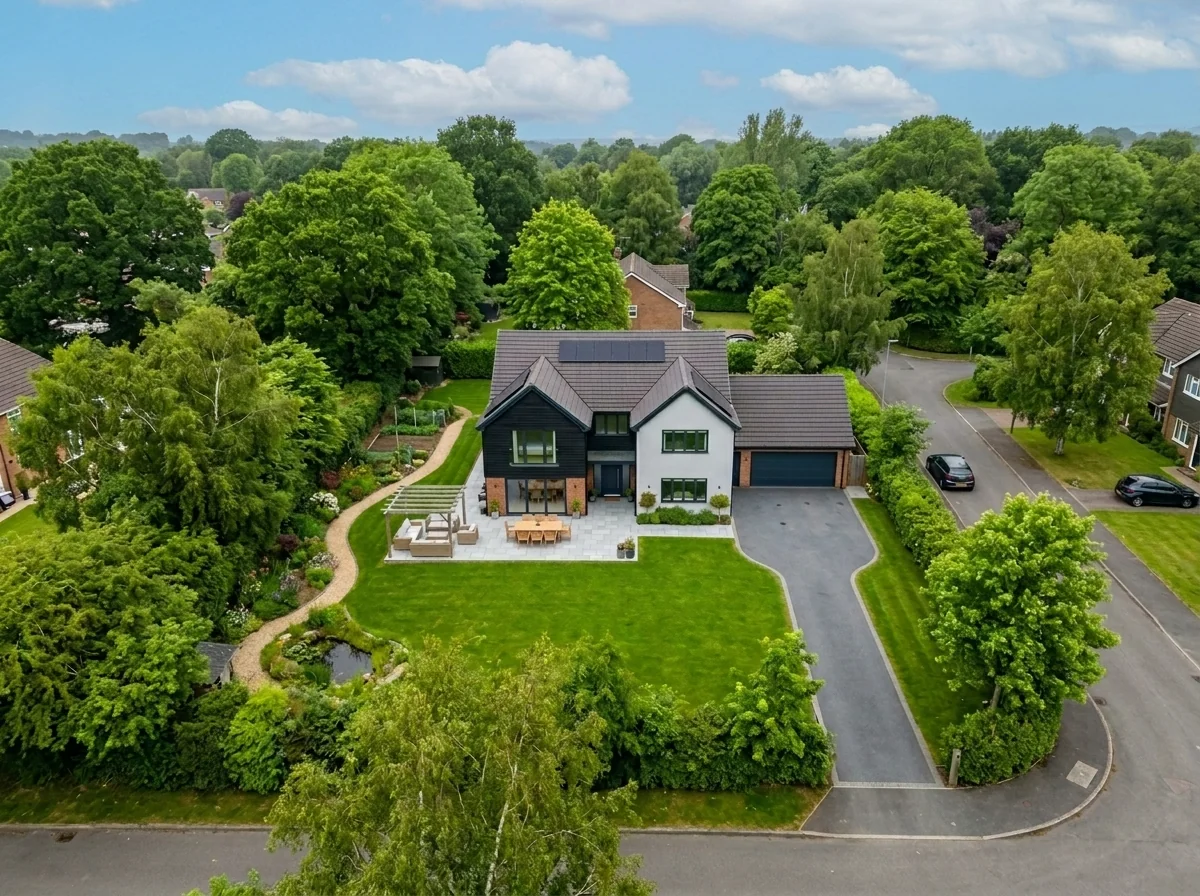
空撮の空の差し替え
ドローンや空撮の物件写真にある灰色の曇り空、どんよりした空、平坦な空を、鮮やかな青空、ゴールデンアワーの光、印象的な雲に数秒で差し替えます。空撮特有の広い視野と地平線の特徴に合わせて最適化されています。
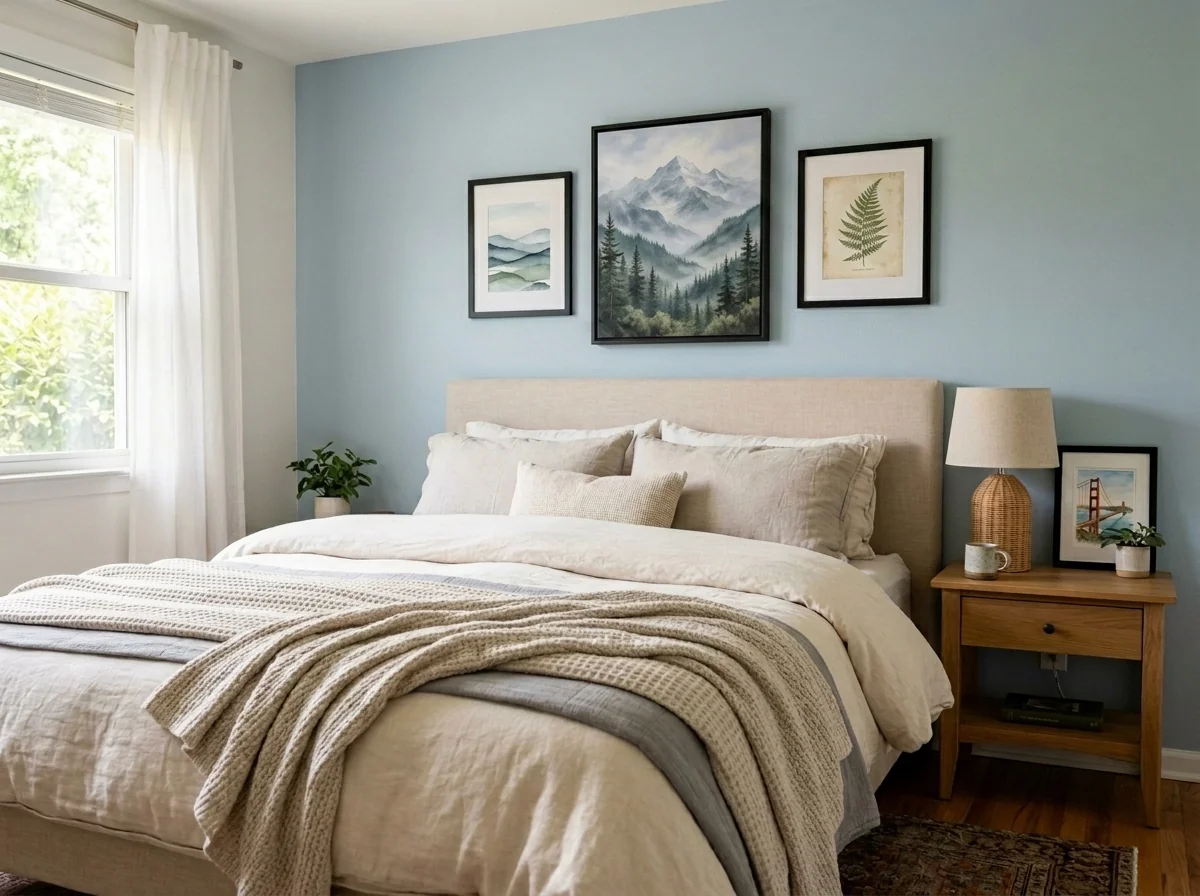
アパート壁面アート&写真匿名化ツール
アパートや部屋の写真に写る壁の絵、額入り写真、絵画、アート作品を自動で検出して匿名化します。匿名化スタイルは、ガウスぼかし、強いピクセル化、シンプルな壁への置き換え、抽象アートへの差し替え、自然モチーフのプリント、幾何学模様から選べます。GDPR対応、物件掲載、ステージングに最適です。
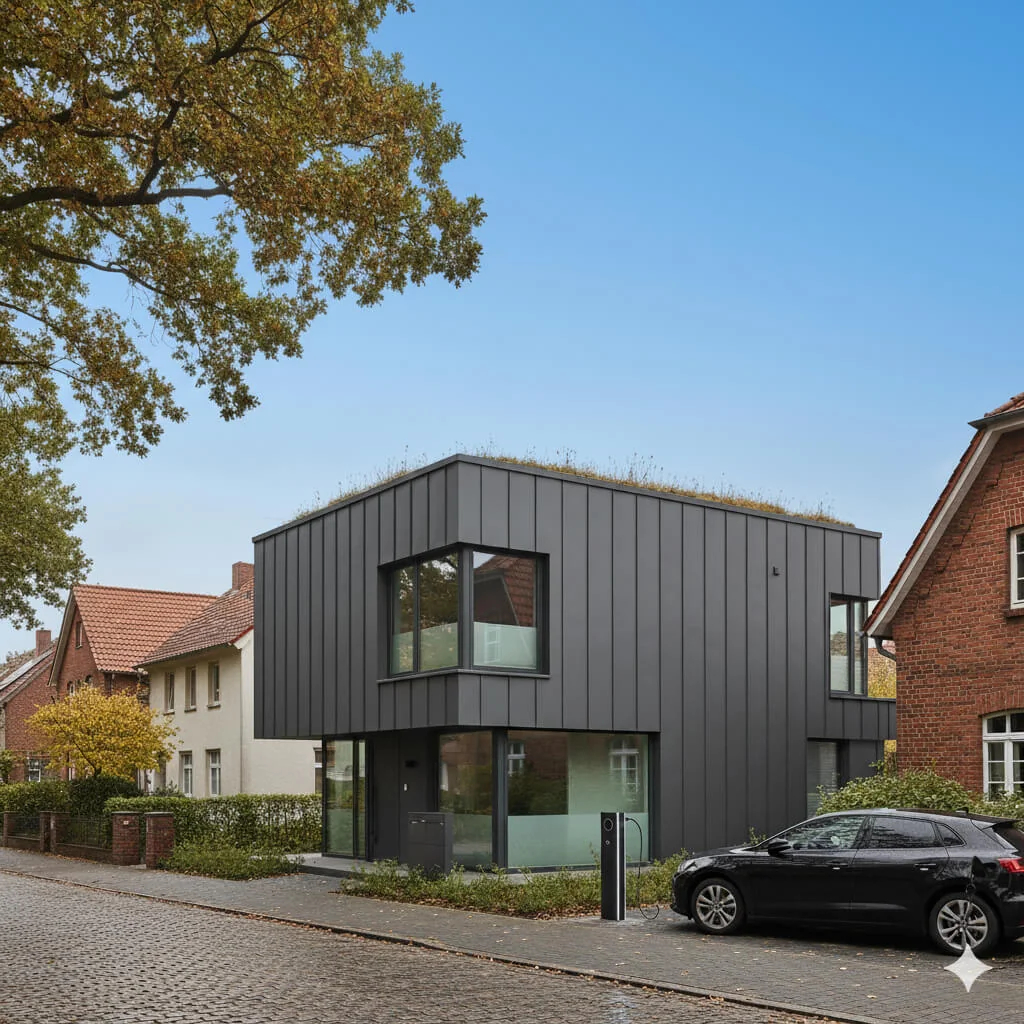
青空差し替え
どんよりした曇り空を、鮮やかな青空に変えます。
完全ガイドを読む
How long does generation take for Real Estate Photo Fix — All in One?
Generation usually takes between 5 and 15 seconds.
Can I use the results commercially?
Yes, every generated image includes a full commercial usage license.
Tips for your photo
Make sure the photo is well lit and shot from a wide angle.
Remove clutter before shooting the photo for the best results.
Use re-staging mode for targeted style changes.
Frequently asked questions
What input file formats and resolutions does Real Estate Photo Fix — All in One support?
Real Estate Photo Fix — All in One accepts JPG, PNG, and TIFF up to 20MB. For optimal processing and output, upload images with a minimum resolution of 1920x1080 pixels. This ensures high-quality fixes for your property listing photos.
How long does Real Estate Photo Fix — All in One take to process images?
Real Estate Photo Fix — All in One processes most real estate photos within 10-30 seconds, depending on file size and server load. Multiple images are handled efficiently, ensuring your property listing is MLS-ready without delay.
What is the output quality of images processed by Real Estate Photo Fix — All in One?
Real Estate Photo Fix — All in One delivers MLS-ready output in high-resolution JPG format. Expect professionally corrected colors, straightened lines, and brightened rooms, ensuring your Zillow and agent listings stand out with superior image quality.
What are the best tips for achieving optimal results with Real Estate Photo Fix — All in One?
For best results, start with well-lit, reasonably composed real estate photos. Real Estate Photo Fix — All in One excels at enhancing existing quality, correcting lens distortion, and brightening dark rooms, making every property listing shine.
Can I re-generate or re-fix a photo using Real Estate Photo Fix — All in One if I'm not satisfied?
Yes, you can re-upload and re-process any real estate photo using Real Estate Photo Fix — All in One. Adjust input settings or select different enhancement options to achieve the desired look for your property listing and MLS submission.
Technical FAQ: Real Estate Photo Fix — All in One
Quick answers for optimal results
Common mistakes
5 Real Estate Photo Fix — All in One Mistakes Killing Your Listings
Avoid these common errors for stunning property photos and higher Zillow engagement
Ignoring Lens Distortion Correction
Uncorrected lens distortion makes rooms look warped and unprofessional, deterring potential buyers from your property listing.
Always use the 'Real Estate Photo Fix — All in One' lens correction feature to straighten lines and create a visually appealing image for MLS.
Overlooking Color Casts in Real Estate Photos
Color casts (e.g., blue or yellow tints) make properties look unnatural and uninviting, negatively impacting buyer perception on Zillow.
Utilize the 'Real Estate Photo Fix — All in One' color correction tool to neutralize colors and showcase the true beauty of the property.
Neglecting to Straighten Lines
Crooked lines create a sense of unease and unprofessionalism, making your property listing appear sloppy and untrustworthy to potential buyers and agents.
Always use the 'Real Estate Photo Fix — All in One' straightening tool to ensure vertical and horizontal lines are perfectly aligned for a polished look.
Failing to Brighten Dark Rooms
Dark rooms appear smaller and less appealing, making it harder to attract buyers and potentially lowering the perceived value of the property on the MLS.
Employ the 'Real Estate Photo Fix — All in One' brightening feature to enhance lighting and showcase the full potential of each room.
Skipping the One-Click MLS-Ready Enhancement
Not optimizing your real estate photos for MLS standards can lead to rejection or poor presentation, hindering your ability to attract potential buyers and agent collaboration.
Always use the 'Real Estate Photo Fix — All in One' one-click enhancement to ensure your photos meet MLS requirements and are visually appealing.
Real Estate Photo Fix — All in One: See the Stunning Results!
Transform Your Property Listing Photos Instantly: Real Estate Photo Fix — All in One Online
Your workflow
4 Steps to Stunning Real Estate Photos: Real Estate Photo Fix — All in One
How to Real Estate Photo Fix — All in One Online: Enhance Your Property Listing for MLS & Zillow
Upload
Upload your real estate photos directly into Real Estate Photo Fix — All in One. Supports various image formats for seamless processing.
For best results, upload high-resolution real estate photos. Ensure images are well-lit, even if they appear dark, as the tool can brighten them.
Transform
Transform your real estate photos with one click! Real Estate Photo Fix — All in One automatically straightens lines, corrects colors, removes lens distortion, and brightens dark rooms.
Experiment with the 'Auto-Enhance' feature for a quick and effective solution. If needed, use the manual adjustments for fine-tuning.
Enhance
Further enhance your property listing photos using Real Estate Photo Fix — All in One's advanced editing tools. Adjust brightness, contrast, and saturation to create captivating visuals.
Pay attention to the 'Color Correction' settings to ensure accurate representation of the property's colors. Avoid over-saturation for a natural look.
Convert & Download
Convert your enhanced real estate photos to the optimal format and size for MLS, Zillow, and other platforms. Download your MLS-ready images instantly.
Select the appropriate output settings based on the platform's requirements. Consider using the 'Web Optimized' setting for faster loading times on online listings. Real Estate Photo Fix — All in One ensures compatibility.
Use cases
Real Estate Listings for Real Estate Photo Fix — All in One
Social Media Marketing & Instagram Inserate
Architektur- & Umbau-Präsentationen
Real Estate Photo Fix — All in One: Technical Specifications
1. Upload your property photo.
2. Choose the interior style or room type you want.
3. Click Generate and get your result in seconds.
Expert guide
5 Pro Tips: Real Estate Photo Fix — All in One for Stunning Listings
How to Real Estate Photo Fix — All in One Online for Zillow & MLS
Transform Your Real Estate Photos: Optimize Before Upload
Before you upload to Real Estate Photo Fix — All in One, ensure your real estate photos are high-resolution. Crop out unnecessary elements and name files descriptively for better organization and faster processing. This pre-optimization significantly improves the final result for your property listing.
Fine-Tune Settings: Master Real Estate Photo Fix — All in One Controls
Experiment with the settings in Real Estate Photo Fix — All in One to achieve the perfect look. Adjust brightness, contrast, and color correction to enhance your real estate photos. Subtle adjustments can make a huge difference in attracting potential buyers on Zillow and the MLS.
Achieve Best Results: Leverage Real Estate Photo Fix — All in One's AI
For optimal results, use Real Estate Photo Fix — All in One on a variety of real estate photos. The AI learns from each image, improving its ability to automatically straighten lines, correct colors, and remove lens distortion. This ensures consistent quality across your entire property listing.
Elevate Professional Use: Automate Your Agent Workflow
For professional real estate agents, integrate Real Estate Photo Fix — All in One into your workflow. Batch process photos to save time and maintain a consistent brand image across all your listings. Impress clients with high-quality, MLS-ready real estate photos with minimal effort.
How it works
3 Simple Steps for Real Estate Photo Fix — All in One Optimization
How to real estate photo fix — all in one for MLS listings instantly in 2024
Upload Your Property Listing Photos
Upload your raw property listing images to the Real Estate Photo Fix — All in One dashboard to automatically begin the vertical line straightening and lens distortion correction process.
Select AI Enhancement Styles
Choose your preferred HDR brightness and color correction levels within the Real Estate Photo Fix — All in One tool to ensure your Zillow and MLS photos look professional.
Download High-Res MLS-Ready Images
Export your high-resolution, edited files from the Real Estate Photo Fix — All in One platform to instantly improve your property listing engagement and attract more potential home buyers.
What you can do
5 Advanced Real Estate Photo Fix — All in One Capabilities for Agents
Pristine MLS-Ready Output
"Real Estate Photo Fix — All in One" ensures every property listing photo achieves stunning clarity and perfect color balance, meeting all MLS and Zillow standards instantly.
Rapid One-Click Fixes
Transform multiple real estate photos in seconds with "Real Estate Photo Fix — All in One", drastically cutting agent editing time and accelerating property listing readiness.
Versatile Format Compatibility
Upload diverse real estate photo formats to "Real Estate Photo Fix — All in One", which processes and outputs perfectly optimized images suitable for all online property listing platforms.
Tailored Enhancement Controls
"Real Estate Photo Fix — All in One" offers tailored enhancement controls. Adjust brightness, contrast, and color to perfectly stage each property listing photo for agent satisfaction.
Smart AI-Powered Corrections
"Real Estate Photo Fix — All in One" leverages AI to automatically correct lens distortion, straighten lines, and brighten dark rooms, ensuring every real estate photo is MLS-ready.
Boost Agent Productivity
Empower real estate agents to effortlessly fix and enhance property listing photos with "Real Estate Photo Fix — All in One", elevating professionalism and attracting Zillow views.
Transform property listings with pro-level tools at your fingertips