
Virtuell styling for ferieboliger
- Foto
- Valgene dine
- Bildet ditt
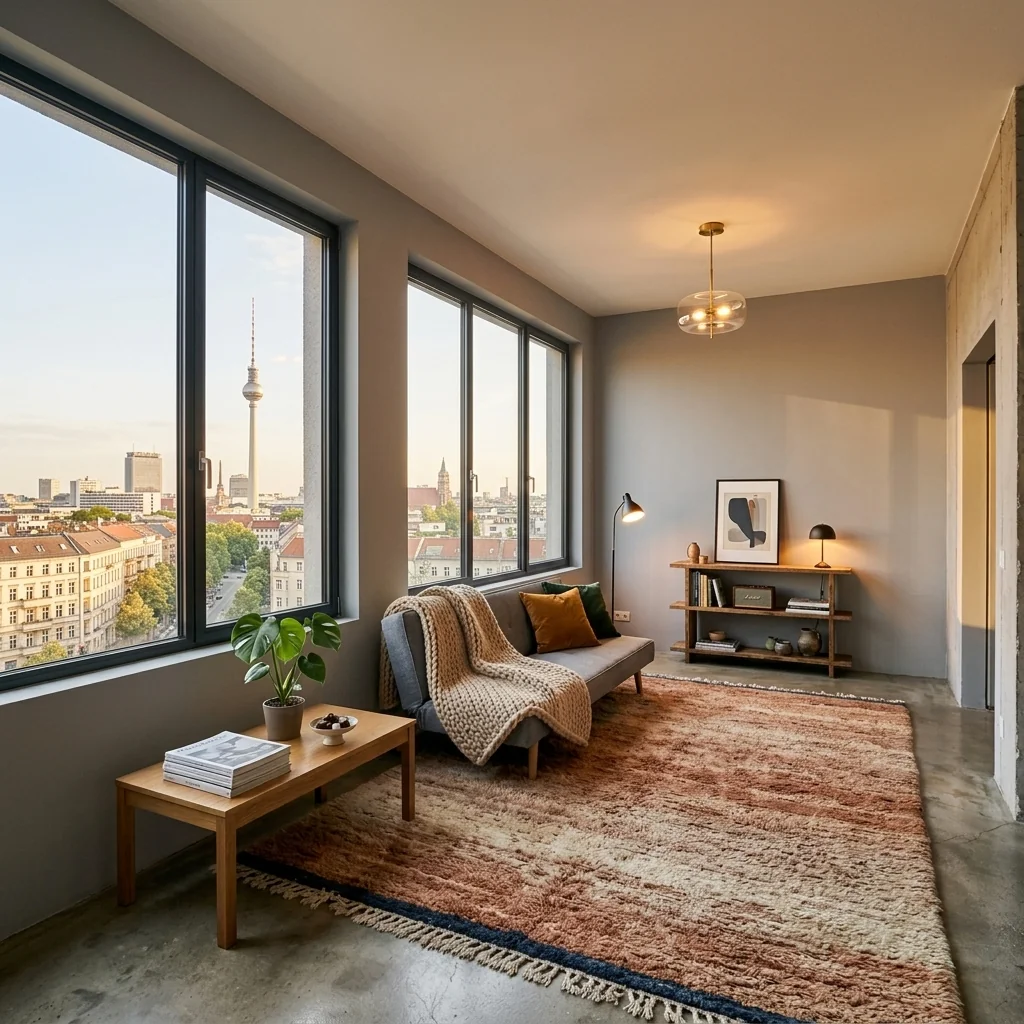
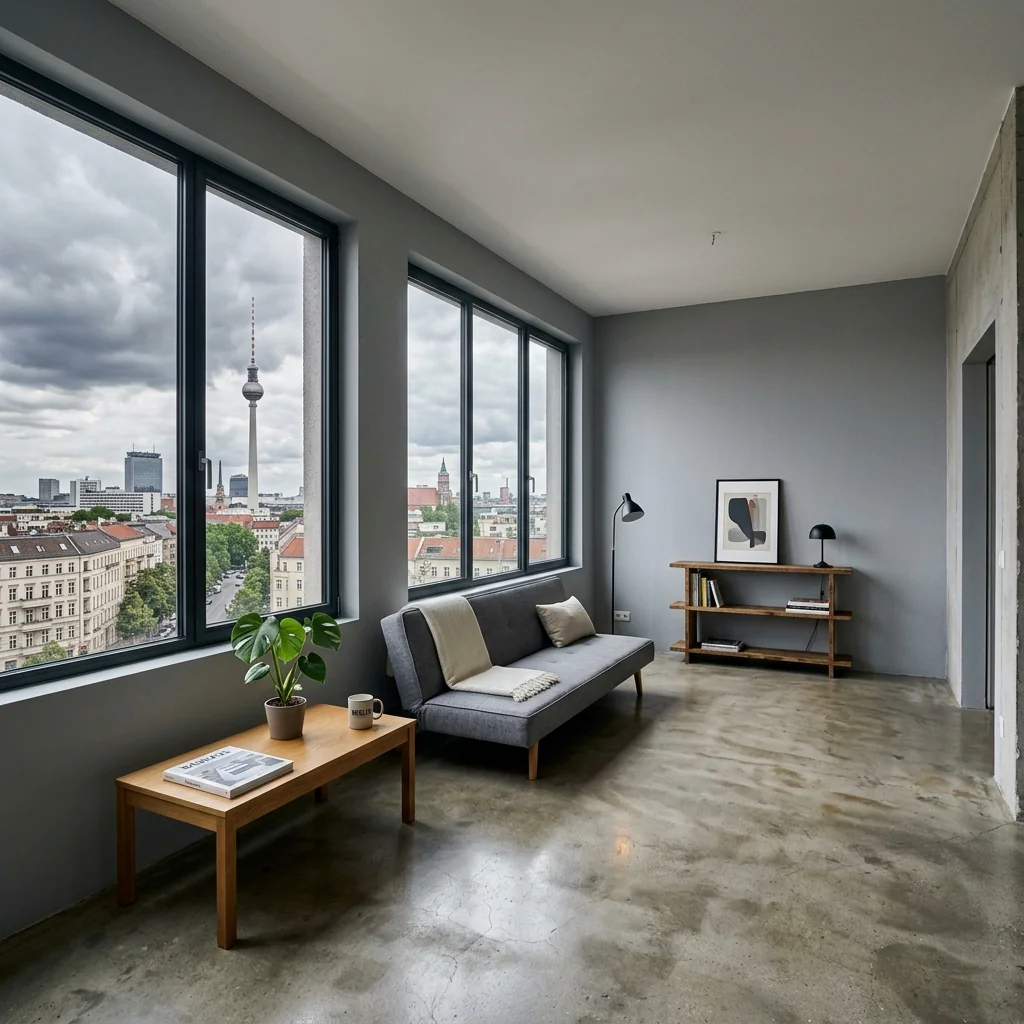
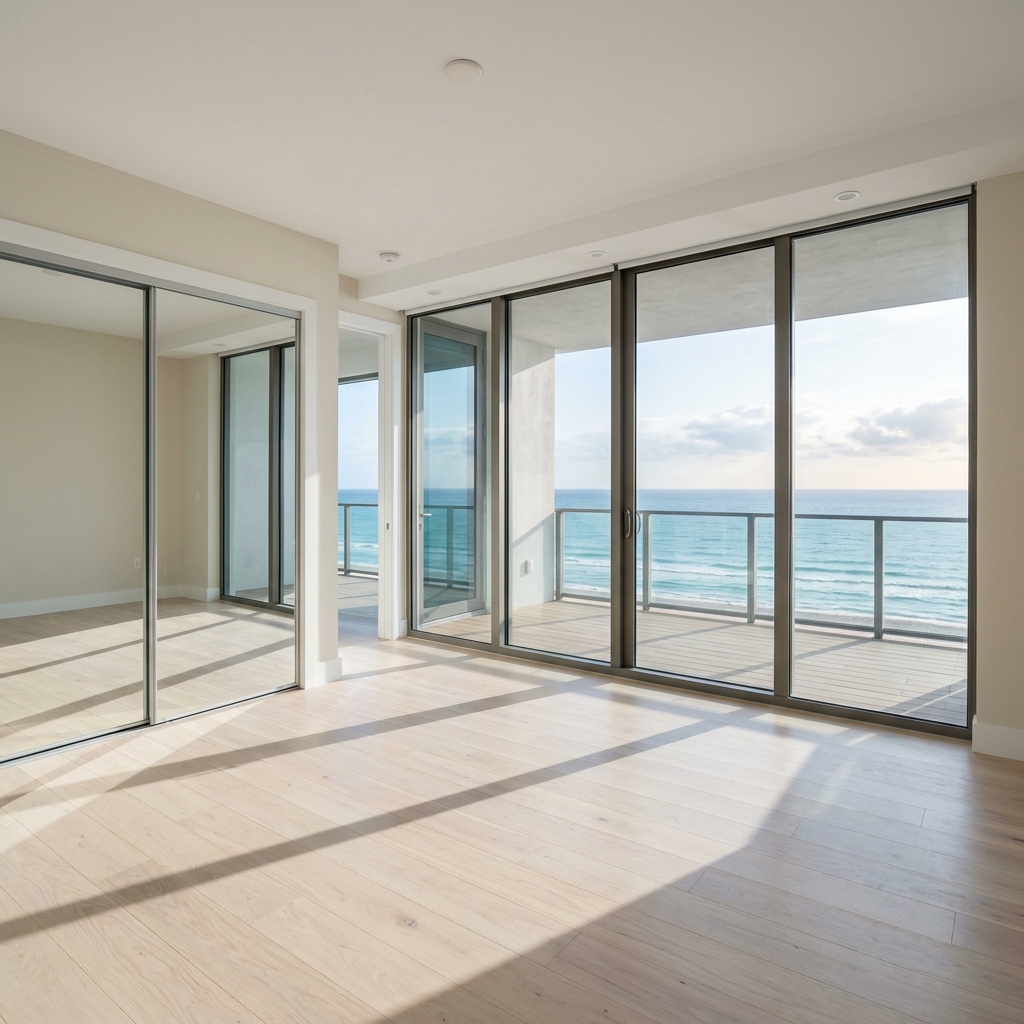
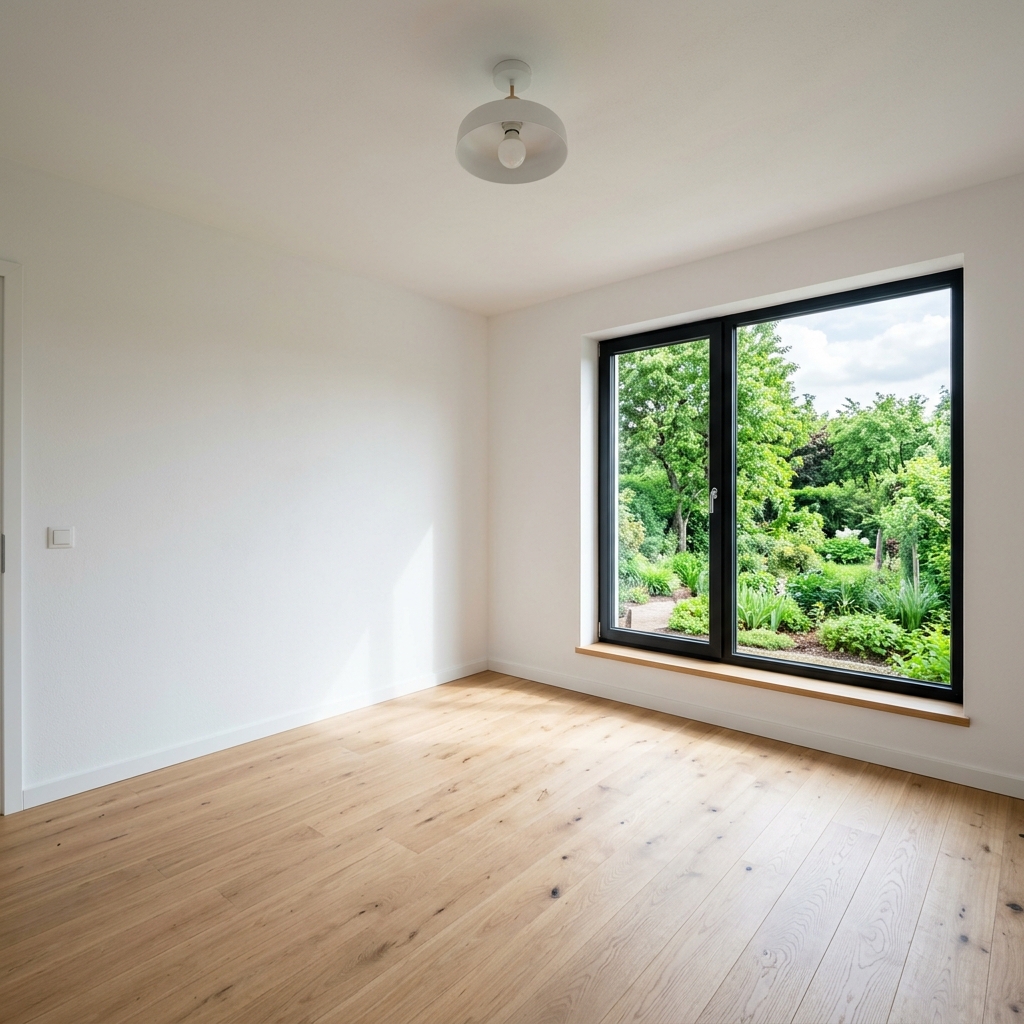
Se hva som er mulig
Virkelige resultater fra bilder som dine.


Slik fungerer det
- 1Last opp fotoet ditt
- 2Velg innstillingene dine
- 3Bildet ditt
Tips for et godt resultat
Lyst, klart foto
Dagslys og vidvinkel gir det beste resultatet.
Vis hele området
Ha med alt du vil endre helt i bildet.
Prøv flere varianter
Sammenlign ulike alternativer før du bestemmer deg.
Ofte stilte spørsmål
Kan jeg bruke bildene kommersielt?
Ja. Du kan bruke bildene dine til ethvert formål, inkludert kommersiell bruk.
Endres originalbildet mitt?
Nei. Originalen din forblir uendret, og du kan laste den ned når som helst.
Hva hvis jeg ikke liker resultatet?
Prøv en annen stil eller innstilling, eller finjuster resultatet med en kort instruksjon.
Fortsett å utforske
Alle verktøy
AI-stolpute-skifter
Visualiser umiddelbart nye trekkmuligheter for lenestoler i bildene dine. Endre stoff, farger og mønstre som fløyel, lær eller boucle for å matche enhver interiørstil perfekt. Ideelt for eiendomsmeglere og interiørdesignere som vil vise potensielle forvandlinger.

AI-møbeltrekk-skifter
Forvandle møbelbildene dine med AI! Endre enkelt trekkmaterialet for å vise ulike stiler og appellere til et bredere spekter av kjøpere. Perfekt for virtuell møblering og interiørskisser.

AI-visualisering av møbeltrekk
Visualiser umiddelbart hvordan et hvilket som helst møbel ser ut med ulike møbelstoffer, farger og teksturer ved hjelp av AI. Last opp et bilde av sofaen, stolen eller lenestolen din og se imponerende forhåndsvisninger av omtrekking før du bestemmer deg for et kjøp eller et oppussingsprosjekt.
Les hele guiden
How long does generation take for Virtual Staging for Vacation Rentals?
Generation usually takes between 5 and 15 seconds.
Can I use the results commercially?
Yes, every generated image includes a full commercial usage license.
Tips for your photo
Make sure the photo is well lit and shot from a wide angle.
Remove clutter before shooting the photo for the best results.
Use re-staging mode for targeted style changes.
Frequently asked questions
What are the optimal input requirements for virtual staging vacation rental photos?
Upload high-resolution JPEG or PNG files (minimum 300 DPI, 2000px on the longest side) for crisp virtual staging of your vacation rental property listing. Ensure images are well-lit and free from existing furniture for best AI analysis and realistic results.
How long does it take to virtually stage my vacation rental property listing photos online?
Stage your vacation rental photos typically within 2-5 minutes per image using our AI. Processing time may vary slightly based on image complexity and server load, but our goal is instant results for your property listing.
What is the expected output quality for virtual staging of vacation rental real estate photos?
Enhance your property listing with photorealistic virtual staging. Our AI delivers high-resolution, print-ready images (300 DPI) suitable for MLS, Zillow, and all major booking platforms, ensuring your vacation rental looks its absolute best.
What are the best tips for achieving optimal virtual staging results for my vacation rental property?
Transform your empty spaces by uploading wide-angle, well-lit, and professionally shot real estate photos of your vacation rental. Avoid reflections and clutter. Clear, empty rooms allow the AI to generate the most compelling and attractive staging.
Can I re-generate or modify virtual staging designs for my vacation rental property photos if I'm not satisfied?
Convert your vision into reality. Yes, you can easily re-generate or modify staging designs for your vacation rental photos. Our tool allows multiple iterations and style adjustments until you achieve the perfect look for your property listing.
Technical FAQ: Virtual Staging for Vacation Rentals
Quick answers for optimal results
Common mistakes
5 Virtual Staging for Vacation Rentals Mistakes That Kill Bookings
How to avoid common errors and maximize your vacation rental property listing on Airbnb and Zillow using virtual staging online
Failing to Match the Virtual Staging Style to Your Target Guest
Generic virtual staging can alienate potential renters. A family-friendly rental requires a different aesthetic than a romantic getaway.
Tailor the virtual staging style to your ideal guest profile. Research popular interior design trends for vacation rentals in your area and apply them to your real estate photos using Virtual Staging for Vacation Rentals.
Using Overly Generic or Unrealistic Furniture
Stock furniture that looks out of place in your vacation rental's setting reduces credibility and trust in your property listing.
Choose furniture styles that complement the architecture and location of your vacation rental. Use Virtual Staging for Vacation Rentals to select furniture options that reflect local tastes and trends, making your property listing stand out on MLS.
Ignoring the Exterior and Surrounding Environment
Focusing solely on interior virtual staging neglects the importance of the property's overall appeal. Potential renters want to visualize the entire experience.
Use Virtual Staging for Vacation Rentals to enhance exterior real estate photos by adding landscaping, outdoor furniture, or highlighting nearby amenities. Showcase the full potential of your vacation rental.
Not Optimizing Virtual Staging for Different Platforms (Airbnb, VRBO, Zillow)
Each platform has different image size requirements and user expectations. A one-size-fits-all approach can lead to poor presentation and fewer bookings.
Resize and optimize your virtual staging images for each platform. Use Virtual Staging for Vacation Rentals to create platform-specific versions of your real estate photos, ensuring they look their best on Airbnb, VRBO, and Zillow.
Overdoing the Virtual Staging – Making It Look Too Perfect
An overly perfect, unrealistic virtual staging can raise suspicion and deter potential renters. Authenticity is key.
Aim for a natural, inviting look. Use Virtual Staging for Vacation Rentals to add subtle imperfections, like throw blankets or books, to create a sense of lived-in comfort that appeals to potential guests and helps agents close deals.
What Your Virtual Staging for Vacation Rentals Results Will Look Like
Upload your photo to get started and see the transformation!
Your workflow
4 Steps to Transform Your Vacation Rental with Virtual Staging
How to virtually stage vacation rentals online for maximum bookings
Upload Your Real Estate Photos
Upload high-quality real estate photos of your empty vacation rental to the PropStage.ai Virtual Staging for Vacation Rentals tool. Ensure photos are well-lit and showcase the property's best features for optimal virtual staging results.
Use wide-angle shots to capture more of the space and highlight key amenities for potential renters.
Choose Your Virtual Staging Style
Select from a variety of pre-designed virtual staging styles specifically curated for vacation rentals within the PropStage.ai platform. Consider the target audience and the overall aesthetic you want to convey in your property listing to attract more bookings.
Opt for styles that complement the property's existing architecture and highlight its unique selling points, creating an inviting atmosphere for potential guests.
Customize and Enhance Your Virtual Staging
Fine-tune the virtual staging within PropStage.ai by adjusting furniture placement, adding decor, and experimenting with different layouts. Ensure the virtual staging enhances the property's appeal and aligns with the expectations of travelers searching on platforms like Airbnb and VRBO.
Pay attention to detail and ensure the virtual staging feels realistic and inviting, creating a strong emotional connection with potential renters viewing your property listing.
Download and Publish to Your Property Listing
Download the professionally virtually staged real estate photos from PropStage.ai and upload them to your property listing on platforms like Zillow, MLS, and your own website. Showcase the transformed spaces to attract more bookings and increase your vacation rental's occupancy rate.
Use compelling captions and descriptions alongside the virtually staged photos to highlight the benefits of staying at your vacation rental and entice potential guests to book their next getaway.
Use cases
Property Listings for Virtual Staging for Vacation Rentals
Social Media Marketing & Instagram Inserate
Architektur- & Umbau-Präsentationen
Virtual Staging for Vacation Rentals — Technical Specifications
1. Upload your property photo.
2. Choose the interior style or room type you want.
3. Click Generate and get your result in seconds.
Expert guide
5 Pro Tips: Dominate Bookings with Virtual Staging for Vacation Rentals
How to Virtual Stage for Vacation Rentals Online: Maximize Your ROI
Prepare Your Real Estate Photos: Ensure High-Quality Input
Upload only high-resolution real estate photos to our Virtual Staging for Vacation Rentals tool. Clear, well-lit images are crucial for realistic staging results that attract potential renters browsing Zillow and other MLS sites. Avoid blurry or distorted photos.Optimize Settings: Tailor the Style to Your Target Audience
Fine-tune the style settings in our Virtual Staging for Vacation Rentals tool. Select furniture and decor that resonate with your target demographic. Consider the location and type of vacation rental when choosing styles for your property listing to appeal to potential guests.Aim for Realistic Results: Enhance, Don't Overwhelm
Use our Virtual Staging for Vacation Rentals tool to enhance, not overwhelm, your property. Subtle staging often yields the best results. Focus on showcasing the space's potential without making it look overly cluttered or unrealistic to attract agents and renters.Leverage Professional Features: Boost Your Marketing Efforts
Utilize the professional features of our Virtual Staging for Vacation Rentals tool to boost your marketing efforts. Generate multiple staged images from different angles to create a comprehensive virtual tour for your Airbnb or VRBO property, increasing engagement and bookings.How it works
3 Steps to Virtual Staging for Vacation Rentals for More Airbnb Bookings
How to use AI virtual staging for vacation rentals to boost VRBO occupancy rates in 2024
Upload High-Resolution Empty Property Photos
Upload your high-resolution real estate photos of empty vacation homes to our secure platform, ensuring your MLS or Zillow property listing meets professional photography standards for high-performing short-term rental platforms.
Select Coastal or Mountain Decor Styles
Select from specialized vacation rental design styles like coastal, tropical, or modern mountain to transform your property listing into a resort-style retreat that captures the immediate attention of potential travelers.
Download High-Res Staged Rental Images
Download your high-resolution staged images instantly to enhance your Airbnb or VRBO listing, providing a cost-effective alternative to physical home staging while significantly increasing your vacation rental booking potential.
What you can do
Advanced Virtual Staging for Vacation Rentals Capabilities
High-Resolution Visuals
Generate stunning, photorealistic images of your vacation rental, ensuring every property listing on Airbnb or VRBO captivates potential guests with exceptional clarity.
Instant Staging Results
Stage your vacation rental photos in minutes, accelerating your property listing's time-to-market and driving faster bookings for your holiday home.
Versatile Export Options
Download your virtually staged vacation rental images in various formats and resolutions, perfectly optimized for all major real estate platforms like Zillow and MLS.
Tailored Design Choices
Customize furniture styles, decor, and themes to match your vacation rental's unique aesthetic, creating an inviting space that resonates with your target guests.
Intelligent Room Analysis
Our AI accurately places furniture, understanding room dimensions and lighting, to create perfectly proportioned and natural-looking virtual staging for vacation rentals.
Agent & Owner Ready
Empower real estate agents and property owners to effortlessly enhance their vacation rental photos, securing more views and bookings on any property listing site.
Pro-level tools at your fingertips