
Configuração de Home Office
- Fotografia
- As suas escolhas
- A sua imagem
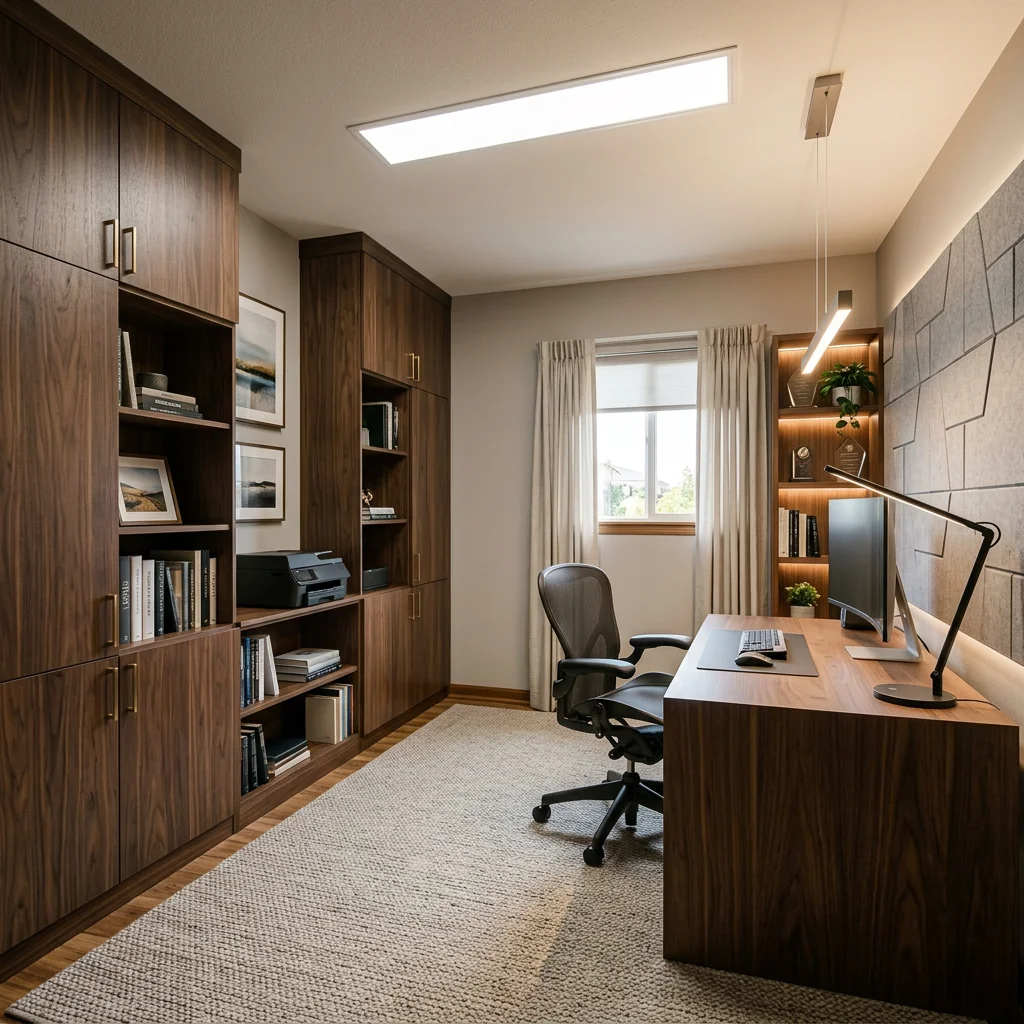
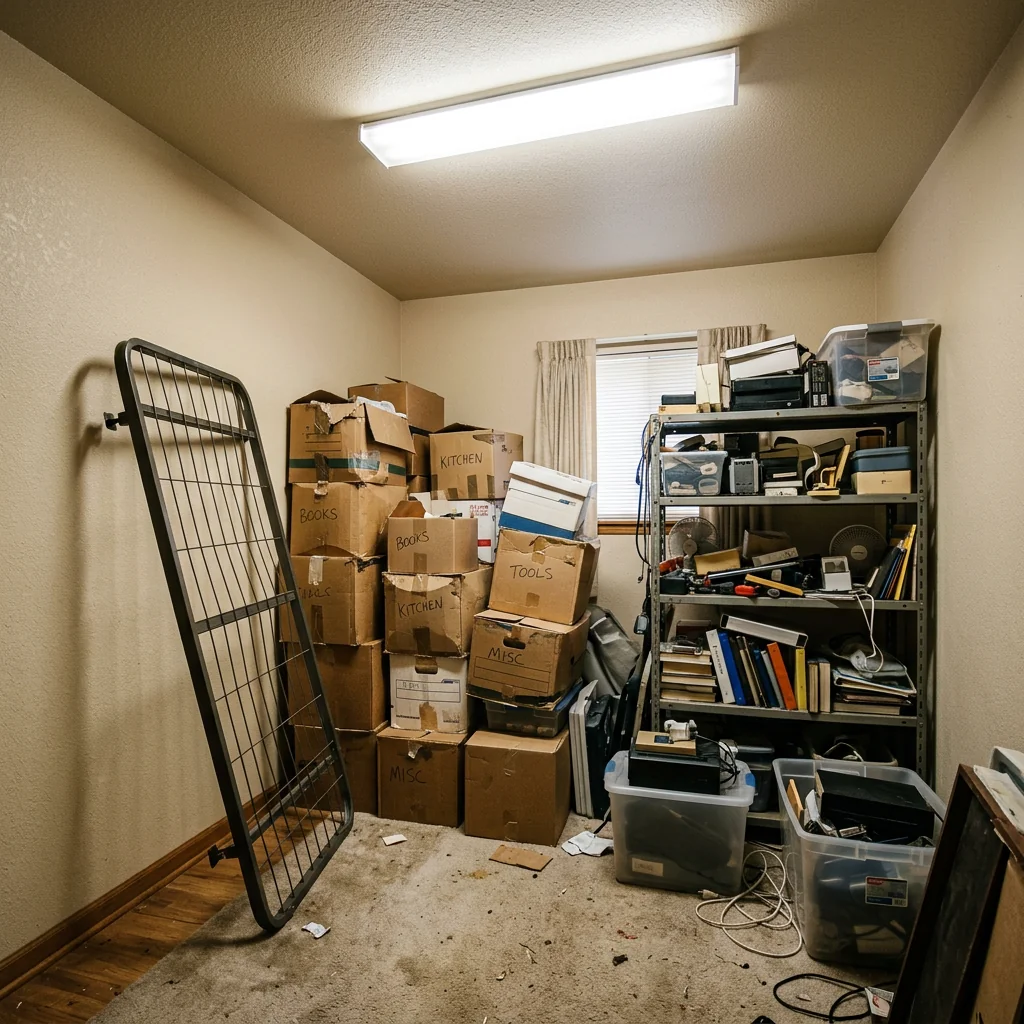
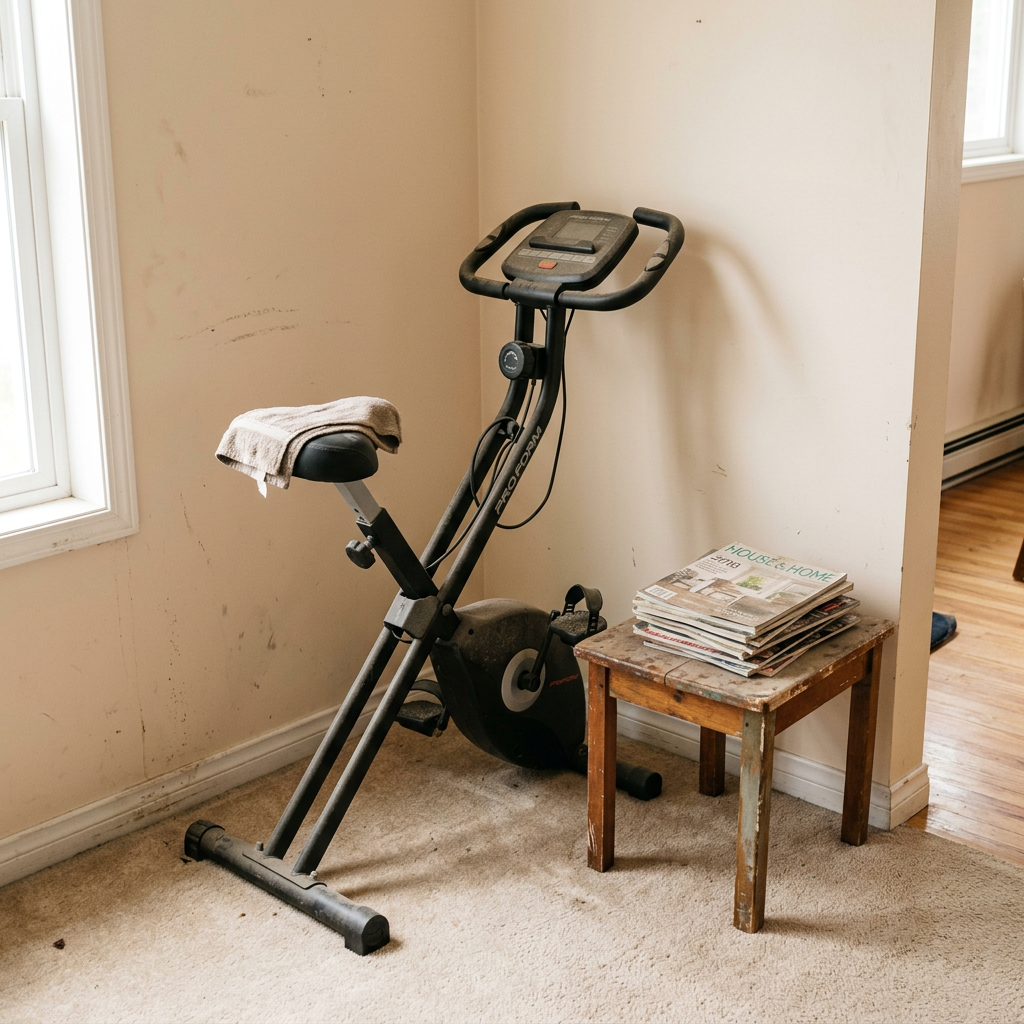
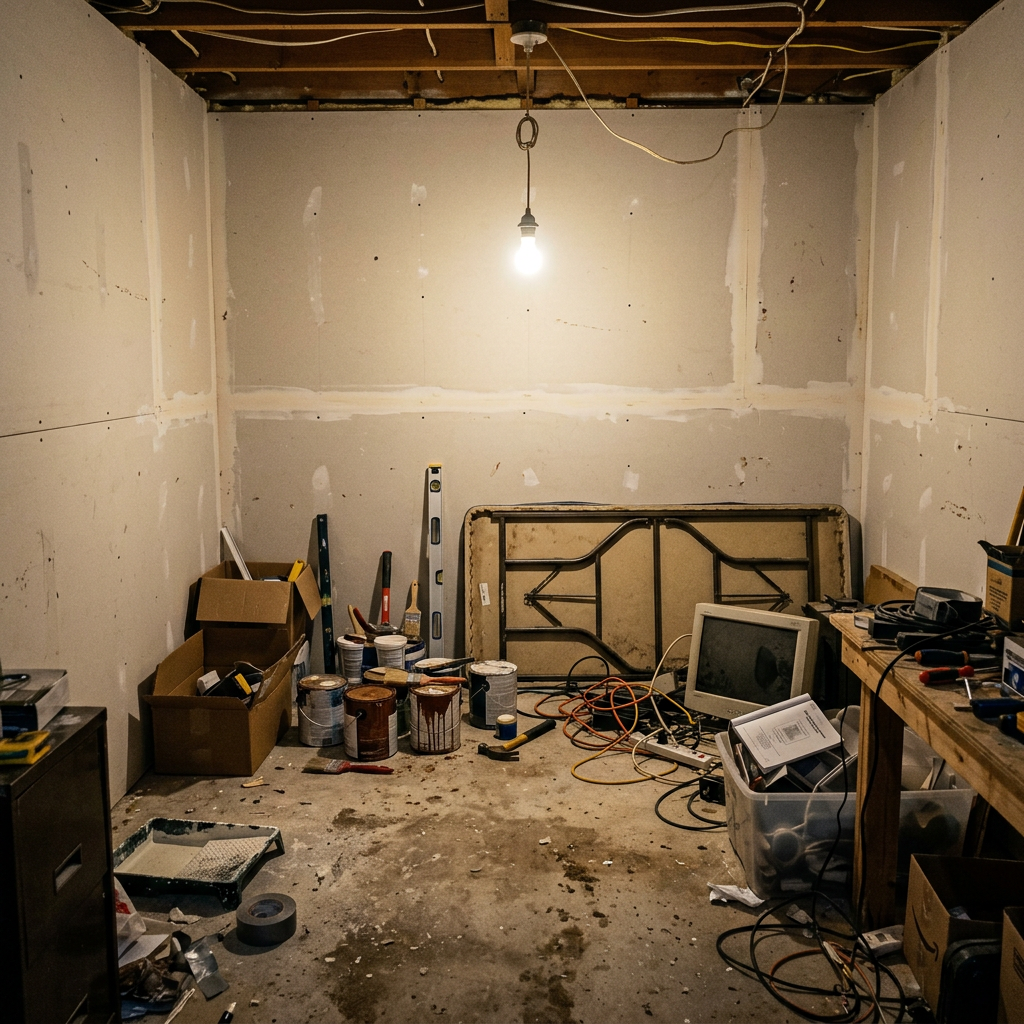
Veja o que é possível
Resultados reais de fotos como a sua.


Como funciona
- 1Carregue a sua foto
- 2Escolha as definições
- 3A sua imagem
Dicas para um ótimo resultado
Foto nítida e clara
Luz natural e um ângulo amplo dão o melhor resultado.
Mostre toda a área
Mantenha tudo o que quer alterar totalmente visível na imagem.
Experimente várias variações
Compare diferentes opções antes de decidir.
Perguntas frequentes
Posso usar as imagens comercialmente?
Sim. Pode usar as suas imagens para qualquer finalidade, incluindo uso comercial.
A minha foto original muda?
Não. A sua foto original mantém-se inalterada e pode descarregá-la em qualquer altura.
E se eu não gostar do resultado?
Experimente outro estilo ou definição, ou refine o resultado com uma instrução curta.
Continuar a explorar
Todas as ferramentas
Trocador de estofos de poltrona com IA
Visualize instantaneamente novas opções de estofamento para poltronas nas suas fotos. Altere tecidos, cores e padrões como veludo, pele ou boucle para combinar na perfeição com qualquer estilo de design de interiores. Ideal para profissionais imobiliários e designers de interiores mostrarem potenciais transformações.

Trocador de estofos de móveis com IA
Transforme as suas fotos de mobiliário com IA! Altere facilmente o material do estofo para mostrar diferentes estilos e atrair uma gama mais ampla de compradores. Perfeito para staging virtual e mockups de design de interiores.

Visualizador de estofamento com IA
Visualize instantaneamente como qualquer peça de mobiliário fica com diferentes tecidos de estofo, cores e texturas usando IA. Carregue uma foto do seu sofá, cadeira ou chaise longue e veja pré-visualizações impressionantes de reestofamento antes de avançar com uma compra ou projeto de renovação.
Leia o guia completo
How long does generation take for Home Office Setup?
Generation usually takes between 5 and 15 seconds.
Can I use the results commercially?
Yes, every generated image includes a full commercial usage license.
Tips for your photo
Make sure the photo is well lit and shot from a wide angle.
Remove clutter before shooting the photo for the best results.
Use re-staging mode for targeted style changes.
Frequently asked questions
What are the optimal input image requirements for designing my Home Office Setup?
Upload high-resolution real estate photos (1920x1080 pixels minimum) of your current space. Ensure good lighting and a clear view of the area you wish to transform into a productive home office. This enhances AI accuracy for your property listing.
How quickly can PropStage.ai generate my AI Home Office Setup designs?
PropStage.ai processes your Home Office Setup requests rapidly. Expect your initial visualizations within 30-60 seconds. Complex transformations or multiple design iterations for your property listing may take slightly longer.
What quality can I expect from the generated Home Office Setup images?
Expect photorealistic, high-definition images showcasing your new home office. Our AI enhances every detail, from ergonomic furniture to proper lighting, ensuring professional aesthetics suitable for any MLS or Zillow property listing.
How can I achieve the best Home Office Setup visualizations for my property listing?
Stage your original real estate photos with minimal clutter. Clearly define the desired office area. Specify preferred styles or furniture types in the prompts to guide the AI, ensuring an agent-ready transformation.
Can I re-generate or modify a Home Office Setup design if it's not perfect?
Absolutely. Enhance or re-generate your Home Office Setup design as needed. Provide specific feedback or adjust parameters to refine the AI's output, ensuring your property listing features the ideal workspace.
Technical FAQ: Home Office Setup
Quick answers for optimal Home Office Setup online
Common mistakes
5 Home Office Setup Mistakes Killing Your Real Estate Productivity
How to Home Office Setup Online for Real Estate Photos & Property Listings
Ignoring Ergonomics for Your Home Office Setup
Poor posture and discomfort lead to reduced focus, impacting your ability to manage MLS listings and Zillow updates effectively as a real estate agent.
Invest in an ergonomic chair, adjustable desk, and monitor stand. Use PropStage.ai to visualize optimal furniture placement for ergonomic home office setup before buying.
Suboptimal Lighting in Your Home Office Setup for Real Estate Photos Editing
Dim or harsh lighting strains your eyes and affects color accuracy when editing real estate photos, leading to unprofessional property listings.
Optimize your home office setup with natural light and adjustable LED lamps. Use PropStage.ai to simulate lighting conditions for accurate real estate photo editing.
Cluttered Background During Virtual Agent Meetings from Your Home Office Setup
A messy background distracts clients and portrays a lack of professionalism during virtual meetings, potentially losing you property listing opportunities.
Create a clean and organized backdrop using PropStage.ai's virtual staging tools to enhance your professional image during agent meetings.
Poor Audio Quality During Client Calls from Your Home Office Setup
Muffled or echoey audio makes it difficult for clients to understand you, hindering communication and impacting your ability to close real estate deals.
Invest in a quality microphone and soundproofing materials. Use PropStage.ai to simulate sound acoustics in your home office setup and optimize for clear communication.
Inefficient Workflow Design in Your Home Office Setup for Managing MLS
A poorly organized workspace leads to wasted time searching for documents and switching between tasks, slowing down your ability to manage MLS and Zillow listings.
Optimize your home office setup with designated zones for different tasks. Use PropStage.ai to visualize the most efficient layout for your workflow, improving productivity for real estate tasks.
What Your Home Office Setup Results Will Look Like
Upload your photo to get started
Your workflow
Transform Your Property Listing: 5 Tips for an Optimal Home Office Setup
How to Home Office Setup Online for Enhanced Real Estate Photos and Zillow Appeal
Upload Existing Room Photo
Upload a clear photo of the room you want to transform into a home office using our AI-powered tool. Ensure the photo is well-lit for optimal results in your property listing.
Use a high-resolution image for the best home office setup visualization. Clear photos enhance your real estate photos and attract more potential buyers.
Select Home Office Style
Choose from various pre-designed home office styles or customize your own. Consider ergonomic furniture, lighting options, and professional aesthetics to stage the perfect workspace for your MLS listing.
Tailor the home office style to match the overall aesthetic of the property. A cohesive design will appeal to a wider range of potential buyers on Zillow and other platforms.
AI-Powered Home Office Setup
Let our AI automatically generate a realistic home office setup based on your selections. The AI considers dimensions, lighting, and furniture placement for an optimal workspace within the property listing.
Experiment with different styles and furniture arrangements to find the most appealing home office setup for your real estate photos. Ensure the setup complements the existing features of the room.
Enhance and Download
Fine-tune the generated home office setup by adjusting furniture placement, lighting, and decor. Download the enhanced image for use in your property listing, showcasing the potential of the space to prospective buyers.
Pay attention to details like desk organization and background clutter to create a professional and inviting home office environment. High-quality images improve your property listing's visibility and attract more inquiries from agents and potential buyers.
Upload to MLS and Zillow
Upload the enhanced real estate photos featuring the home office setup to your MLS listing, Zillow, and other platforms. Highlight the functionality and appeal of the space to attract potential buyers and increase property value.
Use compelling captions and descriptions to showcase the benefits of the home office setup. Emphasize the productivity and comfort that the space offers to attract remote workers and entrepreneurs.
Use cases
Real Estate Listings for Home Office Setup
Social Media Marketing & Instagram Inserate
Architektur- & Umbau-Präsentationen
Home Office Setup — Technical Specifications
1. Upload your property photo.
2. Choose the interior style or room type you want.
3. Click Generate and get your result in seconds.
Expert guide
5 Tips: Transform Your Real Estate Photos with the Ultimate Home Office Setup
How to Home Office Setup Online: Get a Professional Look for Your Property Listing
Optimize Your Real Estate Photos Before You Upload
Transform your real estate photos by ensuring they are well-lit and properly framed. Clear clutter and stage the space effectively to highlight the potential of the home office setup. Use high-resolution images for the best AI results on your Zillow property listing.
Adjust Home Office Setup Settings for Optimal Visualization
Fine-tune the settings within the PropStage.ai Home Office Setup tool to match the specific style and dimensions of your real estate photos. Experiment with different furniture layouts and lighting options to create the most appealing virtual staging for your MLS listing.
Achieve the Best Home Office Setup Results with Realistic Elements
Enhance the realism of your virtual home office setup by incorporating realistic textures, colors, and accessories. Pay attention to details like cable management and ergonomic furniture placement to create a believable and desirable workspace for potential buyers.
Utilize Home Office Setup for Professional Agent Marketing
Stage your property listing with a professional home office setup. Convert empty rooms into attractive workspaces to broaden your appeal. This is an effective way for a real estate agent to showcase a home's versatility and attract remote workers.
How it works
3 Simple Steps for Professional Home Office Setup
How to home office setup online for free in 2026 for real estate agents
Upload Your Property Listing Photo
Upload high-resolution real estate photos of empty rooms or spare corners to our AI engine to begin your virtual home office setup for Zillow and MLS compliance.
Select Ergonomic Office Furniture Styles
Transform blank spaces by choosing professional aesthetics and ergonomic layouts that help real estate agents showcase functional work-from-home potential to modern property buyers and remote workers.
Download Your Staged Office Visuals
Enhance your property listing instantly by downloading high-res staged images that answer the question: how much does virtual staging cost? Zero, with our AI-powered home office setup tool.
What you can do
Advanced Home Office Setup Capabilities
High-Resolution Workspace Renders
Enhance your property listing with photorealistic 4K home office setups. Showcase every detail from ergonomic chairs to perfect lighting, captivating potential buyers on Zillow and MLS.
Instant Office Visualization
Transform any empty room into a fully staged home office in seconds. Rapidly generate multiple design options for agents to present diverse property listings.
Versatile Export Options
Upload existing real estate photos and convert your staged home office designs into various formats, including web-optimized JPEGs and high-res PDFs for property brochures.
Tailored Design Flexibility
Stage unique home office setups by customizing furniture, decor, and lighting. Enhance property listings with personalized workspaces that resonate with diverse buyer preferences.
Intelligent Layout Generation
Leverage AI to precisely place furniture and optimize ergonomics within any room. Convert awkward corners into functional home office setups, boosting property appeal for agents.
Agent-Ready Staging Tools
Equip real estate agents with powerful tools to enhance property listings. Upload client spaces and transform them into professional home office setups, securing faster sales on Zillow.
Pro-level tools at your fingertips