
Home Staging Virtual de Luxo
- Fotografia
- As suas escolhas
- A sua imagem
Veja o que é possível
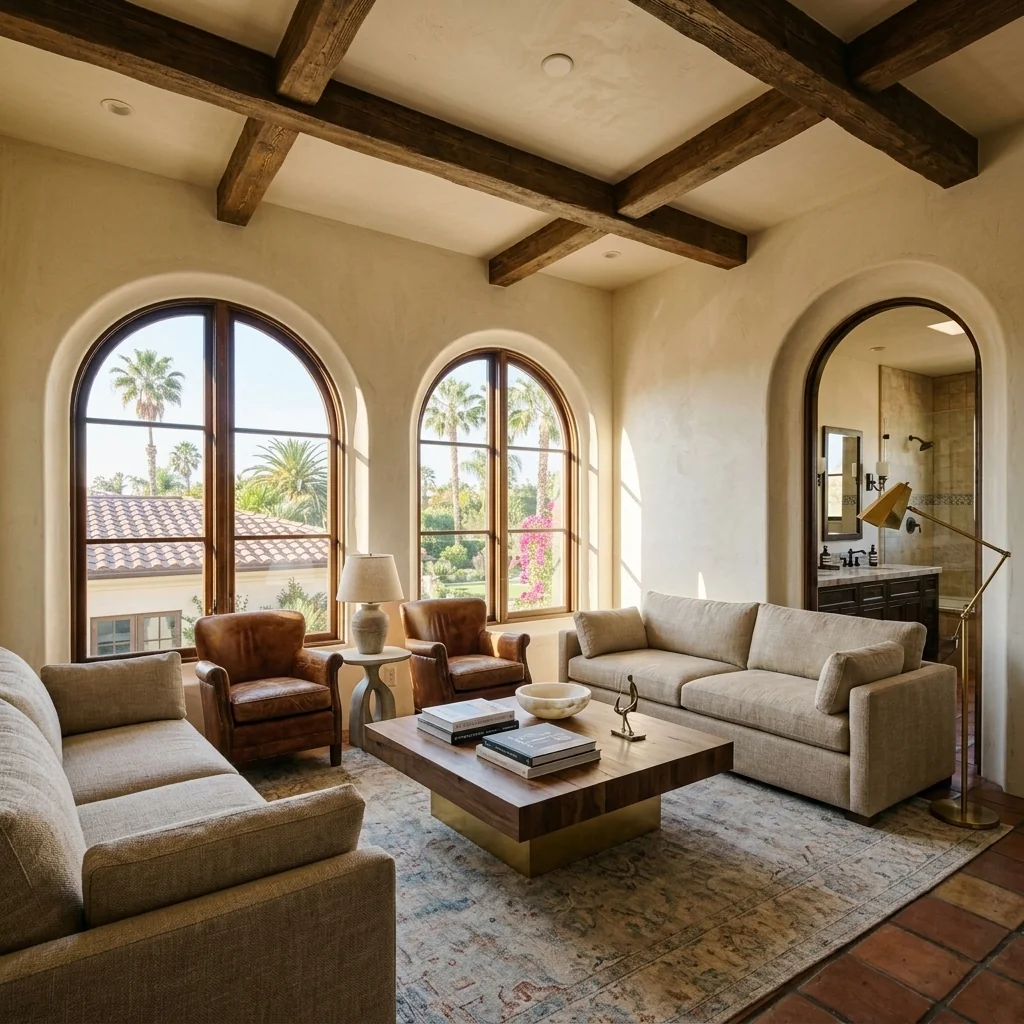
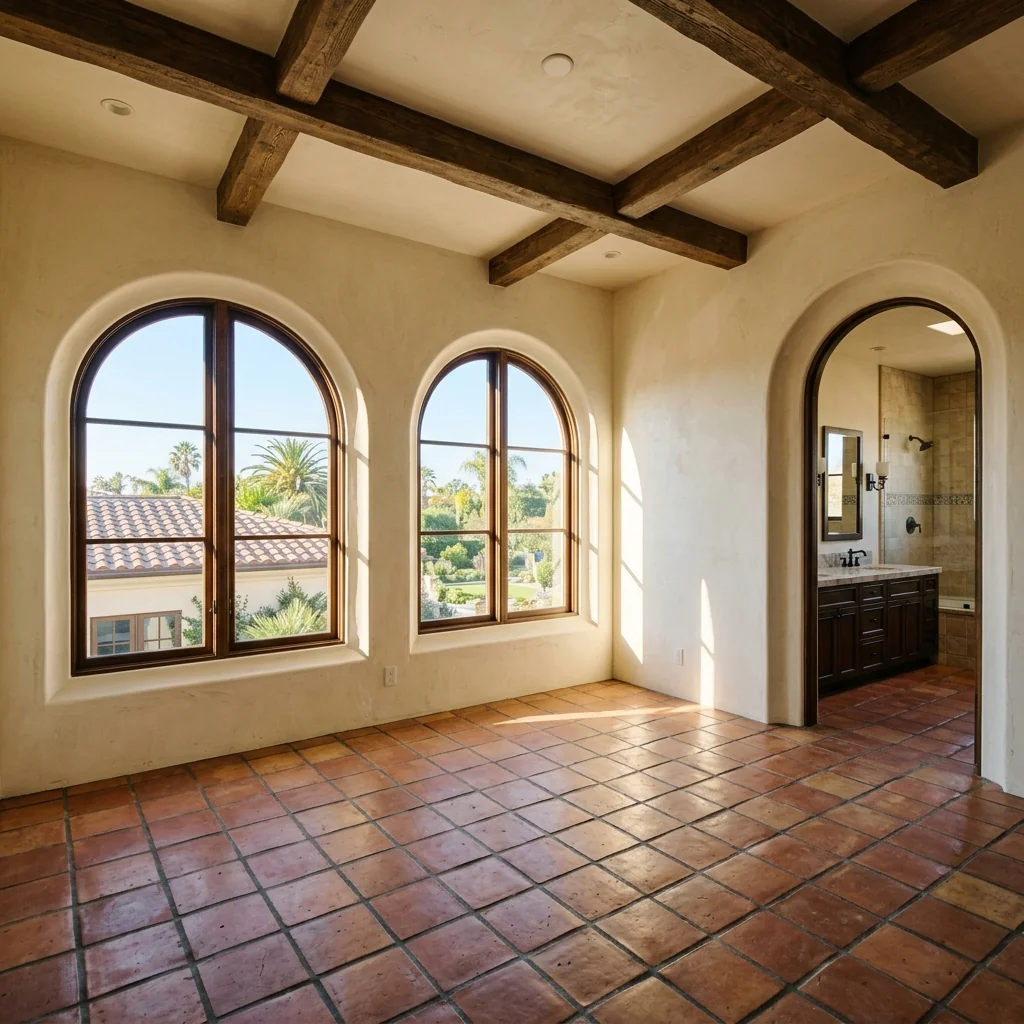
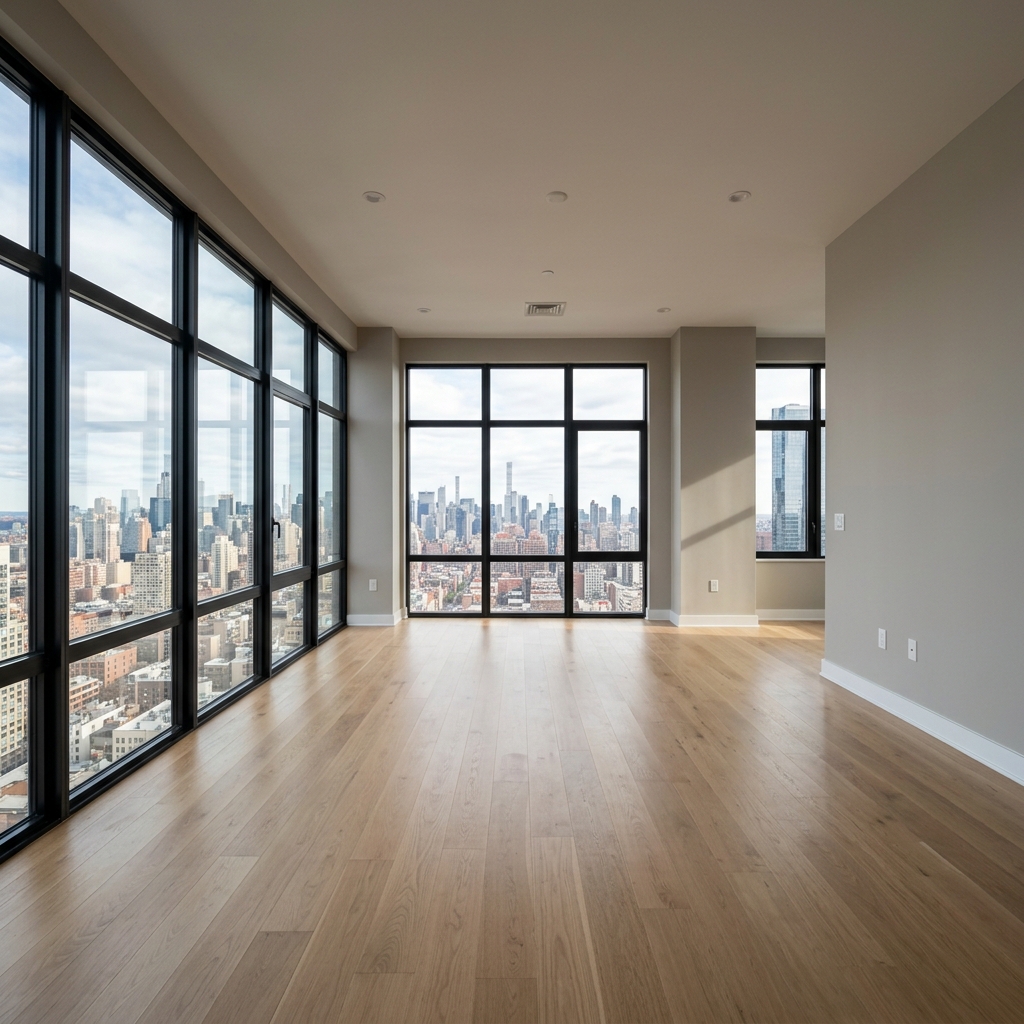
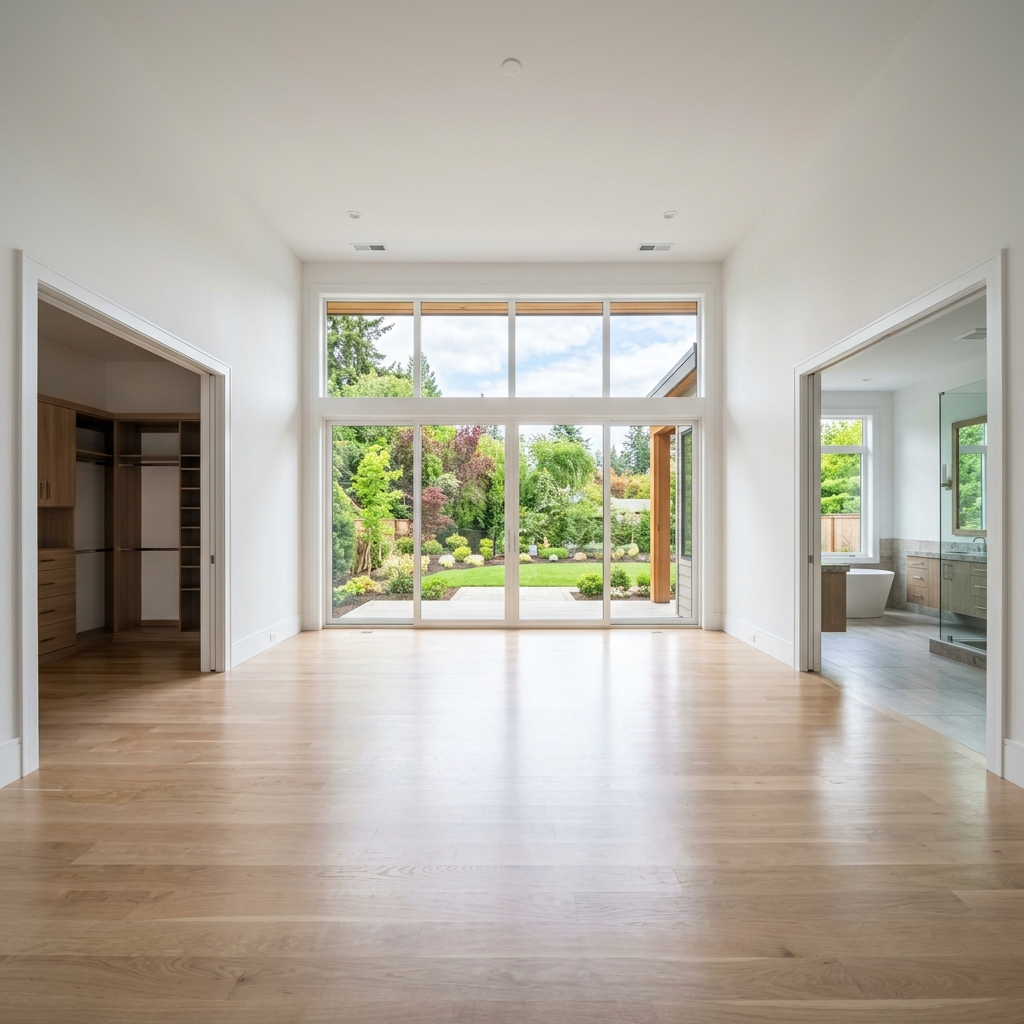
Resultados reais de fotos como a sua.


Como funciona
- 1Carregue a sua foto
- 2Escolha as definições
- 3A sua imagem
Dicas para um ótimo resultado
Foto nítida e clara
Luz natural e um ângulo amplo dão o melhor resultado.
Mostre toda a área
Mantenha tudo o que quer alterar totalmente visível na imagem.
Experimente várias variações
Compare diferentes opções antes de decidir.
Perguntas frequentes
Posso usar as imagens comercialmente?
Sim. Pode usar as suas imagens para qualquer finalidade, incluindo uso comercial.
A minha foto original muda?
Não. A sua foto original mantém-se inalterada e pode descarregá-la em qualquer altura.
E se eu não gostar do resultado?
Experimente outro estilo ou definição, ou refine o resultado com uma instrução curta.
Continuar a explorar
Todas as ferramentas
Trocador de estofos de poltrona com IA
Visualize instantaneamente novas opções de estofamento para poltronas nas suas fotos. Altere tecidos, cores e padrões como veludo, pele ou boucle para combinar na perfeição com qualquer estilo de design de interiores. Ideal para profissionais imobiliários e designers de interiores mostrarem potenciais transformações.

Trocador de estofos de móveis com IA
Transforme as suas fotos de mobiliário com IA! Altere facilmente o material do estofo para mostrar diferentes estilos e atrair uma gama mais ampla de compradores. Perfeito para staging virtual e mockups de design de interiores.

Visualizador de estofamento com IA
Visualize instantaneamente como qualquer peça de mobiliário fica com diferentes tecidos de estofo, cores e texturas usando IA. Carregue uma foto do seu sofá, cadeira ou chaise longue e veja pré-visualizações impressionantes de reestofamento antes de avançar com uma compra ou projeto de renovação.
Leia o guia completo
How long does generation take for Luxury Virtual Staging?
Generation usually takes between 5 and 15 seconds.
Can I use the results commercially?
Yes, every generated image includes a full commercial usage license.
Tips for your photo
Make sure the photo is well lit and shot from a wide angle.
Remove clutter before shooting the photo for the best results.
Use re-staging mode for targeted style changes.
Frequently asked questions
What are the optimal input image specifications for Luxury Virtual Staging?
Upload high-resolution JPEG or PNG files (minimum 300 DPI, 2000px on the shortest side) of empty rooms. Ensure good lighting and straight angles for the AI to accurately transform the space into a high-end showpiece, enhancing your property listing.
How long does it typically take for Luxury Virtual Staging to process an image?
Our AI-powered Luxury Virtual Staging processes images rapidly, typically within 60-90 seconds per room. Complex scenes or very high-resolution inputs might take slightly longer, ensuring a premium, agent-ready result for your real estate photos.
What is the expected output resolution and quality for Luxury Virtual Staging images?
Expect stunning, high-definition (up to 4K) staged images, perfect for MLS, Zillow, and all property listing platforms. Each Luxury Virtual Staging output boasts photorealistic textures, sophisticated furniture, and impeccable lighting, elevating your real estate photos.
What are the key tips for achieving the best Luxury Virtual Staging results?
For optimal Luxury Virtual Staging, use well-lit, empty room photos with minimal clutter and straight perspectives. Experiment with different staging styles available to perfectly match your target buyer, ensuring your property listing stands out to potential agents.
Can I modify or re-stage a Luxury Virtual Staging output after initial generation?
Yes, you can easily modify generated Luxury Virtual Staging outputs. Our platform allows adjustments to furniture styles, room layouts, and decor elements. Re-generate new options until your property listing perfectly reflects the desired luxury aesthetic for agents.
Technical FAQ: Luxury Virtual Staging
Quick answers for optimal results
Common mistakes
5 Luxury Virtual Staging Mistakes Crushing Your Real Estate Photos
How to Avoid Common Luxury Virtual Staging Errors for Zillow & MLS Listings
Using Low-Resolution Images for Luxury Virtual Staging
Blurry or pixelated images ruin the high-end aesthetic, making the property listing appear cheap and unprofessional on Zillow.
Always upload high-resolution real estate photos (minimum 300 DPI) to the Luxury Virtual Staging tool for optimal results. Ensure source images are sharp and well-lit.
Inconsistent Luxury Design Styles Across Rooms
Mixing drastically different luxury styles (e.g., modern minimalist in the living room, traditional in the bedroom) confuses potential buyers and detracts from the property's overall appeal.
Maintain a cohesive luxury design theme throughout the property listing when using the Luxury Virtual Staging tool. Select furniture and decor that complement each other.
Over-Staging with Too Much Luxury Furniture and Decor
Cluttered rooms appear smaller and less inviting. Over-staging distracts from the property's features and can make it difficult for buyers to visualize their own belongings.
Use the Luxury Virtual Staging tool to create a balanced and uncluttered look. Focus on highlighting key features with strategically placed luxury furniture and decor.
Ignoring Natural Lighting and Room Orientation
Poor lighting and incorrect furniture placement can make a room feel dark and uninviting, even with luxury virtual staging. This impacts the appeal on MLS and other platforms.
Consider natural light sources and room orientation when selecting luxury furniture and decor in the Luxury Virtual Staging tool. Optimize lighting to enhance the property's features.
Failing to Showcase Key Property Features with Luxury Virtual Staging
Not highlighting unique architectural details or amenities with strategic luxury staging can result in missed opportunities to attract high-end buyers.
Use the Luxury Virtual Staging tool to accentuate key property features, such as fireplaces, bay windows, or high ceilings. Showcase the property's unique selling points.
Luxury Virtual Staging Showcase: See Stunning Transformations
Upload your real estate photos and witness the power of luxury virtual staging online!
Your workflow
4 Steps to Luxury Virtual Staging: Transform Real Estate Photos
How to Luxury Virtual Staging Online for Stunning Property Listings
Upload Your Real Estate Photos
Upload high-quality real estate photos to the Luxury Virtual Staging tool. Ensure photos are well-lit and capture the room's key features for optimal staging results.
Use professional real estate photos for the best results. Clear, high-resolution images will enhance the luxury virtual staging effect.
Choose Your Luxury Style
Select from a range of luxury virtual staging styles within the tool. Consider the property's architecture and target demographic when choosing a style to maximize appeal on MLS and Zillow.
Experiment with different luxury virtual staging styles to see what resonates best with your target buyer. Consider a modern, minimalist, or classic approach.
Customize and Enhance
Customize the luxury virtual staging by selecting furniture, decor, and finishes that complement the property. Refine the staging to match the desired aesthetic and create a cohesive look.
Pay attention to detail. Choose high-end furniture and decor that reflect a luxury lifestyle to elevate the property listing.
Download and Publish to MLS/Zillow
Download the enhanced, luxury virtually staged real estate photos and upload them to your property listing on MLS, Zillow, and other platforms. Attract more potential buyers with stunning visuals.
Use the luxury virtually staged photos prominently in your property listing. Highlight the transformation and appeal to discerning buyers searching for high-end properties.
Use cases
Property Listings for Luxury Virtual Staging
Social Media Marketing & Instagram Inserate
Architektur- & Umbau-Präsentationen
Luxury Virtual Staging: Technical Specifications for High-End Property Listings
Transform empty rooms into high-end showpieces instantly with AI-powered Luxury Virtual Staging. Enhance your real estate photos for Zillow and MLS listings.
1. Upload your property photo.
2. Choose the interior style or room type you want.
3. Click Generate and get your result in seconds.
Expert guide
5 Pro Tips: Master Luxury Virtual Staging for Stunning Real Estate Photos
How to Luxury Virtual Staging Online: Maximize Your Property Listing Appeal
Prepare Your Real Estate Photos for Luxury Virtual Staging Success
Upload high-resolution real estate photos to PropStage.ai. Ensure optimal lighting and clear angles to enhance the luxury virtual staging process. Improve your property listing on Zillow and MLS with perfectly staged images.
Optimize Luxury Virtual Staging Settings for Realistic Results
Fine-tune your luxury virtual staging settings in PropStage.ai. Adjust furniture styles, colors, and textures to match the property's architectural design. Achieve the best results for your agent clients by customizing every detail.
Enhance Your Property Listing: Achieve the Best Luxury Virtual Staging Results
Stage each room with PropStage.ai's diverse furniture library. Choose pieces that complement the space and target your ideal buyer. Elevate your property listing and attract more attention on Zillow and other platforms.
Use Luxury Virtual Staging Professionally for High-End Properties
Convert empty rooms into luxurious showcases with PropStage.ai. Impress clients with realistic and appealing visuals. Transform your marketing materials and secure more listings with high-quality luxury virtual staging.
How it works
3 Steps to Master Luxury Virtual Staging Fast
How to luxury virtual staging online for high-end properties in 2026
Upload High-Res Real Estate Photos
Upload your high-resolution images of vacant rooms to begin the luxury virtual staging process, ensuring your property listing stands out on Zillow and MLS with professional-grade, high-end visual assets.
Select Designer Luxury Staging Styles
Stage your property by selecting premium furniture collections that transform empty spaces into high-end showpieces, allowing every agent and broker to showcase aspirational lifestyles to discerning luxury home buyers.
Download Photorealistic Staged Property Renders
Enhance your marketing workflow by downloading the final high-resolution render instantly, providing a cost-effective luxury virtual staging solution that converts browsing home seekers into serious property leads and inquiries.
What you can do
Advanced Luxury Virtual Staging Capabilities
Stunning High-Resolution Outputs
Generate photorealistic images that captivate buyers, showcasing every luxurious detail of your property listing with unparalleled clarity and visual appeal.
Instant Luxury Staging
Experience rapid processing, staging multiple empty rooms into opulent spaces within minutes, significantly accelerating your property listing preparation for MLS and Zillow.
Versatile Export Formats
Download your enhanced real estate photos in various high-quality formats, ensuring seamless integration across all property listing platforms and agent marketing materials.
Tailored Design Customization
Select from an exclusive library of luxury furniture and decor styles, perfectly matching the aesthetic of any high-end property and appealing to discerning buyers.
AI-Powered Staging Accuracy
Leverage advanced AI to intelligently place furniture and decor, ensuring perfect scale, lighting, and perspective for every luxury virtual staging project.
Professional Agent Toolkit
Empower real estate agents to effortlessly transform property listings, attracting premium clients and achieving higher sale prices with sophisticated, staged visuals.
Pro-level tools at your fingertips