
Marknadsanpassad styling
- Foto
- Dina val
- Din bild
Se vad som är möjligt
Riktiga resultat från foton som dina.
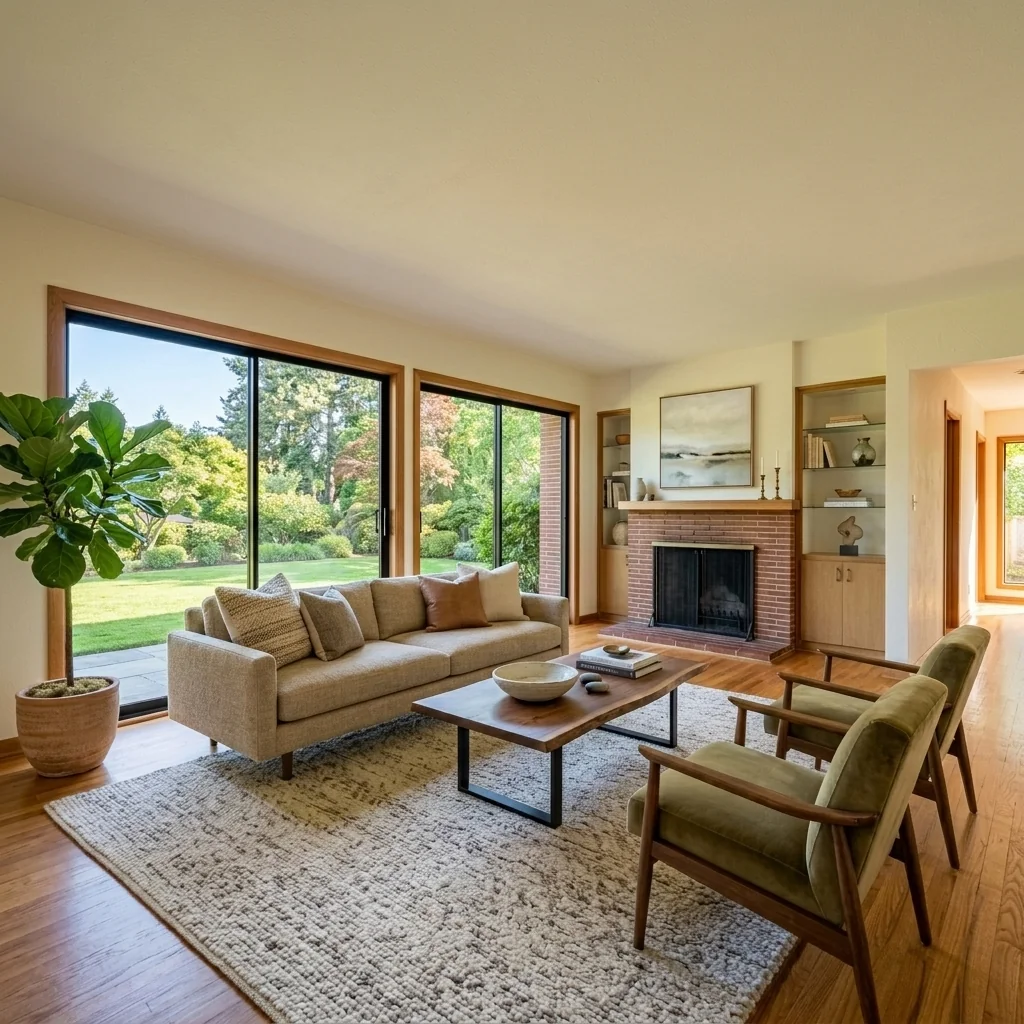
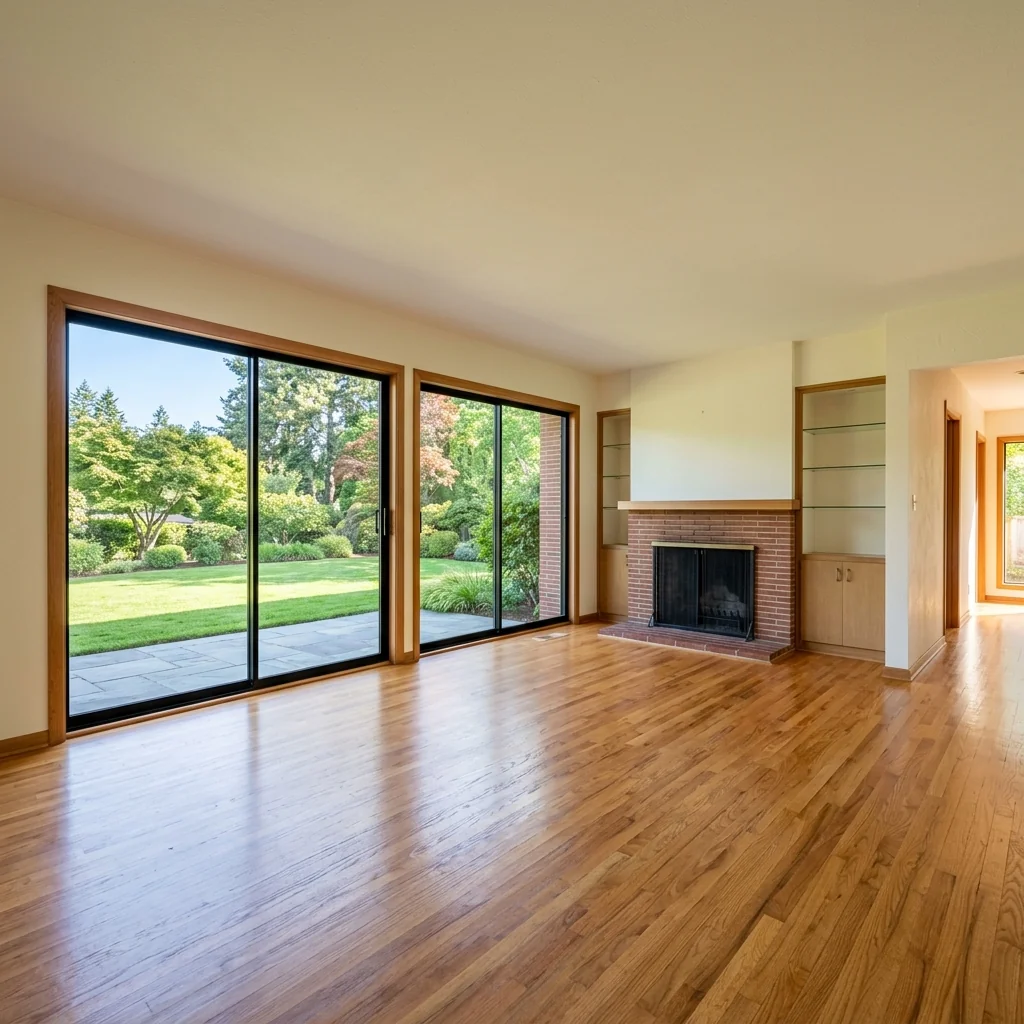

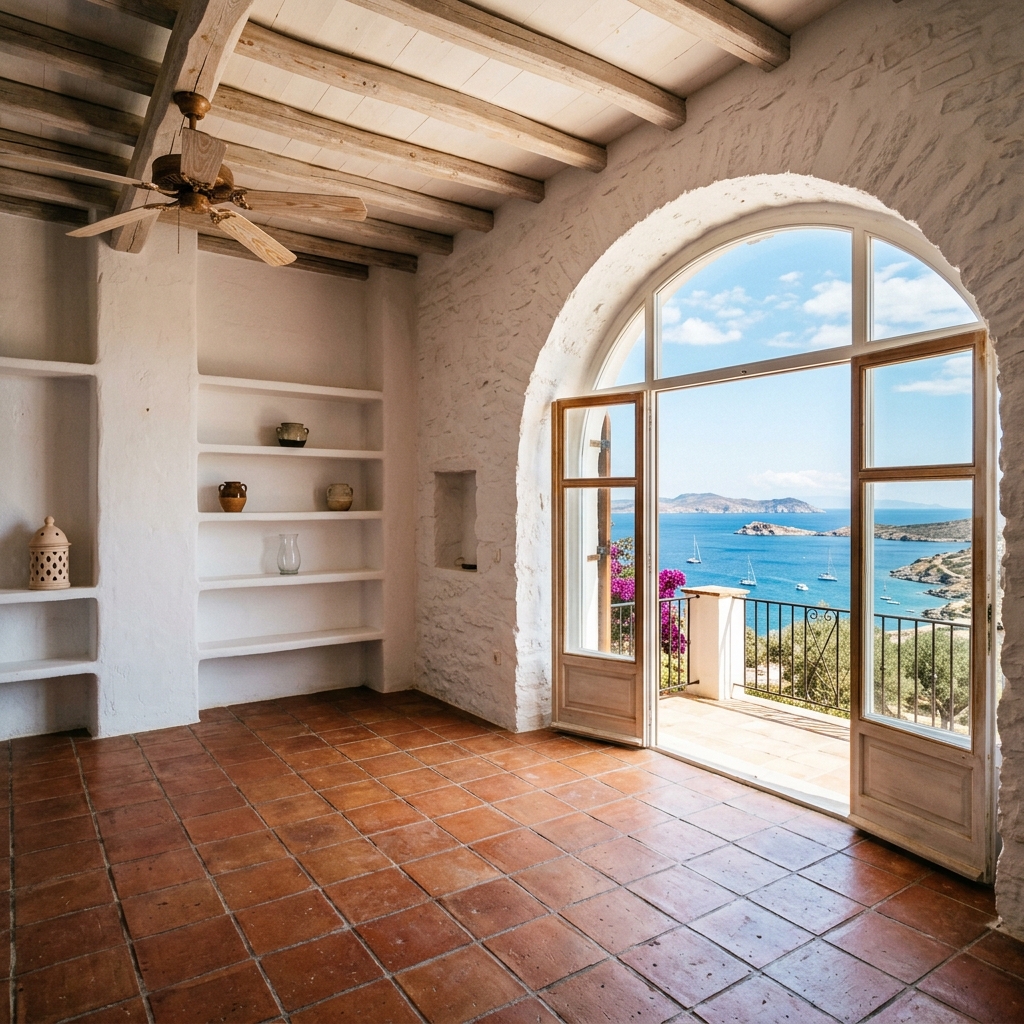
Så fungerar det
- 1Ladda upp ditt foto
- 2Välj dina inställningar
- 3Din bild
Tips för ett bra resultat
Ljusstark, tydlig bild
Dagsljus och en vidvinkel ger bäst resultat.
Visa hela ytan
Se till att allt du vill ändra syns tydligt i bilden.
Testa flera varianter
Jämför olika alternativ innan du bestämmer dig.
Vanliga frågor
Får jag använda bilderna kommersiellt?
Ja. Du kan använda dina bilder för vilket syfte som helst, inklusive kommersiell användning.
Ändras min originalbild?
Nej. Din originalbild förblir oförändrad och du kan ladda ner den när som helst.
Vad händer om jag inte gillar resultatet?
Testa en annan stil eller inställning, eller finjustera resultatet med en kort instruktion.
Fortsätt utforska
Alla verktyg
AI-fåtöljklädselsbytare
Visualisera nya klädselsalternativ för fåtöljer i dina bilder direkt. Byt tyg, färger och mönster som sammet, läder eller bouclé för att perfekt matcha vilken inredningsstil som helst. Perfekt för fastighetsproffs och inredningsdesigners som vill visa möjliga förvandlingar.

AI-möbelklädselbytare
Förvandla dina möbelbilder med AI! Byt enkelt klädselmaterial för att visa upp olika stilar och tilltala fler köpare. Perfekt för virtuell möblering och skisser för inredning.

AI-visualiserare för klädsel
Visualisera direkt hur vilken möbel som helst ser ut med olika klädseltyger, färger och texturer med hjälp av AI. Ladda upp en bild på din soffa, stol eller loveseat och se imponerande omklädningsförhandsvisningar innan du bestämmer dig för ett köp eller ett renoveringsprojekt.
Läs hela guiden
How long does generation take for Market-Matched Staging?
Generation usually takes between 5 and 15 seconds.
Can I use the results commercially?
Yes, every generated image includes a full commercial usage license.
Tips for your photo
Make sure the photo is well lit and shot from a wide angle.
Remove clutter before shooting the photo for the best results.
Use re-staging mode for targeted style changes.
Frequently asked questions
What are the optimal input image requirements for Market-Matched Staging?
Upload high-resolution JPEG or PNG files, ideally 2000px on the longest side, for superior Market-Matched Staging. Enhance the property listing by ensuring clear, well-lit real estate photos. This guarantees precise region-specific styling for your agent.
How quickly does Market-Matched Staging process and deliver results?
Convert your empty rooms into market-matched masterpieces in under 60 seconds per image. Processing time varies slightly based on image complexity and server load, but your agent will quickly have new real estate photos ready for MLS and Zillow.
What is the output resolution and quality of Market-Matched Staging images?
Stage properties with stunning 4K (3840x2160px) resolution outputs, perfect for high-quality real estate photos on Zillow, MLS, and any property listing. Enhance buyer engagement with crisp, detailed, market-matched visuals.
What are the best practices for achieving optimal Market-Matched Staging results?
Transform empty rooms with good lighting and minimal clutter. Upload clear, straight-on real estate photos. Select the correct city/region to ensure accurate market-matched staging, significantly boosting your property listing appeal for any agent.
Can I re-generate or modify a Market-Matched Staging output if unsatisfied?
Yes, you can re-generate new market-matched staging variations or adjust parameters. Enhance your property listing by experimenting with different styles or regions until the real estate photos perfectly match local buyer preferences for your agent on MLS.
Technical FAQ: Market-Matched Staging
Quick answers for optimal results in Market-Matched Staging online
Common mistakes
5 Market-Matched Staging Mistakes Killing Your Property Listing
How to Avoid Common Pitfalls in Market-Matched Staging Online
Ignoring Local Data: Failing to analyze buyer preferences in the specific city.
Without local data, your Market-Matched Staging becomes generic and ineffective, reducing engagement on Zillow and MLS.
Use PropStage.ai to analyze city-specific buyer preferences before staging. Ensure your real estate photos reflect those preferences.
Using Outdated Styles: Applying outdated interior styles that don't resonate with current buyers.
Outdated styles make the property listing look unappealing, decreasing the likelihood of attracting potential buyers and agent interest.
Update interior styles regularly using PropStage.ai's trend analysis tools. Ensure your Market-Matched Staging reflects current design trends for optimal real estate photos.
Inconsistent Staging: Staging some rooms but neglecting others, creating an uneven impression.
Inconsistency makes the property listing look incomplete and unprofessional, impacting buyer perception on MLS and Zillow.
Stage all key rooms using PropStage.ai to ensure a consistent and cohesive look throughout the property listing. Focus on high-impact areas first.
Poor Lighting: Neglecting to optimize lighting, making the real estate photos appear dark and uninviting.
Poor lighting detracts from the visual appeal of the Market-Matched Staging, reducing the impact of your property listing and agent interest.
Use PropStage.ai to enhance lighting in real estate photos. Ensure bright, natural light highlights the staged areas effectively.
Over-Personalization: Personalizing the staging too much, making it difficult for buyers to envision themselves in the space.
Over-personalization can alienate potential buyers, hindering their ability to connect with the property listing on Zillow and other platforms.
Use neutral, universally appealing elements in your Market-Matched Staging. Let PropStage.ai help you create a balanced and inviting space.
See Stunning Market-Matched Staging Results: Examples & Transformations
Upload Your Real Estate Photos and Witness the Power of Market-Matched Staging Online
Your workflow
4 Steps to Transform Your Property Listing with Market-Matched Staging
How to use Market-Matched Staging to optimize your real estate photos for higher engagement online
Upload Photos
Upload your property photos directly to PropStage.ai. Ensure high-quality real estate photos for optimal Market-Matched Staging results. Works with MLS, Zillow, and more.
Use wide-angle shots to showcase the space and improve the effectiveness of Market-Matched Staging.
Select Market Preferences
Choose the target city or region to apply Market-Matched Staging. PropStage.ai will analyze local buyer preferences to customize the interior design.
Research popular interior styles in your target area to inform your Market-Matched Staging choices.
Apply Market-Matched Staging
Let PropStage.ai automatically stage your property with furniture and decor that appeal to local buyers. Enhance your property listing with region-specific interior styles.
Experiment with different Market-Matched Staging styles to see which resonates best with your target audience on Zillow.
Download & Publish
Download your professionally staged real estate photos and upload them to your property listing. Increase engagement and attract more potential buyers using Market-Matched Staging.
Share your staged photos on social media to reach a wider audience and attract potential buyers. Inform your agent about the Market-Matched Staging.
Use cases
Property Listings for Market-Matched Staging
Social Media Marketing & Instagram Inserate
Architektur- & Umbau-Präsentationen
Market-Matched Staging: Technical Specifications for Optimal Real Estate Photos
1. Upload your property photo.
2. Choose the interior style or room type you want.
3. Click Generate and get your result in seconds.
Expert guide
5 Tips: Dominate the Market with Market-Matched Staging
How to Get Maximum Engagement with Market-Matched Staging Online
Transform Your Real Estate Photos with Optimal Image Prep
Upload high-resolution real estate photos for Market-Matched Staging. Ensure your property listing images are clear and well-lit to maximize the AI's ability to accurately apply region-specific staging styles. Poor image quality diminishes the effectiveness of the staging, impacting your MLS and Zillow performance.
Customize Your Market-Matched Staging Settings for Precision
Fine-tune the 'buyer persona' settings in Market-Matched Staging to reflect the target demographic in your area. Tailor the interior design style to match local preferences, increasing appeal and generating more interest in your property listing. This ensures the staged home resonates with potential buyers.
Achieve the Best Market-Matched Staging Results: Iterate and Refine
Experiment with different staging styles within Market-Matched Staging to identify which resonates best with your target market. Analyze the performance of each staged image on your property listing and iterate on your approach based on engagement metrics. A/B test different styles to optimize your results.
Elevate Your Agent Brand with Professional Market-Matched Staging
Leverage Market-Matched Staging to provide a value-added service to your clients. Showcase your understanding of local market trends by presenting properties staged to appeal to the specific buyer demographics in the area. This will help you stand out from the competition and attract more listings.
How it works
3 Steps to Perfect Market-Matched Staging
How to perform market-matched staging for Zillow and MLS listings in 2024
Upload Your Real Estate Photos
Upload high-resolution images of your property listing to our secure platform. Our AI analyzes the space to prepare for localized home staging that meets specific broker requirements and MLS standards.
Select Your Local Market Style
Choose your specific city or region to apply Market-Matched Staging. Our tool automatically selects interior design styles that appeal to local buyers in your area, ensuring your Zillow listing stands out.
Download Your Staged Property Images
Transform your empty rooms into beautifully staged spaces and download the high-res files instantly. These market-specific photos are ready to enhance your property listing and attract serious buyers immediately.
What you can do
Advanced Market-Matched Staging Capabilities
High-Definition Staging Renders
Enhance real estate photos with crisp, market-matched staging visuals, ensuring every property listing on MLS and Zillow captivates potential buyers.
Rapid Regional Staging
Stage properties instantly with AI, reducing turnaround time for agents to upload stunning, market-matched staging images to any property listing.
Versatile Export Formats
Convert market-matched staging designs into various real estate photos formats, perfect for MLS, Zillow, social media, and agent marketing materials.
Tailored Staging Options
Customize market-matched staging elements to precisely fit specific property listing styles and local buyer preferences, empowering every agent's vision.
AI-Powered Market Matching
Leverage advanced AI to precisely stage properties, automatically aligning real estate photos with regional aesthetics for optimal property listing engagement on Zillow.
Professional Agent Toolkit
Equip agents with robust market-matched staging capabilities to enhance property listing appeal, driving higher engagement and faster sales across MLS and Zillow.
Pro-level tools at your fingertips