
Design av walk-in-closet
- Foto
- Dina val
- Din bild
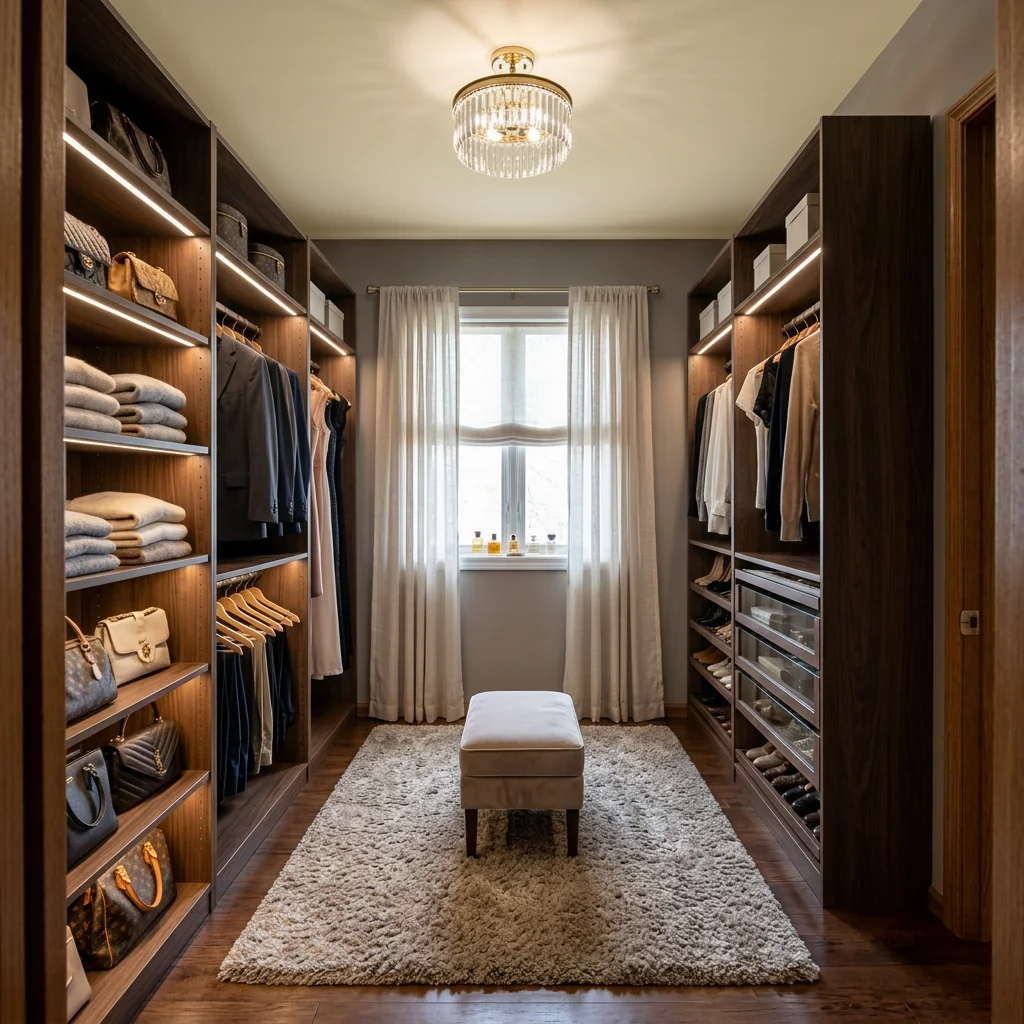
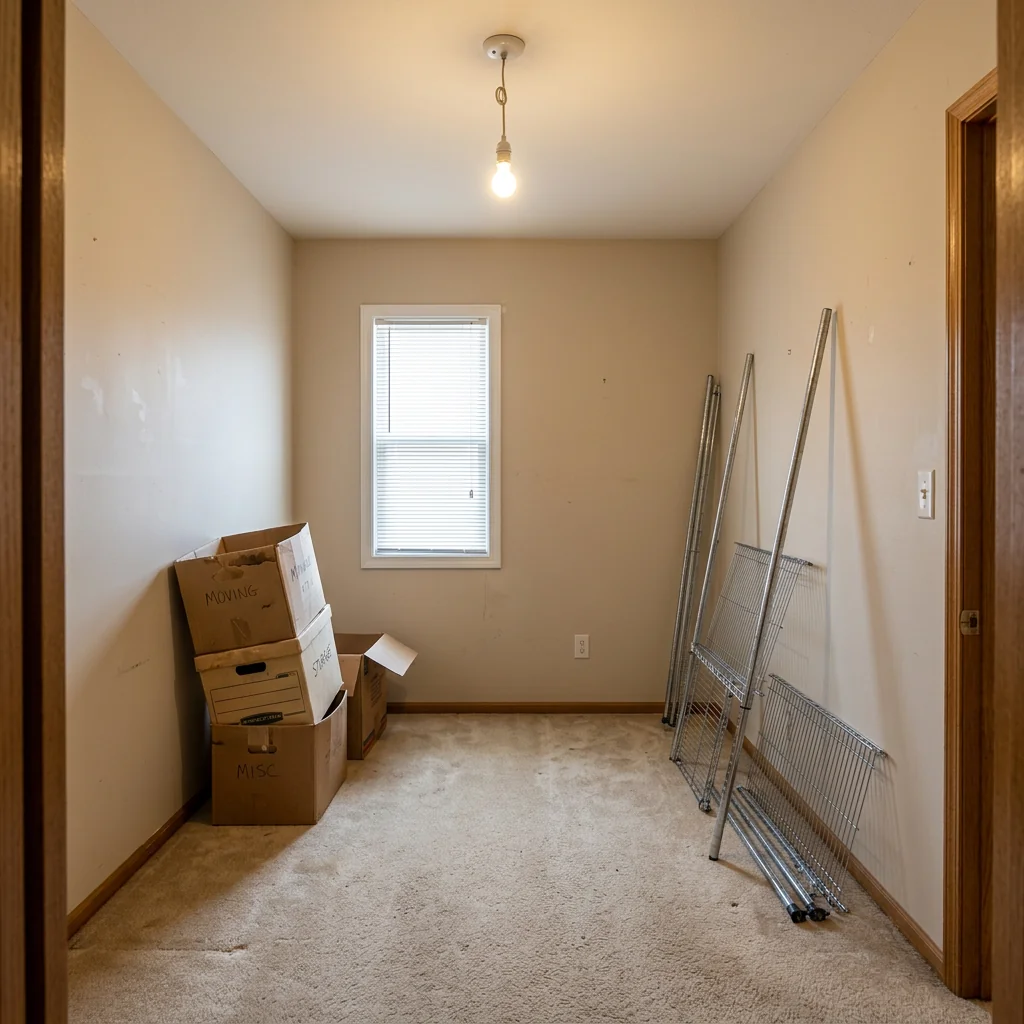
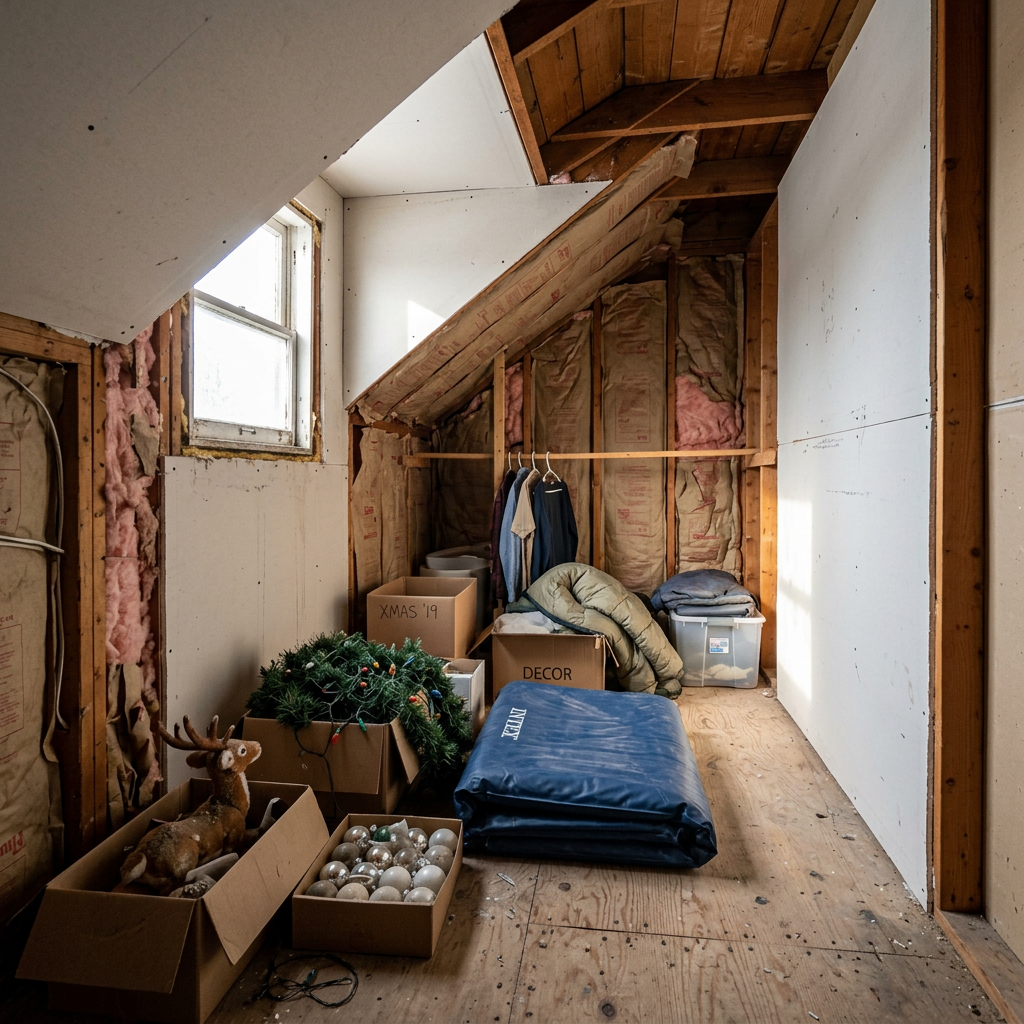
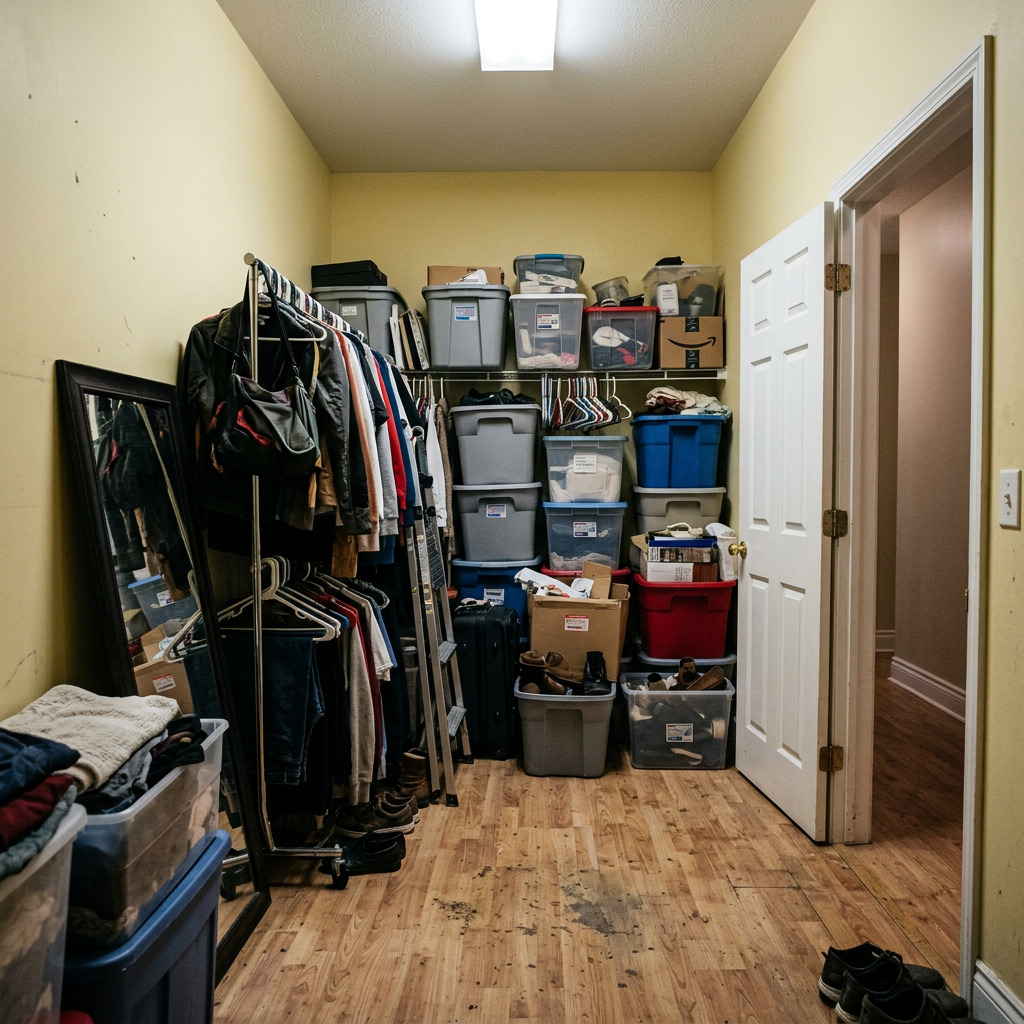
Se vad som är möjligt
Riktiga resultat från foton som dina.


Så fungerar det
- 1Ladda upp ditt foto
- 2Välj dina inställningar
- 3Din bild
Tips för ett bra resultat
Ljusstark, tydlig bild
Dagsljus och en vidvinkel ger bäst resultat.
Visa hela ytan
Se till att allt du vill ändra syns tydligt i bilden.
Testa flera varianter
Jämför olika alternativ innan du bestämmer dig.
Vanliga frågor
Får jag använda bilderna kommersiellt?
Ja. Du kan använda dina bilder för vilket syfte som helst, inklusive kommersiell användning.
Ändras min originalbild?
Nej. Din originalbild förblir oförändrad och du kan ladda ner den när som helst.
Vad händer om jag inte gillar resultatet?
Testa en annan stil eller inställning, eller finjustera resultatet med en kort instruktion.
Fortsätt utforska
Alla verktyg
AI-fåtöljklädselsbytare
Visualisera nya klädselsalternativ för fåtöljer i dina bilder direkt. Byt tyg, färger och mönster som sammet, läder eller bouclé för att perfekt matcha vilken inredningsstil som helst. Perfekt för fastighetsproffs och inredningsdesigners som vill visa möjliga förvandlingar.

AI-möbelklädselbytare
Förvandla dina möbelbilder med AI! Byt enkelt klädselmaterial för att visa upp olika stilar och tilltala fler köpare. Perfekt för virtuell möblering och skisser för inredning.

AI-visualiserare för klädsel
Visualisera direkt hur vilken möbel som helst ser ut med olika klädseltyger, färger och texturer med hjälp av AI. Ladda upp en bild på din soffa, stol eller loveseat och se imponerande omklädningsförhandsvisningar innan du bestämmer dig för ett köp eller ett renoveringsprojekt.
Läs hela guiden
How long does generation take for Walk-in Closet Design?
Generation usually takes between 5 and 15 seconds.
Can I use the results commercially?
Yes, every generated image includes a full commercial usage license.
Tips for your photo
Make sure the photo is well lit and shot from a wide angle.
Remove clutter before shooting the photo for the best results.
Use re-staging mode for targeted style changes.
Frequently asked questions
What image formats and resolutions are best for designing my walk-in closet?
Upload high-resolution JPEG or PNG images of your existing closet or empty room. Ensure clear lighting and minimal clutter for the AI to accurately detect the space. This optimizes the "Walk-in Closet Design" process.
How long does it take to generate a "Walk-in Closet Design"?
Processing typically takes 15-30 seconds per design. The AI swiftly transforms your space, providing a detailed "Walk-in Closet Design" visualization. Complex designs with many elements might take slightly longer.
What is the output resolution and quality of the generated "Walk-in Closet Design" images?
Receive high-definition 4K images, perfect for showcasing on property listings or Zillow. Our AI enhances every detail, from custom shelving to luxury finishes, ensuring your "Walk-in Closet Design" looks professional.
What are the best tips for achieving optimal "Walk-in Closet Design" results?
For best results, upload well-lit, frontal photos of the space. Specify desired styles like "modern minimalist" or "luxury boutique" in the prompt. This helps the AI generate a precise "Walk-in Closet Design" for your property listing.
Can I modify or re-generate a "Walk-in Closet Design" if I'm not satisfied?
Yes, easily re-generate your "Walk-in Closet Design" by adjusting prompts or selecting new styles. Upload additional real estate photos to refine the AI's understanding, ensuring the perfect wardrobe for your agent to showcase.
Technical FAQ: Walk-in Closet Design
Quick answers for optimal results
Common mistakes
5 Walk-in Closet Design Mistakes Crushing Your Real Estate Photos
How to Walk-in Closet Design Online and Avoid These Pitfalls for Better MLS Listings
Ignoring Closet Lighting: Poorly lit walk-in closets appear smaller and less appealing in real estate photos, impacting your property listing on Zillow.
Dark closets deter potential buyers and make it difficult to showcase the design effectively.
Upload images to PropStage.ai and enhance lighting using AI to brighten the space and highlight design features. Consider adding virtual lighting fixtures to the walk-in closet design.
Lack of Organization: Cluttered shelves and overflowing racks make the walk-in closet appear smaller and less desirable to potential buyers viewing real estate photos.
Disorganization detracts from the overall design and makes it hard to envision the space's potential.
Use PropStage.ai to virtually stage the walk-in closet with neatly arranged clothing and accessories. This creates a clean and organized look for your property listing.
Inadequate Space Planning: Poorly planned layouts waste space and make the walk-in closet feel cramped, negatively impacting real estate photos and potential buyer interest.
Inefficient use of space makes the closet appear smaller and less functional.
Transform the perceived space with PropStage.ai's virtual staging tools. Experiment with different shelving configurations and layouts to maximize space and showcase the closet's potential in your MLS listing.
Ignoring Design Style: A walk-in closet that doesn't match the overall style of the home can detract from its appeal in real estate photos, especially for discerning buyers.
Inconsistent design creates a jarring visual experience and reduces the perceived value of the property.
Use PropStage.ai to virtually restyle the walk-in closet to complement the home's aesthetic. Choose finishes, colors, and accessories that enhance the overall design and appeal to your target market, boosting your agent profile.
Poor Photo Angles: Shooting from unflattering angles can distort the space and make the walk-in closet appear smaller or less appealing in your property listing.
Bad angles misrepresent the size and layout of the closet, potentially deterring potential buyers.
Upload your real estate photos to PropStage.ai and use the image enhancement tools to correct perspective and optimize angles. Consider using virtual staging to add depth and dimension to the space.
What Your Walk-in Closet Design Results Will Look Like
Upload your photo to get started designing your dream walk-in closet online
Your workflow
Transform Your Property Listing: 5 Walk-in Closet Design Tips
How to Walk-in Closet Design Online for Stunning Real Estate Photos
Upload
Upload your walk-in closet photos to the Walk-in Closet Design tool. Ensure real estate photos are well-lit for optimal AI processing. Use high-resolution images to showcase the closet's potential for your property listing.
For best results, stage the walk-in closet with organized clothing and accessories before taking photos.
Enhance
Enhance the walk-in closet design using AI-powered suggestions. Experiment with different shelving layouts, lighting options, and luxury finishes to create a visually appealing design. Optimize the closet's organization for maximum space utilization.
Consider adding a virtual dressing area or a custom shoe rack to elevate the walk-in closet design.
Convert
Convert the walk-in closet design into a 3D visualization. Generate multiple design options to cater to different buyer preferences. Ensure the design aligns with the overall aesthetic of the property listing.
Use the 3D visualization to showcase the walk-in closet's storage capacity and functionality.
Stage
Stage the walk-in closet design within your property listing. Integrate the 3D visualization into your MLS, Zillow, or other real estate platforms. Highlight the custom features and organizational elements of the walk-in closet to attract potential buyers. Provide a virtual tour of the closet for online viewers.
Include detailed descriptions of the walk-in closet's dimensions, materials, and storage solutions in your property listing.
Use cases
Property Listings for Walk-in Closet Design
Social Media Marketing & Instagram Inserate
Architektur- & Umbau-Präsentationen
Walk-in Closet Design — Technical Specifications
1. Upload your property photo.
2. Choose the interior style or room type you want.
3. Click Generate and get your result in seconds.
Expert guide
5 Expert Tips: Stunning Walk-in Closet Design for Real Estate Photos
How to Walk-in Closet Design Online: Maximize Your Property Listing Appeal
Prepare High-Resolution Images for Optimal Walk-in Closet Design
Upload clear, well-lit real estate photos to PropStage.ai. Ensure your images showcase the closet's dimensions accurately. This allows our AI to generate realistic and visually appealing walk-in closet designs that enhance your property listing on Zillow and the MLS.Fine-Tune Settings for Personalized Walk-in Closet Design
Adjust the design settings within PropStage.ai to match the desired style and functionality. Specify preferred shelving materials, lighting options, and overall aesthetic. This ensures the AI generates a walk-in closet design that aligns with your vision and the property's character.Achieve Best Results with Detailed Input for Walk-in Closet Design
Provide detailed descriptions of your ideal walk-in closet design. Include information about storage needs, organizational preferences, and desired luxury finishes. The more information you provide, the better the AI can create a stunning and practical walk-in closet design for your real estate photos.Utilize Walk-in Closet Design for Professional Real Estate Marketing
Enhance your property listing with professionally designed walk-in closets. Use PropStage.ai to create multiple design options to showcase the closet's potential to prospective buyers. This elevates your marketing materials and helps agents attract more qualified leads.How it works
3 Steps to Professional Walk-in Closet Design
How to walk-in closet design online for free in 2025 for MLS listings
Upload Your Property Listing Photos
Upload your real estate photos of empty spaces or dated closets to our AI engine to begin the professional home staging process for your Zillow property listing.
Select Custom Luxury Finish Options
Transform the room by selecting custom shelving and lighting styles that define high-end walk-in closet design, ensuring every broker and agent sees the property's full potential.
Download Your Staged High-Res Imagery
Stage your property listing with professional renders that answer the question: is AI staging legal for MLS? Our platform ensures compliance and quality for every real estate photographer.
What you can do
6 Advanced Walk-in Closet Design Capabilities
High-Fidelity Walk-in Closet Visuals
Enhance your property listing with photorealistic walk-in closet designs. Transform empty rooms into aspirational spaces, captivating potential buyers on Zillow.
Rapid Walk-in Closet Generation
Convert design concepts into stunning walk-in closet renders rapidly. Upload room photos to quickly stage new layouts, accelerating property listings for agents.
Multi-Format Walk-in Closet Exports
Upload walk-in closet designs and export in formats for MLS, Zillow, and agent presentations. Convert your vision into shareable real estate photos effortlessly.
Bespoke Walk-in Closet Customization
Transform standard layouts into unique walk-in closet designs with customizable finishes. Stage personalized spaces, appealing to diverse buyer preferences in real estate photos.
AI-Powered Walk-in Closet Accuracy
Enhance walk-in closet designs with AI-driven suggestions for optimal space utilization. Stage perfect wardrobe solutions, ensuring precision for property listing photos.
Professional Walk-in Closet Staging
Transform ordinary rooms into high-value property listings by staging luxurious walk-in closet designs. Convert empty spaces into key selling points for agents on Zillow.
Pro-level tools at your fingertips, how to walk-in closet design online