
AI 室内风格检测与情绪板
- 照片
- 你的选择
- 您的图片
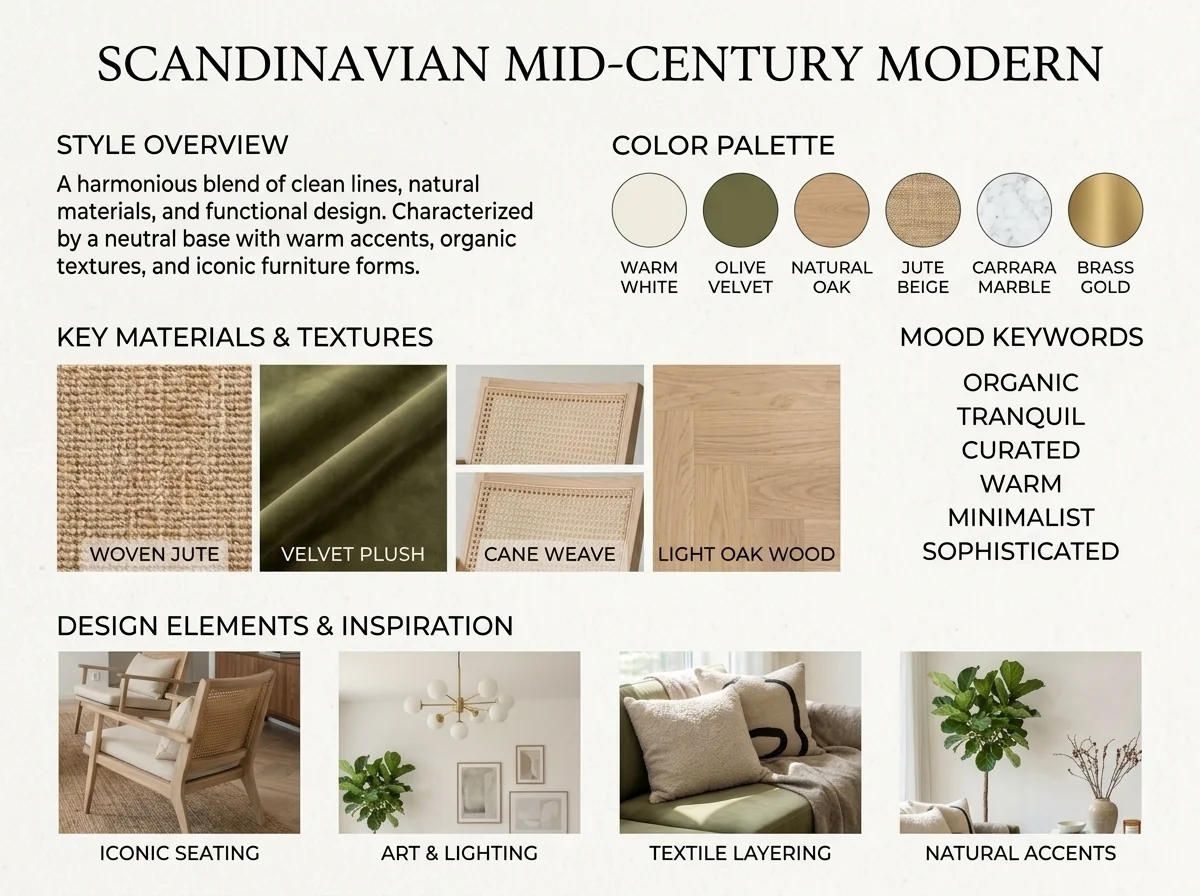
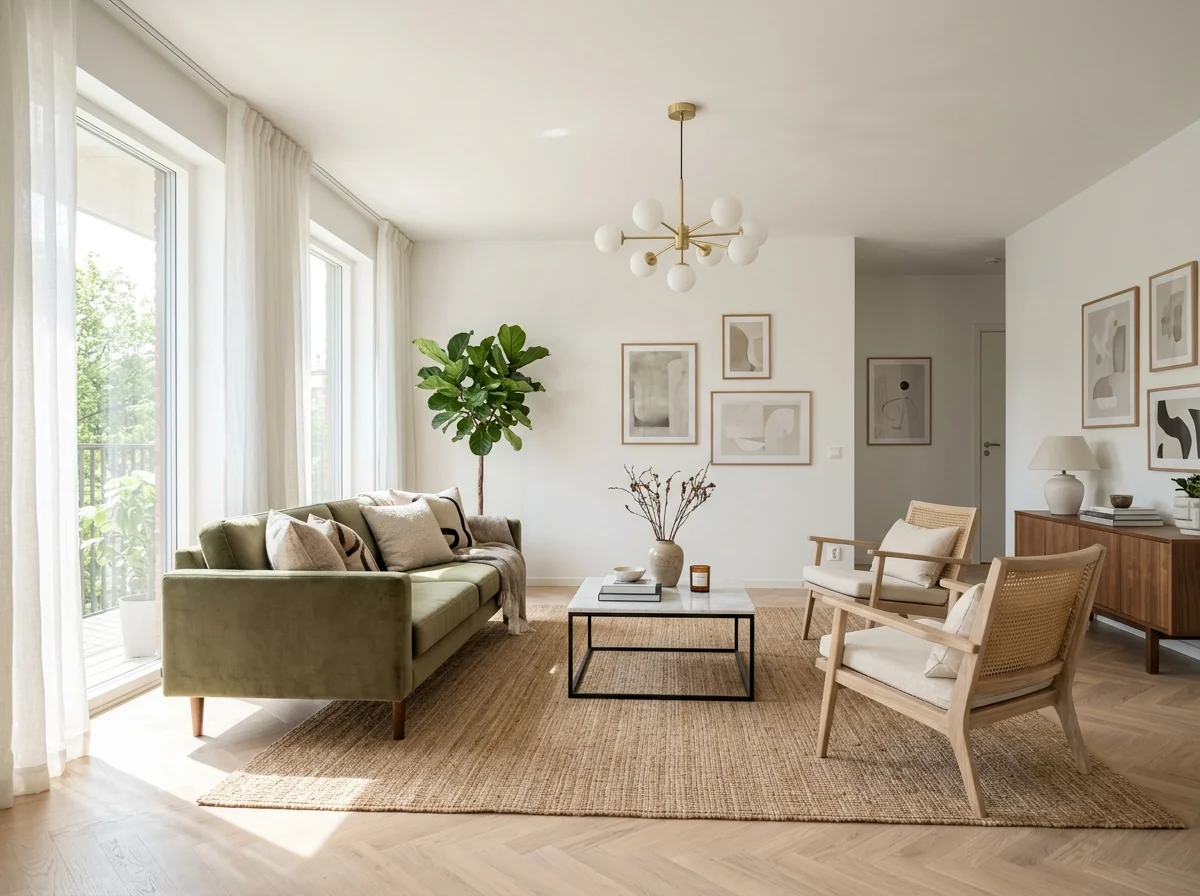
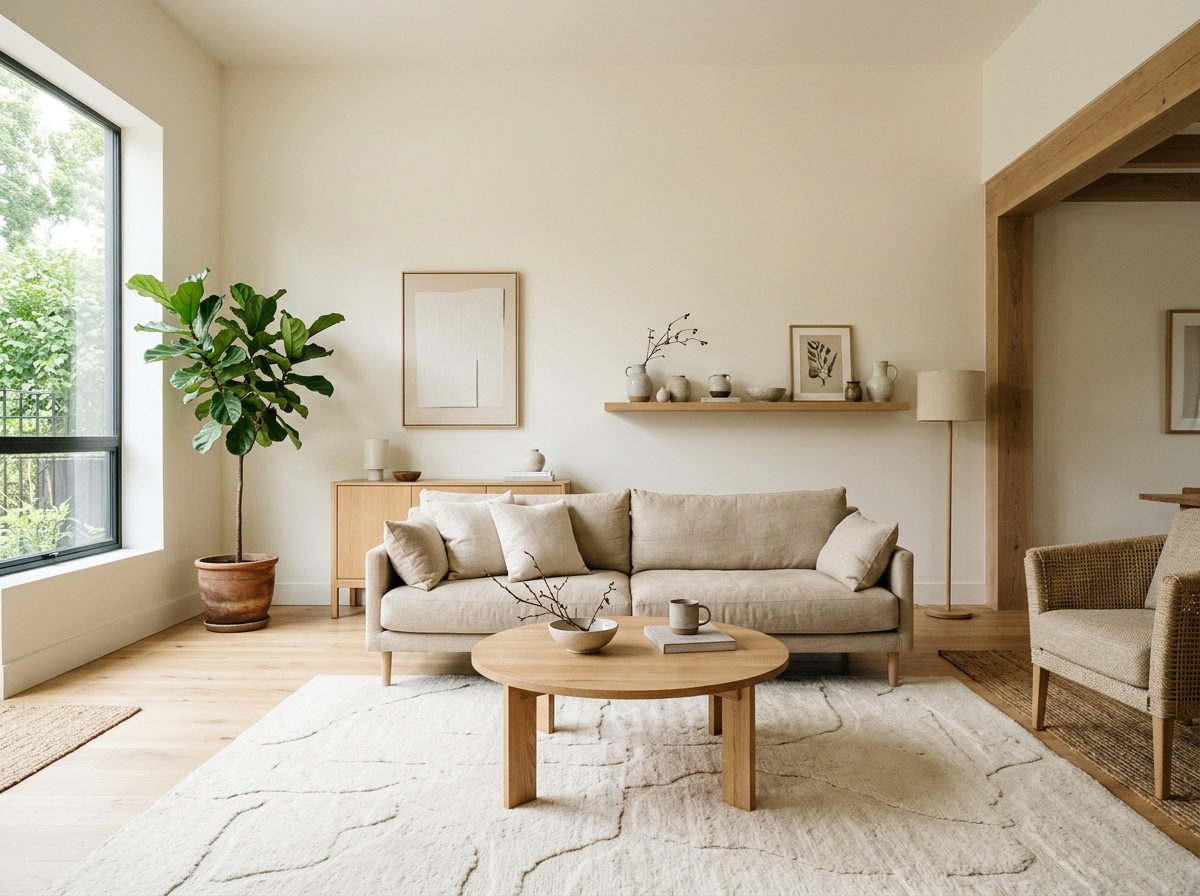
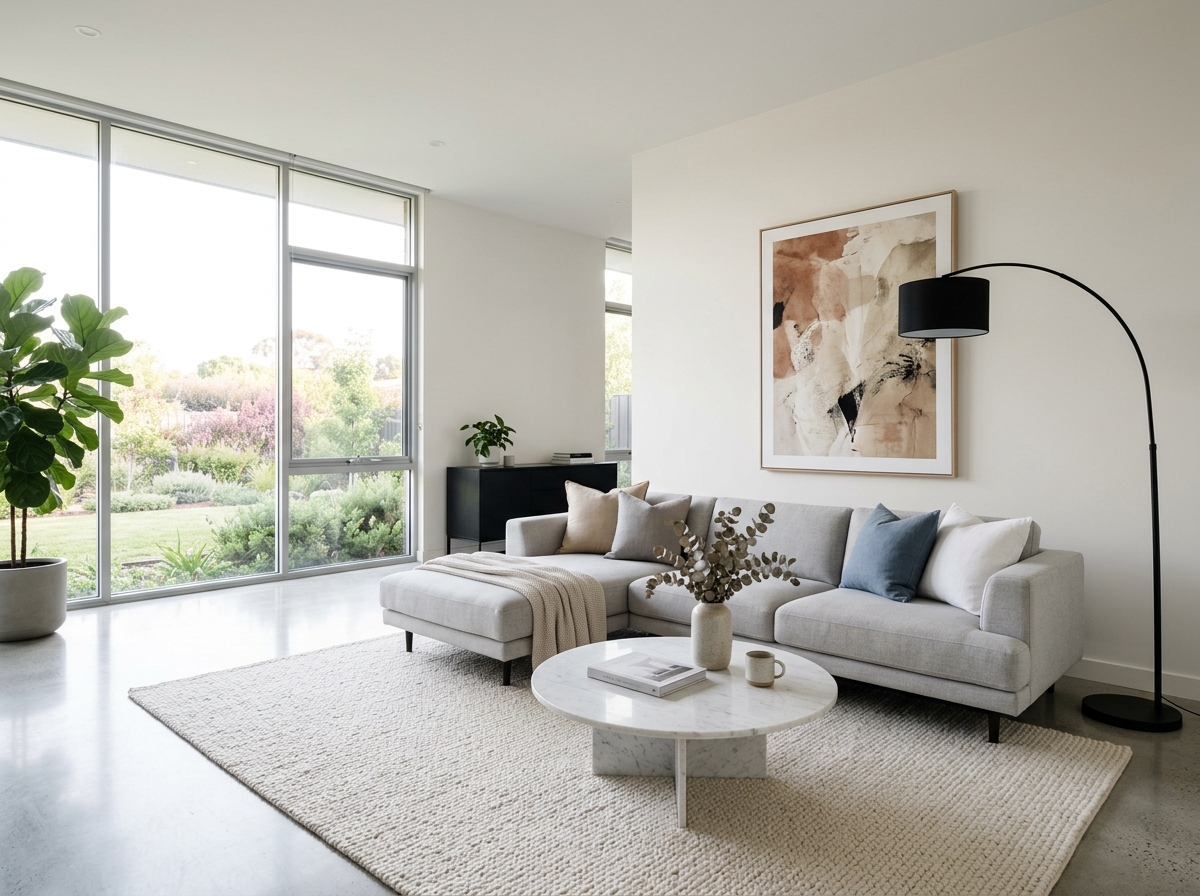
看看可以实现什么
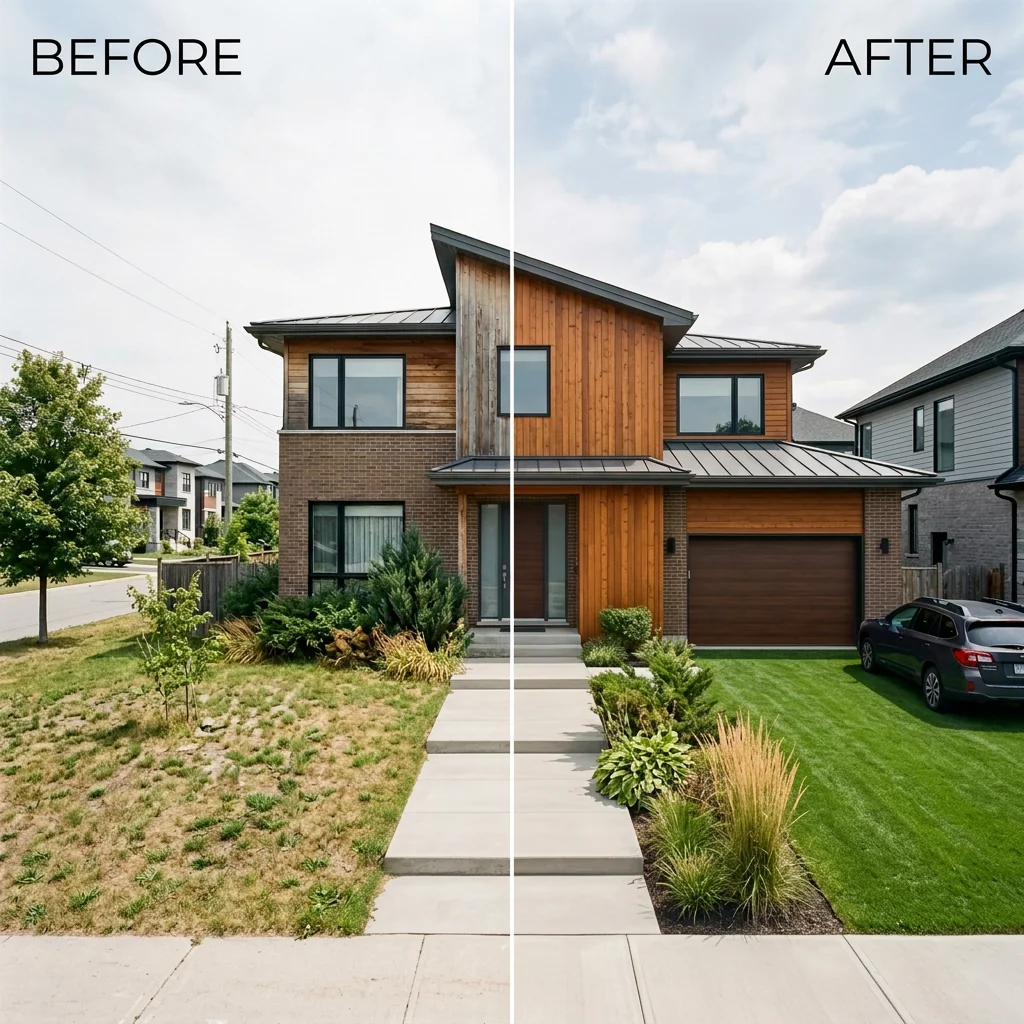
来自与你相似照片的真实效果。


工作原理
- 1上传你的照片
- 2选择你的设置
- 3您的图片
获得好效果的提示
明亮、清晰的照片
日光和广角能带来最佳效果。
展示整个区域
把你想要更改的内容完整地保留在图片中。
尝试多个变体
在决定之前比较不同选项。
常见问题
我可以将图片用于商业用途吗?
可以。你可以将图片用于任何用途,包括商业用途。
我的原图会改变吗?
不会。你的原图保持不变,你可以随时下载。
如果我不喜欢结果怎么办?
尝试另一种风格或设置,或用简短指令优化结果。
继续探索
全部工具

阅读完整指南
How long does generation take for AI Interior Style Detector & Moodboard?
Generation usually takes between 5 and 15 seconds.
Can I use the results commercially?
Yes, every generated image includes a full commercial usage license.
Tips for your photo
Make sure the photo is well lit and shot from a wide angle.
Remove clutter before shooting the photo for the best results.
Use re-staging mode for targeted style changes.
Frequently asked questions
What are the optimal input image formats and resolutions for the AI Interior Style Detector & Moodboard?
Upload your real estate photos in JPG or PNG format. For the most accurate style detection and moodboard generation, we recommend resolutions between 1920x1080 and 4K, ensuring clarity for any property listing.
How long does the AI Interior Style Detector & Moodboard typically take to process an image?
Transform your images within 10-30 seconds. Processing time for the AI Interior Style Detector & Moodboard can vary slightly based on image complexity and current server load, but it's optimized for quick agent workflows.
What level of detail can I expect from the style detection and moodboard generated by the AI Interior Style Detector & Moodboard?
Enhance your property listing with precise detail. The AI Interior Style Detector & Moodboard provides specific interior design styles, color palettes, key materials, and a high-resolution moodboard, perfect for Zillow and MLS descriptions.
What are the best practices for uploading photos to the AI Interior Style Detector & Moodboard to ensure accurate results?
Upload well-lit, clear, and uncluttered real estate photos, focusing on a single room. This ensures the AI Interior Style Detector & Moodboard accurately identifies the style, providing agents with the best possible moodboard.
Can I regenerate a moodboard or refine the style detection using the AI Interior Style Detector & Moodboard?
Convert your vision with ease. Yes, you can regenerate the moodboard by adjusting inputs or selecting different style preferences within the AI Interior Style Detector & Moodboard, offering flexibility for diverse property listing needs.
5 Technical FAQs: AI Interior Style Detector & Moodboard for Property Listings
How to Optimize Your AI Interior Style Detector & Moodboard Online for Real Estate Success
Common mistakes
5 AI Interior Style Detector & Moodboard Mistakes Sabotaging Your Real Estate Photos
How to Interior Style Detector & Moodboard Online for Stunning Property Listings
Using blurry or low-resolution real estate photos in the AI Interior Style Detector & Moodboard.
The AI Interior Style Detector & Moodboard relies on clear visual data to accurately identify design styles, color palettes, and materials. Blurry images prevent the AI from properly analyzing the room, leading to inaccurate moodboard generation and style identification for your property listing.
Upload high-resolution, well-lit real estate photos to the AI Interior Style Detector & Moodboard. Ensure the entire room is in focus for optimal results. Consider professional real estate photos for your MLS and Zillow listings.
Uploading photos with extreme angles or distorted perspectives to the AI Interior Style Detector & Moodboard.
Extreme angles distort the proportions of the room, making it difficult for the AI Interior Style Detector & Moodboard to accurately assess the space and identify design elements. This can lead to a skewed moodboard and incorrect style classification.
Use photos with straight-on perspectives when using the AI Interior Style Detector & Moodboard. Avoid fisheye lenses or overly wide angles. Stage the room to showcase its best features without distortion for accurate analysis and moodboard generation.
Failing to specify the desired mood or feeling when using the AI Interior Style Detector & Moodboard.
While the AI Interior Style Detector & Moodboard automatically detects the existing style, specifying a desired mood allows for a more tailored moodboard. Without this input, the AI may not generate a moodboard that aligns with your vision for the property listing.
Utilize the optional mood or feeling input when using the AI Interior Style Detector & Moodboard. This helps the AI refine its moodboard generation and create a more personalized representation of your desired style for the real estate photos.
Overlooking the suggested color palette generated by the AI Interior Style Detector & Moodboard for your property listing.
The AI Interior Style Detector & Moodboard provides a detailed color palette based on the uploaded photo. Ignoring this palette means missing valuable insights into the room's existing color scheme and potential complementary colors, hindering effective staging and presentation.
Carefully review the suggested color palette from the AI Interior Style Detector & Moodboard. Use this information to inform your staging choices, ensuring a cohesive and visually appealing property listing that attracts potential buyers and agents.
Not using the AI-generated moodboard as inspiration for virtual staging or physical staging of the property.
The AI Interior Style Detector & Moodboard creates a moodboard specifically tailored to the room's style. Failing to use this moodboard as inspiration wastes a valuable resource for creating a cohesive and attractive staging plan for your real estate photos, property listing, and showings to agents.
Use the AI-generated moodboard from the AI Interior Style Detector & Moodboard as a guide for virtual staging or physical staging. Incorporate elements from the moodboard into the room to enhance its appeal and showcase its potential to prospective buyers on Zillow and the MLS.
AI Interior Style Detector & Moodboard: See the Stunning Results You'll Get
Discover how our AI transforms real estate photos into actionable interior design insights.
Your workflow
Transform Real Estate Photos: 5 Steps to AI Interior Style Detector & Moodboard
How to use an AI Interior Style Detector & Moodboard online for Zillow, MLS, and property listings
Upload
Upload your real estate photos to the AI Interior Style Detector & Moodboard tool. Ensure high-quality images for accurate style identification. This will help generate the best moodboard for your property listing.
Use professionally staged real estate photos for optimal results. Clear, well-lit images improve the AI's ability to detect interior styles.
Analyze
Let the AI analyze your image. Our AI Interior Style Detector identifies the dominant interior design style, color palette, and key materials present in the room. This is crucial for accurate moodboard generation.
The AI Interior Style Detector works best with photos showcasing the entire room. Avoid close-up shots or partially obscured views.
Generate
Generate a matching moodboard. Based on the detected style, the AI creates a visual representation of the design, including furniture, decor, and color schemes. This is perfect for visualizing potential staging options for your property listing.
Review the generated moodboard and make minor adjustments if needed. The AI offers suggestions, but your personal touch can enhance the final result.
Download
Download the AI-generated moodboard and style report. Use these assets in your property listing to attract potential buyers and showcase the property's design potential. Share it with your agent for marketing purposes.
Include the AI-identified interior style in your property description. This adds value and helps potential buyers visualize themselves in the space.
Enhance
Enhance your property listing with the AI Interior Style Detector & Moodboard results. Use the generated moodboard to inspire staging, attract potential buyers on Zillow and MLS, and impress clients.
Share the AI Interior Style Detector results with your real estate agent to inform their marketing strategy and attract the right buyers.
Use cases
Property Listings for AI Interior Style Detector & Moodboard
Social Media Marketing & Instagram Inserate
Architektur- & Umbau-Präsentationen
AI Interior Style Detector & Moodboard — Technical Specifications
1. Upload your property photo.
2. Choose the interior style or room type you want.
3. Click Generate and get your result in seconds.
Expert guide
5 Expert Tips: Master Your AI Interior Style Detector & Moodboard
How to Get the Most Accurate Interior Style Detector & Moodboard Online
Transform Your Real Estate Photos: Optimize Image Preparation
Upload high-resolution real estate photos for optimal AI analysis. Ensure proper lighting and clear angles to allow the AI Interior Style Detector & Moodboard tool to accurately identify design elements, color palettes, and key materials. This enhances your property listing's visual appeal on Zillow and MLS.
Fine-Tune Settings for Precise Moodboard Generation
Experiment with the AI Interior Style Detector & Moodboard tool's settings to refine your results. Adjust parameters like 'style influence' or 'color emphasis' to tailor the generated moodboard to your specific preferences. This ensures the moodboard accurately reflects the desired aesthetic for your property listing.
Enhance Accuracy: Achieve the Best AI Interior Style Results
Provide diverse perspectives of the room. Multiple angles and close-ups of furniture or decor will help the AI Interior Style Detector & Moodboard to create a more comprehensive analysis. This is crucial for agents seeking to accurately represent a property's style in their MLS listing.
Stage Like a Pro: Leverage for Professional Use
Use the AI Interior Style Detector & Moodboard to quickly understand a property's existing style or communicate design preferences to clients. Generate multiple moodboards to explore different styling options for your real estate photos, ensuring your property listing stands out on Zillow and attracts potential buyers.
How it works
3 Steps to Master the AI Interior Style Detector & Moodboard
How to interior style detector & moodboard online for free in 2026
Upload Your Property Listing Images
Upload high-resolution real estate photos into the AI Interior Style Detector & Moodboard to begin the automated analysis of architectural features, furniture layouts, and natural lighting for your property listing.
Extract Color Palette and Materials
Transform your images as the AI Interior Style Detector & Moodboard identifies textures and tones, answering how to provide accurate design data for prospective home buyers and maintaining MLS compliance.
Download High-Res Design Moodboards
Export your high-resolution moodboard and style report instantly to share with brokers, ensuring your real estate photos stand out with data-driven interior design insights and aesthetic consistency on Zillow.
What you can do
5 Advanced AI Interior Style Detector & Moodboard Capabilities
High-Resolution Moodboard Generation
Transform any uploaded room photo into stunning, high-resolution moodboards. Enhance your property listing with visually rich style guides, perfect for real estate photos and agent presentations.
Instant Style & Moodboard Analysis
Upload your image and receive immediate interior style detection and a matching moodboard. Convert hours of manual research into seconds, streamlining your property listing preparation.
Versatile Export Formats
Stage your design insights by exporting detected styles and moodboards in multiple formats. Upload to MLS or Zillow listings seamlessly, ensuring compatibility across all platforms for agents.
Customizable Moodboard Elements
Enhance your AI Interior Style Detector & Moodboard results by adjusting generated elements. Tailor color palettes and materials to perfect your real estate photos, aligning with specific client preferences.
Pinpoint Style Detection Accuracy
Leverage advanced AI to precisely identify interior design styles, color palettes, and materials. Transform ambiguous real estate photos into clear style definitions for agents and buyers.
Professional Property Style Insights
Stage every property listing with deep style insights from the AI Interior Style Detector & Moodboard. Upload photos to enhance marketing, providing agents with a competitive edge on Zillow.
Discover how to interior style detector & moodboard online with pro-level tools at your fingertips.