
Home Library & Reading Nook
- Photo
- Your choices
- Your image
See what's possible
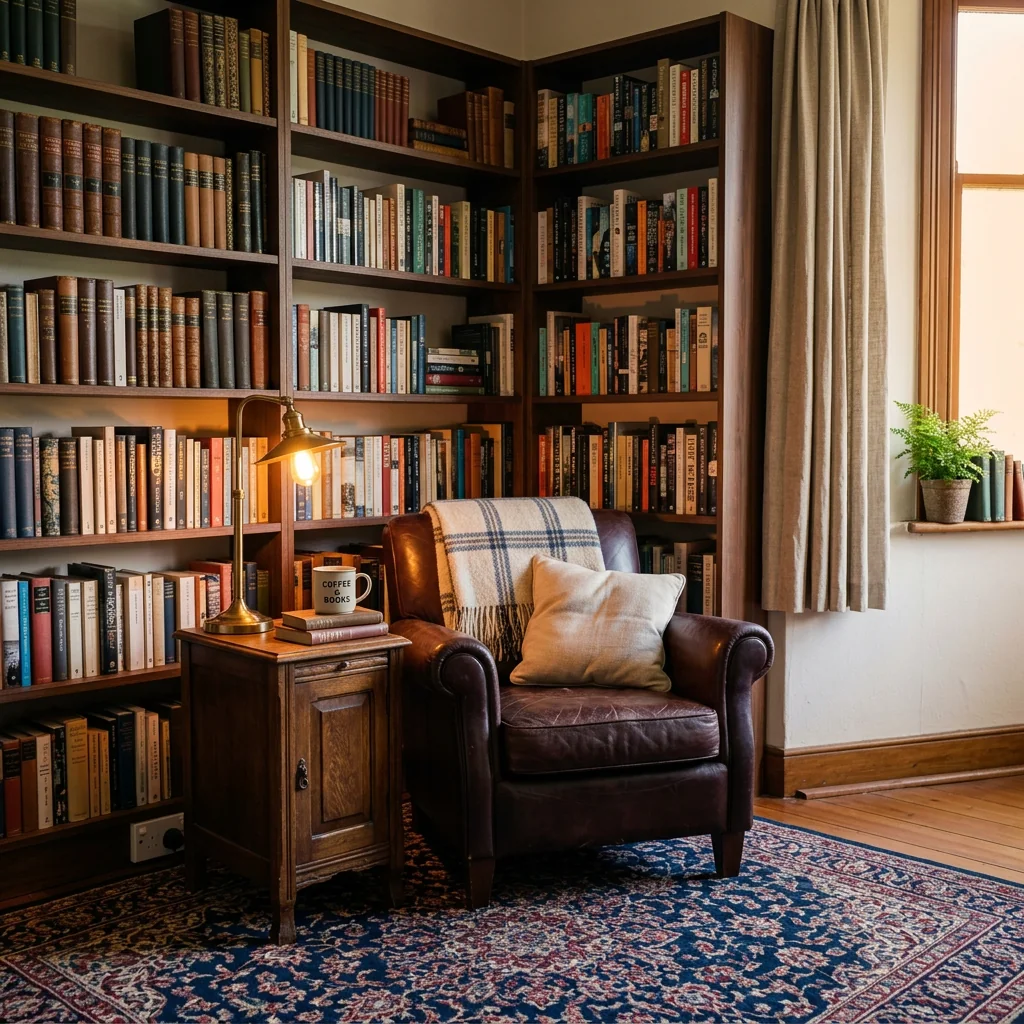
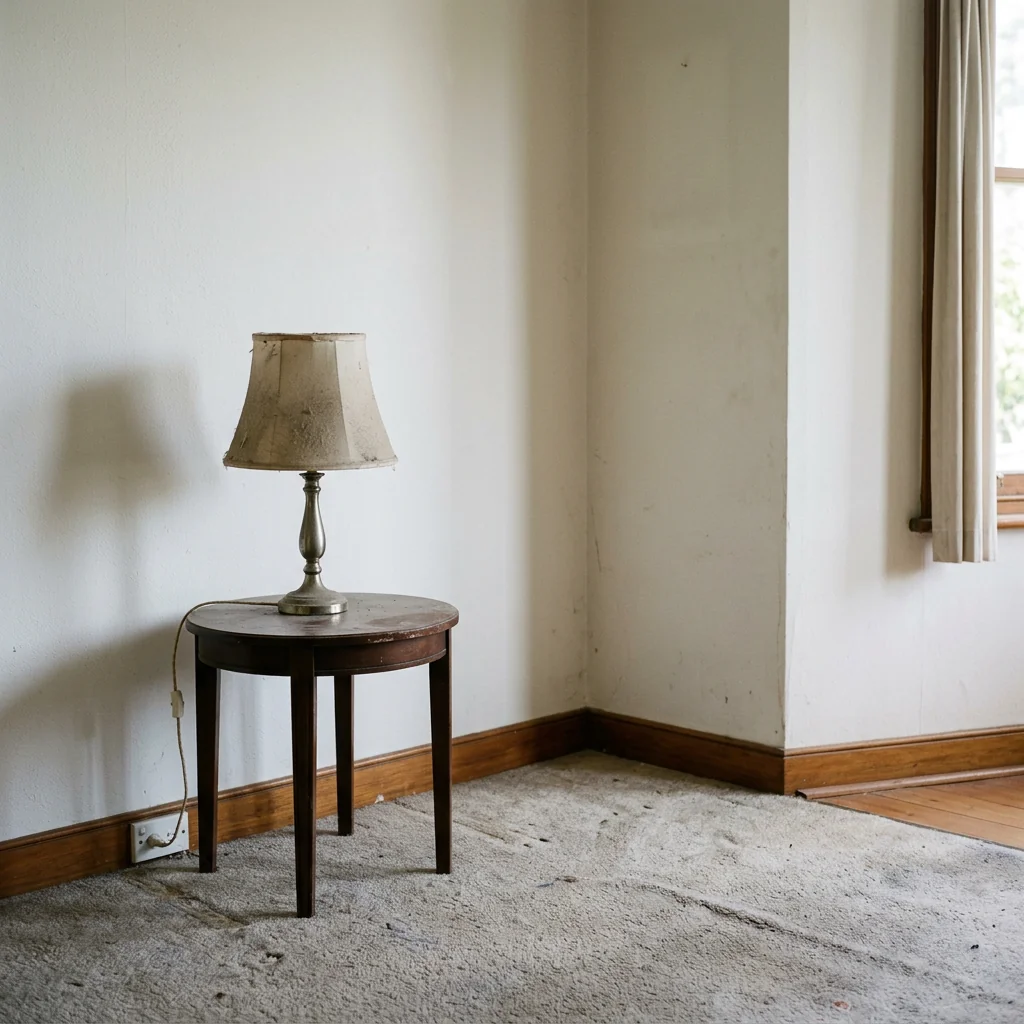
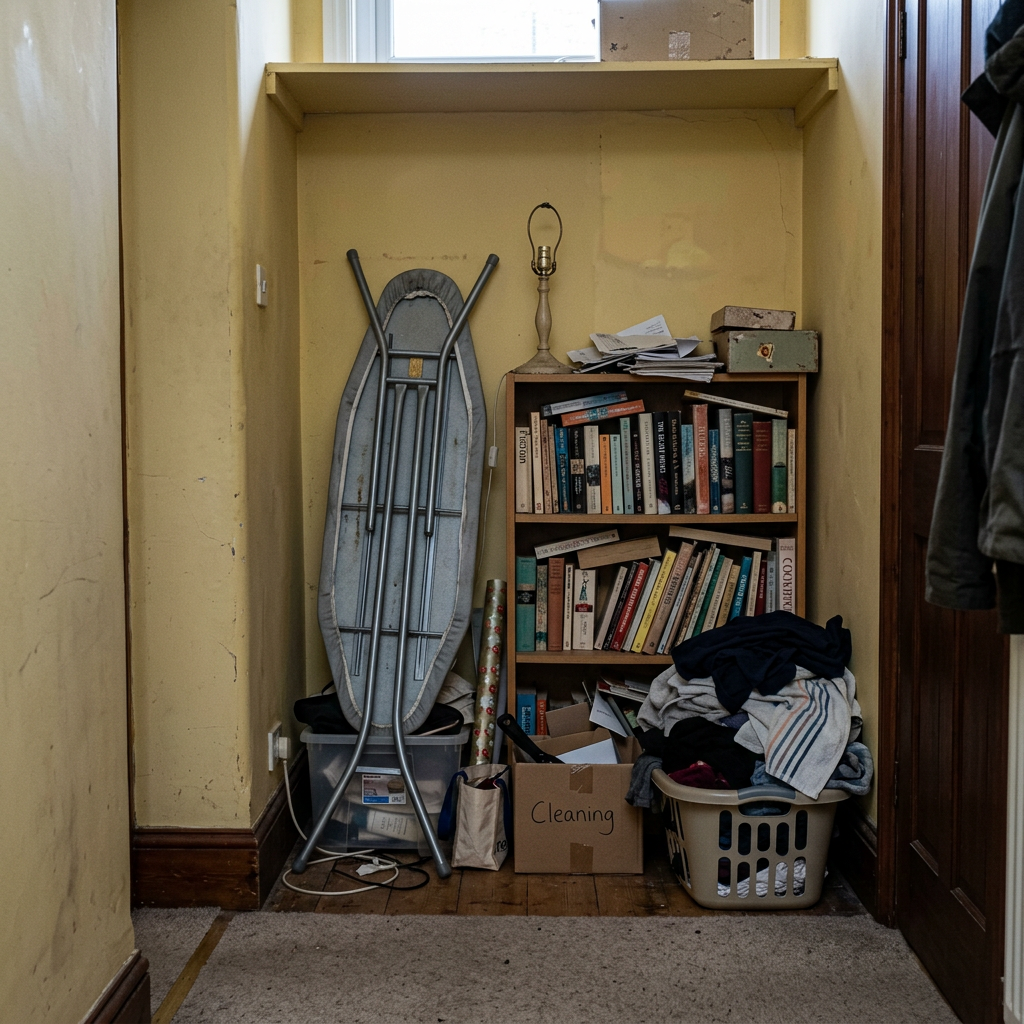
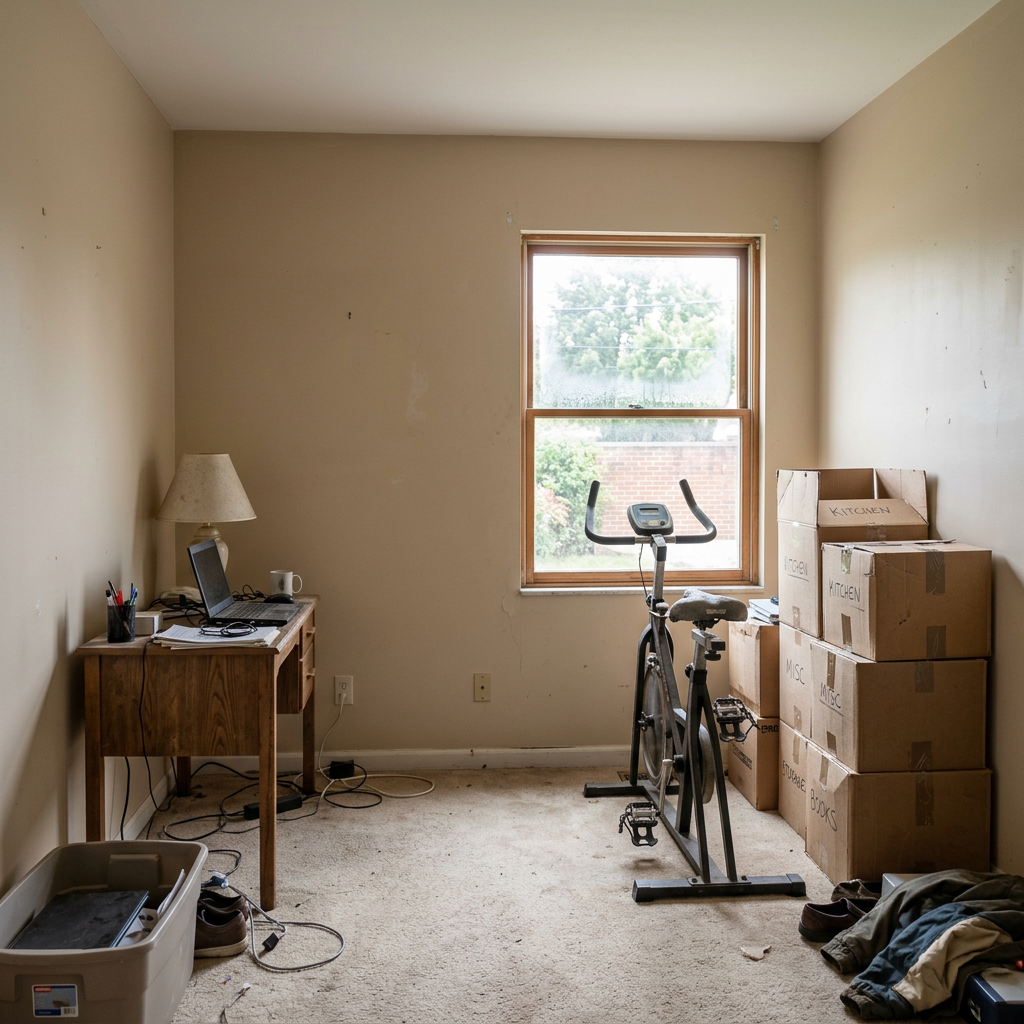
Real results from photos like yours.


How it works
- 1Upload your photo
- 2Choose your settings
- 3Your image
Tips for a great result
Bright, clear photo
Daylight and a wide angle give the best result.
Show the whole area
Keep everything you want to change fully in the picture.
Try several variations
Compare different options before you decide.
Frequently asked questions
Can I use the images commercially?
Yes. You can use your images for any purpose, including commercial use.
Does my original photo change?
No. Your original stays unchanged and you can download it at any time.
What if I don't like the result?
Try another style or setting, or refine the result with a short instruction.
Keep exploring
All tools
AI Armchair Upholstery Swapper
Use a photo of your armchair to explore fabric, color and pattern ideas. Choose the available material settings and compare any returned image with your original.

AI Furniture Upholstery Changer
Preview an upholstery idea on a furniture photo. Choose a material such as velvet, leather or linen and optionally describe a colour; check fabric details in the returned image.

AI Upholstery Visualizer
Preview a fabric idea on a sofa or chair photo. Choose the fabric, colour, texture and finish to compare a visual concept with your original before choosing real materials.
Read the full guide
Prepare your idea
Explore a library or reading-nook idea on a room photo. Choose a style, shelving type and seating, then compare the design with your original space and real measurements.
Prepare your source photo and the references listed in the form. Its settings describe the intended changes.
Review the request and result
Review availability, image count and the current total before explicitly confirming. Registration alone does not establish credits or a free result. If the outcome is unclear, check the saved status of the existing request before confirming again.
Read the earlier original guide
This earlier guide may contain historical price, timing, quality or usage statements. Use the current description and tool form.
How long does generation take for Home Library & Reading Nook?
Generation usually takes between 5 and 15 seconds.
Can I use the results commercially?
Yes, every generated image includes a full commercial usage license.
Tips for your photo
Make sure the photo is well lit and shot from a wide angle.
Remove clutter before shooting the photo for the best results.
Use re-staging mode for targeted style changes.
Frequently asked questions
What are the recommended input formats and resolutions for transforming a space into a Home Library & Reading Nook?
Upload high-resolution JPG or PNG real estate photos (1920x1080 pixels minimum) of your room or corner. Clear, well-lit images help our AI accurately identify architectural features for optimal Home Library & Reading Nook placement, enhancing your property listing.
How long does it typically take for PropStage.ai to generate a Home Library & Reading Nook from my uploaded image?
Your Home Library & Reading Nook transformation typically completes within 30-60 seconds. Our AI efficiently processes your real estate photos, allowing agents to quickly update MLS listings or Zillow profiles with stunning new visuals.
What is the output resolution and quality of the generated Home Library & Reading Nook images?
Expect high-definition output images (up to 4K resolution) for your Home Library & Reading Nook. These professional-grade real estate photos are perfect for detailed property listing presentations, ensuring every book and cushion looks inviting to potential buyers.
What tips can ensure the best transformation when creating a Home Library & Reading Nook?
For optimal Home Library & Reading Nook results, upload well-lit, clutter-free real estate photos of the intended space. Ensure good perspective and avoid extreme wide-angle shots. This helps the AI accurately place bookshelves and seating, making your property listing more appealing.
Can I make adjustments or re-generate my Home Library & Reading Nook design after the initial creation?
Yes, you can re-generate your Home Library & Reading Nook. Simply adjust your design preferences or upload a slightly different real estate photo. This allows agents to refine the aesthetic until it perfectly complements the property listing, enhancing its Zillow appeal.
Technical FAQ: Home Library & Reading Nook
Quick answers for optimal results
Common mistakes
5 Common Home Library & Reading Nook Mistakes to Avoid in Real Estate Photos
Avoid these pitfalls and learn how to create a stunning home library & reading nook online that attracts buyers on Zillow and MLS listings.
Poor Lighting in Real Estate Photos
Dimly lit home library & reading nook photos make the space appear uninviting and smaller, deterring potential buyers viewing property listings.
Transform your listing photos by using PropStage.ai to enhance lighting, creating a bright and welcoming home library & reading nook. Upload images and let AI optimize brightness and contrast.
Cluttered Bookshelves in Property Listings
Overcrowded bookshelves in your home library & reading nook can make the space feel cramped and disorganized, impacting the appeal of your MLS listing.
Stage your home library & reading nook virtually with PropStage.ai. Our AI can declutter bookshelves, creating a clean and organized look that enhances your real estate photos.
Uncomfortable Seating Arrangement in Reading Nook
An uninviting seating arrangement in the reading nook area of your home library can negatively affect the perceived comfort and functionality in Zillow listings.
Convert a dull reading nook photo into a cozy retreat using PropStage.ai. Experiment with different virtual furniture arrangements and seating options to find the perfect layout.
Lack of Personalization in Home Library & Reading Nook
A sterile or impersonal home library & reading nook fails to connect with potential buyers emotionally, reducing the likelihood of them envisioning themselves in the space.
Add subtle personal touches to your home library & reading nook using PropStage.ai. Our AI can incorporate virtual elements like plants, artwork, and decorative items to create a warm and inviting atmosphere for your real estate photos.
Ignoring the View from the Reading Nook
Failing to highlight a pleasant view from the reading nook can be a missed opportunity to showcase a desirable feature of the property to potential buyers and their agents.
Enhance the view from your reading nook with PropStage.ai. Our AI can virtually improve the scenery outside the window, creating a more appealing and memorable image for your property listing.
What Your Home Library & Reading Nook Results Will Look Like
Upload your real estate photos to instantly design your dream home library & reading nook online
Your workflow
5 Tips to Transform Real Estate Photos with a Home Library & Reading Nook
How to create a stunning home library & reading nook online for your property listing to attract more buyers on Zillow & MLS
Upload
Upload a photo of the room you want to transform into a home library or reading nook. Ensure the photo is clear and well-lit for optimal results. PropStage.ai will analyze the real estate photo for spatial dimensions.
Use high-resolution real estate photos for the best results. Consider taking multiple photos from different angles to showcase the room's potential.
Stage
Use the Home Library & Reading Nook tool to add bookshelves, comfortable seating, and decorative elements to enhance the reading atmosphere. Experiment with different styles and arrangements to find the perfect look for your property listing.
Consider the target demographic for your property listing when staging the home library or reading nook. A modern design might appeal to younger buyers, while a more traditional style might attract older buyers.
Enhance
Adjust the lighting and shadows to create a warm and inviting atmosphere. Add details like books, plants, and artwork to personalize the space and make it more appealing to potential buyers. PropStage.ai auto-adjusts the lighting for your home library & reading nook.
Use natural light whenever possible to create a more realistic and appealing image. Pay attention to the details, as small touches can make a big difference.
Convert
Convert the enhanced real estate photo into various formats optimized for different platforms, such as MLS, Zillow, and your agent website. Ensure the image meets the size and resolution requirements for each platform.
Use a consistent naming convention for your images to keep them organized. Consider adding a watermark to protect your intellectual property.
Publish
Upload the transformed real estate photo to your property listing on MLS, Zillow, and other platforms. Highlight the home library or reading nook in the description to attract potential buyers who are looking for a cozy and inviting space. Show potential buyers how to create their own home library & reading nook.
Track the performance of your listings to see which images are generating the most interest. Use this data to optimize your future listings.
Use cases
Real Estate Listings for Home Library & Reading Nook
Social Media Marketing & Instagram Inserate
Architektur- & Umbau-Präsentationen
Home Library & Reading Nook — Technical Specifications
1. Upload your property photo.
2. Choose the interior style or room type you want.
3. Click Generate and get your result in seconds.
Expert guide
5 Tips: Transform Your Property Listing with a Home Library & Reading Nook
How to Design Your Home Library & Reading Nook Online for Maximum Zillow Views
Upload High-Quality Real Estate Photos
Ensure your initial real estate photos are well-lit and high-resolution. Sharp, clear images of the room or corner will allow the AI to accurately generate a stunning home library & reading nook. This enhances your property listing's appeal on MLS and Zillow.Fine-Tune Your Home Library & Reading Nook Settings
Adjust the settings within the tool to customize the style of your home library & reading nook. Experiment with different bookshelf designs, seating arrangements, and lighting options to find the perfect look that complements the property's existing features for your agent listing.Enhance Your Home Library & Reading Nook for Best Results
Focus on creating a balanced and inviting space. Use warm colors, add decorative elements like plants or artwork, and ensure the lighting is soft and conducive to reading. This will make the generated home library & reading nook more appealing to potential buyers.Convert Home Library & Reading Nook for Professional Use
For agents, use the generated home library & reading nook images in your property listings and marketing materials. Showcase the potential of the space to attract more interest and increase the perceived value of the property. This helps you stand out from the competition.How it works
3 Simple Steps to a Stunning Home Library & Reading Nook
How to virtually stage a home library & reading nook online for high-converting MLS listings
Upload Your Vacant Property Photos
Upload high-resolution images of empty corners or rooms to our AI platform to begin the Home Library & Reading Nook transformation for your next professional property listing.
Select Custom Bookshelf Staging Styles
Choose from modern built-ins or classic wood finishes to stage a cozy Home Library & Reading Nook that appeals to luxury buyers and enhances Zillow property visibility.
Download High-Res MLS Ready Images
Generate and export your photorealistic Home Library & Reading Nook renders in seconds, providing real estate agents with professional assets that drive clicks and faster property sales.
What you can do
Advanced Home Library & Reading Nook Capabilities
Stunning Home Library Visualizations
Generate ultra-realistic 4K renders of your Home Library & Reading Nook, perfect for captivating property listing photos and impressing potential buyers on Zillow.
Instant Reading Nook Transformations
Transform any room into a cozy Home Library & Reading Nook in seconds, drastically reducing the time spent staging real estate photos for MLS.
Versatile Library Export Options
Export your Home Library & Reading Nook designs in multiple image formats and aspect ratios, ensuring seamless integration into any property listing or agent's marketing material.
Tailored Reading Nook Designs
Customize every detail of your Home Library & Reading Nook, from bookshelf styles to seating arrangements, allowing agents to perfectly match client preferences for their property listing.
Smart Home Library Staging
AI intelligently stages your Home Library & Reading Nook with optimal furniture placement and decor, enhancing real estate photos and making your property listing irresistible.
Boost Property Listing Appeal
Enhance your property listing with professionally staged Home Library & Reading Nook visuals, attracting more buyers and potentially increasing perceived value for real estate agents.
Pro-level tools at your fingertips