
Open Floor Office Stager
- Photo
- Your choices
- Your image
See what's possible
Real results from photos like yours.
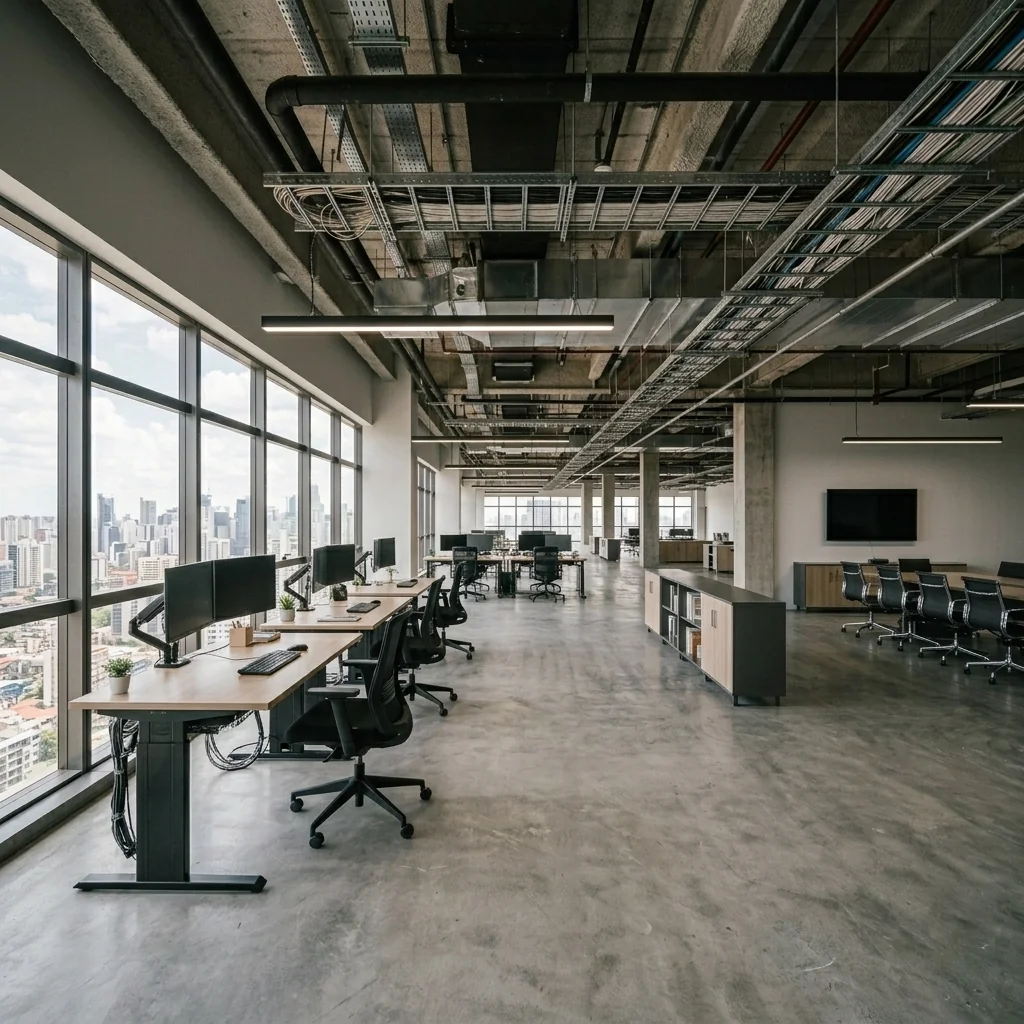
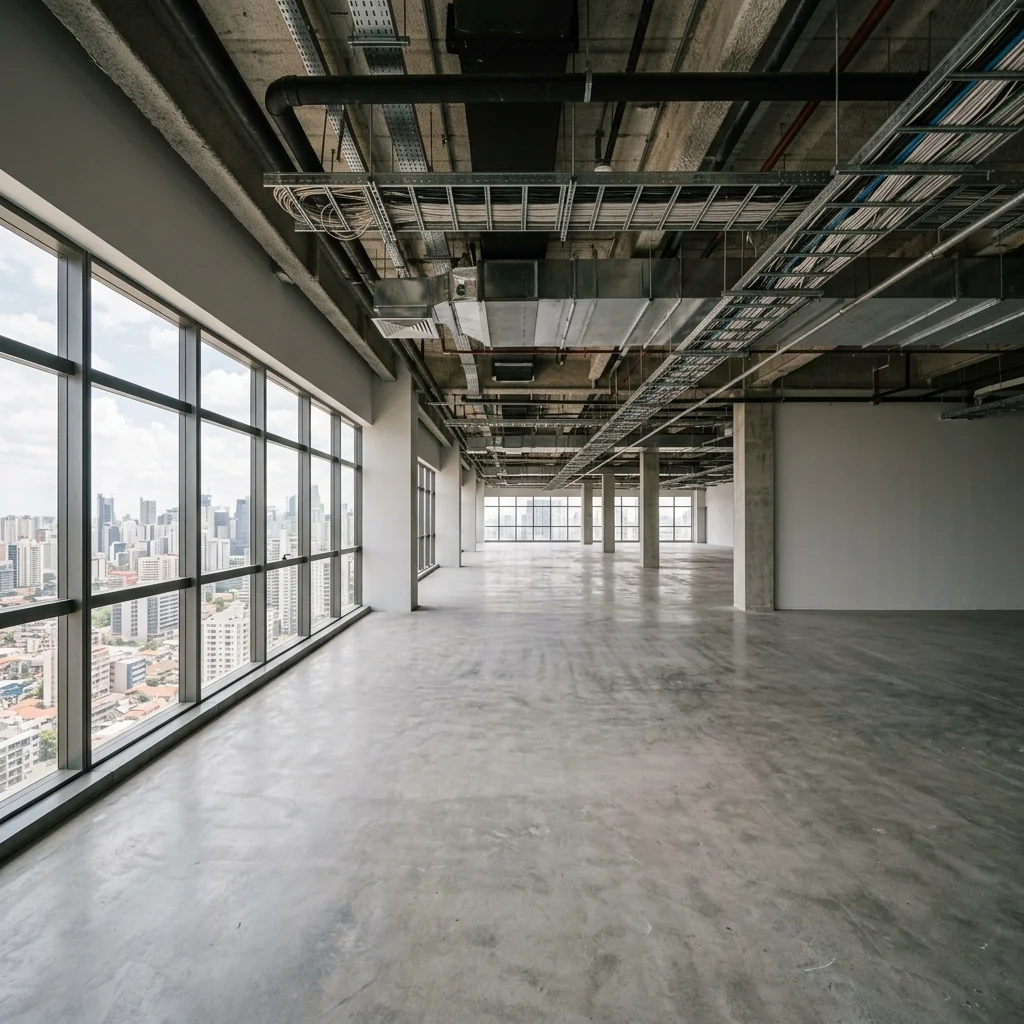

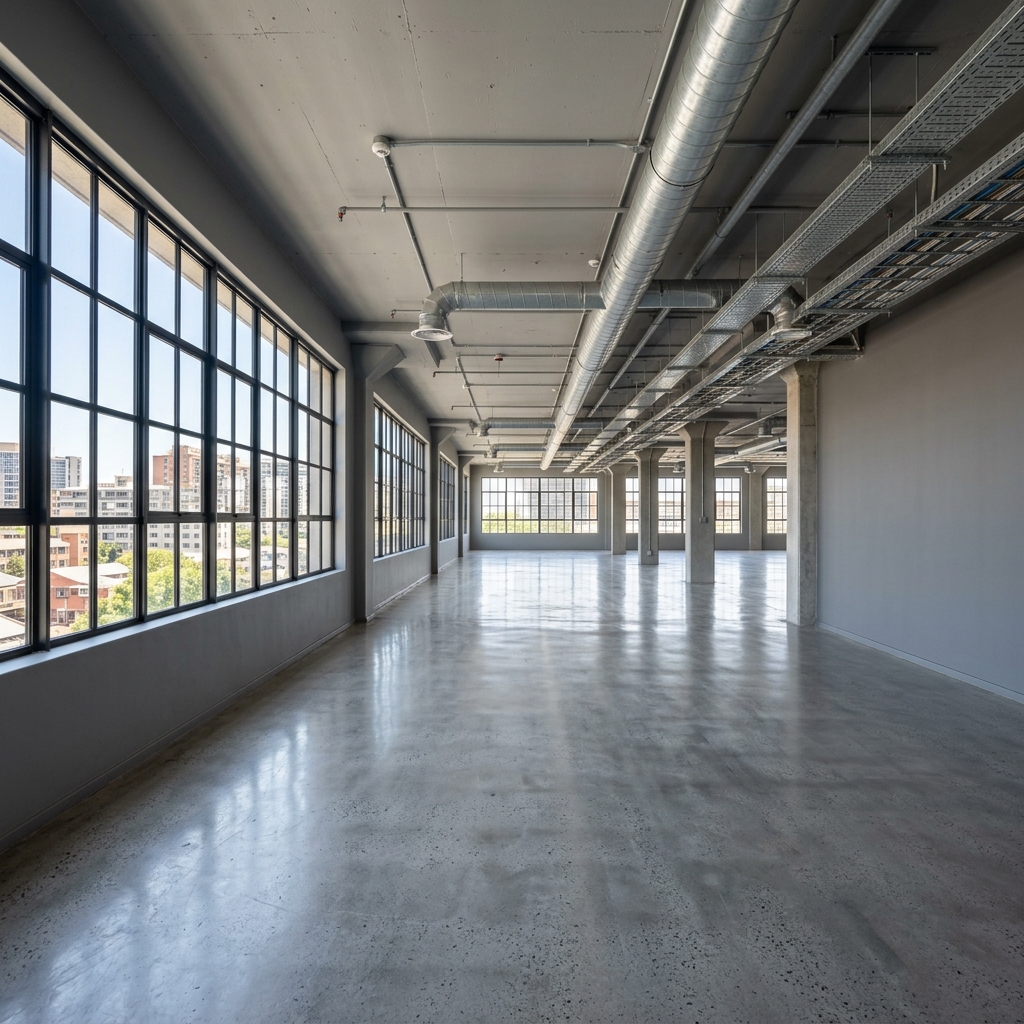

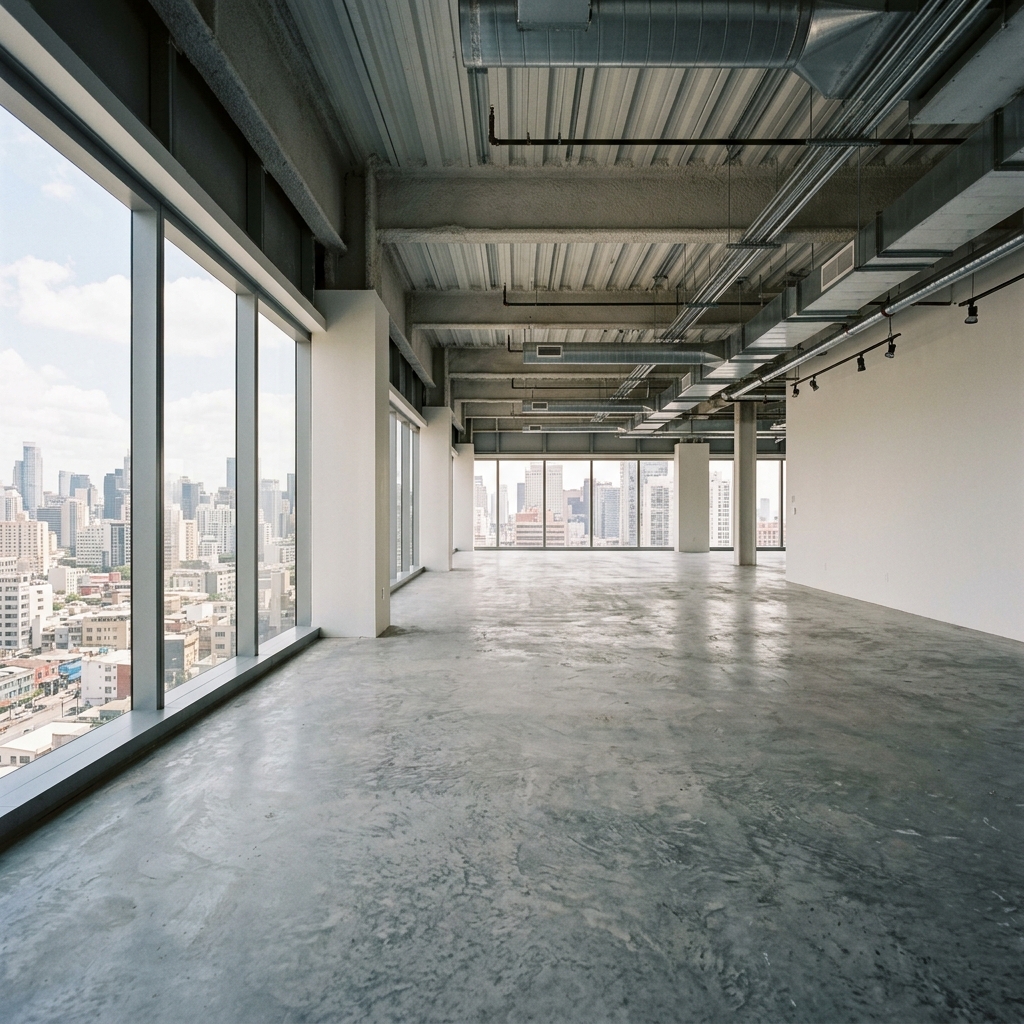
How it works
- 1Upload your photo
- 2Choose your settings
- 3Your image
Tips for a great result
Bright, clear photo
Daylight and a wide angle give the best result.
Show the whole area
Keep everything you want to change fully in the picture.
Try several variations
Compare different options before you decide.
Frequently asked questions
Can I use the images commercially?
Yes. You can use your images for any purpose, including commercial use.
Does my original photo change?
No. Your original stays unchanged and you can download it at any time.
What if I don't like the result?
Try another style or setting, or refine the result with a short instruction.
Keep exploring
All tools
AI Armchair Upholstery Swapper
Use a photo of your armchair to explore fabric, color and pattern ideas. Choose the available material settings and compare any returned image with your original.

AI Furniture Upholstery Changer
Preview an upholstery idea on a furniture photo. Choose a material such as velvet, leather or linen and optionally describe a colour; check fabric details in the returned image.

AI Upholstery Visualizer
Preview a fabric idea on a sofa or chair photo. Choose the fabric, colour, texture and finish to compare a visual concept with your original before choosing real materials.
Read the full guide
Prepare your idea
Explore a furnished open-office concept from a photo. Choose style, work density, collaboration features and colours; inspect paths and desk spacing rather than treating the image as an occupancy plan.
Prepare your source photo and the references listed in the form. Its settings describe the intended changes.
Review the request and result
Review availability, image count and the current total before explicitly confirming. Registration alone does not establish credits or a free result. If the outcome is unclear, check the saved status of the existing request before confirming again.
Read the earlier original guide
This earlier guide may contain historical price, timing, quality or usage statements. Use the current description and tool form.
How long does generation take for Open Floor Office Stager?
Generation usually takes between 5 and 15 seconds.
Can I use the results commercially?
Yes, every generated image includes a full commercial usage license.
Tips for your photo
Make sure the photo is well lit and shot from a wide angle.
Remove clutter before shooting the photo for the best results.
Use re-staging mode for targeted style changes.
Frequently asked questions
What input formats and resolutions are ideal for the Open Floor Office Stager to achieve optimal results for commercial real estate photos?
Upload high-resolution JPEG or PNG files (1920x1080 pixels minimum) for your empty open floor office spaces. This ensures the Open Floor Office Stager can accurately detect room dimensions and stage detailed desk clusters and collaboration zones for your property listing.
How quickly does the Open Floor Office Stager transform an empty office space into a fully staged commercial property listing?
Stage your open floor office in under 30 seconds. The Open Floor Office Stager rapidly processes uploaded images, generating inspiring modern workplaces. This quick turnaround helps agents update MLS listings faster and enhance their property listing appeal.
What output quality can I expect from the Open Floor Office Stager, and is it suitable for high-resolution property listings on platforms like Zillow?
Enhance your property listing with stunning 4K output images from the Open Floor Office Stager. Convert your staged open floor office into professional-grade visuals perfect for Zillow, MLS, and agent portfolios, ensuring every detail of the modern workplace is crisp.
What are the best tips for users to achieve the most realistic and appealing staging with the Open Floor Office Stager for their real estate photos?
Stage your best work by uploading well-lit, clear, and empty open floor office photos. Ensure minimal clutter. The Open Floor Office Stager works best with a clean slate, allowing it to accurately visualize desk clusters and collaboration zones, enhancing your property listing.
Can I re-generate multiple staging options for the same open floor office space using the Open Floor Office Stager to explore different layouts?
Transform your approach by re-generating unlimited staging variations for your open floor office. The Open Floor Office Stager allows agents to instantly visualize diverse desk clusters, lounge areas, and collaboration zones, providing multiple options for any property listing or MLS entry.
Technical FAQ: Open Floor Office Stager
Quick answers for optimal results
Common mistakes
5 Open Floor Office Stager Mistakes Killing Your Property Listing (And How to Fix Them)
How to Open Floor Office Stager Online for Zillow and MLS Success
Using Low-Resolution Real Estate Photos as Input: Uploading blurry or pixelated real estate photos to the Open Floor Office Stager results in a low-quality staged image, deterring potential tenants.
The AI relies on the clarity of the original image to accurately place furniture and enhance details. Poor input leads to a poor output.
Ensure all uploaded photos are high-resolution (at least 1000px wide) and well-lit. Consider hiring a professional photographer for optimal results before using the Open Floor Office Stager.
Ignoring the Target Tenant's Needs: Staging an open floor office with generic furniture and layouts that don't appeal to the specific type of business you're targeting.
A tech startup has different needs than a law firm. Generic staging won't resonate and may even detract from the property listing.
Research the ideal tenant for the space. Use the Open Floor Office Stager to create multiple versions of the staged office, tailored to different business types. Showcase versatility in your MLS listing.
Over-Staging the Space: Filling the open floor office with too much furniture and decor, making it appear cramped and cluttered in the staged real estate photos.
Potential tenants need to visualize their own teams and equipment in the space. Over-staging obscures the true size and potential of the office.
Use the Open Floor Office Stager to create a clean, minimalist design that highlights the spaciousness of the open floor plan. Focus on essential furniture and avoid unnecessary clutter. Less is more for a compelling property listing.
Neglecting Branding Opportunities: Failing to incorporate your company's branding or the potential tenant's branding into the staged open floor office.
Branding helps potential tenants visualize their business operating in the space and reinforces your company's image.
Use the Open Floor Office Stager to subtly incorporate branding elements, such as company colors in the furniture or a logo on a virtual wall. This adds a professional touch to the staged property listing.
Not Showcasing Collaboration Zones: Failing to highlight the potential for collaboration and teamwork in the open floor office design.
Modern businesses value collaboration. Failing to showcase this in the staging diminishes the appeal of the property.
Use the Open Floor Office Stager to create dedicated collaboration zones with comfortable seating, whiteboards, and technology integration. Highlight these features in your property listing description to attract forward-thinking tenants and agents.
What Your Open Floor Office Stager Results Will Look Like
Upload your photo to get started and see the transformation!
Your workflow
4 Steps to Stage Open Floor Office Spaces with AI: Open Floor Office Stager
How to use an open floor office stager online to enhance real estate photos for your property listing and attract agents
Upload
Upload your empty or outdated open floor office space photo to the Open Floor Office Stager. Ensure the real estate photos are clear and well-lit for optimal AI staging results.
For best results, upload high-resolution real estate photos of the open floor office space with minimal obstructions.
Customize
Select your preferred design style and specify the desired arrangement of desks, collaboration zones, and lounge areas using the Open Floor Office Stager. Tailor the staging to match your brand and target tenant profile.
Experiment with different styles and furniture arrangements to visualize the open floor office space's potential for various work styles.
Generate
Let the Open Floor Office Stager's AI instantly generate a professionally staged image of your open floor office space. Review the staged image and make any necessary adjustments.
Use the regeneration feature to explore different staging options and refine the final image.
Publish
Download the enhanced real estate photos from the Open Floor Office Stager and immediately update your property listing on MLS, Zillow, and other platforms. Attract more potential tenants and agents with visually appealing staged images.
Include the staged images in your marketing materials and property listing descriptions to highlight the open floor office space's potential.
Use cases
Property Listings for Open Floor Office Stager
Social Media Marketing & Instagram Inserate
Architektur- & Umbau-Präsentationen
Open Floor Office Stager — Technical Specifications
1. Upload your property photo.
2. Choose the interior style or room type you want.
3. Click Generate and get your result in seconds.
Expert guide
5 Expert Tips: Dominate the Market with Your Open Floor Office Stager
How to Get the Most Realistic Open Floor Office Stager Results for Your Property Listing
Prepare High-Resolution Real Estate Photos for Optimal Staging
Upload clear, well-lit real estate photos to the Open Floor Office Stager for the best results. Ensure images are at least 2000px wide for crisp details when staging desk layouts and collaboration areas. This enhances your property listing on Zillow and MLS.
Fine-Tune Stager Settings for Brand Alignment and Style
Customize the Open Floor Office Stager settings to match your brand's aesthetic. Adjust color palettes, furniture styles, and layout preferences to create a cohesive and professional look that resonates with potential tenants. This attracts agents and boosts your property's appeal.
Achieve Hyperrealistic Results with Strategic Staging Techniques
Use the Open Floor Office Stager to strategically place furniture and decor, creating a sense of scale and functionality. Emphasize natural light and focal points to showcase the space's potential. This will impress prospective tenants viewing your property listing.
Leverage Open Floor Office Stager for Professional Presentations and Marketing
Download high-resolution staged images from the Open Floor Office Stager for use in presentations, brochures, and online marketing materials. Showcase the versatility of the space and attract high-quality tenants. This helps agents close deals faster.
How it works
3 Steps to Master the Open Floor Office Stager
How to open floor office stager online for commercial real estate in 2025
Upload Your Empty Office Photos
Upload high-resolution images of your vacant commercial property to the Open Floor Office Stager to prepare your MLS or Zillow listing for immediate AI-powered workspace transformation and enhancement.
Select Modern Workspace Furniture Styles
Choose from diverse furniture layouts including desk clusters and lounge areas, allowing the Open Floor Office Stager to intelligently populate your property listing with professional, brand-aligned interior designs.
Download High-Res Staged Office Images
Export your photorealistic, AI-staged office photos instantly to boost engagement on commercial real estate platforms, providing agents and brokers with the ultimate visual tool for faster leasing.
What you can do
Advanced Open Floor Office Stager Capabilities
Photorealistic Office Visuals
Generate stunning, photorealistic images of staged open floor offices, showcasing every detail from furniture to lighting, perfect for property listings.
Rapid Office Staging
Transform vast open floor plans into fully furnished, professional workspaces in mere seconds, dramatically reducing staging time for agents and developers.
Versatile Output Formats
Download your staged open floor office designs in various high-resolution formats, ensuring seamless compatibility with MLS, Zillow, and all marketing platforms.
Tailored Design Options
Customize every element of open floor office staging, from desk layouts to brand-specific decor, matching client preferences and corporate identity.
Intelligent Space Planning
Leverage advanced AI to precisely arrange furniture and zones within open floor offices, optimizing flow and functionality for ideal tenant appeal.
Elevate Property Listings
Empower agents and commercial managers to present compelling open floor office spaces, enhancing property listings and attracting top-tier tenants.
Pro-level tools at your fingertips