
Window Treatment Visualizer
- Photo
- Your choices
- Your image
See what's possible
Real results from photos like yours.
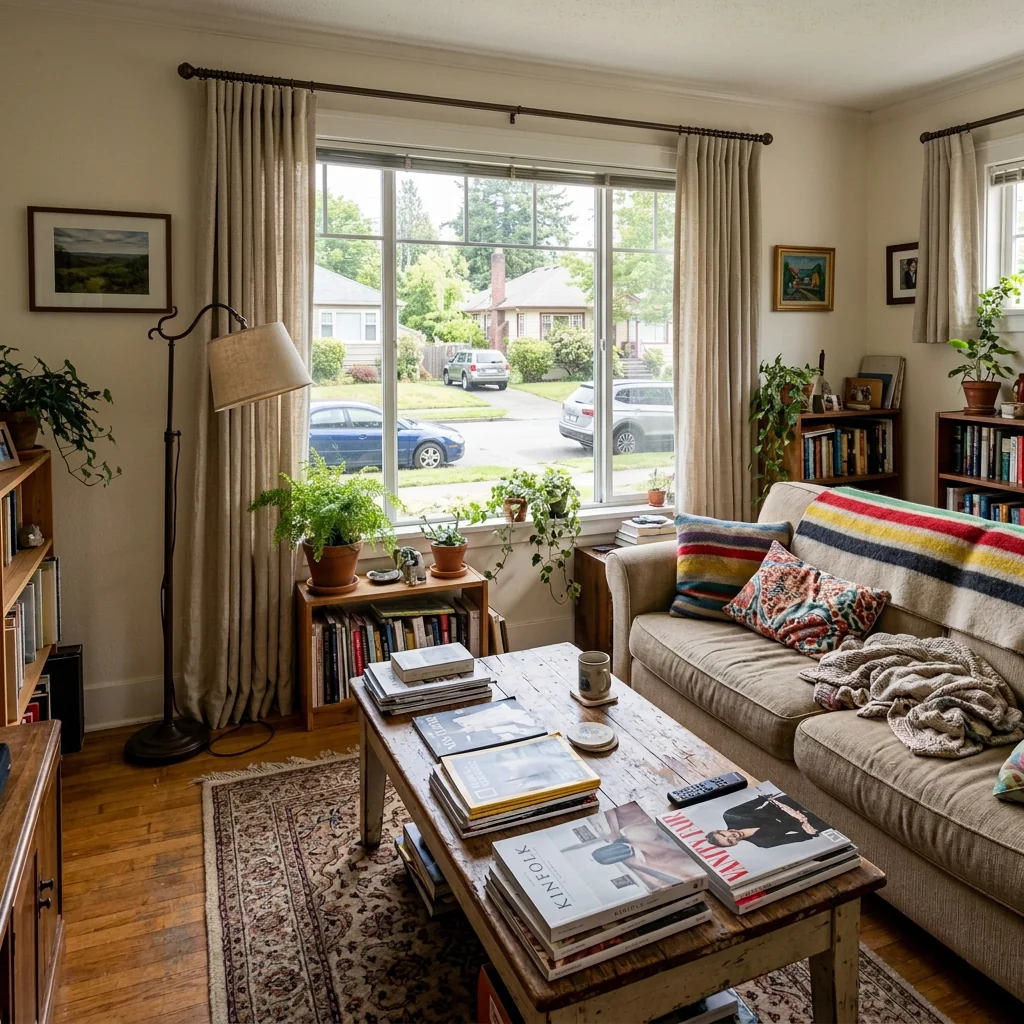
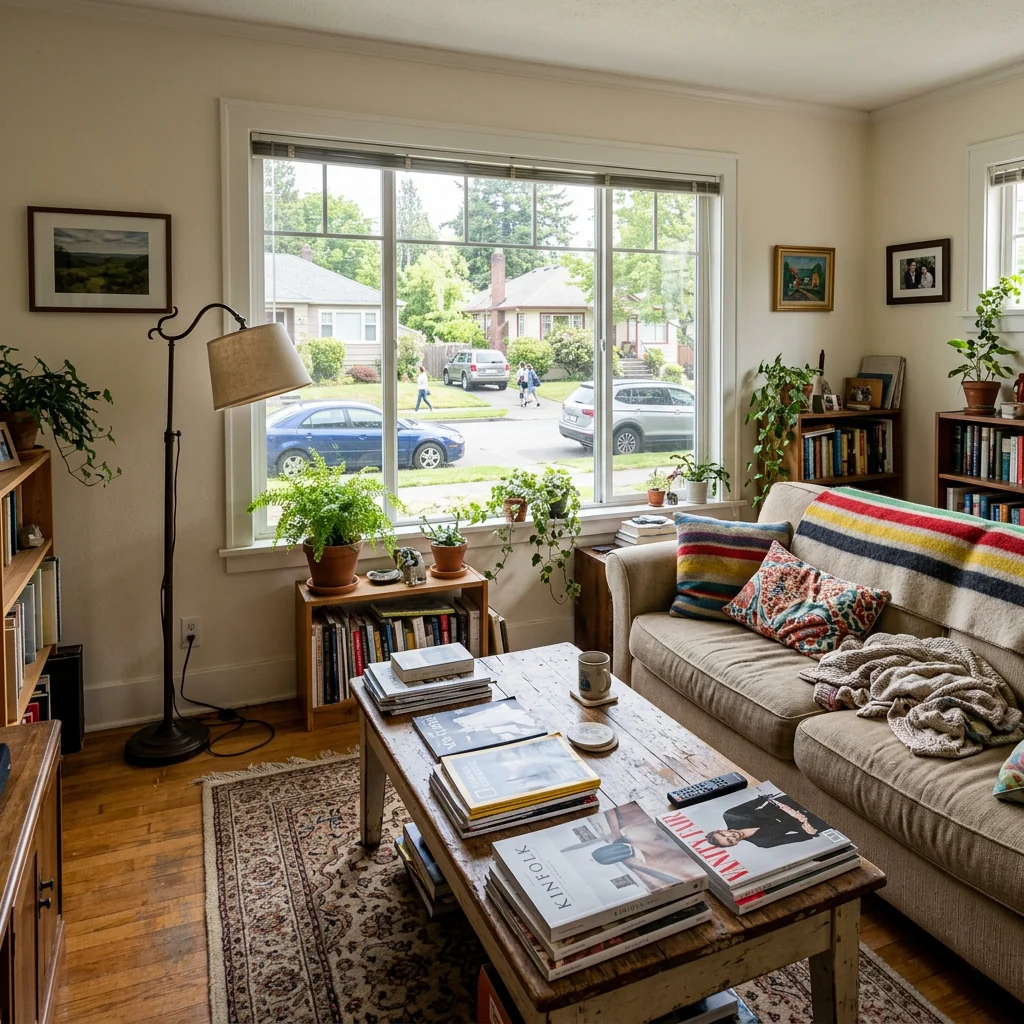

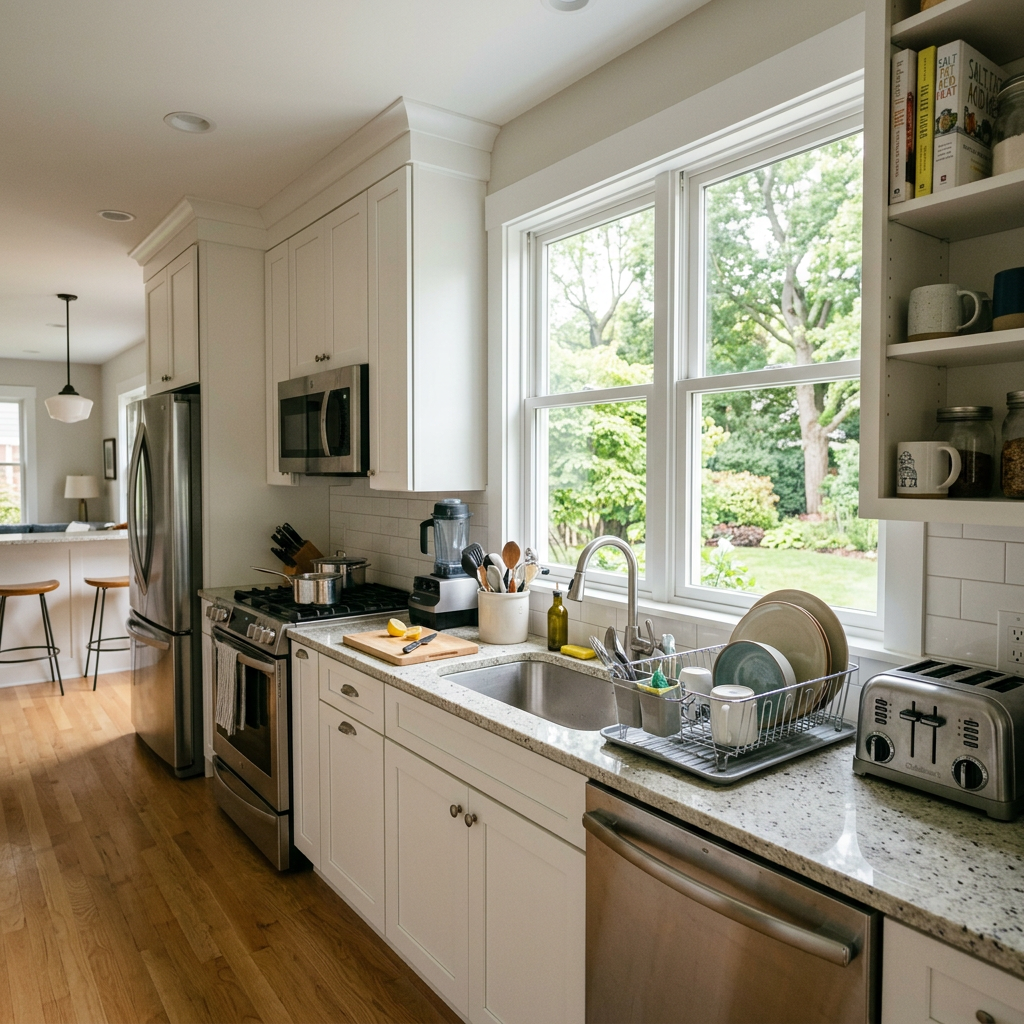

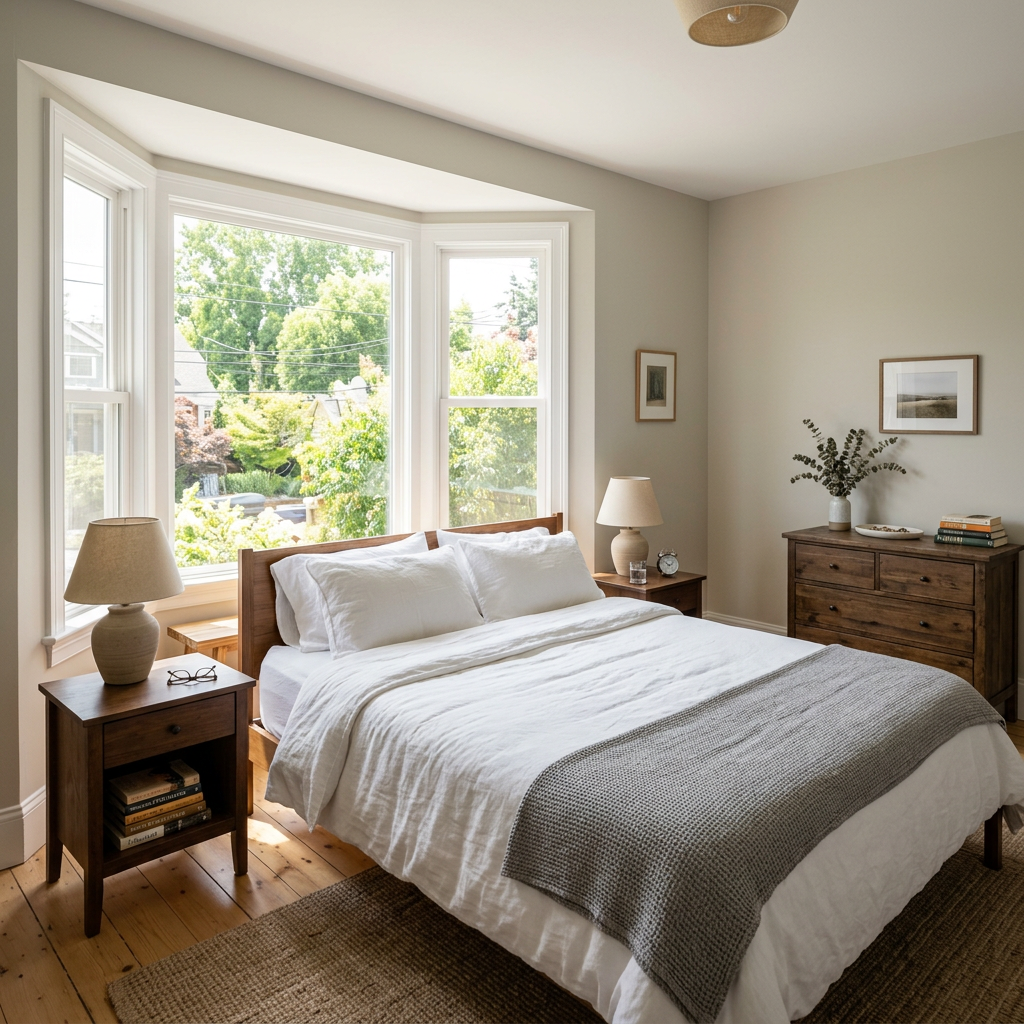
How it works
- 1Upload your photo
- 2Choose your settings
- 3Your image
Tips for a great result
Bright, clear photo
Daylight and a wide angle give the best result.
Show the whole area
Keep everything you want to change fully in the picture.
Try several variations
Compare different options before you decide.
Frequently asked questions
Can I use the images commercially?
Yes. You can use your images for any purpose, including commercial use.
Does my original photo change?
No. Your original stays unchanged and you can download it at any time.
What if I don't like the result?
Try another style or setting, or refine the result with a short instruction.
Keep exploring
All tools
AI Armchair Upholstery Swapper
Use a photo of your armchair to explore fabric, color and pattern ideas. Choose the available material settings and compare any returned image with your original.

AI Furniture Upholstery Changer
Preview an upholstery idea on a furniture photo. Choose a material such as velvet, leather or linen and optionally describe a colour; check fabric details in the returned image.

AI Upholstery Visualizer
Preview a fabric idea on a sofa or chair photo. Choose the fabric, colour, texture and finish to compare a visual concept with your original before choosing real materials.
Read the full guide
Prepare your idea
Explore window-treatment ideas on a room photo. Choose the treatment, fabric colour and mounting style, then compare the visual concept with your windows and real measurements.
Prepare your source photo and the references listed in the form. Its settings describe the intended changes.
Review the request and result
Review availability, image count and the current total before explicitly confirming. Registration alone does not establish credits or a free result. If the outcome is unclear, check the saved status of the existing request before confirming again.
Read the earlier original guide
This earlier guide may contain historical price, timing, quality or usage statements. Use the current description and tool form.
How long does generation take for Window Treatment Visualizer?
Generation usually takes between 5 and 15 seconds.
Can I use the results commercially?
Yes, every generated image includes a full commercial usage license.
Tips for your photo
Make sure the photo is well lit and shot from a wide angle.
Remove clutter before shooting the photo for the best results.
Use re-staging mode for targeted style changes.
Frequently asked questions
What are the optimal input image requirements for the Window Treatment Visualizer?
Upload high-resolution, well-lit real estate photos in JPG or PNG format. This ensures the Window Treatment Visualizer can accurately stage and transform your property listing, providing the best visual enhancement for potential buyers viewing your MLS entry.
How quickly does the Window Treatment Visualizer generate previews after I upload a photo?
The Window Treatment Visualizer processes images rapidly, typically within 10-20 seconds. This allows agents to quickly enhance property listings and showcase various window treatment options without delay, improving buyer engagement on platforms like Zillow.
What level of realism and detail can I expect from the Window Treatment Visualizer's output?
Expect high-fidelity, realistic renders. The Window Treatment Visualizer seamlessly integrates chosen treatments, maintaining accurate lighting and perspective. This enhances your real estate photos, making property listings more appealing and professional for any agent.
What are 3 key tips for achieving the best results with the Window Treatment Visualizer?
1) Upload clear, well-lit real estate photos with visible windows. 2) Ensure minimal obstructions around the window area. 3) Experiment with diverse styles to truly transform the room. This will enhance your property listing significantly.
Can I modify or re-generate window treatment options after an initial visualization?
Absolutely. The Window Treatment Visualizer allows unlimited modifications. Easily select new styles, colors, or types to re-generate and compare options. This helps agents refine property listings and enhance visual appeal for prospective buyers on any platform.
Technical FAQ: Window Treatment Visualizer
Quick answers for optimal results
Common mistakes
5 Window Treatment Visualizer Mistakes Killing Your Real Estate Photos
How to Use a Window Treatment Visualizer Online for Stunning Property Listing Photos
Using Low-Resolution Room Photos in the Window Treatment Visualizer
Low-quality images result in pixelated and unrealistic window treatment previews, detracting from the overall appeal of your real estate photos for Zillow or MLS.
Upload high-resolution photos to the Window Treatment Visualizer for crisp, clear previews. Ensure good lighting for optimal results when showcasing window treatments to potential buyers.
Ignoring the Room's Style When Choosing Window Treatments in the Visualizer
Selecting window treatments that clash with the room's existing decor can negatively impact the perceived value of the property in your property listing. Mismatched styles deter potential buyers.
Use the Window Treatment Visualizer to experiment with different styles (modern, traditional, etc.) that complement the room's aesthetic. Consider the existing furniture and color palette.
Not Adjusting Window Treatment Size and Placement Accurately in the Visualizer
Improperly sized or positioned window treatments in the visualizer create an unprofessional and unrealistic look in real estate photos, making it harder for agents to attract offers.
Carefully adjust the size, height, and width of the window treatments within the Window Treatment Visualizer to ensure they fit the window properly and appear natural. Use the zoom feature for precise placement.
Overlooking Fabric Texture and Color Variations in the Window Treatment Visualizer
Failing to consider how different fabrics and colors will appear in real-world lighting can lead to disappointment and inaccurate representation of the property in your MLS listing.
Utilize the Window Treatment Visualizer to explore various fabric textures and colors under different lighting conditions. Request samples if possible to ensure the chosen window treatments complement the room's natural light.
Not Saving and Comparing Different Window Treatment Options in the Visualizer
Limiting yourself to the first option you try prevents you from exploring potentially better choices that could significantly enhance the property's appeal for your real estate photos.
Save multiple window treatment designs within the Window Treatment Visualizer and compare them side-by-side. Share the options with your client or agent for feedback before making a final decision.
See the Magic: Your Window Treatment Visualizer Results
Upload your real estate photos and instantly visualize new window treatments online
Your workflow
4 Steps to Stunning Real Estate Photos with a Window Treatment Visualizer
How to use a Window Treatment Visualizer Online: Maximize Your Property Listing Appeal
Upload Your Real Estate Photo
Upload a high-quality photo of the room with the window you want to showcase. Ensure the window is clearly visible for optimal Window Treatment Visualizer results, enhancing your property listing.
Use a photo taken during daylight for the best lighting. Make sure the photo is not blurry and accurately represents the room for realistic window treatment previews.
Select Your Window Treatment Styles
Choose from a variety of window treatment options, including curtains, blinds, shutters, and drapes. Experiment with different styles and colors using the Window Treatment Visualizer to find the perfect match for your real estate photos.
Consider the architectural style of the house and the existing decor when selecting window treatments. Use the visualizer to see how different options complement the room's overall aesthetic.
Visualize and Customize
Use the Window Treatment Visualizer to preview how your chosen treatments will look on your actual window. Adjust the size, color, and style to achieve the desired effect for your property listing. Enhance your real estate photos instantly.
Pay attention to the scale of the window treatments in relation to the window size. Experiment with different patterns and textures to add visual interest to your real estate photos.
Download and Share for MLS & Zillow
Download the enhanced image with the visualized window treatments. Use these professionally enhanced real estate photos on your MLS listing, Zillow, and other platforms to attract potential buyers. Impress potential buyers with a perfectly staged property listing.
Use the downloaded image in all your marketing materials, including online listings, brochures, and social media posts. High-quality visuals can significantly increase buyer interest and lead to faster sales for the agent.
Use cases
Real Estate Listings for Window Treatment Visualizer
Social Media Marketing & Instagram Inserate
Architektur- & Umbau-Präsentationen
Window Treatment Visualizer — Technical Specifications
1. Upload your property photo.
2. Choose the interior style or room type you want.
3. Click Generate and get your result in seconds.
Expert guide
5 Tips: Dominate Real Estate Photos with a Window Treatment Visualizer
How to Get the Most Out of Your Online Window Treatment Visualizer for Property Listings
Transform Real Estate Photos: Prepare High-Quality Images
Upload clear, well-lit real estate photos to the Window Treatment Visualizer for optimal results. Ensure the window is fully visible and free from obstructions. A high-resolution image will allow for accurate rendering of curtains, blinds, and other window treatments, improving your property listing's appeal on Zillow and MLS.
Optimize Visualizer Settings: Fine-Tune for Accurate Previews
Adjust the Window Treatment Visualizer's settings to match your window's dimensions and lighting conditions. Experiment with different fabric textures and colors to see how they interact with the room's existing decor. Precise settings translate to realistic previews, helping agents showcase the true potential of a property.
Enhance Your Property Listing: Achieve the Best Visualizer Results
Choose window treatments that complement the room's style and highlight its best features. Use the Window Treatment Visualizer to experiment with various styles, from modern blinds to classic drapes. A well-chosen window treatment can significantly enhance a property's perceived value and attract more potential buyers on MLS.
Convert Leads: Leverage the Window Treatment Visualizer for Professional Use
Use the Window Treatment Visualizer to create stunning visuals for your real estate marketing materials. Showcase different window treatment options to clients, helping them visualize the possibilities and make informed decisions. This value-added service can set you apart from other agents and boost your property listing's appeal.
How it works
3 Steps to Master the Window Treatment Visualizer
How to window treatment visualizer online for free in 2026
Upload Your Property Interior Photos
Upload high-resolution real estate photos of your interior spaces to the Window Treatment Visualizer to begin the home staging process for your professional Zillow or MLS property listing.
Select Custom Blinds and Curtains
Select from premium curtains, blinds, or plantation shutters to preview how these window coverings enhance the lighting and mood of your property photos for potential buyers and real estate agents.
Download High-Resolution Staged Images
Download your high-resolution staged images to showcase realistic window decor, allowing brokers to provide a complete visual experience that drives higher engagement on every digital property listing.
What you can do
Advanced Window Treatment Visualizer Capabilities
High-Resolution Visualizations
Generate stunning, photorealistic previews of curtains, blinds, and drapes directly on your uploaded room photos, ensuring accurate representation for property listings.
Instant Treatment Previews
See immediate transformations as you apply various window treatments to your real estate photos, saving valuable time for agents and stagers.
Versatile Export Options
Download your visualized window treatments in multiple formats, perfect for sharing on MLS, Zillow, or client presentations, enhancing property listing appeal.
Extensive Style Library
Customize every detail with a vast selection of fabrics, patterns, and styles for blinds, shutters, and drapes, tailored for diverse property aesthetics.
Smart Treatment Placement
AI intelligently detects window dimensions and applies treatments flawlessly, ensuring perfect fit and realistic staging for every real estate photo.
Boost Property Value
Utilize the Window Treatment Visualizer to enhance property listings, attract more buyers, and demonstrate potential upgrades for higher sale prices on Zillow and MLS.
Pro-level tools at your fingertips