
Furniture Visualizer
Explore a furniture-placement idea on a room photo. Describe the piece and choose a position; a visual concept does not verify a real product's dimensions or fit.
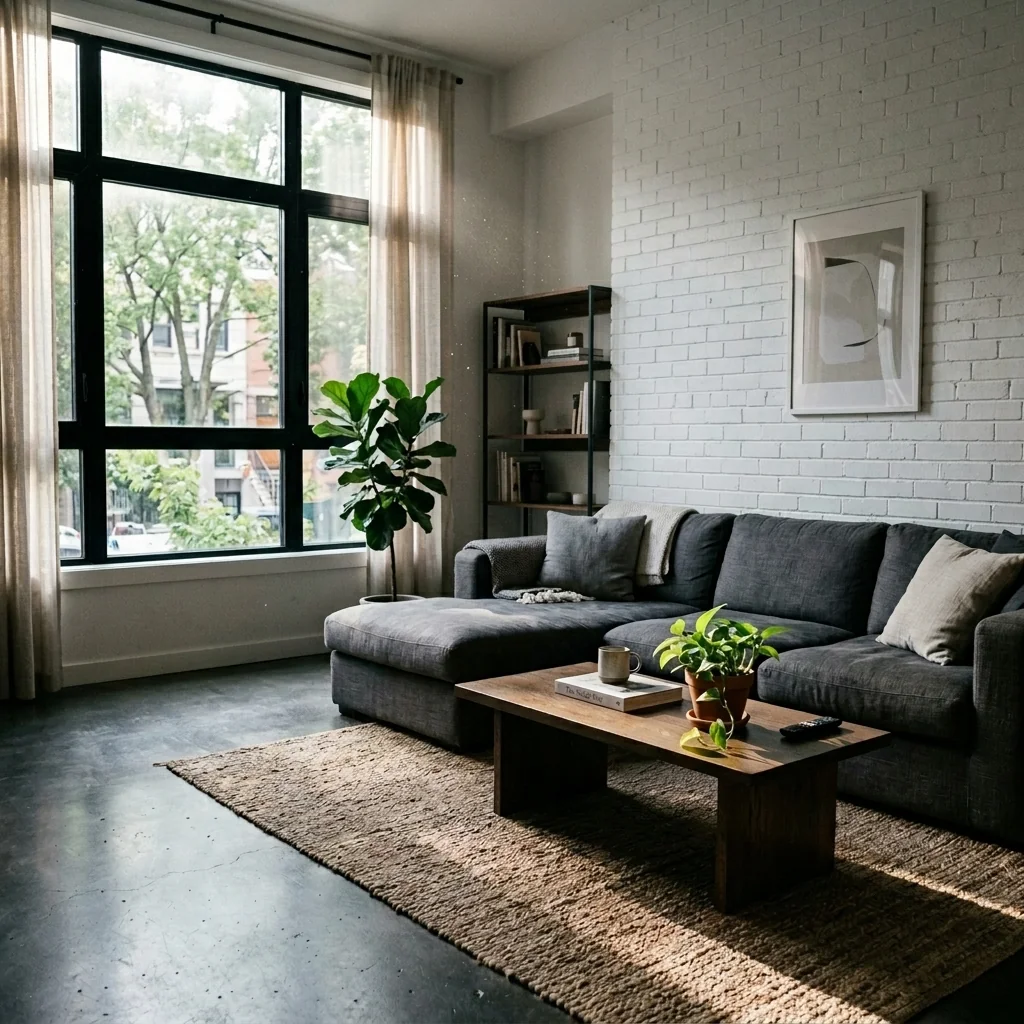
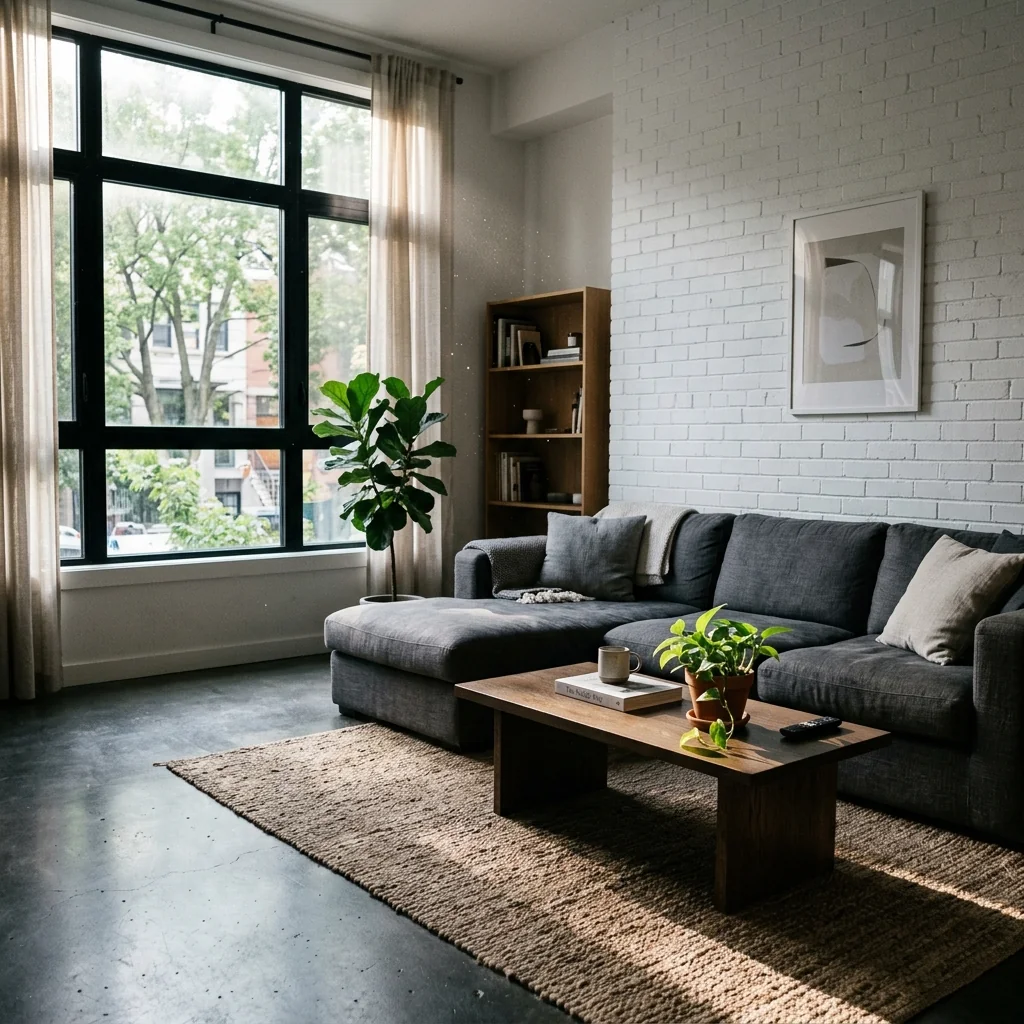
Example · Your result depends on your photo and settings.
1 image free after verified sign-in · No credit card
Choose a photo. Review the look. Sign in to create.
Examples and photo tips
What to prepare
JPG, PNG, WebP, HEIC or HEIF · up to 20 MB per photo
At least 64 × 64 pixels; JPG/PNG/WebP up to 40 megapixels.
HEIC/HEIF: up to 4 megapixels. Larger images need a JPG, PNG or WebP copy.
A clear source photo
Well lit, with the whole area visible.
An idea of the change you want
The editor shows the options for this tool.
Review AI changes before publishing a property image.
Explore more examples
View original photo
Before

View original photo

Before

View original photo

Before
About this tool
Architectural & Design Previews
Prepare your idea
Explore a furniture-placement idea on a room photo. Describe the piece and choose a position; a visual concept does not verify a real product's dimensions or fit.
Prepare your source photo and the references listed in the form. Its settings describe the intended changes.
Review the request and result
Review availability, image count and the current total before explicitly confirming. Registration alone does not establish credits or a free result. If the outcome is unclear, check the saved status of the existing request before confirming again.
Read the earlier original guide
This earlier guide may contain historical price, timing, quality or usage statements. Use the current description and tool form.
Furniture Visualizer: Stunning Before & After Examples (2026)
Transform Real Estate Photos: How to Furniture Visualizer Online for Property Listings
Expert guide
Furniture Visualizer: The Ultimate Real Estate Agent's Guide (2026)
Transform Your Property Listings with an Online Furniture Visualizer
How can a furniture visualizer enhance my real estate photos?
A furniture visualizer allows potential buyers to see properties fully furnished, even when they're vacant. This is crucial for attracting more attention on Zillow and other MLS platforms. Virtual staging with a furniture visualizer helps buyers envision the space's potential, leading to increased interest and faster sales. It transforms empty rooms into inviting homes, improving the appeal of your property listing.Are there any legal considerations when using a furniture visualizer for MLS listings?
Yes, transparency is key. According to NAR guidelines, always disclose that the images have been virtually staged using a furniture visualizer. Ensure the 'before' and 'after' are clearly labeled to avoid misleading potential buyers. Comply with all MLS regulations regarding virtual staging to maintain ethical and legal compliance in your real estate photos.What is the typical cost of using a furniture visualizer for property listings?
The cost varies depending on the provider and the number of rooms you need to stage. Some furniture visualizer tools offer pay-per-image options, while others have monthly subscription plans. PropStage.ai offers competitive pricing, often more cost-effective than traditional physical staging, making it an accessible solution for agents aiming to enhance their property listing on a budget. Consider the ROI in terms of faster sales and higher offers.What makes a high-quality furniture visualizer for real estate photos?
A high-quality furniture visualizer provides realistic furniture placement, accurate lighting, and seamless integration with the existing room. Look for tools that offer a wide range of furniture styles and customization options. The final image should look natural and appealing, enhancing the overall presentation of the property listing on Zillow and other platforms. PropStage.ai focuses on photorealistic results for optimal impact.What are the best use cases for a furniture visualizer in real estate?
Furniture visualizers are ideal for staging vacant properties, showcasing different design possibilities, and helping buyers visualize their furniture in a new space. They're particularly effective for attracting online buyers browsing MLS listings and Zillow. Agents can use them to highlight the potential of a property and overcome objections related to size or layout, ultimately leading to faster sales and increased commissions.How can I integrate a furniture visualizer into my real estate workflow?
Integrate the furniture visualizer into your marketing process after capturing real estate photos. Upload your photos to the platform, virtually stage the rooms, and then use the enhanced images in your property listing on the MLS and other platforms. Share the staged photos on social media and your website to attract more potential buyers. Streamlining this process can significantly improve your marketing efforts and sales results.How it works
How AI Furniture Visualizer Works
Effortlessly visualize furniture in your space.
Upload Your Room Photo
Start by uploading a clear photo of the room you want to furnish. Our AI analyzes the dimensions and lighting for realistic furniture placement.
Describe Your Dream Furniture
Tell us about the furniture you want to visualize. Be specific with descriptions or reference images for the best AI-powered placement results.
See Furniture Perfectly Placed
Our AI accurately scales, lights, and perspectives your chosen furniture, showing you exactly how it will look in your room. Try different options!
What you can do
Furniture Visualizer: See Furniture in Your Space
Specific Furniture Placement
Precisely place your dream furniture using descriptions or reference images, ensuring accurate scale and placement.
Accurate Scale & Perspective
AI ensures furniture renders with correct dimensions and perspective, providing a realistic preview in your room.
Realistic Lighting Integration
AI matches the furniture's lighting to your room's existing conditions for a seamless, natural look.
Upload Existing Room Photos
Use your own photos to visualize furniture in real spaces, eliminating guesswork and potential buyer's remorse.
Enhance Property Listings
Showcase vacant properties fully furnished, attracting more potential buyers with visually appealing staging.
Save Time & Money
Avoid costly furniture returns and staging expenses by visualizing furniture before making any purchase decisions.
Effortlessly visualize furniture in any room, ensuring perfect fit & style before you buy.
See Furniture in Your Room, Risk-Free
Visualize furniture placement with AI. Ensure perfect fit & style before you buy. Try it now!
Compare editing approaches
Review timing, cost, available options and the editing steps for your photo.
Creation time
Other services: Agree on a delivery deadline before work starts.
PropStage: Processing time varies. If a result is delayed, check its saved request status instead of sending the same request again.
Cost per image
Other services: Ask for a written quote covering the agreed work and any additional fees.
PropStage: Review the credit cost before confirming a request. Check the current offer before choosing a plan.
Styles and variations
Other services: Confirm which styles and revisions are included.
PropStage: Use the options offered by this tool. Review the credit cost before confirming each new image request.
Editing workflow
Other services: Agree on the source photos, references and final review.
PropStage: Review the required photos and settings before confirming. Keep your original and compare the saved result before publishing.
Read the earlier original guide
This earlier guide may contain historical price, timing, quality or usage statements. Use the current description and tool form.
AI Furniture Visualizer: See Your Dream Furniture In Place
Stop guessing! PropStage.ai's Furniture Visualizer lets you virtually place specific furniture pieces in your room, ensuring perfect scale, lighting, and perspective. See how that dream sofa or table truly fits before you buy, saving time and preventing costly mistakes. Perfect furniture placement, guaranteed.