
Garden Enhancement Tool
Explore a refreshed garden concept from an exterior photo. Compare planting, ground surfaces, boundaries and building details with your original before planning real work.
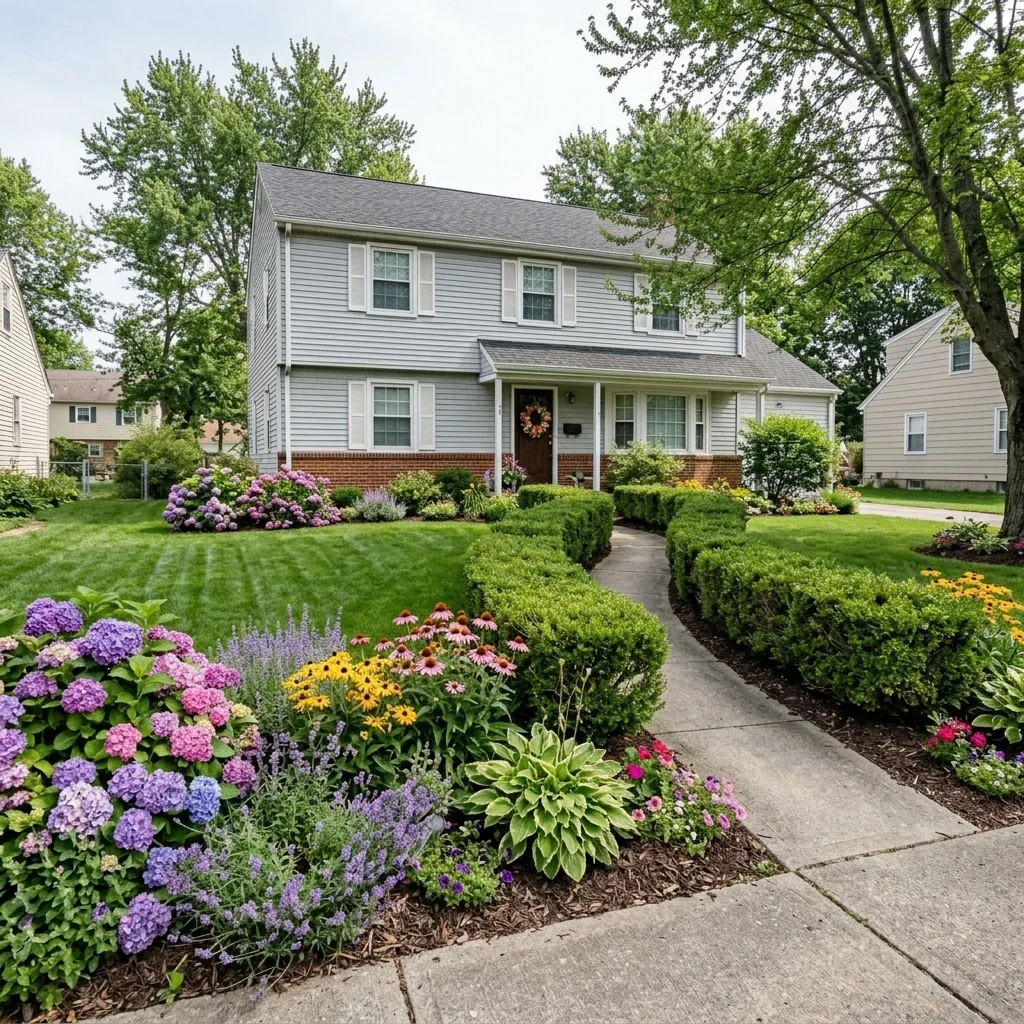
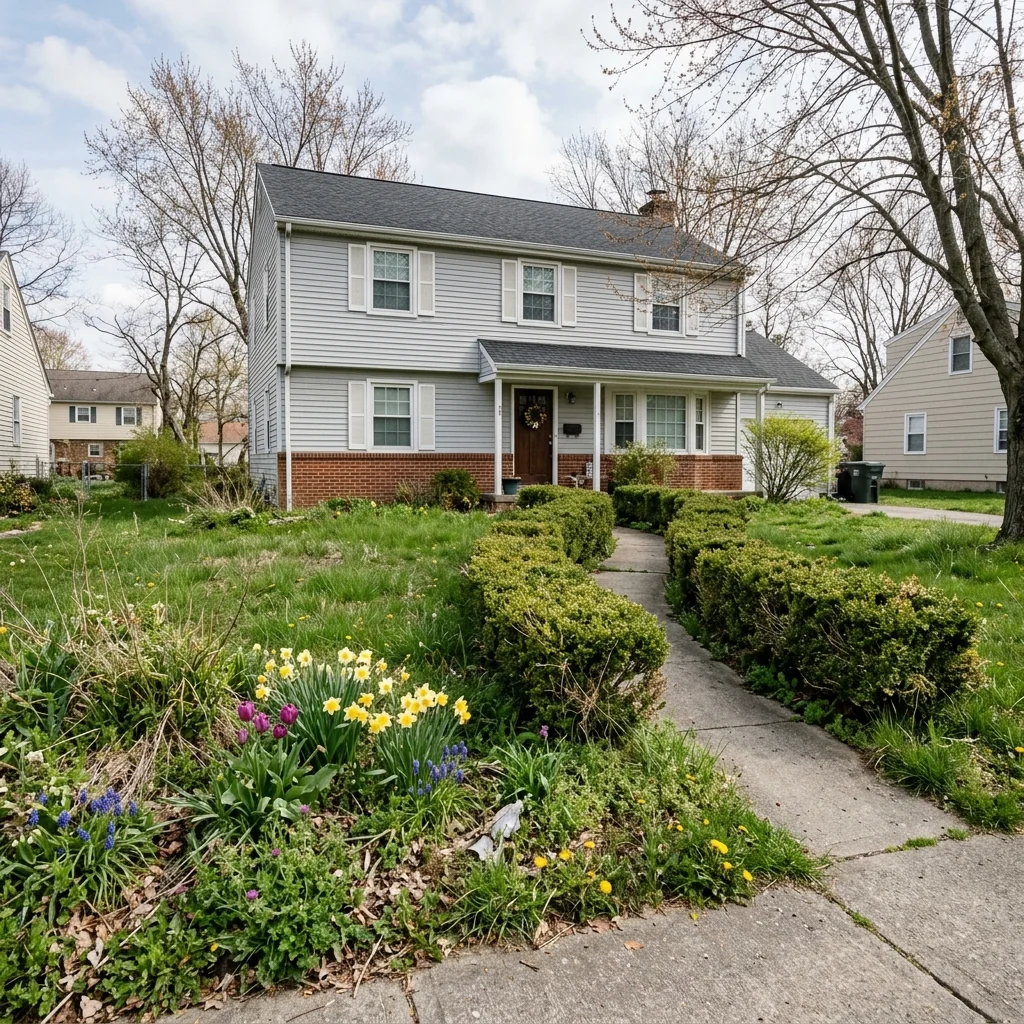
Example · Your result depends on your photo and settings.
1 image free after verified sign-in · No credit card
Choose a photo. Review the look. Sign in to create.
Examples and photo tips
What to prepare
JPG, PNG, WebP, HEIC or HEIF · up to 20 MB per photo
At least 64 × 64 pixels; JPG/PNG/WebP up to 40 megapixels.
HEIC/HEIF: up to 4 megapixels. Larger images need a JPG, PNG or WebP copy.
A clear source photo
Well lit, with the whole area visible.
An idea of the change you want
The editor shows the options for this tool.
Review AI changes before publishing a property image.
Explore more examples
View original photo
Before

View original photo
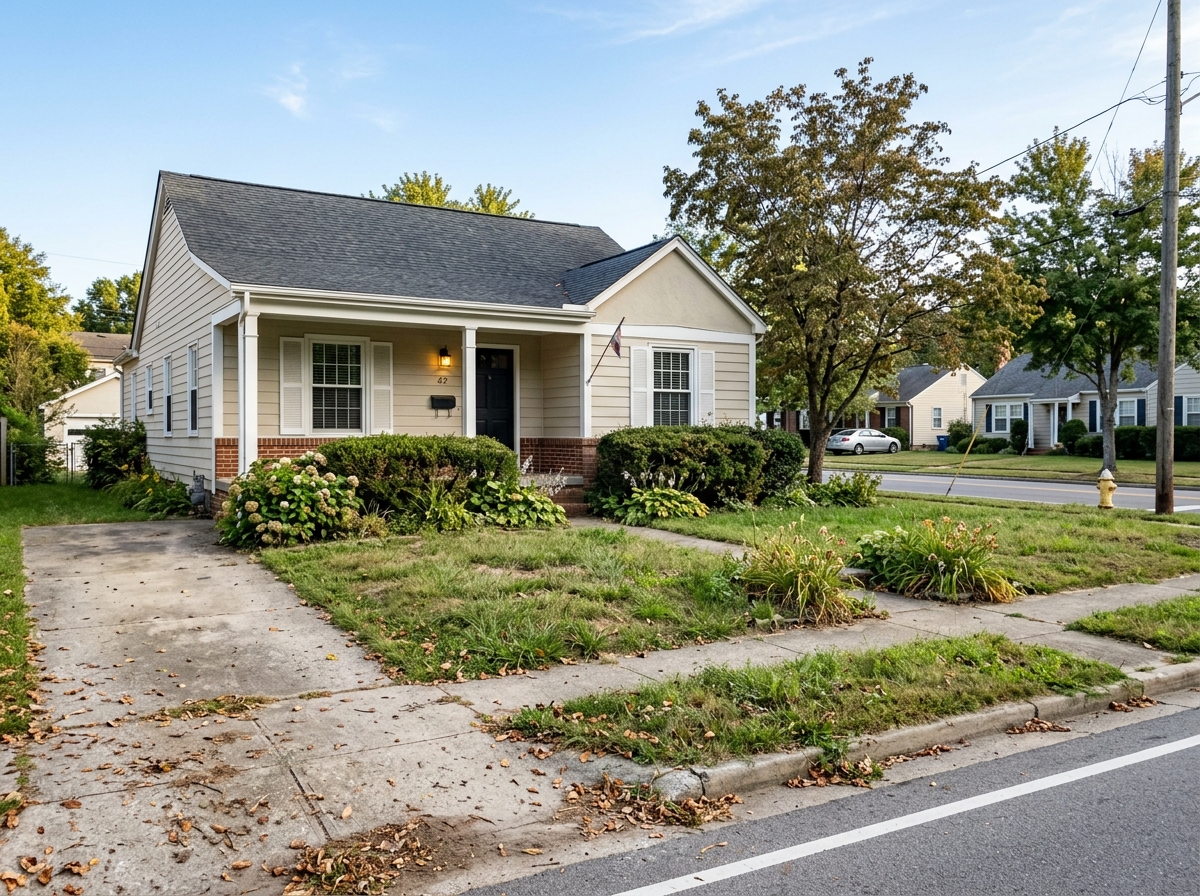
Before

View original photo
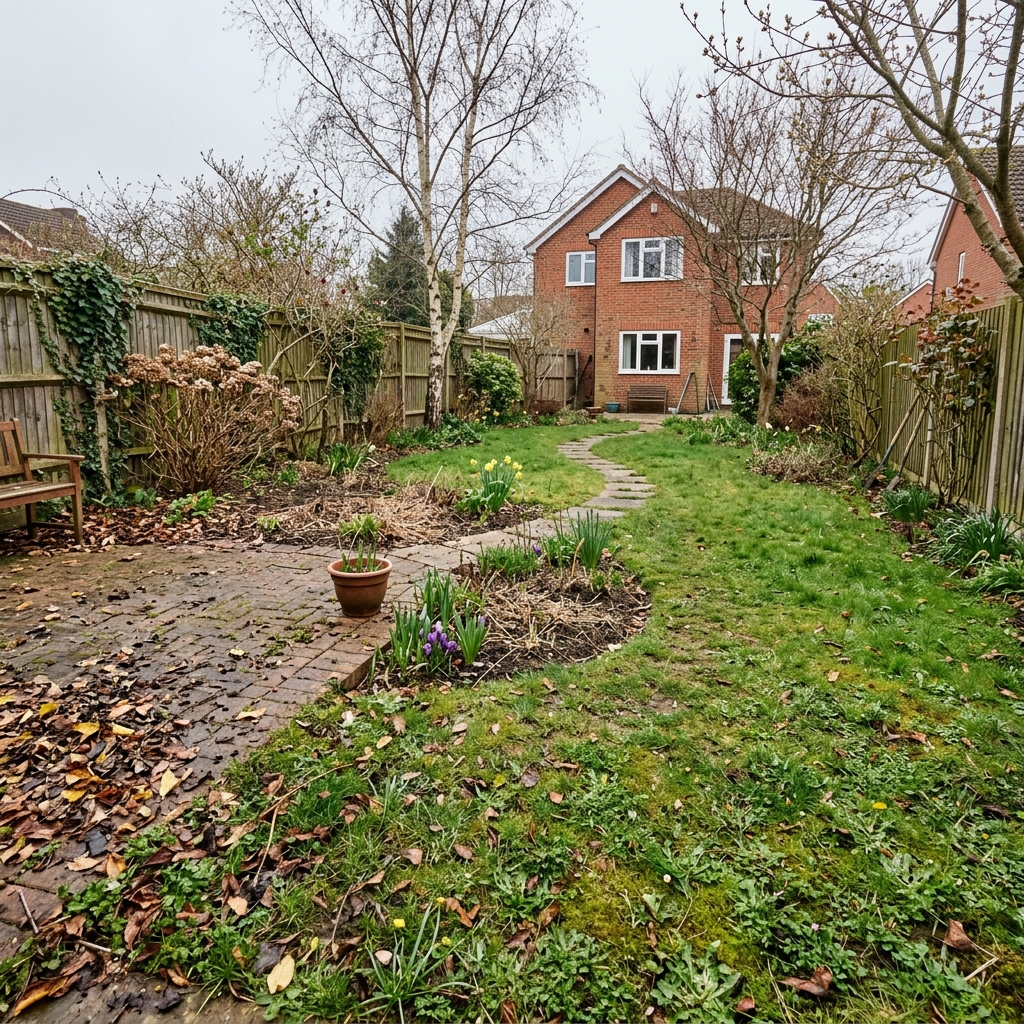
Before

View original photo

Before
About this tool
Property Image Enhancement
Prepare your idea
Explore a refreshed garden concept from an exterior photo. Compare planting, ground surfaces, boundaries and building details with your original before planning real work.
Prepare your source photo and the references listed in the form. Its settings describe the intended changes.
Review the request and result
Review availability, image count and the current total before explicitly confirming. Registration alone does not establish credits or a free result. If the outcome is unclear, check the saved status of the existing request before confirming again.
Read the earlier original guide
This earlier guide may contain historical price, timing, quality or usage statements. Use the current description and tool form.
Garden Enhancement Tool Examples: Before & After Results (2026)
See how agents use garden enhancement tool to transform listings
Expert guide
5 Tips to Transform Your Property Listing with a Garden Enhancement Tool
How to Use a Garden Enhancement Tool Online to Boost Real Estate Photos
How can a Garden Enhancement Tool improve my real estate photos?
Transform your property listing instantly. A Garden Enhancement Tool lets you virtually stage overgrown or neglected gardens into appealing landscapes. This enhances curb appeal in real estate photos, attracting more potential buyers on Zillow and MLS listings. According to NAR, staged homes sell faster and at a higher price.
Are there any legal or MLS restrictions when using a Garden Enhancement Tool?
Always disclose that real estate photos have been virtually enhanced with a Garden Enhancement Tool. Transparency is crucial to maintain ethical standards and avoid misleading potential buyers. Check your local MLS guidelines for specific regulations regarding virtual staging and garden enhancements. Failure to comply could result in penalties.
What is the cost of using a Garden Enhancement Tool for property listings?
The cost of a Garden Enhancement Tool varies. Some offer pay-per-image options, while others have monthly subscription plans. Consider the number of property listings you handle to determine the most cost-effective option. PropStage.ai offers competitive pricing with unlimited enhancements for real estate agents.
What level of quality can I expect from a Garden Enhancement Tool?
The quality of garden enhancements depends on the tool. Look for a Garden Enhancement Tool that offers realistic rendering and customizable options. PropStage.ai uses advanced AI to ensure high-quality, natural-looking results that enhance your real estate photos without appearing artificial. High-quality images lead to better engagement on property listings.
What are the best uses for a Garden Enhancement Tool in real estate?
Use a Garden Enhancement Tool to showcase the potential of properties with unkempt gardens. It's ideal for vacant properties, foreclosures, or homes with seasonal landscaping challenges. Enhance real estate photos by adding flowers, trimming bushes, and creating inviting outdoor spaces, all within seconds. This boosts the appeal of your property listing.
How can I integrate a Garden Enhancement Tool into my existing workflow?
Integrate a Garden Enhancement Tool seamlessly into your workflow by uploading real estate photos directly from your computer or cloud storage. Enhance the garden with a few clicks, and then download the enhanced images for use in your MLS listing, Zillow profile, and marketing materials. PropStage.ai's Garden Enhancement Tool simplifies the process for agents.
How it works
AI Garden Enhancement: Instant Curb Appeal
Transform overgrown yards into buyer-ready landscapes in seconds.
Upload Your Exterior Photo
Simply upload your property's exterior photo to PropStage.ai. Our AI instantly analyzes the garden and lawn areas.
AI-Powered Garden Enhancement
Our AI automatically enhances lawns, adds flowers, trims hedges, and removes debris for an instant garden makeover.
Download & Showcase Results
Download your enhanced real estate photos and instantly boost your property's curb appeal online.
What you can do
AI Garden Enhancement: Key Features
Lush Lawn Transformation
Replace patchy or dead grass with vibrant, green lawns, instantly increasing property appeal.
Add Flowers & Plants
Strategically place colorful flowers and plants to highlight key property features and create inviting spaces.
Tree & Shrub Enhancement
Enhance existing trees and shrubs for a fuller, healthier look, showcasing a well-maintained landscape.
Remove Garden Clutter
Automatically eliminate unwanted items like debris, weeds, or garden tools for a clean, polished look.
Optimal Lighting Adjustment
Adjust lighting to highlight garden features and create a warm, inviting atmosphere in exterior photos.
Pool & Water Feature Enhancement
Enhance pools, ponds, and other water features to showcase their pristine condition and add value to the property.
Instantly transform property exteriors & boost curb appeal for faster sales.
Stop Losing Buyers Over Bad Curb Appeal
Transform overgrown yards into buyer-ready landscapes with AI—no landscaping required
Compare editing approaches
Review timing, cost, available options and the editing steps for your photo.
Creation time
Other services: Agree on a delivery deadline before work starts.
PropStage: Processing time varies. If a result is delayed, check its saved request status instead of sending the same request again.
Cost per image
Other services: Ask for a written quote covering the agreed work and any additional fees.
PropStage: Review the credit cost before confirming a request. Check the current offer before choosing a plan.
Styles and variations
Other services: Confirm which styles and revisions are included.
PropStage: Use the options offered by this tool. Review the credit cost before confirming each new image request.
Editing workflow
Other services: Agree on the source photos, references and final review.
PropStage: Review the required photos and settings before confirming. Keep your original and compare the saved result before publishing.
Read the earlier original guide
This earlier guide may contain historical price, timing, quality or usage statements. Use the current description and tool form.
Unlock Curb Appeal: AI Garden Enhancement Transforms Listings
Instantly revitalize overgrown yards and captivate buyers with stunning virtual landscaping.
PropStage.ai's Garden Enhancement Tool transforms neglected outdoor spaces into inviting landscapes that attract more offers. Unlike generic photo editors, our AI intelligently enhances lawns, adds vibrant greenery, and creates buyer-ready curb appeal in seconds, saving you time and money.