
Image Upscale to 4K
Explore the 4K upscaling options for a property photo. Check availability before confirming, and inspect output dimensions and fine details before using an enlarged image.


Example · Your result depends on your photo and settings.
1 image free after verified sign-in · No credit card
Choose a photo. Review the look. Sign in to create.
Examples and photo tips
What to prepare
JPG, PNG, WebP, HEIC or HEIF · up to 20 MB per photo
At least 64 × 64 pixels; JPG/PNG/WebP up to 40 megapixels.
HEIC/HEIF: up to 4 megapixels. Larger images need a JPG, PNG or WebP copy.
A clear source photo
Well lit, with the whole area visible.
An idea of the change you want
The editor shows the options for this tool.
Review AI changes before publishing a property image.
Explore more examples
View original photo
Before

View original photo

Before

View original photo
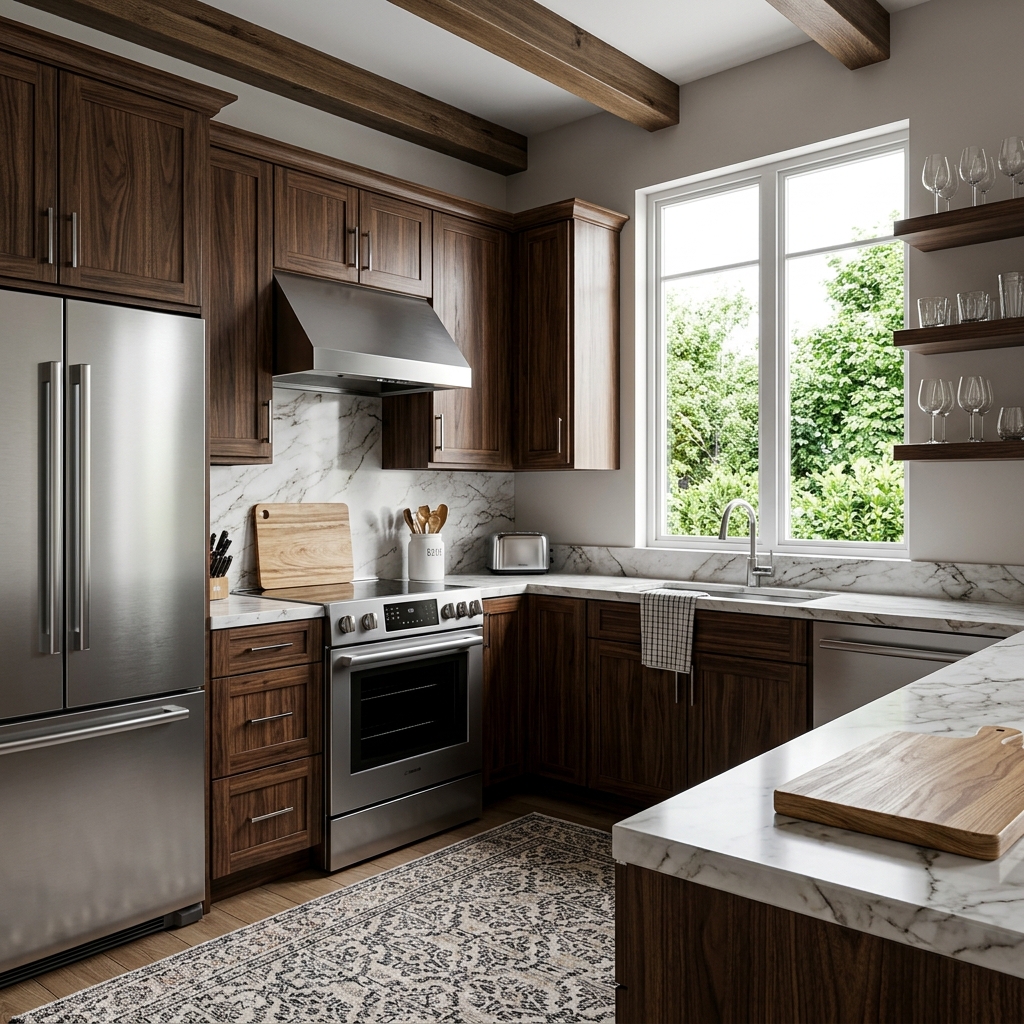
Before
About this tool
Property Image Enhancement
Prepare your idea
Explore the 4K upscaling options for a property photo. Check availability before confirming, and inspect output dimensions and fine details before using an enlarged image.
Prepare your source photo and the references listed in the form. Its settings describe the intended changes.
Review the request and result
Review availability, image count and the current total before explicitly confirming. Registration alone does not establish credits or a free result. If the outcome is unclear, check the saved status of the existing request before confirming again.
Read the earlier original guide
This earlier guide may contain historical price, timing, quality or usage statements. Use the current description and tool form.
Image Upscale to 4K Examples: Before & After Results (2026)
See How Agents Use Image Upscale to 4K to Transform Listings
Expert guide
Ultimate Guide: Image Upscale to 4K for Real Estate Listings (2024)
Learn how to image upscale to 4K online and enhance your property listings for maximum impact.
How does Image Upscale to 4K technology work for real estate photos?
AI enhancement to 4K is not yet available. Keep your original photo and check the tool’s current availability before confirming a request. When reviewing an enhanced image, compare windows, textures and architectural details against the original; additional pixels do not establish that a detail is accurate.
Are there any legal or MLS guidelines regarding image upscaling for property listings?
As an agent, you must ensure that upscaled images accurately represent the property. While upscaling enhances visual appeal, avoid misleading alterations. Refer to your local MLS guidelines and NAR ethics codes regarding accurate representation of properties. Transparency is key when presenting real estate photos.What is the cost of using Image Upscale to 4K for my real estate photos?
AI enhancement to 4K is not yet available. Keep your original photo and check the tool’s current availability before confirming a request. When reviewing an enhanced image, compare windows, textures and architectural details against the original; additional pixels do not establish that a detail is accurate.
How does Image Upscale to 4K improve the quality of my real estate photos?
AI enhancement to 4K is not yet available. Keep your original photo and check the tool’s current availability before confirming a request. When reviewing an enhanced image, compare windows, textures and architectural details against the original; additional pixels do not establish that a detail is accurate.
What are the best uses of Image Upscale to 4K for real estate agents?
AI enhancement to 4K is not yet available. Keep your original photo and check the tool’s current availability before confirming a request. When reviewing an enhanced image, compare windows, textures and architectural details against the original; additional pixels do not establish that a detail is accurate.
How can I integrate Image Upscale to 4K into my existing real estate workflow?
AI enhancement to 4K is not yet available. Keep your original photo and check the tool’s current availability before confirming a request. When reviewing an enhanced image, compare windows, textures and architectural details against the original; additional pixels do not establish that a detail is accurate.
How it works
How AI Image Upscale to 4K Works
Transform your photos into stunning 4K quality in seconds.
Upload Your Low-Resolution Image
Simply upload your property photo directly to PropStage.ai. Our AI instantly analyzes the image and identifies areas for enhancement.
AI Intelligently Reconstructs Details
Our advanced AI algorithms reconstruct fine details, textures, and edges, going beyond simple resizing to create true 4K quality.
Download Your Enhanced 4K Image
Receive a stunning, high-resolution 4K image ready for print, online listings, and premium marketing materials, instantly.
What you can do
AI Image Upscale to 4K: Enhance Your Listings
Stunning 4K Detail
Showcase properties with exceptional clarity. Upscale images for premium marketing and large-format prints effortlessly.
AI-Powered Detail Reconstruction
Intelligently reconstructs fine details, textures, and edges for a professional, polished look that impresses clients.
Elevate Listing Appeal
Attract more attention online. High-resolution images capture buyer interest and increase engagement with your listings.
Luxury Listing Ready
Perfect for showcasing high-end properties. Ensure every detail shines with crisp, vibrant, and ultra-detailed imagery.
Fast & Easy Upscaling
Transform images quickly and easily. Save time and resources while achieving professional-grade results every time.
MLS Compliance Guaranteed
Meet and exceed MLS image requirements. Ensure your listings are always presented in the best possible light.
Transform low-res photos into stunning 4K. Attract more buyers with ultra-high-definition property images.
Upscale Any Property Photo to Stunning 4K Ultra-High-Definition
AI-powered image enhancement for real estate professionals, luxury listings, and print materials
Compare editing approaches
Review timing, cost, available options and the editing steps for your photo.
Creation time
Other services: Agree on a delivery deadline before work starts.
PropStage: Processing time varies. If a result is delayed, check its saved request status instead of sending the same request again.
Cost per image
Other services: Ask for a written quote covering the agreed work and any additional fees.
PropStage: Review the credit cost before confirming a request. Check the current offer before choosing a plan.
Styles and variations
Other services: Confirm which styles and revisions are included.
PropStage: Use the options offered by this tool. Review the credit cost before confirming each new image request.
Editing workflow
Other services: Agree on the source photos, references and final review.
PropStage: Review the required photos and settings before confirming. Keep your original and compare the saved result before publishing.