
Just Sold Portfolio Collage
Arrange three or four of your property photos into a static portfolio grid. Add your own title and choose a style; the tool does not verify sales or invent listing facts.
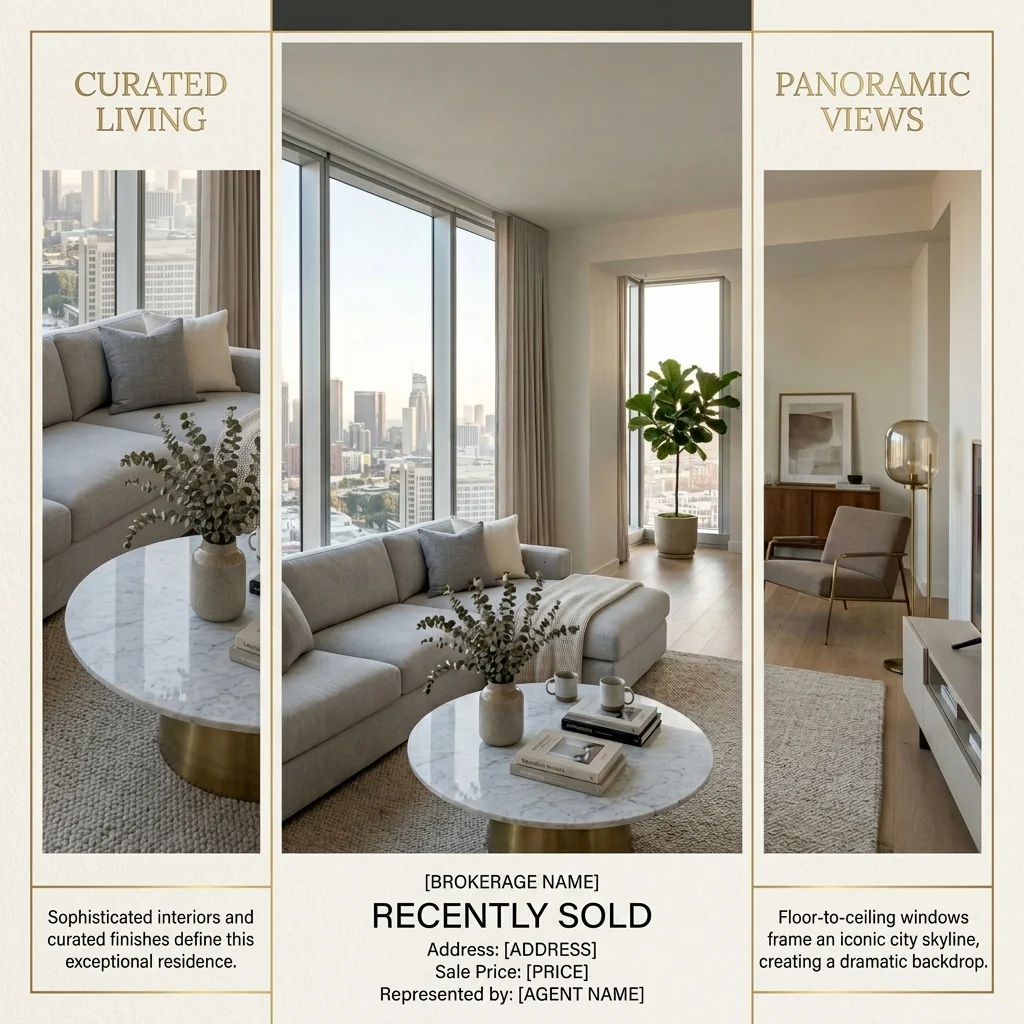

Example · Your result depends on your photo and settings.
1 image free after verified sign-in · No credit card
Choose a photo. Review the look. Sign in to create.
Examples and photo tips
What to prepare
JPG, PNG, WebP, HEIC or HEIF · up to 20 MB per photo
At least 64 × 64 pixels; JPG/PNG/WebP up to 40 megapixels.
HEIC/HEIF: up to 4 megapixels. Larger images need a JPG, PNG or WebP copy.
A clear source photo
Well lit, with the whole area visible.
An idea of the change you want
The editor shows the options for this tool.
Review AI changes before publishing a property image.
Explore more examples
View original photo
Before

View original photo

Before

View original photo

Before
About this tool
Marketing & Distribution Outputs
Prepare your idea
Arrange three or four of your property photos into a static portfolio grid. Add your own title and choose a style; the tool does not verify sales or invent listing facts.
Prepare your source photo and the references listed in the form. Its settings describe the intended changes.
Review the request and result
Review availability, image count and the current total before explicitly confirming. Registration alone does not establish credits or a free result. If the outcome is unclear, check the saved status of the existing request before confirming again.
Read the earlier original guide
This earlier guide may contain historical price, timing, quality or usage statements. Use the current description and tool form.
Just Sold Portfolio Collage: Before & After Examples for Real Estate Agents (2026)
See how agents use Just Sold Portfolio Collage to transform real estate photos and enhance property listings
Expert guide
5 Tips to Transform Your Brand with Just Sold Portfolio Collage
How to Create a Stunning Just Sold Portfolio Collage Online: A Guide for Real Estate Agents
How can Just Sold Portfolio Collage enhance my real estate photos for Zillow?
Transform your property listing with high-quality real estate photos arranged into an eye-catching Just Sold Portfolio Collage. Upload your best 3-4 images, and our AI automatically creates a professional grid, perfect for showcasing your recent sales on Zillow and attracting potential sellers. Ensure all images comply with MLS guidelines.
Are there any legal considerations when using Just Sold Portfolio Collage for MLS listings?
Yes, adhere to NAR advertising guidelines and MLS rules when creating your Just Sold Portfolio Collage. Obtain necessary permissions for using property images. Include disclaimers if needed. Our tool helps you create compliant collages that showcase your success without violating regulations. Always verify compliance with your local MLS.
What is the cost of using Just Sold Portfolio Collage compared to hiring a designer?
Using our Just Sold Portfolio Collage tool is significantly more cost-effective than hiring a professional designer. Our AI-powered platform allows you to create unlimited high-quality collages for a fraction of the price. Convert your real estate photos into stunning marketing materials without breaking the bank. Stage your success affordably.
How does Just Sold Portfolio Collage ensure high-quality output for my social media?
Our Just Sold Portfolio Collage tool uses advanced AI algorithms to ensure high-resolution output, perfect for social media platforms. Enhance your brand image with visually appealing collages that showcase your recent sales. Upload your best real estate photos and let our tool create a professional presentation that attracts new clients. Convert casual viewers into leads.
What are the best uses for a Just Sold Portfolio Collage in real estate marketing?
The best uses include social media posts, email marketing campaigns, website testimonials, and printed marketing materials. Use the Just Sold Portfolio Collage to showcase your expertise and recent successes. Convert potential clients by highlighting your track record. Attract new sellers by demonstrating your ability to sell properties quickly and efficiently. Stage your listings for maximum impact.
How does Just Sold Portfolio Collage integrate into my existing real estate agent workflow?
Our tool seamlessly integrates into your existing workflow. Simply upload your real estate photos, and our AI creates a professional Just Sold Portfolio Collage in seconds. Download the finished product and use it across all your marketing channels. Enhance your efficiency and save time while creating stunning marketing materials. Streamline your process and focus on closing deals.
How it works
How AI Just Sold Portfolio Collage Works
Showcase your success, effortlessly.
Upload Your 'Just Sold' Photos
Select 3-4 high-quality photos of your recently sold properties directly from your MLS or camera roll. PropStage AI handles the rest.
AI Auto-Arranges & Enhances
Our AI intelligently arranges your photos into visually appealing grid layouts, optimizing for social media aesthetics and automatic image enhancements.
Download & Share Your Success
Instantly download your high-resolution 'Just Sold' collage, ready to post on Instagram, Facebook, or LinkedIn. Attract new seller leads today!
What you can do
Just Sold Collage: Showcase Your Success
Highlight Your Sold Listings
Showcase 3-4 of your recently sold properties in a visually appealing, professional collage.
Customizable Layouts & Styles
Choose from a variety of pre-designed templates to match your brand and aesthetic.
High-End Design, Zero Effort
Create a premium 'Quarterly Review' look without hiring a graphic designer.
Optimized for Social Media
Perfectly sized and formatted for Instagram, Facebook, and other platforms.
Attract New Seller Leads
Visually demonstrate your success and expertise to potential clients.
Instant Social Proof Generator
Quickly build trust and credibility with a professional 'Just Sold' portfolio.
Effortlessly create stunning social media collages that highlight your recent sales and attract new listings.
Sold Listings, Stunning Collages. Get More.
Effortlessly create 'Just Sold' portfolio grids that win new listings on social media.
Compare editing approaches
Review timing, cost, available options and the editing steps for your photo.
Creation time
Other services: Agree on a delivery deadline before work starts.
PropStage: Processing time varies. If a result is delayed, check its saved request status instead of sending the same request again.
Cost per image
Other services: Ask for a written quote covering the agreed work and any additional fees.
PropStage: Review the credit cost before confirming a request. Check the current offer before choosing a plan.
Styles and variations
Other services: Confirm which styles and revisions are included.
PropStage: Use the options offered by this tool. Review the credit cost before confirming each new image request.
Editing workflow
Other services: Agree on the source photos, references and final review.
PropStage: Review the required photos and settings before confirming. Keep your original and compare the saved result before publishing.