
Seasonal Property Visualizer
Explore a seasonal concept for an exterior photo. Choose from the offered seasons and review the selected image count; the returned image does not document the property's current condition.
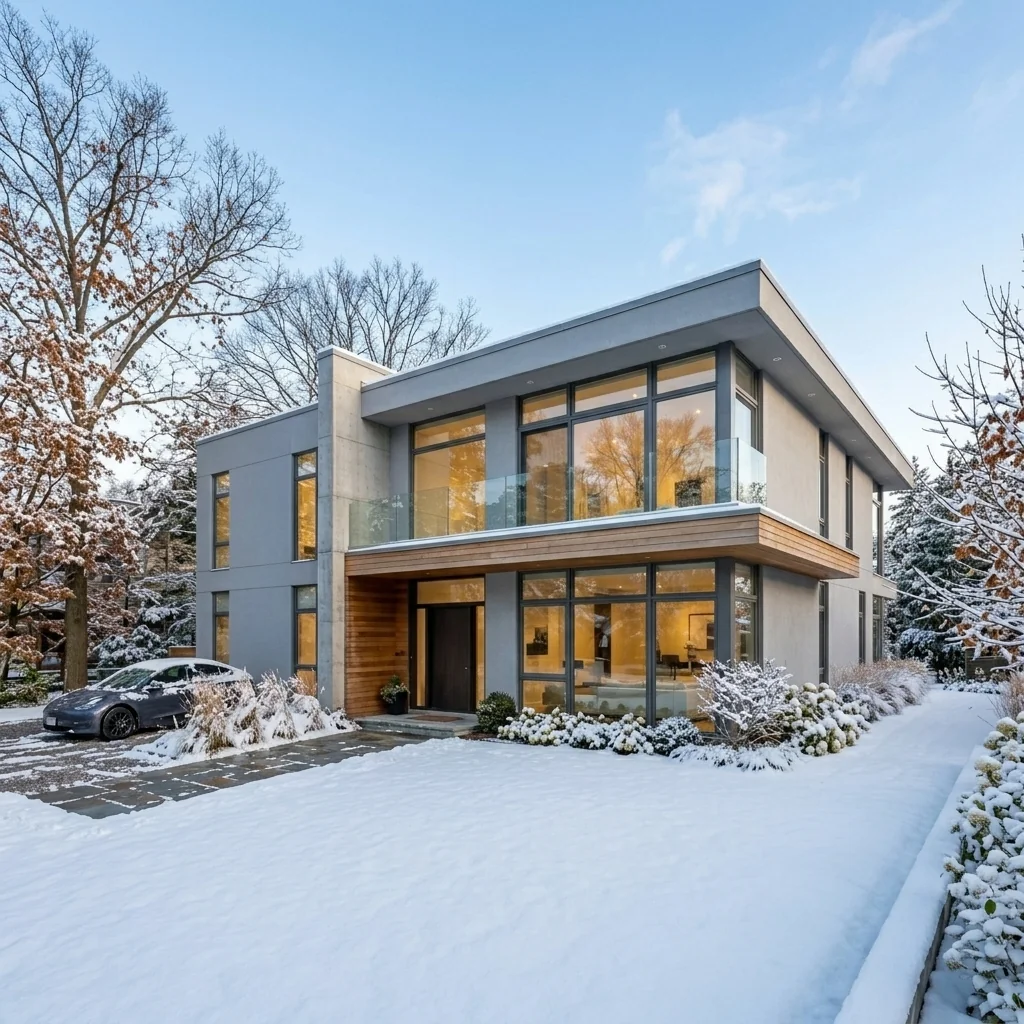
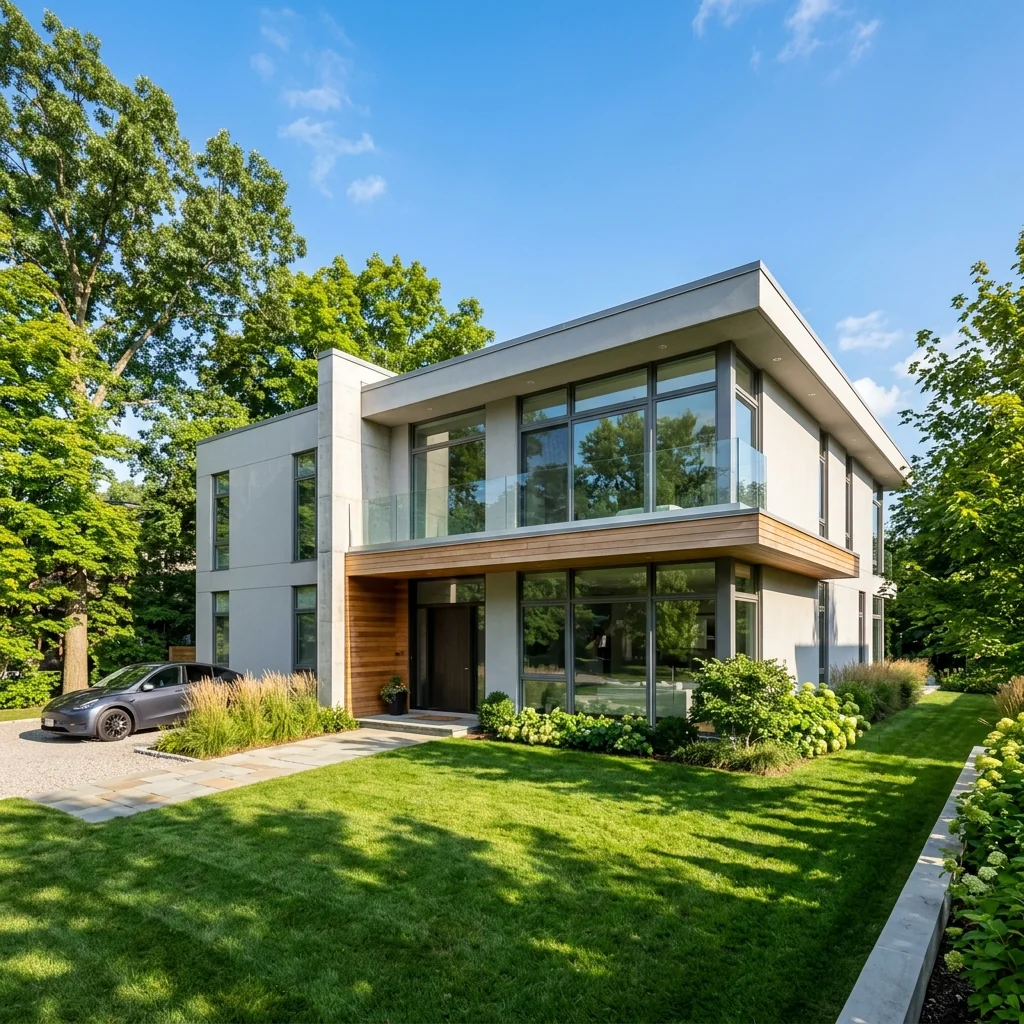
Example · Your result depends on your photo and settings.
1 image free after verified sign-in · No credit card
Choose a photo. Review the look. Sign in to create.
Examples and photo tips
What to prepare
JPG, PNG, WebP, HEIC or HEIF · up to 20 MB per photo
At least 64 × 64 pixels; JPG/PNG/WebP up to 40 megapixels.
HEIC/HEIF: up to 4 megapixels. Larger images need a JPG, PNG or WebP copy.
A clear source photo
Well lit, with the whole area visible.
An idea of the change you want
The editor shows the options for this tool.
Review AI changes before publishing a property image.
Explore more examples
View original photo
Before

View original photo
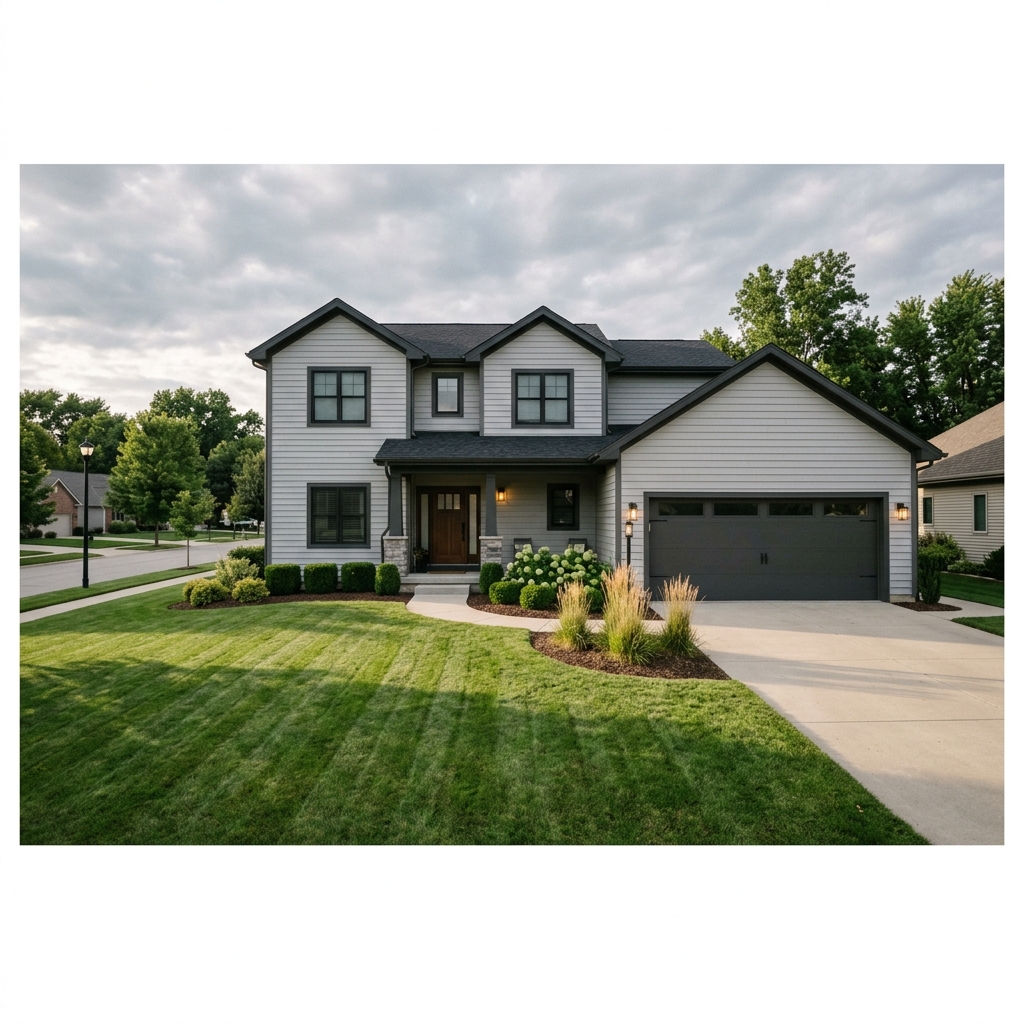
Before

View original photo

Before
About this tool
Property Image Enhancement
Prepare your idea
Explore a seasonal concept for an exterior photo. Choose from the offered seasons and review the selected image count; the returned image does not document the property's current condition.
Prepare your source photo and the references listed in the form. Its settings describe the intended changes.
Review the request and result
Review availability, image count and the current total before explicitly confirming. Registration alone does not establish credits or a free result. If the outcome is unclear, check the saved status of the existing request before confirming again.
Read the earlier original guide
This earlier guide may contain historical price, timing, quality or usage statements. Use the current description and tool form.
Seasonal Property Visualizer Examples: Before & After Results (2026)
See how agents use seasonal property visualizer to transform listings
Expert guide
5 Tips to Maximize Your Seasonal Property Visualizer for MLS Listings
How to Use a Seasonal Property Visualizer Online for Stunning Real Estate Photos
How can a Seasonal Property Visualizer enhance my property listing?
Use seasonal visualizations to compare how a property could appear in spring, summer, autumn or winter. Keep the original image separate, check the accuracy of architectural and landscaping details, and label visual changes as required by your listing service.
Are there any MLS guidelines for using a Seasonal Property Visualizer?
Always disclose that real estate photos have been digitally enhanced using a Seasonal Property Visualizer. Ensure the property listing accurately represents the current state of the property. Consult your local MLS guidelines for specific regulations on virtual staging and seasonal enhancements. Transparency is key for agents!
What is the cost of using a Seasonal Property Visualizer compared to traditional staging?
Using a Seasonal Property Visualizer is significantly more cost-effective than traditional staging. Convert your existing real estate photos into stunning seasonal visuals for a fraction of the price. Upload your images and experiment with different seasons without incurring hefty staging fees. It's a budget-friendly solution for every agent.
How does a Seasonal Property Visualizer affect the quality of real estate photos?
A Seasonal Property Visualizer can dramatically improve the perceived quality of your real estate photos. Enhance colors, add seasonal elements, and create a welcoming atmosphere. Ensure the enhancements are realistic and high-quality to maintain credibility. Our tool is designed to produce professional-grade results for your property listing.
What are the best uses for a Seasonal Property Visualizer in real estate marketing?
The best uses include showcasing a property's year-round potential, attracting buyers in different climates, and refreshing stale listings. Stage vacant properties in vibrant seasons to evoke emotion. Use it on Zillow and other platforms to stand out from the competition. The Seasonal Property Visualizer helps agents create impactful marketing materials.
How can I integrate a Seasonal Property Visualizer into my existing workflow?
Seamlessly integrate our Seasonal Property Visualizer into your workflow. Upload your photos directly from your computer or cloud storage. Convert them quickly and easily, then download the enhanced images for use on MLS, Zillow, and other platforms. Streamline your marketing process and save valuable time with our intuitive tool.
How it works
How PropStage.ai's Seasonal Property Visualizer Works
Show your listings in their best light, all year round!
Upload Your Property Photo
Simply upload a photo of your property. Our AI analyzes the image to identify elements for seasonal transformation.
Select Your Desired Season
Choose Spring, Summer, Fall, or Winter. Our AI intelligently adjusts foliage, landscaping, and even lighting.
Download & Showcase Year-Round Appeal
Receive stunning, seasonally adjusted images ready to use in your marketing materials, attracting buyers in any season.
What you can do
AI Seasonal Property Visualizer: Showcase Year-Round Beauty
Summer Vibes, Instantly
Transform dull exteriors into vibrant summer scenes, highlighting lush greenery and inviting warmth to attract buyers.
Autumnal Charm Generator
Add captivating fall foliage, creating cozy and inviting images that evoke feelings of home and seasonal appeal.
Winter Wonderland Effect
Showcase your property's winter potential with realistic snow cover and festive touches, attracting buyers year-round.
Spring Bloom Enhancement
Infuse your listings with the freshness of spring, adding blooming flowers and vibrant colors for increased buyer interest.
Year-Round Marketing Advantage
Present your property in its best light, regardless of the current season, maximizing appeal and attracting more potential buyers.
Rapid Seasonal Transformations
Generate seasonal variations in minutes, saving time and resources while enhancing your marketing materials instantly.
Attract more buyers with stunning property visuals in every season. Effortlessly transform your listings with AI.
One Photo. Four Seasons. Unlimited Possibilities.
Show buyers year-round curb appeal without waiting or expensive photo shoots
Compare editing approaches
Review timing, cost, available options and the editing steps for your photo.
Creation time
Other services: Agree on a delivery deadline before work starts.
PropStage: Processing time varies. If a result is delayed, check its saved request status instead of sending the same request again.
Cost per image
Other services: Ask for a written quote covering the agreed work and any additional fees.
PropStage: Review the credit cost before confirming a request. Check the current offer before choosing a plan.
Styles and variations
Other services: Confirm which styles and revisions are included.
PropStage: Use the options offered by this tool. Review the credit cost before confirming each new image request.
Editing workflow
Other services: Agree on the source photos, references and final review.
PropStage: Review the required photos and settings before confirming. Keep your original and compare the saved result before publishing.
Read the earlier original guide
This earlier guide may contain historical price, timing, quality or usage statements. Use the current description and tool form.
Unlock Year-Round Appeal: AI Seasonal Property Visualizer
Showcase your listings in every season, effortlessly.
Transform your property photos into stunning seasonal showcases with PropStage.ai. Our AI-powered tool lets you visualize your listings in spring, summer, fall, and winter, captivating buyers and maximizing engagement. Choose PropStage.ai for impactful seasonal real estate marketing that sets you apart.