
 BeforeAfter
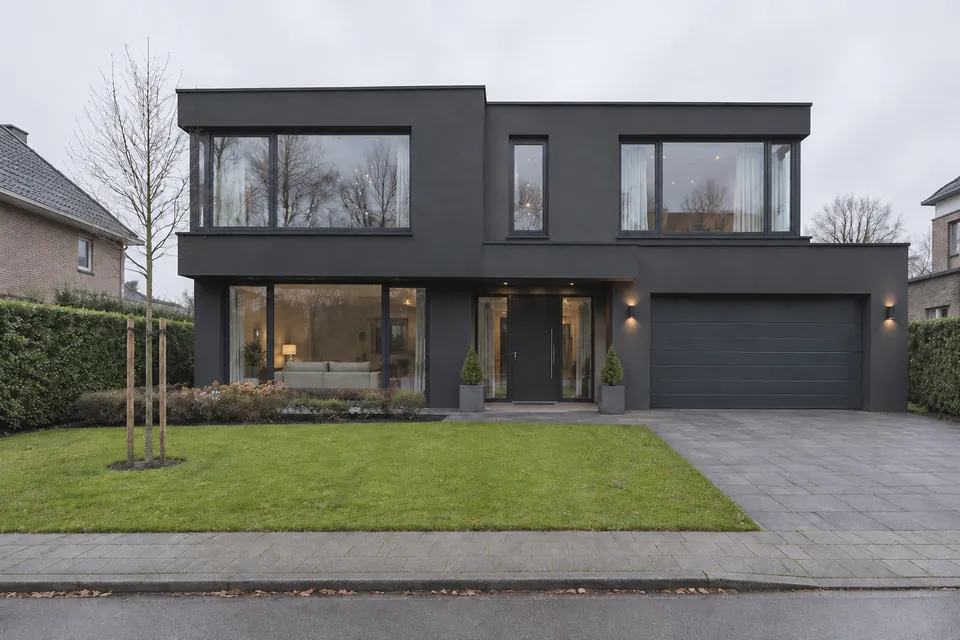
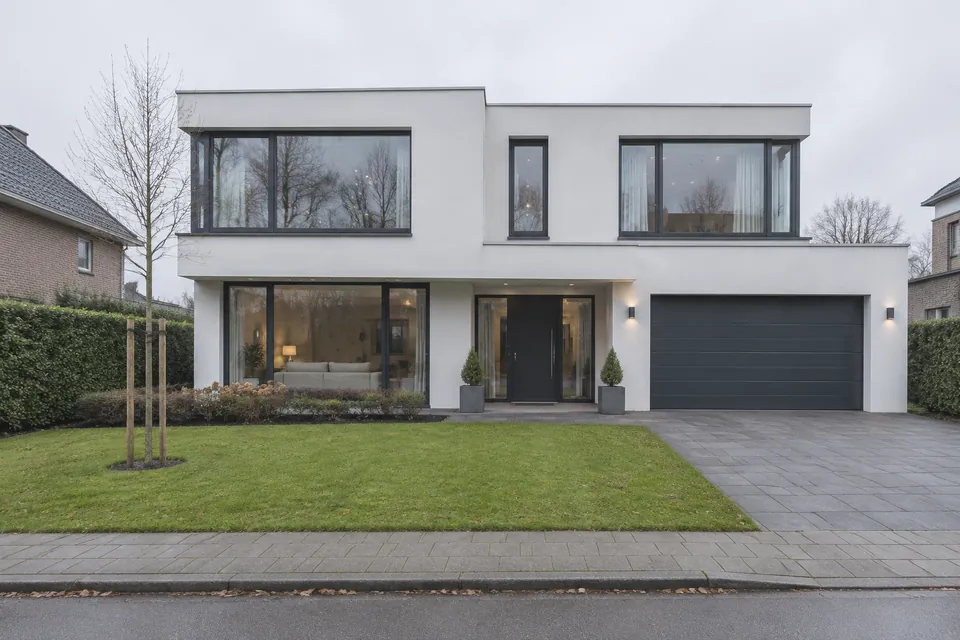
Charcoal modern
The wall color changes from white to charcoal grey while the roof, windows, doors, and view stay unchanged. It helps you see a darker look before you commit.
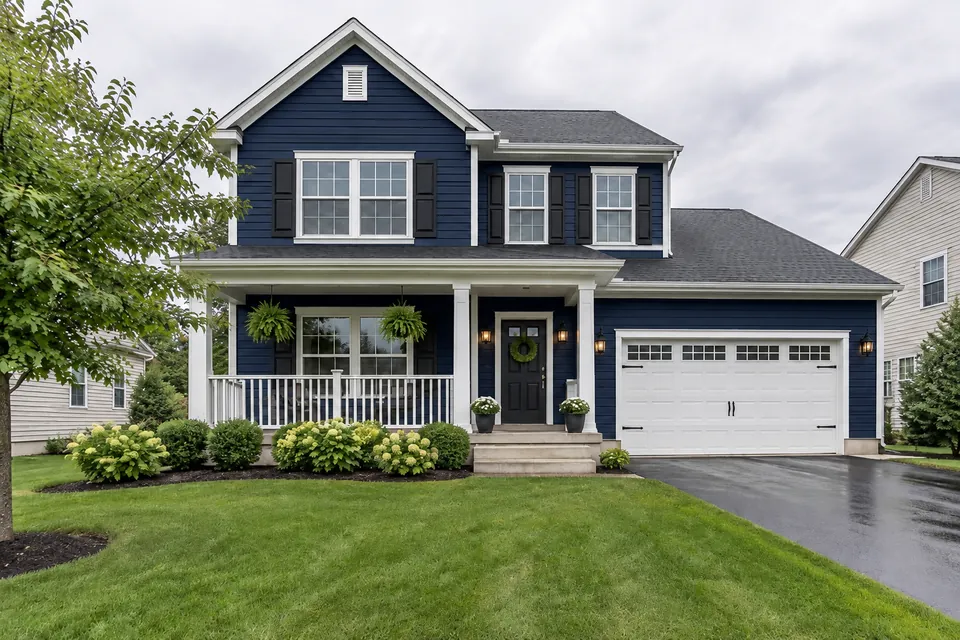
Upload a photo of your home and switch between navy, sage, charcoal, white and more. Walls and trim change. Everything else stays as you photographed it.
 BeforeAfter
A house color visualizer lets you preview exterior paint colors on a real home photo before you paint. With PropStage.ai, you can test wall paint or trim changes on front or side daylight photos in about 30 seconds. The roof, windows, doors, and camera view stay the same.
BeforeAfterThe wall color changes from white to charcoal grey while the roof, windows, doors, and view stay unchanged. It helps you see a darker look before you commit.
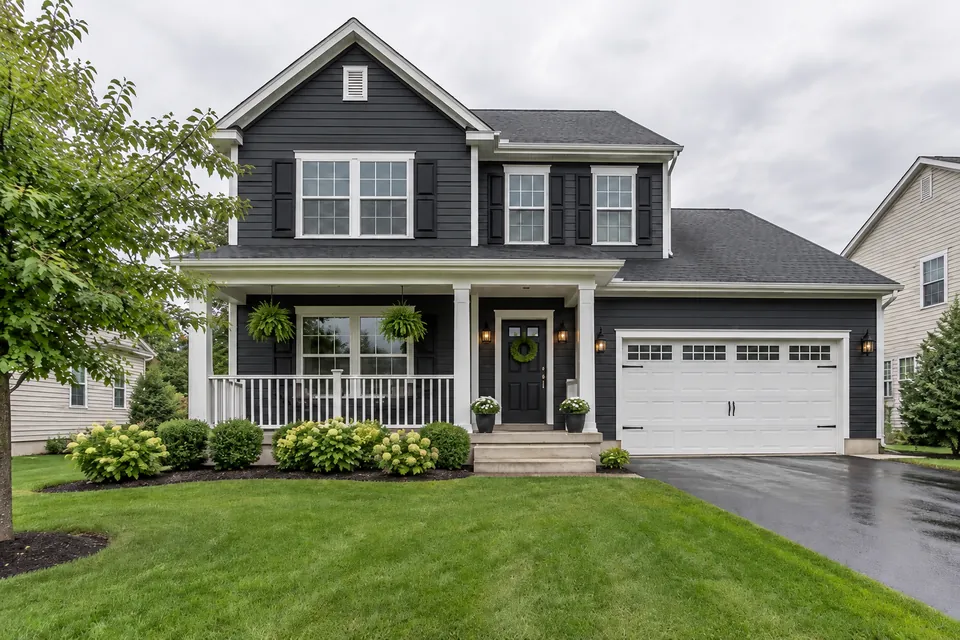 BeforeAfter
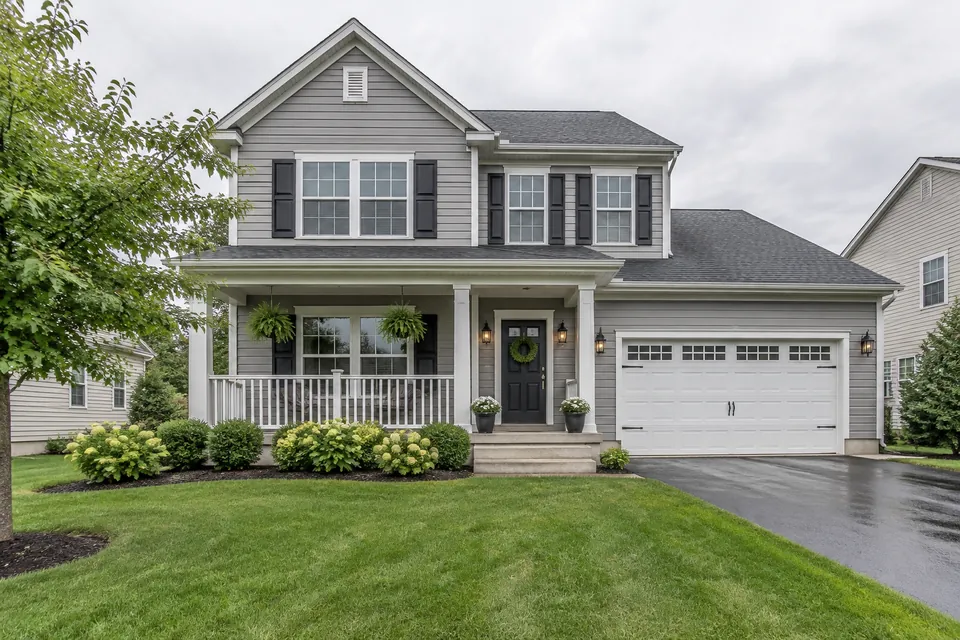
This preview shows a grey exterior shifted to charcoal, so you can compare depth and contrast on the same photo. It is useful when you want a stronger exterior tone without changing the house itself.
Use this quick guide to see whether a house color visualizer is the right next step.
| Decision point | What to know | Why it matters |
|---|---|---|
| You want to compare paint colors fast | Upload one daylight exterior photo and preview options in about 30 seconds. | It saves time when you are narrowing down a shortlist. |
| You need to keep the structure realistic | Only the chosen part changes. Roof, windows, doors, and camera angle stay the same. | You judge color, not a misleading render. |
| You are planning a repaint, not a full redesign | The tool is for wall paint, trim, facade material, curb appeal, fence, driveway, or climbing plants. | It matches common exterior updates homeowners actually make. |
| You want to share a clear idea with others | A simple before-and-after preview makes it easier to ask for opinions. | Friends, family, or contractors can react to the same view. |
| You are still testing options | See the result in seconds, then decide on the next step. | You can try the idea before spending more time on it. |
This house color visualizer is built for exterior paint choices. It works on front or side photos taken in daylight.
You can test wall paint, trim, facade material, curb appeal, fence, driveway, or climbing plants. Each edit stays focused on the chosen area.
Choose a photo with clear daylight and a visible exterior surface. That gives the tool more detail to work with.
If you are trying to paint my house online, start with one change at a time. It is easier to compare a clean wall color preview than several changes at once.
If you are still planning the rest of the exterior, these tools may also help.
It works on front or side exterior photos taken in daylight. The image should clearly show the area you want to change so the preview stays useful.
No. It only changes the chosen part of the house photo. Roof, windows, doors, and camera view stay the same.
About 30 seconds. You upload a photo, choose the area, and get a preview you can review before you decide.
Pick a plan, upload your photo and your design is ready in about 30 seconds, in full resolution. Cancel anytime.